“My Hard Drive was clicking and the desktop computer will not start up. I bought this cable to try and recover the pictures off the desktop hard drive, but when I plug the hard drive and cable into my laptop it doesn't get recognized.”
Answer This Question
1-3 of 3 Answers
This is only meant for laptop drives. I found out you need a Hard Drive dock for 2.5”/3.5” SATA drives. It has a AC plug because the USB alone doesn’t have enough power for a desktop drive.
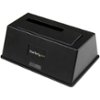
Sorry, there was a problem. Please try again later.Please review Pic 1; if your damaged drive looks like the leftmost drive, the cable will not work because there's no power getting to the drive. No power, no recognition by your laptop. Look at Pic 2 - see the 4-pin connector on the bottom right? That's the drive power connector for desktop drives. The Apricorn cable doesn't make connection to this group of pins and doesn't provide power to 3.5" desktop drives. To power up and connect the old damaged desktop hard drive from your laptop, you will need an external dock like the StarTech.com - USB 3.0 Hard Drive Docking Station - Black (~$40) or similar external hard drive dock. Simply search for "External Hard Drive Dock" for your purchase options or click on the image link below. If you don't want to buy a device you'll use only once or your damaged drive looks like rightmost image in Pic 1, you need to get professional help. Take the drive to the Geek Squad and tell them what happened and what you want. They should be able to recover the pics off the drive for you at a reasonable cost. Good luck.
I would recommend:
Sorry, there was a problem. Please try again later.you need to install the program that's on the CD
Sorry, there was a problem. Please try again later.