A:AnswerThanks for reaching out Micheal. This PC should be able to stream and play games. Just be aware that there maybe performance drops or you may need to lower your settings. If you have any further questions or concerns then please do not hesitate to give our tech support agents a call for any assistance; we're always happy to help.
Tech support:
(888)937-5582
- CyberpowerPC Support
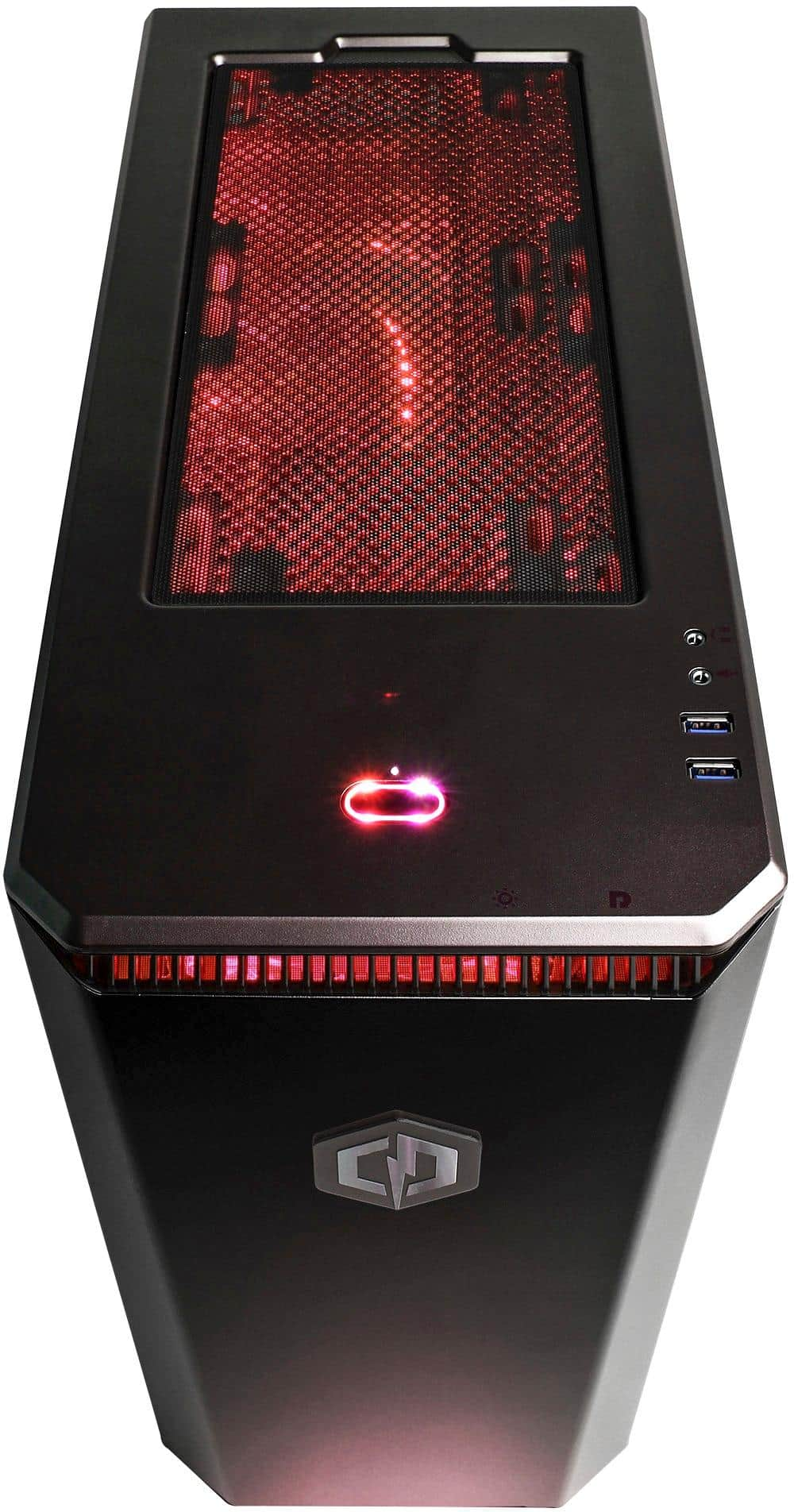
A:AnswerThanks for reaching out Emilio. This PC should come with at least 2 3.0 USBs on the back of the PC. Other models may vary. If you have any further questions or concerns then please do not hesitate to give our tech support agents a call for any assistance; we're always happy to help.
Tech support:
(888)937-5582
- CyberpowerPC Support
A:AnswerThanks for reaching out Rey. You should be able to switch out CPU fans based on your preference. If you have any further questions or concerns then please do not hesitate to give our tech support agents a call for any assistance; we're always happy to help.
Tech support:
(888)937-5582
- CyberpowerPC Support
A:AnswerThanks for reaching out Rey. You should be able to install a SSD drive into the PC using your Sata III ports. If you have any further questions or concerns then please do not hesitate to give our tech support agents a call for any assistance; we're always happy to help.
Tech support:
(888)937-5582
- CyberpowerPC Support
A:AnswerThanks for reaching out Rey. Unfortunately, these PCs come pre-built, so unless it has water cooling inside already, you cannot change it. If you have any further questions or concerns then please do not hesitate to give our tech support agents a call for any assistance; we're always happy to help.
Tech support:
(888)937-5582
- CyberpowerPC Support
A:AnswerThanks for reaching out Anonymous. This motherboard should support Sata III. If you have any further questions or concerns then please do not hesitate to give our tech support agents a call for any assistance; we're always happy to help.
Tech support:
(888)937-5582
- CyberpowerPC Support
A:AnswerThanks for reaching out leeglock. You are able to upgrade any parts in the PC. However, please be aware that if you do upgrade the graphics card, you need to make sure it is compatible with the motherboard. You need to uninstall and install new drivers for the card depending on the card. And you need to make sure your PC is able to power the PC as a higher end graphics card may require at least 600 Watts or more. If you have any further questions or concerns then please do not hesitate to give our tech support agents a call for any assistance; we're always happy to help.
Tech support:
(888)937-5582
- CyberpowerPC Support
A:AnswerThanks for reaching out Haze. The first thing to do is make sure your HDMI port is connected to the video card. Next, you need to make sure your settings are in set for performance. Lastly, make sure your drivers are up to date. If you have any further questions or concerns then please do not hesitate to give our tech support agents a call for any assistance; we're always happy to help.
Tech support:
(888)937-5582
- CyberpowerPC Support
A:AnswerThanks for reaching out. You can upgrade any part in a PC, just make sure they are compatible with your other components. Since you are upgrading your graphics card to another higher model, you may need to check how much power you need, and then upgrade your PSU accordingly. You do not want to bottleneck your PC. Another thing to note, is if you are changing GPUs, you will need to uninstall and install video drivers accordingly. If you have any further questions or concerns then please do not hesitate to give our tech support agents a call for any assistance; we're always happy to help.
Tech support:
(888)937-5582
- CyberpowerPC Support
A:AnswerThat sounds like more of a fortnite issue and less of a system issue. Fortnite has a few optimization issues that can easily cause system hiccups. I run some massively intensive video editing software as well as quite a few heavy running games on my machine with no issue. Fortnite will still bug out after a bit of playing.
A:AnswerThanks for reaching out Haze. First and foremost, you need to make sure the video card is compatible with the motherboard. Next is to make sure the video card can fit inside the case without affecting other components. Lastly, you need to make sure you have enough wattage to support the newer graphics card. Do not bottleneck your PC. Also, be sure to change out your Video Card drivers. If you have any further questions or concerns then please do not hesitate to give our tech support agents a call for any assistance; we're always happy to help.
Tech support:
(888)937-5582
- CyberpowerPC Support
A:AnswerThanks for reaching out Rey. You can upgrade any parts in this computer, just make sure they are compatible with the motherboard. It seems however the highest you can upgrade this motherboard to, is a AMD FX-8370E, if you do not want to change the motherboard. AMD Ryzen 5 may possibly need a motherboard upgrade as well. If you have any further questions or concerns then please do not hesitate to give our tech support agents a call for any assistance; we're always happy to help.
Tech support:
(888)937-5582
- CyberpowerPC Support
A:AnswerThank you for reaching out Judy. This PC surpasses the minimum requirements for all games listed above. They should be able to go past medium settings, but some games require more resources than others. If there is no performance drops, you should be able to advance the settings, if not, tweak them. If you have any further questions or concerns then please do not hesitate to give our tech support agents a call for any assistance; we're always happy to help.
Tech support:
(888)937-5582
- CyberpowerPC Support
A:AnswerThank you for reaching out Greg. Any motherboard should be able to hold any types of graphics card. The thing that makes the difference is how big your case is because some video cards are bigger than others so you need to make sure it can fit and how much wattage you need in order to run said video card. Depending on the card, you may need to upgrade your power supply as well. If you have any further questions or concerns then please do not hesitate to give our tech support agents a call for any assistance; we're always happy to help.
Tech support:
(888)937-5582
- CyberpowerPC Support
A:AnswerThank you for reaching out. You would be able to add another 8 GB of RAM to the motherboard and able to upgrade your GPU. Just be aware you may need to install new drivers for the GPU. However, if you do happen to do that, you may need to increase your watt in your PSU by buying another. It is recommended to not push the limits of a PSU, but to get a higher wattage one for safety. If you have any further questions or concerns then please do not hesitate to give our tech support agents a call for any assistance; we're always happy to help.
Tech support:
(888)937-5582
- CyberpowerPC Support