“Can this computer contect to a smart tv either by casting or a converter?”
Answer This Question
1-2 of 2 Answers
Not sure but I will find out for you when I get home
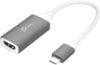
Sorry, there was a problem. Please try again later.For casting, your TV needs to be on the same wireless home network your computer is on. And, not all programs or apps permit casting. When they do permit casting, this PC should be able to cast. Attached are two photos from a YouTube example. Select your YouTube video. Photo #1 shows the options, including the casting icon (second from right) that displays on the lower right corner of the YouTube video display. Once you click on the casting icon, another pop-up will appear showing the list of enable items (Photo #2). Select the one you want, and you're done. I think a better solution not needing a network might be to use a USB-C adapter from the computer to an HDMI cable plugged into the TV HDMI input. Set the computer to "mirror" the screen.
I would recommend:
Sorry, there was a problem. Please try again later.