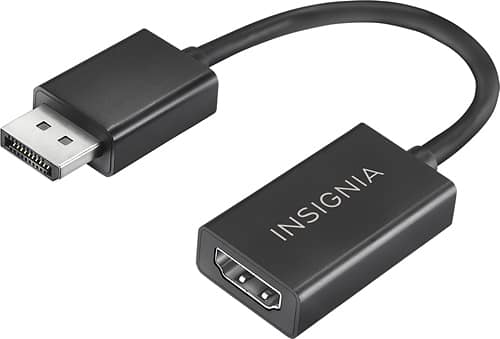
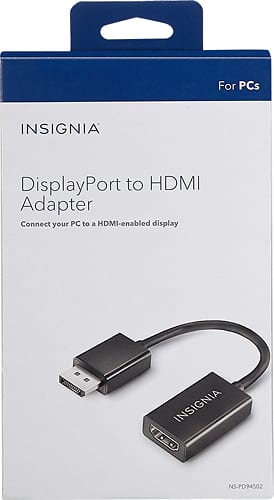
A:AnswerThe package says it will support up to 1920x1080 and the properties on my monitor say 60Hz/8 bit/RGB/SDR. Your monitor may support Hz higher than 60 (you mentioned 90 which I don't see often or ever) and greater resolution (you mentioned 1440). I would not assume this will support that performance. 1920x1080 is mostly supported at 60Hz and you would need to make sure your gpu and your monitor would support higher than 60HX at 1440. I recommend getting something that natively supports 4k specs, good luck.
Helpful link for hdmi specs: https://en.wikipedia.org/wiki/HDMI#Versions
A:AnswerNo, the adapter will not work for this scenario you are describing.
This is a directional cable, the video source should comes from the DisplayPort (a computer) to be displayed on an HDMI input (for example an external monitor or TV).
David M. - Insignia Support
A:AnswerYes, this adapter will work perfectly for you as long as you have a display port on the back of your computer (angled on one side and straight on the other).
A:AnswerHi! I would like to suggest that you contact us on the link below so that we can check the specifications of the products that you are trying to connect and give you the best answer possible.
Viridiana E.
Insignia Support.
https://www.insigniaproducts.com/contact-us
A:AnswerNo. This is for one way conversion from displayport to hdmi. As far as I know, there isn't a displayport jack on a ps4. You will probably have to get that socket repaired.
A:AnswerThe answer to your question depends on what ports the Acer Monitor has and what the HP laptop has. Most laptops have some kind video output port built into the motherboard from the computer. I find it hard to believe that a laptop would have a displayport only and no HDMI. But if it's the case, then yes it would work.
But it's likely that the laptop either has HDMI or VGA, in which case you can just use a regular cable without an adapter and it should work fine.
A:AnswerIt will not work to upscale to Displayport. I just found out the hard way. My laptop has hdmi and my monitor has DP. It would work the other way around but not this way. Did you find a solution?
A:AnswerI believe we have the same issue and yes, it worked for me. I use a docking station and now everything is connected there and I can disconnect the laptop from the docking station with ease.
A:AnswerHi, there.
This Adapter actually works the other way around, you connect the Display port to the source device and the HDMI cord to the Adapter then. Thus, it would not work as you mention.
Cesar G. - Insignia Support
A:AnswerIf your MacBook Air has a display port than possibly but I know that my wife and my MacBook Pros do not. We only have the usb c ports so this plug would not work for either of our MacBook Pro.