A:AnswerHello Claudio,
Sorry to read that you are having problems with the speaker, please contact us at https://www.insigniaproducts.com/contact-us so one of our agents can assist you with your speaker.
Daniel B. - Insignia Support.
A:AnswerI purchased this item as a gift however, upon reading quite a few of the reviews prior to purchase, I noted reviews addressing your question. I recommend you read the reviews and I believe you will find your answer and the solution therein
A:AnswerI'm pretty sure you have to sign into your google account for setup.... see the instructions that came with it. My unit setup fast and it was easy too. i can't find the paperwork but you sign in and do a search for the setup.... good luck.
A:AnswerOnce you complete the Google Home setup and connect this speaker to it, the time will automatically be set to your phone's time. No extra effort is needed.
A:AnswerNo. And I am thinking that outputing stereo left and right is a pretty advanced feature and is not a priority for Google.
If/When this device supports audio group, you could try to output the same music to multiple speakers in the room/house. Technically not the same as stereo left and right however.
A:AnswerIf you are asking if this can output its sound to another bluetooth speaker, the answer is NO. At least not now.
FYI, Google Home Mini couldn't do this at release either. 6 months later the function was enabled with firmware update. So I think it's possible but not now.
A:AnswerAccording to this post (see link) by Mariah-BBY on BB's forums, this is caused by an unreliable connection to power or a power surge.
I have this problem as well. My solution is to cycle power by pulling the plug.
http://www.forums.bestbuy.com/t5/Home-Audio-Video/Flashing-power-LED-Voice-Smart-Bluetooth-Speaker-Alarm-Clock/td-p/1220555
A:AnswerI have the same issue. But not just playing music from blue tooth also using Google Play service. Happens every time I turn down below 15. I have 4 of the Insignia Google Assistants and same issue on all. Turn it up, no issue.
A:AnswerThey finally added Un Mute Support with the latest Firmware update 318 and also it now always displays the current temperature without having to say OK Google What's the current temperature".
A:AnswerHi there,
Thank you very much for purchasing the Voice Smart Bluetooth Speaker. I would like to begin telling you that the "load" message that you are getting it's due to an update. This will happen periodically at night and typically takes up to 2-3 minutes( this depends on your network connection) but it is absolutely normal.
Alex C. - Insignia Support.
A:AnswerI have the same issue as you. When I do the "speaker pair" they both connect to each other but one speaker (the right speaker) does not display the time anymore. It just says "set". You would think that they're not connected because of that message, but they are. They both play music and they act as one speaker. But I cannot get the right speaker to display the time as the left speaker. Does anybody have a good solution? I tried resetting them but that does not work.
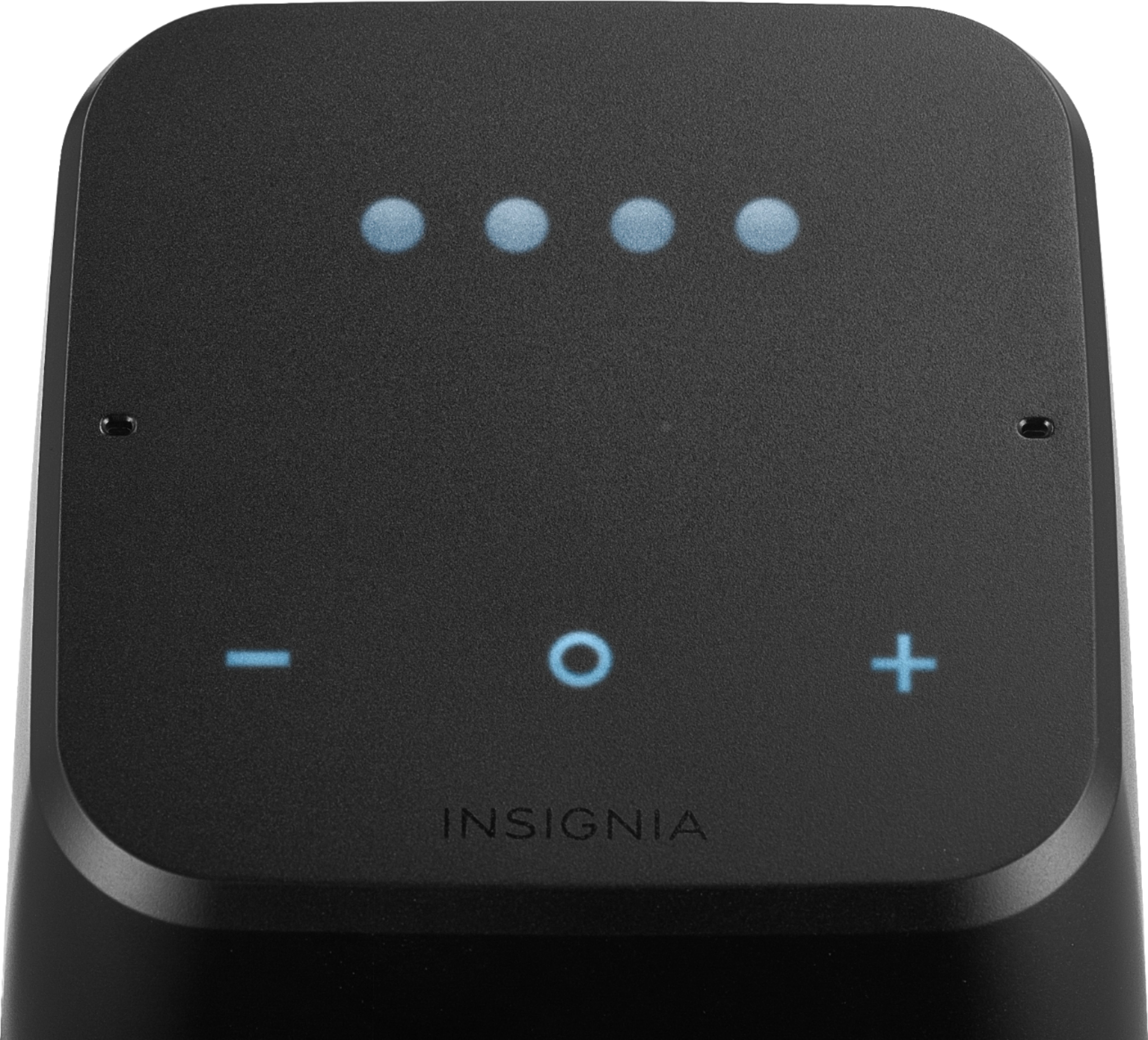
A:Answer1. Tap the top of the speaker to get the controls to illuminate
2. Press and hold the - and + buttons on the top of the speaker for 4 seconds to enter bluetooth pairing mode ("bt" should appear on the front of the speaker)
3. On your bluetooth enabled device, click on the Insignia speaker name you entered in Google Home
A:AnswerMine kept constantly disconnecting from my wi-fi.
My router has a 2.4 Ghz an 5 Ghz Wi-fi connection, so yesterday I went in and changed the settings so that both the 2.4 and 5 Wi-fi have different names. Since I've done that, it has not lost the wi-fi connection. I hoping it stays that way.