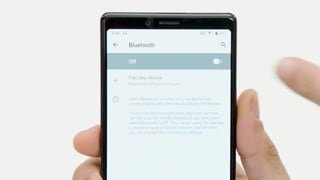
A:AnswerGreat question! Though some users are successful, we do not support direct connectivity between a Jabra Bluetooth device and a computer. We, therefore, cannot guarantee device performance, or provide support for performance problems that may result from using unofficial compliance.
Jabra Bluetooth headsets are optimized to be used with smartphones/mobile phones. They are not specifically optimized to be used directly with a computer. We hope this helps, thank you!
Pairing your Jabra Bluetooth device with a computer may work for audio streaming, but not for call control which is not supported by many computers. Also, if connected to a computer, audio quality could vary because Bluetooth is not optimized for audio streaming on many computers. However, this would be highly dependent on the specific model of the computer.
A:AnswerHi there! Though some users are successful, we cannot guarantee full functionality when connecting the Elite 65t to a computer. The Elite 65t is designed to pair with smart phones, and tablets! Thank you so much. If you have other questions, please contact our support team: https://bit.ly/2fdWQXk.
A:AnswerAre the buds connected to multiple devices, like your computer? That's the only time I had a similar problem - the buds ignored the phone & prioritized my computer
A:AnswerHello- for the Elite 65t, this is the expected standby time since it has a battery life of 5 hours on a charge. If you are looking for a headset where you can customize a longer standby time, we recommend checking out the Jabra Elite 85h. If you have any questions, or require assistance please contact our support team:https://www.jabra.com/contact/support/jabra-support-consumer. We are always happy to help you find a Jabra product that suits your needs. Thank you for your question!
A:AnswerHello- the Jabra Elite 65t does have an automatic shut off feature. The Elite 65t will automatically shut off after 15 minutes without connection, and 60 minutes without activity. Please contact us through a private message via Facebook, or Twitter so we can assist you with finding the Jabra product that suits your needs, or please feel free to contact our support team: https://www.jabra.com/contact/support/jabra-support-consumer. We are happy to help!
A:Answer65t Active is for excercise or activity based person using them sweating/dirt/ water prone. Elite 65t more for professional uses or everyday regular use.
A:AnswerAim the boom (pointy part} of the bud towards your mouth. Otherwise, I'd exchange them for working ones. These buds are well known for the excellent call quality
A:AnswerYou may find that the Jabra Sport version comes with memory foam and those I’ve heard fit and stay in better while also being more comfortable. Possibly find them on amazon sold separately or....buy and return the Jabra Sport without the memory foam inserts. Hope this helped in any way.