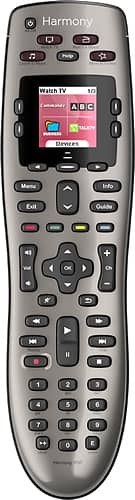
A:AnswerYes anything that has an IR sensor will work with this remote. I use one for my bose sound bar, TV, xbox one s, AC, hdmi switch box, you just have to set it up in the myharmony app on your pc first.
A:AnswerI had to connect it to my computer and go to Myharmony.com and then put the name of the device and then the model number and sync it into the remote. It is quite easy to do.
A:AnswerI believe you are correct. The sales person told me that he expected Logitech to discontinue the 650. I believe that the 650 is currently the best buy.
A:AnswerAll devices can be checked at
https://support.myharmony.com/en-us/compatibility?utm_source=support%20agent&utm_medium=forums%20-%20logi&utm_campaign=compatibility%20lookup
A:AnswerHarmony ultimate is a RF base and if you have a wire running from your tv down to your equipment then you are golden..
Place the hub near where your remote will be and extend the blaster to the basement.. And if the basement is not far from where the tv is then place the hub in the basement and setup your remote on your PC it's easy .. All you need is wifi in your house..
A:AnswerThis specific remote is really designed to handle a few key tasks (i.e., Watch TV, Watch Movie, Listen to Music). While these buttons can be easily repurposed (I used Listen to Music to run be Watch Apple TV), I don't believe you will find this less expensive version to be enough to run everything that you have. I also have older Harmony Ones at my house and I believe those would be more in line with what you are looking for.
A:AnswerIt works with my Samsung tv and Blu-Ray player. So I suspect it would for you as well. It also works with both an old Comcast DVR and their new X1 box, so I'd hope it could handle Direct-tv commands too.