“How can I hook up two monitors to the docking station”
Answer This Question
1-5 of 5 Answers
I use a Star Tech adapter - it has a graphic card in the adapter and connects via USB. Though always keep the Surface Pro monitor as your main monitor and the second monitor as your working screen only.
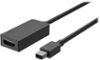
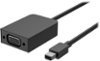
Sorry, there was a problem. Please try again later.You need to purchase a Microsoft mini DisplayPort to VGA or HDMI adapter. If you buy 2 you will essentially have 3 screens. The 2 external and the Surface Pro's screen.
I would recommend:
Sorry, there was a problem. Please try again later.This dock has two slots for monitor connection. Depending on what connectors your monitor has, you may need an adaptor.
Sorry, there was a problem. Please try again later.There are multiple ports to hardwire it too...then follow the prompts on the screen...plus, ther is a help option to access which also shows some diagrams.....very helpful
Sorry, there was a problem. Please try again later.Using the mini display ports on Surface Dock, simply use a corresponding adapter/cord that is compatible with your monitors such as a mini display port to HDMI adapter. To learn more about the functions of Surface Dock, click here: https://support.microsoft.com/en-us/help/4023451/surface-using-surface-dock-and-surface-docking-stations.
Sorry, there was a problem. Please try again later.