“I have a PC with win10 the adapter shows up but the description says driver not available this is after installation and PC states my device is installed and ready to use”
Answer This Question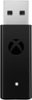
1-2 of 2 Answers
It's possible you don't have the most up to date drivers for either your Xbox or your PC. I recommend looking up the Windows 10 info page to get your started and if all else fails maybe contact Geek squad and have them walk through it with you.
Sorry, there was a problem. Please try again later.1. Try a different USB port, silly I know. 2. Go to device manager and try to delete the driver completely and then remove the USB and try again, sometimes it just doesn’t install the driver properly. 3. Worst case return the one you grabbed and get another one. The first one I bought did not work either, second one worked just by plugging it in. Hope this helps.
Sorry, there was a problem. Please try again later.
