“how do you connect it to a xbox series x controller for your pc”
Answer This Question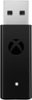
1-2 of 2 Answers
Just plug the adapter into a USB port on the computer. Press the small button on top of your xbox controller that is near the slot where you would charge your controller, the xbox symbol should flash. Then press the button that is on top of the adapter and it will sync with the controller, the Xbox symbol will stop flashing and you’re all set!
Sorry, there was a problem. Please try again later.Plug into your pc, wait a few minutes for the driver to install, hold the center xbox button until it starts flashing repeatedly, then push the button on the back of the dongle. And that it, the button on your xbox controller should be a solid light, indicating the it is now synced to your controller. If it does not sync please make sure you have windows updates. This would be a driver issue.
Sorry, there was a problem. Please try again later.
