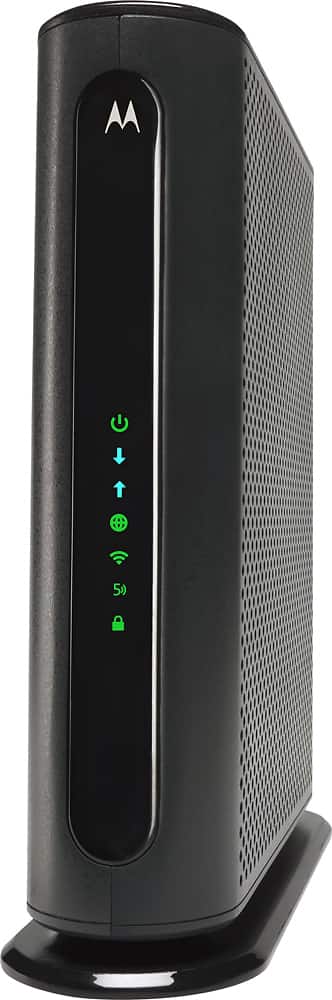
A:AnswerIt comes pre-configured with a randomly generated SSID and Password, located on the bottom of the modem/router. The MG7550 has unique Wireless Network Names/SSIDs and a unique WPA/WPA2 Wireless Security Key/Password printed on the MG7550’s bottom label. If you don’t change these, you should set up your wireless devices to work with these SSIDs and security key.
You can keep that or you can access the configuration manager and change the SSIDs and Passwords (e.g., set different SSIDs and PW for 2.4gHz, 5 gHz and Guest network).
If you need to access the MG7550 Configuration Manager, open your Web browser. Type http://192.168.0.1 in the address bar and press the Enter key.
In the login dialog box, type the following User Name and Password in lower case, then click OK.
User Name: admin
Password: motorola
A:AnswerWay too much tech for me but I can tell you that I called Motorola tech support to bridge mine and was told that this router/modem can bridge but it will not hold.Huh?Sounds like a design flaw to me.
A:AnswerDepends on how your fiber terminates. If the fiber is coming directly into your home (i.e., straight to your modem), then no this modem/router will not work. You need coaxial cable termination at your device for this modem to work. If fiber is run in your neighborhood but then goes to the house via coax (e.g., like some upgraded Xfinity neighborhoods), you should be fine.
A:AnswerYes, there are rudimentary Parental Controls in the configuration manager. Per the Motorola manual: Parental Control lets you limit access to the Internet from particular devices on your network. For a device like a child’s computer or tablet, you can create lists of websites that the device is allowed to visit, blocking all others (whitelists). Alternatively, you can create lists of websites that the device may not visit, allowing all others (blacklists). You can also set times where Internet access is allowed and not allowed.
Google MG7550 User Manual and download the user manual from the Motorola web site. It will tell you how to set up the Parental Control options.