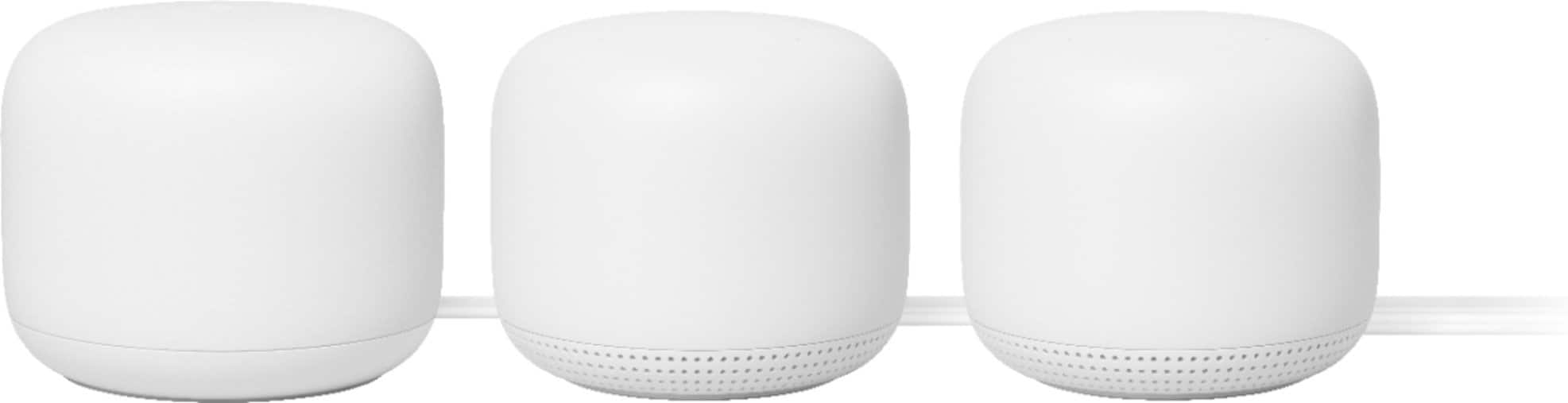
A:AnswerYes, Nest Wifi is fully compatible with Google Wifi. But, we highly recommend setting up Nest Wifi router as the primary router wired to your modem, and adding Google Wifi points to Nest Wifi router to create a mesh Wi-Fi system.
A:AnswerMy service plan is 400 mbps which shows up on my computer speed test.
What is the fastest download speed with the google nest router that I can expect on my iphone that is just 4 feet from the router?
At 60 feet from the router what kind of a download speed should I expect?
A:AnswerNest Wifi router and points can operate within 32°F - 104°F (0°C - 40°C). Please keep in mind, external conditions such as dust can damage the products or impact the functionality.
A:AnswerAs general rule, we recommend to place the points no more than 2 rooms away from the router to have a strong and reliable Wi-Fi connection. 150-200ft distance may be too big to establish the connection between the router and the point. You can consider getting another Nest Wifi router wired to the main router with an Ethernet cable, and then you can place on a high place between the shed and the main router. To see how many points/routers you may need to cover the distance, you can take a look at our support article here: https://support.google.com/googlenest/answer/7182840
A:AnswerNest Wifi router has two 1 Gigabit Ethernet ports, but it doesn't have a port for landline cable. You would still need a modem to connect your landline cable.
A:AnswerYes, Google Nest Wifi can work with your AT&T U-verse modem/router combo. It supports both 2.4GHz and 5GHz bandwidths. Devices that only support 2.4GHz band will automatically connect to the 2.4GHz band.
We recommend putting your modem/router combo in Bridge mode to avoid a possible Double NAT. You can learn more about Bridge Mode here: https://support.google.com/googlenest/answer/6240987
A:AnswerI was an AT&T high speed customer... I used it with their router, but I used the Mesh as main Wifi provider and shut off Wifi from AT&T Router.
A:AnswerGoogle Nest Wifi system comes with its own router with a fast processor, and a 4x4 radio to cover a large area (up to 2,200 sq.ft.), so you don't need a router. But you need a modem provided by an internet service provider (ISP) with internet connection.
A:AnswerGoogle Nest Wifi system can work with your Cox Cable modem/router combo. We recommend setting up Nest Wifi router as your primary router directly wired to the modem with an Ethernet cable for a reliable and larger coverage, and then disabling the Wi-Fi functionality of your Cox Cable combo to avoid Double NAT cases.
A:AnswerThe great thing about this is, that it acts just like a normal router. You'll be fine just plugging the Nest router into the Ethernet cable from the wall.
A:AnswerYes, Nest WiFi works with Spectrum. We recommend setting up Nest WiFi router as your primary router wired to your modem's WAN port. You can then follow the setup instructions to create your mesh Wi-Fi network. If you need at 4 Ethernet ports, You can use your other router as a switch by keeping it connected to your modem and disabling its Wi-Fi functionality or putting it in Bridge mode. You can find more info on putting your other router in Bridge mode here: https://support.google.com/googlenest/answer/6240987
A:AnswerWe recommend setting up Nest WiFi as your primary router directly connected to your modem for reliable connection and creating a mesh network. Connecting Nest WiFi router to your current 3rd party router will cause a Double NAT which is the case where each router will have its own private network. Double NAT may cause issues with online gaming and port forwarding. You can keep the 3rd party router in Bridge mode and then set up Nest WiFi router and points as a mesh network. Or you can remove the 3rd party router, set up the Nest WiFi router as primary router connected to your modem and connect the 3rd party router to Nest WiFi router as a switch by disabling its Wi-Fi functionality. This can help you keep your other devices hardwired.
A:AnswerGoogle Nest WiFi mesh system provides you with reliable Wi-Fi network throughout your home. If you have subscriptions to these streaming services and your TV has the setup for these applications, you can wire your TV to the Nest Wi-Fi router via the Ethernet cable, connect to the Wi-Fi wirelessly to stream these services.