“How does this work, will i have to buy monthly service for this device or just plug in and i have internet service”
Answer This Question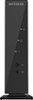
1-10 of 10 Answers
Depend your internet provider. You need to ask them.
Sorry, there was a problem. Please try again later.Just follow the instructions for hooking it up to your modem. If you have a wireless modem already you won't need a wireless router. I'm guess you don't have a wireless modem. So you need a wireless router to get all your devices on the net. There is no extra charge. You may want to check into buying a modem. You are probably paying a rental fee on their modem. Hope this helps
Sorry, there was a problem. Please try again later.You need a modem with service before you can use any router.
Sorry, there was a problem. Please try again later.Plug and ready to go! No aditional expense.
Sorry, there was a problem. Please try again later.Yes you need internet service.
Sorry, there was a problem. Please try again later.You have to have a MODEM supplied by your service provider (ATT, Time Warner, COMCAST, etc.). An Ethernet cable then runs from the MODEM to the router making it available for multiple wired and wireless connections.
Sorry, there was a problem. Please try again later.You do have to pay a monthly service with an Internet provider such as Comcast, AT&T, etc.
Sorry, there was a problem. Please try again later.This is only a router, with Wi-Fi plus four wired Ethernet ports. You will still need to subscribe to Internet service through a provider (usually a cable or DSL connection) with a suitable modem. The router connects to the modem's output to provide an Internet connection to your computer and other devices.
Sorry, there was a problem. Please try again later.You have to have home internet service for any WiFi equipment to work in your home. If you don't want to pay for service, you could always go to internet cafe's or other places that have WiFi available for their customers (like Starbucks).
Sorry, there was a problem. Please try again later.You can plug this in with the internet service you have.
Sorry, there was a problem. Please try again later.
