“Microphone not registering? I just purchased this product today and, while the headphones work great, the microphone isn't even registering on my computer. I have tried absolutely everything from installing a drive (it may have been an app for Skype. It wasn't clear on the website) from plantonics to searching my computer's audio devices for the microphone. It isn't showing up anywhere, not Skype, my computer, or Rosetta Stone. Is there anything specific I need to do for it to be installed?”
Answer This Question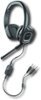
1-10 of 11 Answers
I am not convinced that you have inserted the male plug from the device all the way onto the female plug on your computer. Check that. If it still does not work, try plugging in another mike to see if that works. If the second device does not work, then it is your computer system. It cannot imagine otherwise why this device does not work since it is not USB-based. Best of luck.
Sorry, there was a problem. Please try again later.I don't know your system. On mine I plugged the mic jack into the mic port and have no problems.
Sorry, there was a problem. Please try again later.Same problem with my Plantronics headset - Stereo sound is absolutely great - microphone is so faint it is basically useless!
Sorry, there was a problem. Please try again later.It would be a little more helpful to know what type of computer are you using, but I will still try to help. There are some new computers that are only coming with 1 jack for both Headset and the Microphone (that is why there is that adapter included). When you use this adapter, and plug it in to your computer, it will bring a window if you want to use this as only a headphone, or a headset (this option will turn on both headphones and microphone) If your computer has separate jacks for Headset and Microphone, then do NOT use the included adapter.
Sorry, there was a problem. Please try again later.In Windows you many have to go to your sound settings (right click on the speaker in your panel on the lower right and select sound, or go to the control panel and find sound). Once in the sound settings there is a tab for input. It should be registering your device as an option for input. You should select the device and set the volume at a level that registers on the sound meter.
Sorry, there was a problem. Please try again later.It is very likely that your mic switch on the cables is not switched on; hopefully this will fix your issue.
Sorry, there was a problem. Please try again later.Without seeing your screen to verify how it is reading your headset it is a little hard to help. However no special installs. You should be good if it is your selected device and you make sure your input and output are proper. Also make sure you turn mute switch off on the cord.
Sorry, there was a problem. Please try again later.Both the usb and 3.5 connection should be on your pc, select first the headset then the mic in your audio options set the default to both, good luck
Sorry, there was a problem. Please try again later.Hello - It may be best for you to get in contact with our Technical Support regarding this issue, as they should be able to provide some insight or troubleshooting to help get you sorted out. You'll want to click the link below and either call or send us an email: www.plantronics.com/support
Sorry, there was a problem. Please try again later.With your headset plugged in to any usb port . right click on your volume icon in the lower right of your screen (windows) then click "recording devices" select your plantronics headset, then click on "configure" in the lower left and then follow the instructions.
Sorry, there was a problem. Please try again later.