“I need a cable that connects to my apple laptop and onto the HDTV LG I need a cable that connects to my apple laptop and onto the HDTV LG, to help with my husbands failing eyesight so he can watch his movies from his laptop on our 48" LG. What type of HDMI cable will i need to purchase?”
Answer This Question
1-10 of 10 Answers
The rocket fish cable will work. Bring your laptop with you to the store to make sure you get the right connections. I use it for my kindle works great.
Sorry, there was a problem. Please try again later.You need a thunderbolt to hdmi adapter
Sorry, there was a problem. Please try again later.This 4K HDMI cable should be all you need.
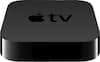
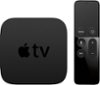
Sorry, there was a problem. Please try again later.Depends on what laptop he has. Retina display laptops have a built-in HDMI port that will accept a normal HDMI cable. Older laptops may need a display port to HDMI adapter. If your laptop is newer (2012 or newer, I think) you can also mirror your display to an Apple TV through your wireless network. This way you don't need to have a wire running from your computer to your TV. Also, if you bought your movies on iTunes you can just use the Apple TV to play them on your TV by signing into the same account.
I would recommend:
Sorry, there was a problem. Please try again later.I connect my Mac to my tv with this cord...works wonderfully!!
Sorry, there was a problem. Please try again later.This is likely the right kind of HDMI cable, but I suspect it is too short for your purpose. I would guess you need something at least twice that long to avoid getting tangled up or tripping over the equipment.
Sorry, there was a problem. Please try again later.You'll need this plus a mini display port to HDMI adapter
Sorry, there was a problem. Please try again later.You will need a lighting to hdmi adapter and a hdmi cord.
Sorry, there was a problem. Please try again later.Depending on your laptop, you most likely need a mini display port to HDMI adapter which you then can connect a HDMI cable to, and then run that to the TV HDMI input
Sorry, there was a problem. Please try again later.If your Apple laptop has an HDMI port on it, any HDMI cable should work. If it does not have an HDMI port, you would need to speak with Apple to know what type of adapter you would need.
Sorry, there was a problem. Please try again later.