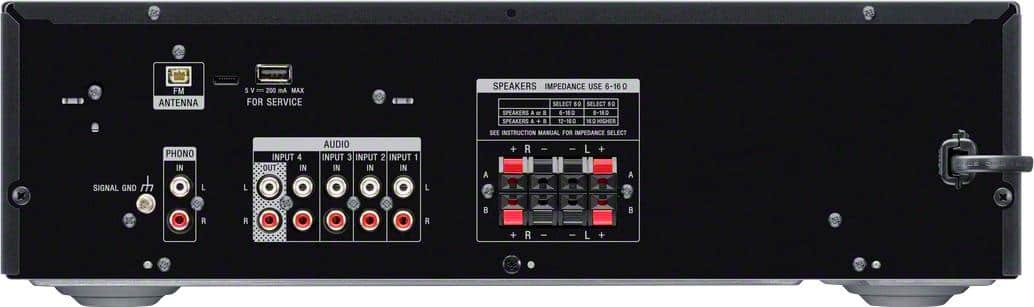
A:AnswerHi westymtnman, Thank you for your inquiry. Unfortunately, no. However, this receiver has 4 audio input to connect your audio devices such as a tape monitor switch. Hope this helps! -Sam
A:AnswerSpecs say that at 8 ohms, (couldn't find the symbol chart so had to spell - ohms), @ 1 Khz is 100 W in each stereo channel. In case you are interested, the RMS rating 90 W.
Your question prompted me to finally dig out my manual from where it managed to hide itself from me. Thanks!
A:AnswerHi SonyForever, thank you for your inquiry. Unfortunately, the USB port of this unit is for service purposes only. It is not for USB music playback. We recommend utilizing the Bluetooth function instead. Hope this helps! -Sam
A:AnswerHi Mavo, Thank you for your inquiry. Yes, you can connect speakers that have an impedance rating of 6-16 ohms. And yes, you can connect up to 4 speakers to this receiver. Regards, Sam
A:AnswerHi JC605, Thank you for your inquiry. Unfortunately, the STRDH190 doesn't include Alexa in the device itself. However, It does support Alexa devices that have Bluetooth or a 3.5mm connection (still using the Alexa device). Hope this helps! -Sam
A:AnswerIt has Phono input jacks, so the turntable should not be a problem. It only has stereo output, (2 channels) so I do not know how you would connect a 5.1 sound bar to it.
A:AnswerHi Bootman, Thanks for your inquiry. Yes, you can definitely pair your iPhone 8 to this unit and listen to your downloaded music. Hope this helps! -Sam
A:AnswerHi USB, Thank you for your inquiry. The USB port in the back of the receiver is for service purposes only. It cannot read the USB drive to play music. Both are correct. You can connect a speaker with a nominal impedance from 6 ohms to 16 ohms. Hope this helps! -Sam
A:AnswerI had a similar problem which took me days to figure out until I just set down and tried everything I could think of. I'll do this in steps:
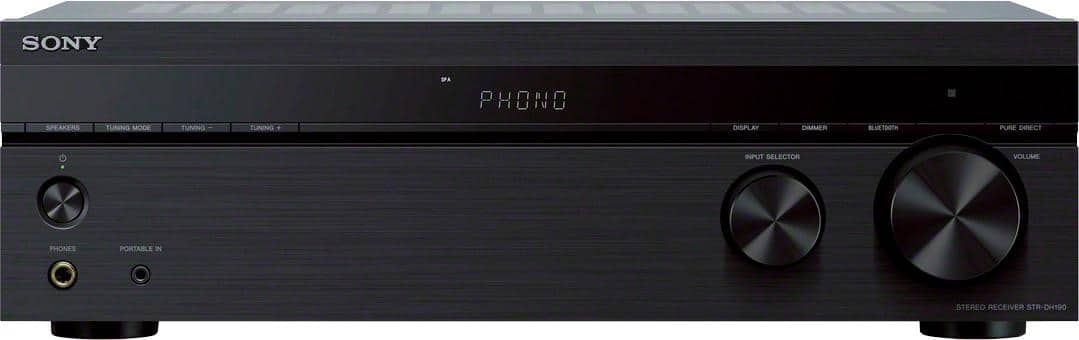
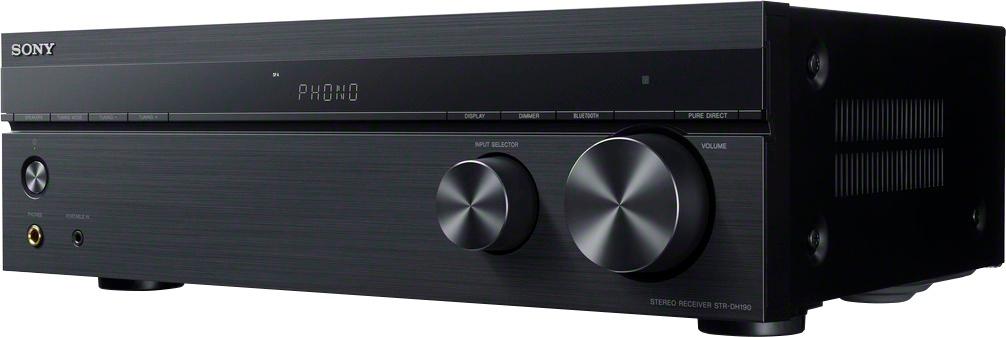
1. get the display turned on - Across the front of the main panel are some buttons. I couldn't see mine without a flashlight but then my eyes are bad. They are right above the power light. First on left reads "Speakers", ignore and move on next to right is "Tunning mode", Ignore and move on, Next is is "manual tunning up and down buttons",
ignore and move on,Display panel is in middle then next to right on the row of buttons is the "Display" button, moving on, Next is "Dimmer", press it until you get the best setting
for you in the Display panel.
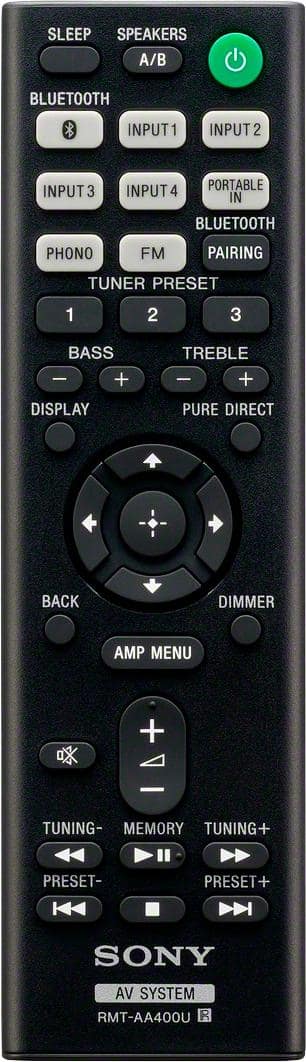
2. ON YOUR REMOTE CONTROL - press the "Amp Menu" button in about the middle. That will bring up the Menu List in the Display Panel as on page 27 of the manual. Starting at "SP IMP"
3. Press the Plus "+" in the center of the circle of arrows. It changes the menu list. The next will be "FM Mode". Press the button again and "BT Menu" will appear. Keep pressing this until you see either "STBY ON" or STBY OFF". You want "STBY OFF" . If it's on, press the down arrow and if it is off and you want it on press the up button. I suggest "STBY OFF" unless you want to wake up to music in the middle of the night or anytime a Bluetooth connection come close enough to activate the power on.
4. When it is set, press the "AMP MENU" button again and you should be up and running. If not call the mfg for assistance as I suspect you may have a bad unit.
GOOD LUCK AND WRITE THESE INSTRUCTIONS DOWN as this manual isn't good documentation - typical of Asian country manuals.
A:AnswerWe have it connected to the Polk Bookshelf speakers, which I guess are identical, except for the stand. Please note that they are not plug-in speakers, and work best when hard-wired to your receiver.
A:AnswerHi Sam, thanks for your inquiry. This receiver is designed to receive a Bluetooth signal from a smartphone or tablet. It is not capable of transmitting one to a Bluetooth device such as wireless headphones or speakers. Hope this helps! -Sam
A:AnswerHi Rick,
No, you cannot connect your MHC V71 to this AV receiver. We recommend connecting wired speakers with a nominal impedance of 6 ohms to 16 ohms.
Regards,
David