A:AnswerHi. This is Wendy from TracFone Wireless. Yes, it does make noise when turning on. You can adjust/change it on phone's sound settings. Thank you.
A:AnswerHi. This is Cristy from TracFone Wireless. Unfortunately, no. To activate and keep your service active, you will need to purchase and redeem a TracFone airtime/service cards. Thank you for your inquiry.
A:AnswerI just purchase a 1 year service card with minutes. If you don't use them, they carry over to when you purchase your card for the next year. I assume you can purchase a 30 day card whenever you think you'll need it, but the 1 year card seems like the best deal to me. I don't think you can purchase a cheaper plan than that anywhere.
A:AnswerNo, no triple minutes. I believe they stopped double and triple minutes. You can find deals on ebay for minutes, but you have to have active service days.
A:AnswerHi. This is Wendy from TracFone Wireless.There's no activation fee on activating a new phone. Once you have your new phone, we can help you in transferring your remaining minutes, data and service days from your old phone. You can text TRANSFER to 611611. We can also do it for you. Feel free to contact TracFone Customer Care Hotline or copy this chat link http://bit.ly/2qdrKHH. For your convenience, our representatives are available Monday-Sunday from 8:00 AM to 11:45 PM EST. You may also text the keyword HELP to 611611 to view our self-service menu with a list of help key words with valuable information. Thank you.
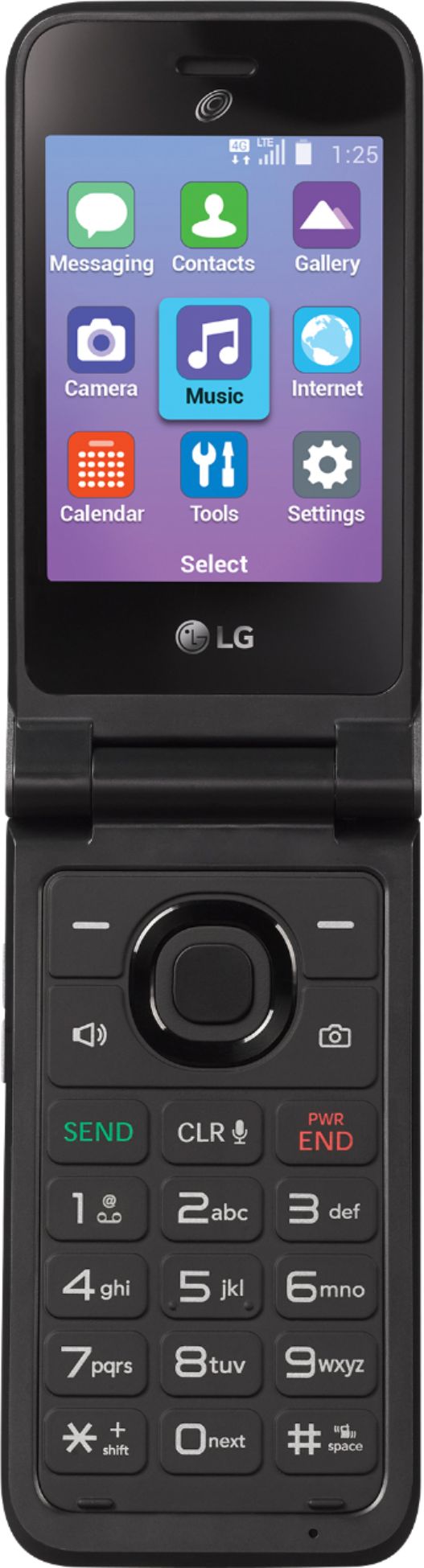
A:AnswerHi. This is Katrina from TracFone Wireless. Yes. You can transfer your minutes and service days to this phone. There's no need for you to buy a data plan because this is not a Smartphone. Thank you!
A:AnswerHi. This is Frank from TracFone Wireless. Thank you for your inquiry. We offer WiFi calling to selected devices. You can use Wi-Fi Calling as long as you have the feature. To check if your phone is eligible for Wi-Fi Calling feature, text the word WIFI to 611611. For us to further assist you, please copy this link http://bit.ly/2qdrKHH and paste it on a new window for chat support. For your convenience, our representatives are available Monday-Sunday from 8:00 AM to 11:45 PM EST. You can also use our self-service menu by simply texting the word HELP to 611611.
A:AnswerHi. This is Janet from TracFone Wireless. Though the LG Classic Flip phone is a GPS-enabled device, you may need to install a third-party device tracking app for you to be able to track this phone from another device.
A:AnswerHi. This is Janet from TracFone Wireless. With the recent network upgrade, 3G phones and all other non-VoLTE capable phones will no longer be compatible with our service. To further verify which phones work with our service, feel free to chat with us at http://bit.ly/2qdrKHH. For your convenience, our representatives are available Monday-Sunday from 8:00 AM to 11:45 PM EST. You may also text the key word HELP to 611611 to view our self-service menu with a list of help key words with valuable information. Have a nice day!
A:AnswerHi. This is Katrina from TracFone Wireless. We will be more than glad to help you with this. Please copy this link http://bit.ly/2qdrKHH and paste it on a new window for chat support. You may also text HELP to 611611. For your convenience, our representatives are available Monday-Sunday from 8:00 AM to 11:45 PM EST. Have a great day!
A:AnswerHi. This is Katrina from TracFone Wireless. You can transfer your minutes to a new phone as long as the service is still active. Please copy this link http://bit.ly/2qdrKHH and paste it on a new window for chat support. You may also text HELP to 611611. For your convenience, our representatives are available Monday-Sunday from 8:00 AM to 11:45 PM EST. We will be glad to hear from you.