Everything for Back to School — and then someShop now

Skip to contentGo to Product Search
Main Content

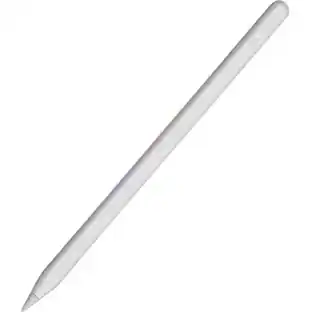
Apple - Pencil Pro - White

Model: MX2D3AM/A
SKU: 6535042
Sold byBest Buy

Customers are saying

Customers highly value the overall performance and ease of use of this product, frequently highlighting its reliable connectivity and impressive battery life. Users also appreciate the precision, helpful magnetized charging, and the inclusion of haptic feedback in the modern design. While the device is well-regarded, some users have noted limitations regarding its compatibility with certain systems and expressed concerns about the price point. Additionally, a small number of customers mentioned that the lack of pressure sensitivity and the durability of the tip are areas that could be improved.

Generated by AI based on customer reviews.
See it in-store: Roseville has a demo model on display.
Features
  • COMPATIBILITY—Apple Pencil Pro works with iPad Pro 13-inch (M4 and M5), iPad Pro 11-inch (M4 and M5), iPad Air 13-inch (M2, M3, and M4), iPad Air 11-inch (M2, M3, and M4), and iPad mini (A17 Pro).

  • ADVANCED TOOLS—Apple Pencil Pro gives you ultimate creative control. Use gestures like Squeeze and Barrel Roll to access tools, change brushes, and create strokes without missing a beat. Haptics allow you to feel shapes snap into place, and more. Use Apple Pencil hover on iPad Pro (M4 and M5), iPad Air (M2, M3, and M4), and iPad mini (A17 Pro) to preview your mark before you make it.* And now you can use Find My to locate your Apple Pencil Pro.

  • EASY AND NATURAL—Apple Pencil Pro does it all with pixel-perfect precision, tilt and pressure sensitivity, and low latency. Featuring a flat edge, Apple Pencil Pro allows you to change tools with just a tap from your finger. Apple Pencil attaches, charges, and pairs magnetically.

  • TRANSFORMS IPAD INTO A CANVAS—Draw, sketch, color, take notes, and mark up documents. Use built-in apps like Notes and Freeform, or choose from over a million more apps available on the App Store. And for pros, use Apple Pencil hover on iPad Pro (M4 and M5), iPad Air (M2, M3, and M4), and iPad mini (A17 Pro) to preview your mark before you make it.*

See all features
Specifications
  • Model Compatibility
    Apple iPad Pro (M5) 13" 2025, Apple iPad Pro (M5) 11" 2025, Apple iPad Pro (M4) 13" 2024, Apple iPad Pro (M4) 11" 2024, Apple iPad Air (M4) 13" 2026, Apple iPad Air (M4) 11" 2026, Apple iPad Air (M3) 13" 2025, Apple iPad Air (M3) 11" 2025, Apple iPad Air (M2) 13" 2024, Apple iPad Air (M2) 11" 2024, Apple iPad mini (A17 Pro) 2024
    Operating System Compatibility
    Apple iPadOS
Sponsored

Reviews

Customers are sayingCustomers highly value the overall performance and ease of use of this product, frequently highlighting its reliable connectivity and impressive battery life. Users also appreciate the precision, helpful magnetized charging, and the inclusion of haptic feedback in the modern design. While the device is well-regarded, some users have noted limitations regarding its compatibility with certain systems and expressed concerns about the price point. Additionally, a small number of customers mentioned that the lack of pressure sensitivity and the durability of the tip are areas that could be improved.
This summary was generated by AI based on customer reviews.
  • Overall Performance (1370)
  • Ease of Use (786)
  • Battery Life (206)
  • Connectivity (167)
  • Features (131)
  • Compatibility (131)
  • Price (31)
  • Pressure Sensitivity (19)
  • Tip Durability (16)
  • Weight (10)

Customer Images

The vast majority of our reviews come from verified purchases. Reviews from customers may include My Best Buy members, employees, and Tech Insider Network members (as tagged). Select reviewers may receive discounted products, promotional considerations or entries into drawings for honest, helpful reviews.

  • Rated 5 out of 5 stars

    Perfect Companion for My iPad Air M4

    I’ve been using the Apple Pencil Pro with my iPad Air M4, and it has exceeded my expectations. Setup was instant, and the writing experience is incredibly smooth and precise. It feels natural for note-taking, drawing, and editing documents. The squeeze gesture and haptic feedback are surprisingly useful and make switching tools much faster. Magnetic charging is also very convenient, so it’s always ready to use. While it’s definitely a premium accessory, it’s absolutely worth it if you use your iPad for school, work, or creative projects. Highly recommended!

    Posted by VICTORADRIANL

  • Rated 4 out of 5 stars

    A Game-Changer for Artists, But at a price

    As an artist who's been using digital tools for years, I was thrilled to get my hands on the Apple Pencil Pro. With its promise of precision, accuracy, and ease of use, I was eager to put it through its paces and see how it would perform as both a creative tool and a writing instrument. The Good: Precision: The Apple Pencil Pro is incredibly accurate, allowing me to create detailed work with ease. Whether I'm sketching, inking, or painting, the pencil responds seamlessly to my strokes. Pressure Sensitivity: The ability to adjust line thickness and opacity based on pressure is a game-changer for artists. It allows for an incredible range of expressiveness and nuance in my work. Ergonomics: The Pencil Pro feels natural in my hand, with a comfortable weight and balance that makes it easy to use for extended periods. The Not-So-Good: Price: At $129, the Apple Pencil Pro is a significant investment. While I understand that this is a premium product, the cost is steep for many artists and writers who are used to working with more affordable tools. Limited Compatibility: The biggest disappointment is that the Pencil Pro only works with the latest iPad models (M2 Air and M4 Pros). This means that owners of older iPads will be unable to take advantage of this fantastic tool and it feels a bit like a software limitation Apple is enforcing. The Verdict: While I'm thrilled with the Apple Pencil Pro's performance as an artist, I have to acknowledge its limitations. If you're a creator who is looking for a reliable and accurate drawing or writing experience on the latest iPad models, the Pencil Pro is a must-have. However, if you're working on older devices or are on a budget, there may be more affordable options

    Posted by JeremyL

  • Rated 4 out of 5 stars

    Fantastic option if you’re buying an iPad!

    The Apple Pencil Pro is a fantastic addition to any iPad user’s toolkit. Its ease of use is exceptional, offering a seamless integration with various apps that makes drawing, note-taking, and annotating a breeze. The precision and responsiveness are impressive, making it a reliable tool for both professional and personal tasks. In terms of quality, the Apple Pencil Pro stands out with its robust build and smooth performance. The tilt and pressure sensitivity features are well-implemented, providing a natural feel that enhances the overall experience. However, the price tag might be a bit steep for some, which is why it loses one star. Despite this, the value you get in terms of functionality and performance justifies the investment for those who need a high-quality stylus. Overall, if you're looking for a top-tier stylus that delivers on performance and ease of use, the Apple Pencil Pro is definitely worth considering.

    Posted by IAmRay

  • Rated 5 out of 5 stars

    Worth it

    I absolutely love the Apple Pencil Pro. It’s super smooth, incredibly precise, and feels so natural to use. The squeeze and rotation features make switching tools quick and easy, and the haptic feedback is a nice touch. It attaches magnetically, charges wirelessly, and pairs instantly with my iPad. Pricey, but 100% worth it if you use your iPad a lot.

    Posted by TechPe

  • Rated 5 out of 5 stars

    The Ultimate Stylus for Everything!

    Title: The Ultimate Stylus for Everything! I’ve been using the Apple Pencil Pro for everything—drawing, note-taking, editing, and even casual browsing—and it’s been amazing. The precision and responsiveness are top-notch, making it feel just like writing or sketching on paper. The pressure sensitivity and tilt support work flawlessly, especially for artists who need fine control. What really stands out is how seamlessly it integrates with my iPad. The magnetic attachment and wireless charging make it super convenient, and the new haptic feedback gives it a more natural feel. Battery life is great, and I rarely have to worry about it running out. Whether you’re an artist, student, or just someone who loves taking handwritten notes, the Apple Pencil Pro is worth every penny. Highly recommend!

    Posted by JonathanC

Questions & Answers
  • What operating systems are compatible with the Apple Pencil Pro?

    This Apple Pencil is compatible with Apple iPadOS.

    This question and answer was generated by AI based on customer and product data.
  • How can I locate my Apple Pencil Pro if I misplace it?

    You can now use the Find My app to locate your Apple Pencil Pro.

    This question and answer was generated by AI based on customer and product data.
  • Does the Apple Pencil Pro have haptic feedback?

    Yes, it has a custom haptic engine that provides physical feedback when you squeeze or double-tap the Apple Pencil Pro.

    This question and answer was generated by AI based on customer and product data.
  • Can I replace the tip on the Apple Pencil Pro if it gets worn down?

    No, the Apple Pencil Pro does not have a replaceable stylus tip.

    This question and answer was generated by AI based on customer and product data.
  • Which iPad models are compatible with the Apple Pencil Pro's hover feature?

    The Apple Pencil hover feature is compatible with iPad Pro and iPad Air (M2) models.

    This question and answer was generated by AI based on customer and product data.
Ask a question
Sponsored

Finance Options

My Best Buy® Credit Card
Buy Now, Pay Later

Special Offers

Included with Purchase

Finance Options

My Best Buy® Credit Card
Buy Now, Pay Later

Special Offers

Included with Purchase