“My galaxy luna keeps telling me my storage is almost full. 3.85 gigs are used for system memory and my internal memory is showung less than 1 gig being used....wheres the resf of my memory and how can i delete whats using it?”
Answer This Question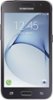
1-2 of 2 Answers
This is common for Android devices. A good part of your memory is "reserved" for the system and you cannot touch it. This includes Android itself and all built-in programs. The rest is yours, but this includes newer version of the built-in programs. Yes, you likely have two copies of "Google Maps, "Chrome," and "Gmail" on your phone -- the old version in system memory and the new version in user memory. What you have to do is first to install a decent micro-SD card. At least 16 GB, but bigger is always better. Find an app (like AppMgr Pro III) that will find all apps that can be moved to the SD card and move everything that you can. This will help a lot. Also, find any pre-installed apps that you know that you will not use; uninstall the updates and then disable the app so that they are not re-updated. Finally, move all of your media files (movies, photos, music, etc.) so the micro-SD card. When buying a budget phone, memory is one of the things that gets cut, and this is one of the areas that hurts the customer the most.
Sorry, there was a problem. Please try again later.Hi. My name is Glen from TracFone Wireless. To view the memory usage of your phone, please go to Settings> Device maintenance> Storage. The memory details of your internal phone storage will be displayed at the top of the screen. If a micro SD card has been inserted, its memory details will appear below. To delete your applications, please go to Settings> Apps. Please tap the application you would like to delete. Tap "Uninstall. You will be prompted to confirm. Tap "OK.". Thanks.
Sorry, there was a problem. Please try again later.
