Last-Minute SavingsLimited quantities.Shop now

Skip to content
Gift Ideas
Main Content

Customer Ratings & Reviews
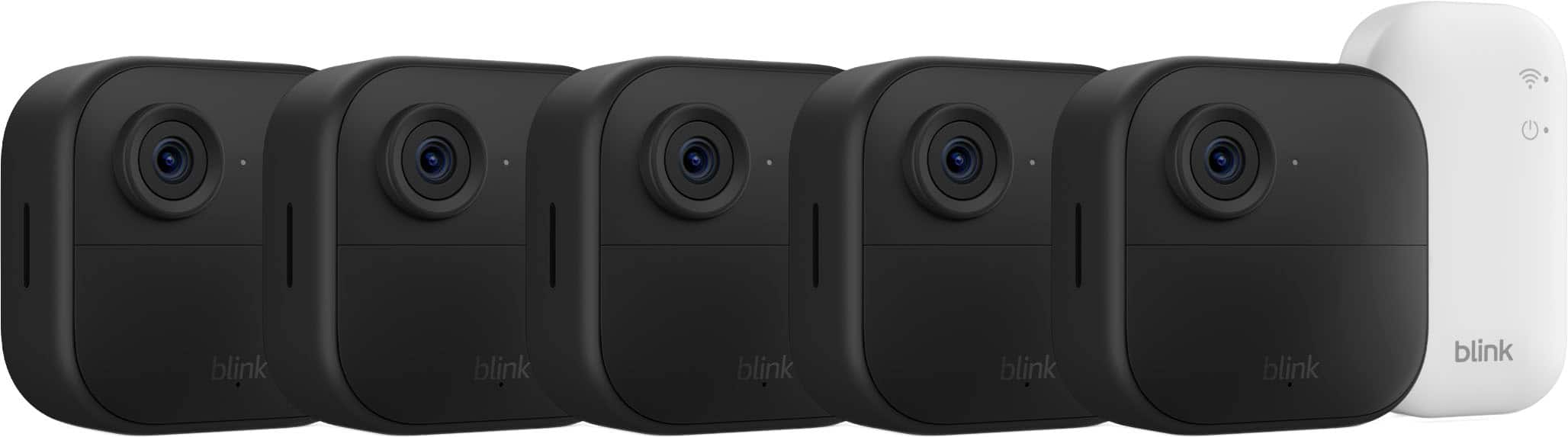
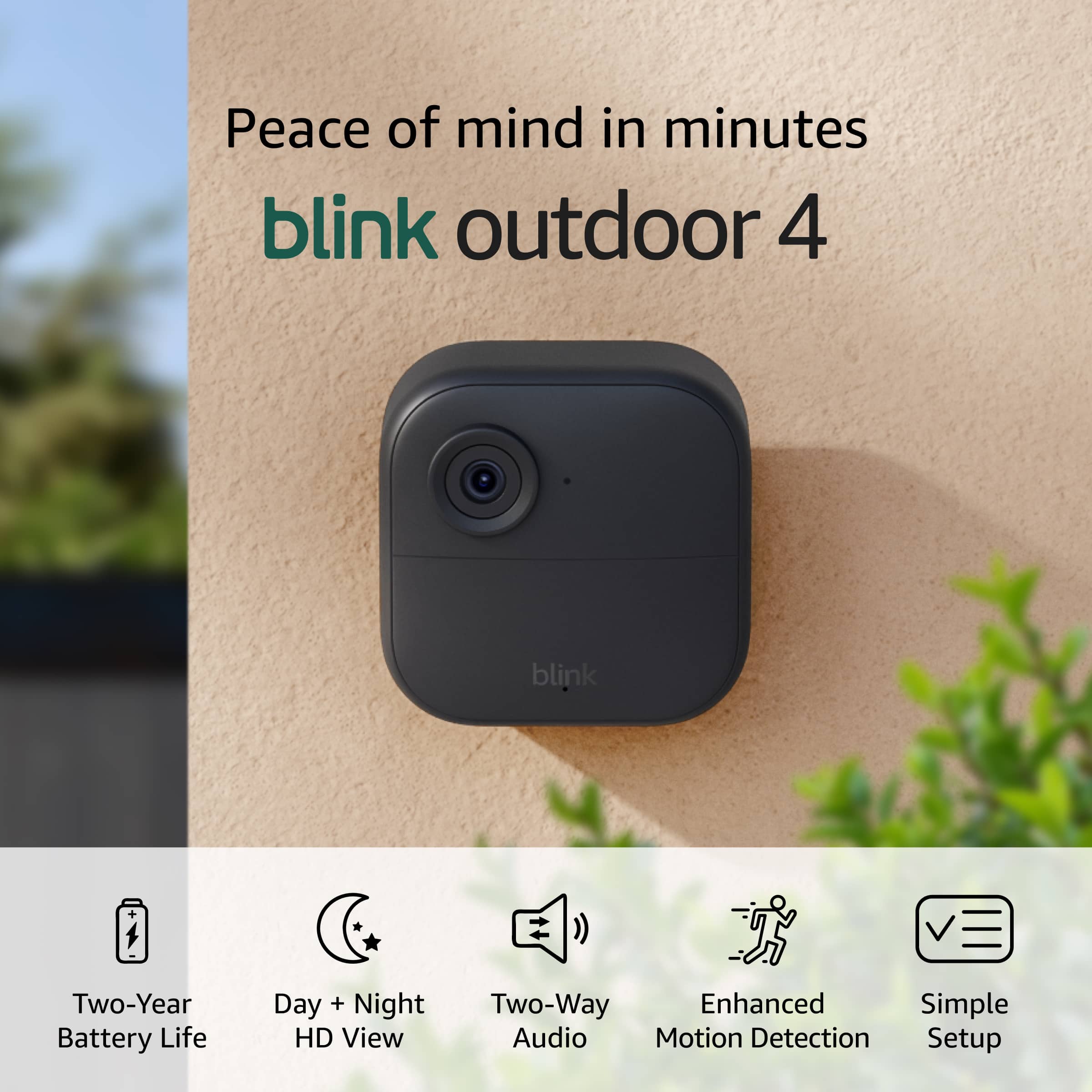
Your price for this item is $269.00
The comparable value price is $299.99

Customer reviews

Rating 4.5 out of 5 stars with 497 reviews

Rating Filter

Rating by feature

  • Value

    Rating 4.7 out of 5 stars

  • Quality

    Rating 4.5 out of 5 stars

  • Ease of Use

    Rating 4.6 out of 5 stars

88%
would recommend
to a friend
The vast majority of our reviews come from verified purchases. Reviews from customers may include My Best Buy members, employees, and Tech Insider Network members (as tagged). Select reviewers may receive discounted products, promotional considerations or entries into drawings for honest, helpful reviews.
Page 24 Showing 461-480 of 499 reviews
  • Rated 1 out of 5 stars

    Delivered to the Wrong Address, BestBuy Won't Help

    |
    |
    Posted .
    This reviewer received promo considerations or sweepstakes entry for writing a review.

    never got delivered!! they sent a picture thats nowhere on the delivery address, and according to best buy since their tiny timeframe has past there is nothing they can do. (as outrages as that sounds thats exactly what happened)

    No, I would not recommend this to a friend
  • Rated 1 out of 5 stars

    Blunk camera

    |
    |
    Posted . Owned for 3 weeks when reviewed.
    This reviewer received promo considerations or sweepstakes entry for writing a review.

    The camera came with no instructions except to download the Blink app. When i downloaded the app my computer got a virus and it had to be brought in for service.

    No, I would not recommend this to a friend
    • Brand response from Amazon Devices Customer Support
      Posted .

      Dear MichaelC,

      We are very concerned about your report regarding a virus following the Blink app download. The official Blink app, available through legitimate sources (Apple App Store and Google Play Store), should not cause any security issues.

      For your security and best experience, we recommend:

      Only downloading the Blink app from official app stores
      Deleting any potentially compromised version
      Visiting Blink.Amazon.com for official setup guides and support

      If you continue to have concerns, please contact Blink Customer Support at 1-844-881-7179. They can assist with proper app installation and setup.

      We take security matters very seriously and appreciate you bringing this to our attention. AmazonDevices

  • Rated 1 out of 5 stars

    They dont stay connected .

    |
    |
    Posted . Owned for 2 weeks when reviewed.
    This reviewer received promo considerations or sweepstakes entry for writing a review.

    They will not stay connected . I will be returning

    No, I would not recommend this to a friend
    • Brand response from Amazon Devices Customer Support
      Posted .

      Hi Coda, I’m sorry to hear that your Blink Outdoor 4 system isn’t staying connected. I know how important reliable connectivity is, and I understand how frustrating it can be when the cameras don’t perform as expected. Often, this can be improved by checking the Wi-Fi signal strength at the camera’s location or moving the Sync Module closer to the devices. If you’d like, Blink Customer Support would be glad to help walk you through troubleshooting before you decide to return the system. Please reach out at 1-833-392-5465 so we can assist you directly. I appreciate your feedback and hope you have a good day! AmazonDevices

  • Rated 1 out of 5 stars

    Poor quality.

    |
    |
    Posted .
    This reviewer received promo considerations or sweepstakes entry for writing a review.

    Always looses connection with wifi module despite being just about 20 feet away. I do not recommend it.

    No, I would not recommend this to a friend
    • Brand response from Amazon Devices Customer Support
      Posted .

      Hello and thank you for your feedback on the Blink Outdoor 4 Wireless Smart Security Camera. I'm sorry to hear about the connectivity issues you're experiencing with your camera and Sync Module despite the close proximity. Consistent Wi-Fi connection is essential for optimal camera performance, and I understand how frustrating intermittent disconnections can be.

      Here are several troubleshooting steps that may help resolve the connectivity issues:

      Wi-Fi and Network Optimization:

      Ensure your Wi-Fi router is operating on a 2.4 GHz network, as the Blink Outdoor 4 requires this frequency and is not compatible with 5 GHz networks.
      Check that your internet connection has sufficient upload speed (at least 2 Mbps recommended per camera).
      Reduce potential interference by moving the Sync Module away from other electronic devices, metal objects, or appliances that may disrupt the signal.
      Consider repositioning your router or Sync Module to minimize obstacles like walls or large furniture between devices.
      Device-Specific Troubleshooting:

      Power cycle both the Sync Module and camera by unplugging the Sync Module for 30 seconds, then plugging it back in and allowing it to fully restart.
      Verify the camera's signal strength in the Blink app under device settings—if signal strength is poor, the camera may need to be repositioned closer to the Sync Module.
      Ensure your Blink app and camera firmware are updated to the latest versions.
      Try removing and re-adding the camera to your system through the Blink app.
      Additional Considerations:

      Check if your router has any firewall settings or security features that might be blocking the connection.
      Ensure the Sync Module is plugged directly into your router via Ethernet cable for the most stable connection.
      If these troubleshooting steps do not resolve the connectivity issues, Blink Customer Support is available for assistance through the Contact Us link in the Help Menu of the Blink smartphone app. They can provide additional technical support and explore whether a replacement unit might be necessary.

      I hope this information helps improve your camera's performance. Thank you for taking the time to share your experience. AmazonDevices

  • Rated 1 out of 5 stars

    WASTE OF MONEY SUBSCRIPTION IS A MUST!!

    |
    |
    Posted . Owned for 1 month when reviewed.
    This reviewer received promo considerations or sweepstakes entry for writing a review.

    WASTE OF MONEY, AFTER A MONTH YOU CANT USE THIS PRODUCT WITHOUT A SUBSCRIPTION, WISH I WOULD OF KNOWN THAT, WOULD OF NEVER BOUGHT, TRASH!!!

    No, I would not recommend this to a friend
    • Brand response from Amazon Devices Customer Support
      Posted .

      Hello, LuisZ! Thank you for sharing your feedback on the Blink Outdoor 4. I'm sorry to hear about your experience you have had with the device.

      While the Blink Outdoor 4 does offer a free trial period initially, I want to clarify what functionality is available without a subscription to help address your concerns. Without a Blink Subscription Plan, you lose access to features including unlimited cloud video recording, 60-day unlimited cloud storage, live view recording, Extended Live View, and Photo Capture. However, you still retain several important capabilities even without a subscription. You can use local storage clips with a USB drive and Sync Module 2 or SD card with a Sync Module XR, which allows you to record and store footage directly to your own storage device. Additionally, you can still receive motion alerts on your phone, use two-way audio to communicate through the camera, and access live view to see what's happening in real-time. These features allow you to maintain basic security monitoring functionality without requiring a paid subscription. If you have any questions or need help with the device, I recommend contacting Blink Customer Support at 1-833-392-5465. Thank you again, have a great day! AmazonDevices

  • Rated 1 out of 5 stars

    Too many alerts

    |
    |
    Posted .
    This reviewer received promo considerations or sweepstakes entry for writing a review.

    Hard to get the sensitivity to work correctly in constant notifications on the phone are just annoying

    No, I would not recommend this to a friend
    • Brand response from Amazon Devices Customer Support
      Posted .

      Hello JosephK,
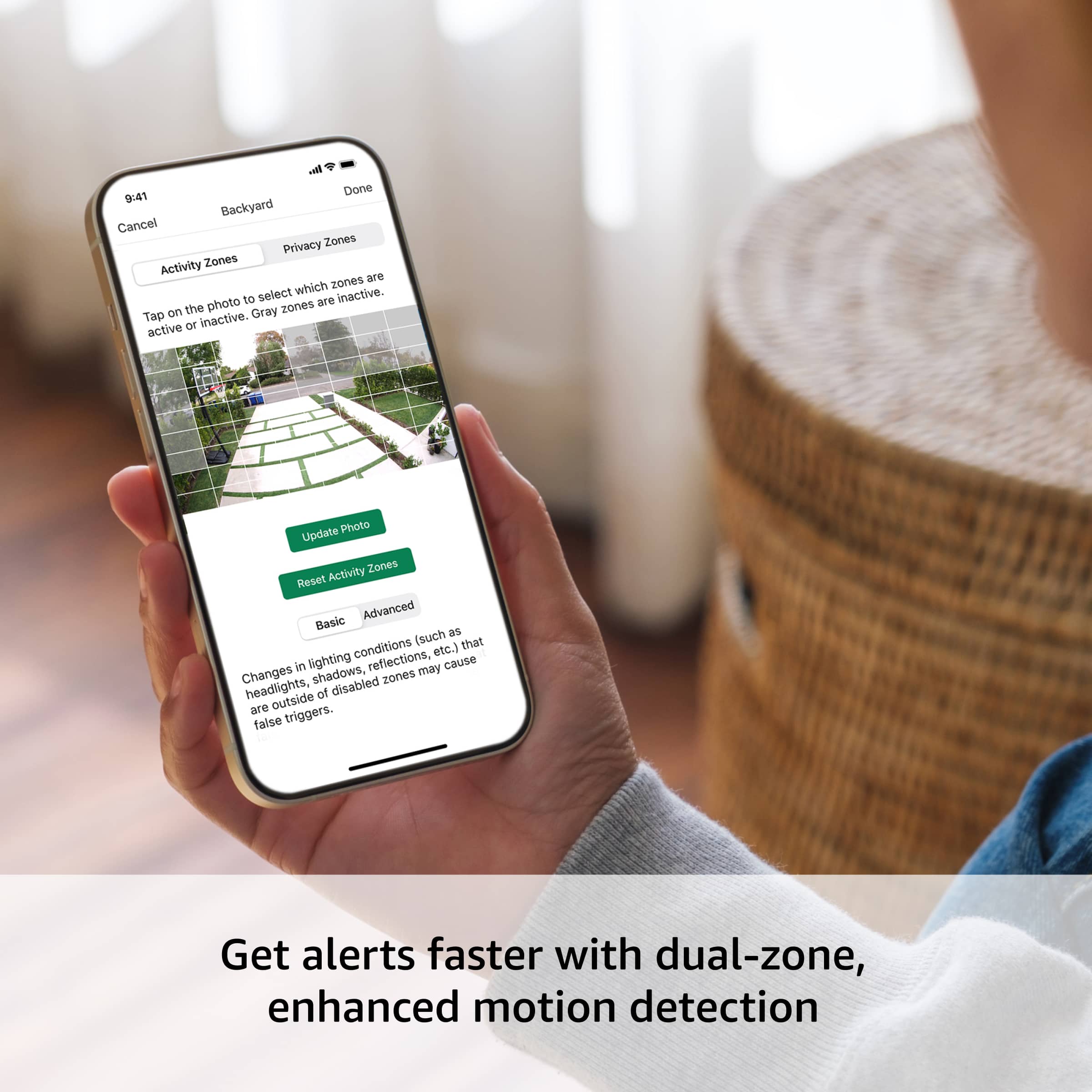
      Thank you for your feedback on the Blink Outdoor 4. I am sorry to hear the about the constant notifications. To minimize alerts on a Blink Outdoor 4, you should adjust the motion sensitivity, set up "Activity Zones" to block areas, and use "Snooze" for temporary disabling of notifications. For a more permanent solution, you can disable all motion alerts for a specific camera by turning off motion detection, but this will prevent all motion-based clips and notifications from being generated. I hope this information is helpful, thank you. AmazonDevices

  • Rated 1 out of 5 stars

    Wouldn’t recommend

    |
    |
    Posted . Owned for 1 month when reviewed.
    This reviewer received promo considerations or sweepstakes entry for writing a review.

    Would never recommend this product. First of all the sales girl knew nothing about it but pretended she did so I got wrong information. These cameras are ok at times but they are fixed and the battery runs out much much faster than they say.

    No, I would not recommend this to a friend
    • Brand response from Amazon Devices Customer Support
      Posted .

      CatherineM,

      Thank you for taking the time to share your experience with the Blink Outdoor cameras. We're sorry to hear that your experience didn't meet your expectations.

      Regarding the misinformation you received in-store, we apologize for any confusion this may have caused. We will share this feedback with our retail training team to ensure better product knowledge among our staff.

      About the battery life: While the two-year battery life is based on default settings and typical usage, factors like frequency of activations, video length, temperature, and settings can affect battery performance. We'd be happy to help you optimize your camera settings to extend battery life.

      If you'd like, our technical support team can assist you with:

      Battery optimization tips
      Ideal camera placement suggestions
      Any other concerns you may have

      Please contact us at 1-888-280-4331. I hope this information is helpful to get your device working properly for you. Thanks for the feedback, AmazonDevices

  • Rated 1 out of 5 stars

    Not quite

    |
    |
    Posted .
    This reviewer received promo considerations or sweepstakes entry for writing a review.

    I was not a fan of these cameras. At first, I thought they would be a good addition to my system. However, the back of the camera fell off, and that is the main part that ensures that the camera is mounted correctly.

    No, I would not recommend this to a friend
    • Brand response from Amazon Devices Customer Support
      Posted .

      Dear Mega,

      Thank you for your concise feedback about the Blink Outdoor 4 security cameras. We're concerned to hear about the structural failure you experienced with the camera mount - this is clearly a quality control issue that shouldn't occur with a security product.

      A loose or detached mounting system compromises both the camera's functionality and security purpose. This is unacceptable for a product designed for outdoor use.

      If you haven't already, please:

      Contact our customer service department at 1 888 280-4331 for a replacement unit or
      return the product to Best Buy if still within the return window

      Your feedback helps improve our products for all our customers. AmazonDevices

  • Rated 1 out of 5 stars

    Malia

    |
    |
    Posted .
    This reviewer received promo considerations or sweepstakes entry for writing a review.

    One camera is Miss from the package and I did request for replacement but couldn’t get any response

    No, I would not recommend this to a friend
  • Rated 1 out of 5 stars

    Not working

    |
    |
    Posted .
    This reviewer received promo considerations or sweepstakes entry for writing a review.

    Sync module did not work, could not connect to any cameras

    No, I would not recommend this to a friend
    • Brand response from Amazon Devices Customer Support
      Posted .

      Hi JakeH,
      Thank you for your feedback on the Blink Outdoor 4. I am sorry to hear the Sync Module Core is not connecting. If your Blink Outdoor 4 camera won't connect to the Sync Module Core, it's usually a signal, power, or Wi-Fi issue; try power cycling the Sync Module & camera, checking Wi-Fi (2.4GHz only!), moving the camera closer, and ensuring the Sync Module has a strong signal, but if problems persist, a firmware-level reset of the Sync Module might be needed by holding its reset button during power-up. If these steps do not help and you are still experiencing issues, you can reach out to Amazon Customer Support 24/7 at 1-888-280-4331. AmazonDevices

  • Rated 1 out of 5 stars

    Blink

    |
    |
    Posted .
    This reviewer received promo considerations or sweepstakes entry for writing a review.

    Cameras would not stay connected, worst cameras I’ve ever installed.

    No, I would not recommend this to a friend
    • Brand response from Amazon Devices Customer Support
      Posted .

      Dear BradA,

      We're very concerned about the connectivity issues you're experiencing with your Blink Outdoor 4 cameras. Connection problems can be extremely frustrating, especially with security devices, and this isn't the experience we want for our customers.

      Let us help resolve these issues:

      Often, connectivity can be improved by adjusting the Sync Module placement
      Our latest firmware updates address many common connection issues
      Our technical support team can provide advanced troubleshooting

      Please contact our support team at 1 888-280-4331 for immediate assistance. We want to help get your system working reliably. AmazonDevices

  • Rated 1 out of 5 stars

    too high

    |
    |
    Posted . Owned for 1 month when reviewed.
    This reviewer received promo considerations or sweepstakes entry for writing a review.

    not valuable. for the price i paid for it,better buy something else.

    No, I would not recommend this to a friend
    • Brand response from Amazon Devices Customer Support
      Posted .

      Thank you for your feedback, GastonC. We're sorry to hear that you don't feel the Blink Outdoor 4 camera system provided the value you expected for its price point. Our customer service team is also available if you'd like to discuss your concerns or explore other options that might better suit your needs and budget. AmazonDevices

  • Rated 1 out of 5 stars

    Low quality product

    |
    |
    Posted .
    This reviewer received promo considerations or sweepstakes entry for writing a review.

    The sync module stopped working after a month and a half and the cameras wouldn't work at all at this point.

    No, I would not recommend this to a friend
    • Brand response from Amazon Devices Customer Support
      Posted .

      Hello, SeanF. Thank you for taking the time to leave a review on the Blink Outdoor 4 Wireless Camera System. I am sorry to hear about the experience you are having with the device and have some recommendations to try and help. First, I recommend looking at your sync module's LED indicators. If your Sync Module displays a solid blue and a blinking green LED, this indicates the Sync Module is offline and attempting to reconnect to the previously configured Wi-Fi network. Several reasons why your Sync Module may have gone offline include power interruptions (such as outages or being unplugged for a prolonged period of time), updated Wi-Fi settings (such as a new password), or signal interference from devices like pods and extenders. After confirming the information above, if the issue persists, attempt the following troubleshooting steps: Power-Cycle Your Router: Unplug your router from the power outlet, wait 30 seconds, and then plug it back in. Power-Cycle the Sync Module: Disconnect the Sync Module from power for 10 seconds, then plug it back in. After rebooting, a solid blue and solid green LED indicates the Sync Module has successfully reconnected to the network. Re-enter Wi-Fi Password: Refresh the Sync Module's Wi-Fi connection by re-entering your Wi-Fi password. If you have any questions or need help with the device, I recommend contacting Blink Customer Support at 1-833-392-5465. Thank you again, have a great day! AmazonDevices

  • Rated 1 out of 5 stars

    It is almost impossible to install

    |
    |
    Posted . Owned for 1 week when reviewed.
    This reviewer received promo considerations or sweepstakes entry for writing a review.

    It is almost impossible to install on my cell phone. I called and they didn't solve anything for me. The best thing I did was return them and buy another brand.

    No, I would not recommend this to a friend
    • Brand response from Amazon Devices Customer Support
      Posted .

      Hi JohnO,

      Thank you for sharing your experience with the Blink Outdoor 4 camera system. We're sorry to hear about the difficulties you encountered during the installation process and that our support team wasn't able to resolve your issues effectively.

      While Blink cameras are designed to be user-friendly, we acknowledge that the mobile app setup process can be challenging for some users. We appreciate your feedback as it helps us identify areas where we can improve both our product setup process and customer support.

      If you'd consider giving Blink another try, we've recently updated our app interface and setup guides. However, we respect your decision to choose a different solution that better meets your needs.
      Thanks again for your feedback. AmazonDevices

  • Rated 1 out of 5 stars

    Could be my WiFi

    |
    |
    Posted . Owned for 2 weeks when reviewed.
    This reviewer received promo considerations or sweepstakes entry for writing a review.

    Bought these to put in my garage. Batteries are dead after a 2-3weeks. Quality is horrible on them. The live recording is super laggy

    No, I would not recommend this to a friend
    • Brand response from Amazon Devices Customer Support
      Posted .

      Hello, Ls3v. Thank you for taking the time to leave a review on the Blink Outdoor 4 Camera system. I am sorry to hear about the issue you are experiencing and have some recommendations to try and help solve the issue. You can improve the picture quality of your Blink cameras by adjusting the video settings to Best in your app and ensuring they are within range of your Wi-Fi router. The camera-to-Wi-Fi signal strength plays an important part in how your video quality is rendered, since that data is downloaded directly from the Blink servers to the camera. I recommend making sure your cameras have strong signal strength and positioning the sync module core where the cameras will receive the best signal. Weak signal strengths between Blink devices and the Wi-Fi network can increase battery consumption. If you have any other questions, please contact Blink Customer Support at 1-833-392-5465. Thank you again for leaving a review, and have a great day! AmazonDevices

  • Rated 1 out of 5 stars

    Where is my order?

    |
    |
    Posted .
    This reviewer received promo considerations or sweepstakes entry for writing a review.

    Still waiting… ordered early august and still nothing.

    No, I would not recommend this to a friend
  • Rated 1 out of 5 stars

    Don’t buy the little black mini

    |
    |
    Posted . Owned for 3 weeks when reviewed.
    This reviewer received promo considerations or sweepstakes entry for writing a review.

    Awful picture quality compared to others by the same company. The others are great!

    No, I would not recommend this to a friend
  • Rated 1 out of 5 stars

    Sucks

    |
    |
    Posted .
    This reviewer received promo considerations or sweepstakes entry for writing a review.

    Camera goes offline daily, I have to constantly take the batteries out and restart

    No, I would not recommend this to a friend
    • Brand response from Amazon Devices Customer Support
      Posted .

      Hello ChristinaC! Thank you so much for your time and feedback on your experience with your Blink Outdoor 4 camera. I am sorry to hear that you are having trouble with your camera staying connected. This can be for a few different reasons that you can troubleshoot directly within the Blink smartphone app. If you go to Settings for your device (the 3 dots located within your camera's preview window in the app) then tap Device Settings, and then General Settings you can then check to see your Network Strength and Connection to Sync Module. If these are not at full strength and green, then you may be too far from either your Sync Module or your Sync Module is possibly too far from your modem and router. If both of these are green and full then I would recommend contacting Blink Customer Support from directly within the app's Help Menu. You can reach this by tapping Settings from the home screen of the app, Help, and then Contact Support. Here you can call directly to Tech Support or go to Blink's website to chat online. I would advise doing this while onsite with your malfunctioning camera for the best solution. I hope this gets you the support you need to resolve your issue and I hope you have a fantastic day! AmazonDevices

  • Rated 1 out of 5 stars

    Crappy battery life

    |
    |
    Posted . Owned for 3 weeks when reviewed.
    This reviewer received promo considerations or sweepstakes entry for writing a review.

    Battery keeps saying they are dead even when I put new ones in!

    No, I would not recommend this to a friend
    • Brand response from Amazon Devices Customer Support
      Posted .

      Hello, BrittanyP. Thank you for taking the time to leave a review on the Blink Outdoor 4 cameras. I am sorry to hear about the experience you are having with the product and have some recommendations to try and help fix the problem. First, I recommend rebooting the cameras. You can do this by removing the batteries, waiting a couple of minutes, then reinserting the batteries and waiting for the camera to power back on. I also recommend ensuring you have a good Wi-Fi connection to the Sync Module and that the Sync Module has a good connection to the outdoor camera. I hope this information is helpful. If you have any other questions, please contact Blink Customer Support at 1-833-392-5465. Thank you again, and have a great day! AmazonDevices

  • Tech Insider Network Member

    Rated 5 out of 5 stars

    Lights! Camera! Action! Even in the dark!

    |
    Tech Insider Network Member
    Posted .
    This reviewer received promo considerations or sweepstakes entry for writing a review.

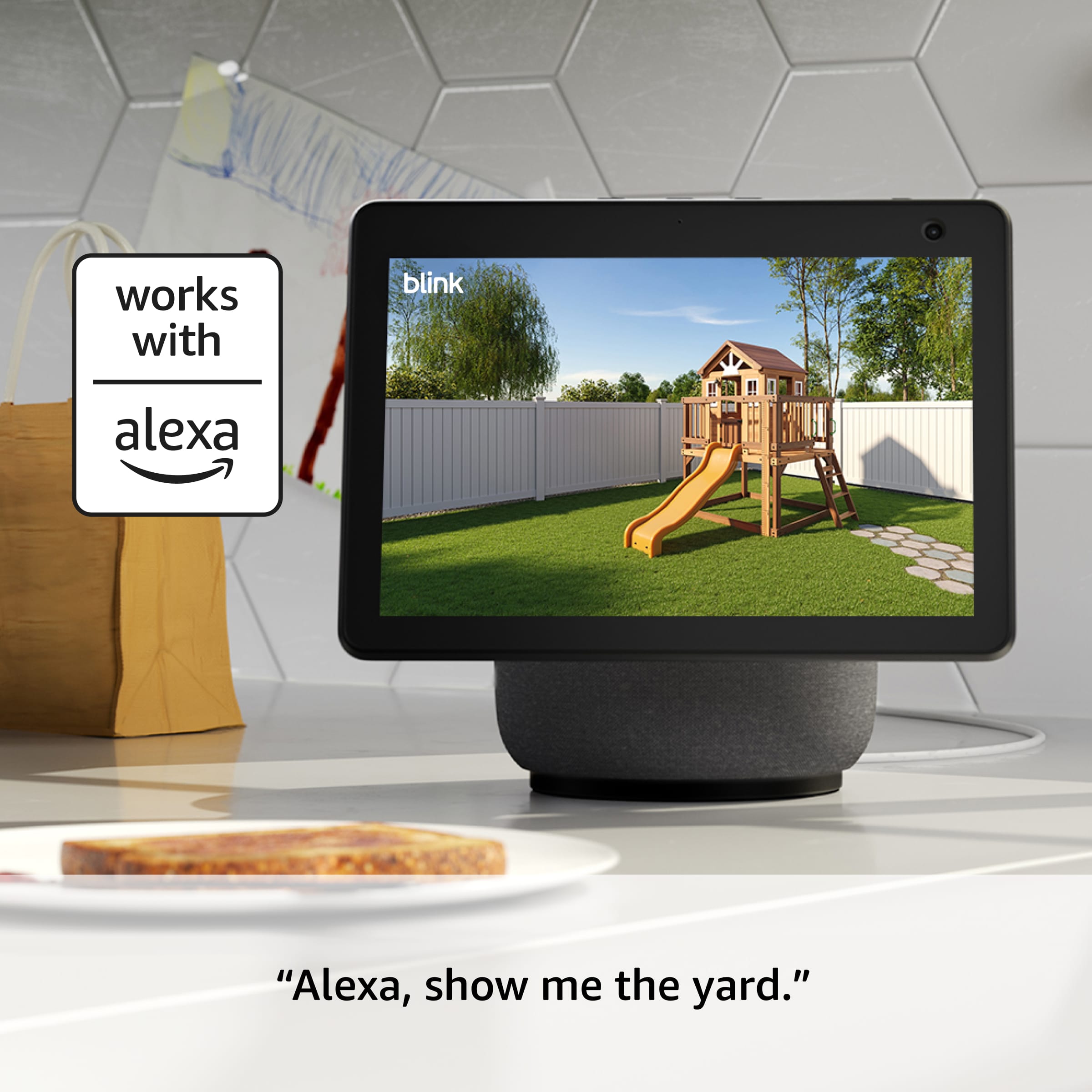
    This Blink Outdoor 4 Camera should be an essential item for anyone that lives in the real world. It takes only minutes to install the application on your phone, register the device as well as the Sync Module(s) (included!) that acts as the Hub for your camera(s) within your WiFi Network and should you choose to, the Blink "cloud service" that comes with a free trial period and then you can pay for the service, again if you choose to do so! I have mounted this camera to view our front door and it works very well. I am so pleased that I had my son go to our local Best Buy and purchase several more of these excellent cameras as well as a Sync Module 2 which has a built-in USB-A port for local recording. To activate motion detection recording, simply choose the "Armed" setting in the software for the Sync Module that controls the cameras you wish to "Arm" for motion detection. If you have the Sync Module 2 you can review your recordings on a PC via the USB drive. I have yet to do so but it should be very easy. The mounting hardware is simple and straightforward. Additionally, there is a "piggyback" battery pack that extends the life of the power supply to up to 4 years (standard is up to 2 years). These are also available at Best Buy. Battery life will vary with how often the camera is called upon to record or being viewed "LIVE" by you and when it is "Armed" it will record more often with motion being detected. I also installed the Blink Home Monitor application onto a new desktop Windows 11 machine. This will be discussed in a future review of that PC. You can easily view your cameras anytime and anywhere you have a cell signal via your phone. Simply open the application on your phone, select the Sync Module associated with the camera(s) you want to see and then choose that camera! I use an iPhone 16 Pro Max to do so and it works great!! The video is clear and I can even hear what is going on within the camera's range. You can also converse with someone that is on-camera and they with you! Excellent! If you have the Module set to "Armed" it will alert you via the application on your phone of motion and you can then view what is going on at that particular camera. I select "Armed" on the Sync Modules for nighttime or when I am away from home for security reasons and they will turn on when motion is detected and alert me via my iPhone and the application. Be aware that the wind blowing a nearby tree's branches that is in the field of view of the camera or cars driving past it will likely activate the motion detection and alert you via the phone application! The cameras associated with the Sync Module 2 (if you have one) will also record and the recording is "looped" so that when it runs out of space on the USB drive, it will record over starting with the oldest video being recorded over first., Each camera can only be viewed one at a time on your phone. There is also an application for iPads and I will be installing that later on my 9th Gen iPad but I want to thoroughly test it on the aforementioned PC first! Night and low light viewing activates the automatic Black & White viewing/recording mode and this is a feature of many professional cameras. The image is still quite good and if there is enough light to do so, the picture will be in color. If you have an Amazon Echo 8 or larger, you should be able to put multiple camera images on it at one time. I do not have one of these monitors but may get one to try it out at a later time as I am satisfied with the cell phone's view of each camera for now. And speaking of being satisfied, I am very pleased with the Blink Outdoor 4 Camera and Sync Module. In my career as an Electronics Technician, I have installed and used several CCTV/DVR security systems over the years, many costing $100,000+ and more, and for home use I think that the Blink Outdoor 4 Camera and Sync Module is an excellent, AFFORDABLE and very easy to use system that almost anyone can install and use with ease at or away from home. I am so impressed that as I said, we purchased more of these cameras to monitor our home and this also gives us additional piece of mind when our young grandchildren are visiting. I am so impressed with the Blink Outdoor 4 Camera system that I have spoken to my brother and his wife and have offered to set up a system for their home in Oregon. Like us, they are both seniors now but unlike my wife and I, they have a very nice vegetable garden and 5 egg laying hens to look after and the Blink Outdoor 4 is PERFECT for doing that and more! Highly recommended? YES!!

    I would recommend this to a friend