Customer Ratings & Reviews
- Model:
- C11CL40201
- SKU:
- 12345873
Rating by feature
- Value
Rating 4.4 out of 5 stars
- Quality
Rating 4.5 out of 5 stars
- Ease of Use
Rating 4.4 out of 5 stars
to a friend

Printer for everything
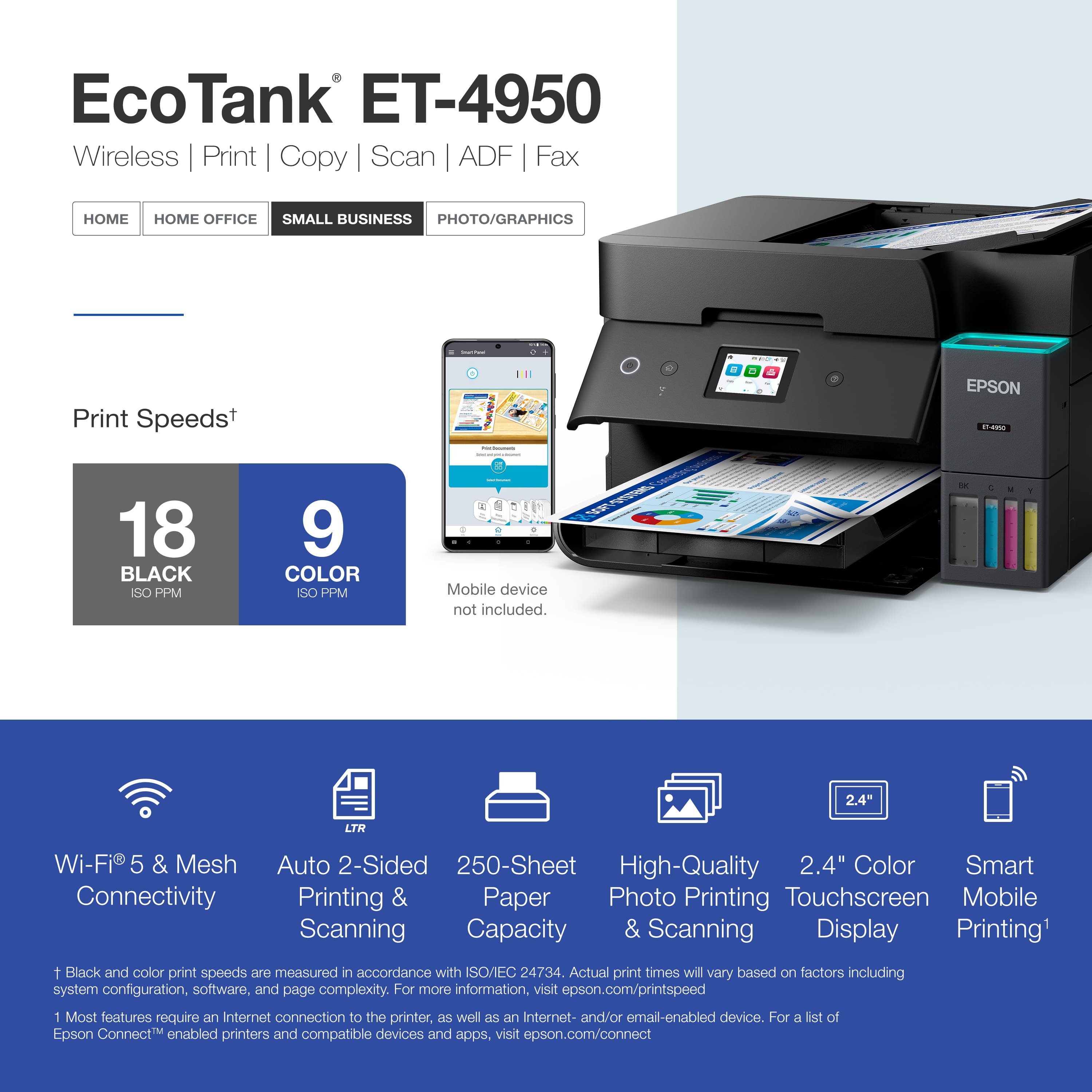
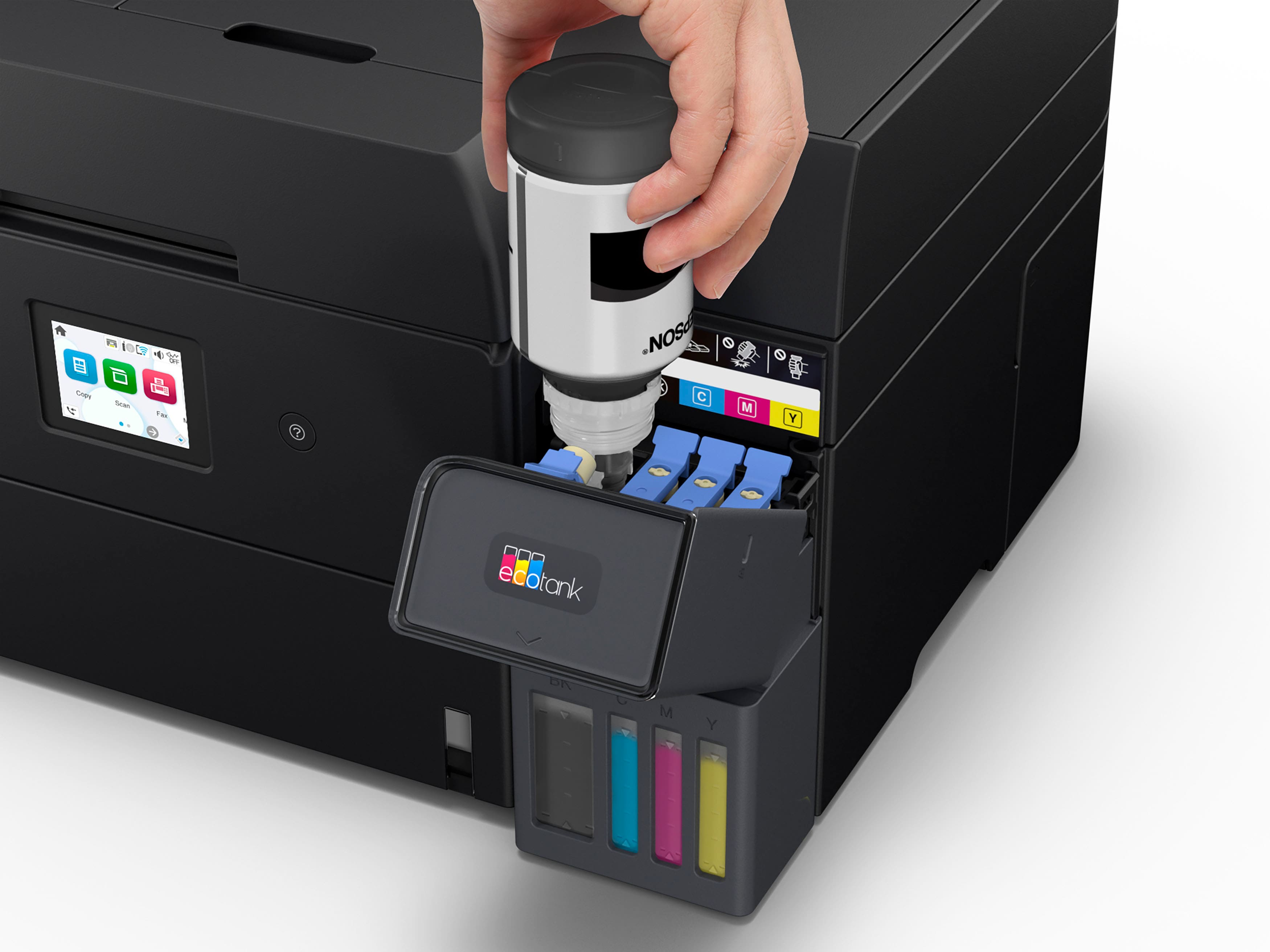
|Posted .This reviewer received promo considerations or sweepstakes entry for writing a review.The Epson printer comes packaged very well and was very easy to set up. The setup took all of maybe 7 minutes, connecting to the WiFi was what took the longest. The inks were quick and zero mess. Once hooked up I tested out the printing of typed documents, photos and some labels. 1. The Documents were sharp and crisp looking. No smudging. 2. Over the course of a week, the documents kept looking sharp and crisp even after 1000 plus pages. Photos came out very sharp and not to inky. 1. Colors were vibrant yet sharp. Using labels was simple and intuitive. They came out perfect and quickly. This leads to the claim that the promoting prints in 4800 x 1200 , it shows. Features: Double sided printing and scanning was excellent which say around 10 pages a min for me. I did get a little more single sided. The small tft screen is responsive and bright. The screen is very colorful and does what you needed. The paper tray holds 250 pages. One of the best two features to me is the ink, the ink bottles last up to 3 years which is a bold claim but the bottles seem perfect. In closing- the Epson is a great blend of technology but also perfect balance of features that don’t overwhelm.
I would recommend this to a friendEasy to setup economical printer
|Posted .This reviewer received promo considerations or sweepstakes entry for writing a review.So far this has been a great printer. I found the setup process to be really easy: I don't like phone setup, and I don't like chat interface, but I decided to put that aside and see how easy it would be. The app was really easy to use, it linked easily to the printer and the step by step instructions in the chat were easy to follow and always super accurate. Due to firmware updates and other configuration pieces the whole process took approximately twenty minutes. I liked the refillable ecotanks and I'm really hoping that it means less waste and cheaper ink in the longer term. Printing from anywhere in the house is easy - on phones and laptops. There have been no issues so far. I've used other wifi printers and so far I've found the mobile and windows experience to be better than the ones I've see from other brands. I tend to use printers for personal/family paperwork - all of our online receipts and paperwork for kids and taxes that we need to get done, along with scanning important documents to archive online. I don't find any issues with the print quality for these kind of purposes. I haven't tried any high quality print jobs to really push the limits but it will more than adequately meet my purposes. I hope that getting ink bottles that I can refill means that it will be overall cheaper to keep using it long into the future.
I would recommend this to a friendGood printer, nice upgrade from cartridge's.
|Posted .This reviewer received promo considerations or sweepstakes entry for writing a review.Maybe I can start recommending Epson printers again. This is a new unit so time will tell how it holds up as far as reliability is concerned. It is so nice they got rid of those dang cartridge's. The amount of money that will be saved should be noticeable. I always found it interesting how fast those old printers would dry out and cause you to have to go buy new ink and use half of it to recalibrate it. Just a money pit. The maintenance on this printer is actually a bit more than the old style but it will keep you happy in the long run. No more mystery clogs and dried out print heads. Just make sure you pay attention to the maintenance. Like anything else, if you take care of it, it will take care of you. I appreciate the document feeder. Those are basically a must have from now on in a printer. Duplex printing is a neat feature that more printers should have. Connectivity is pretty easy (Wi-Fi, USB, Ethernet) regardless of what PC eco system you are in (Mac, Windows or Linux) Only time will how long the included ink will last seeming as though they say it should be about three years. I have always been a fan of Epson printer, just didn't like the fact that if I didn't use it for a while I knew I was going to but more ink because the heads would dry up. looking forward to enjoying this one.
I would recommend this to a friendSolid home office all--in-one printer
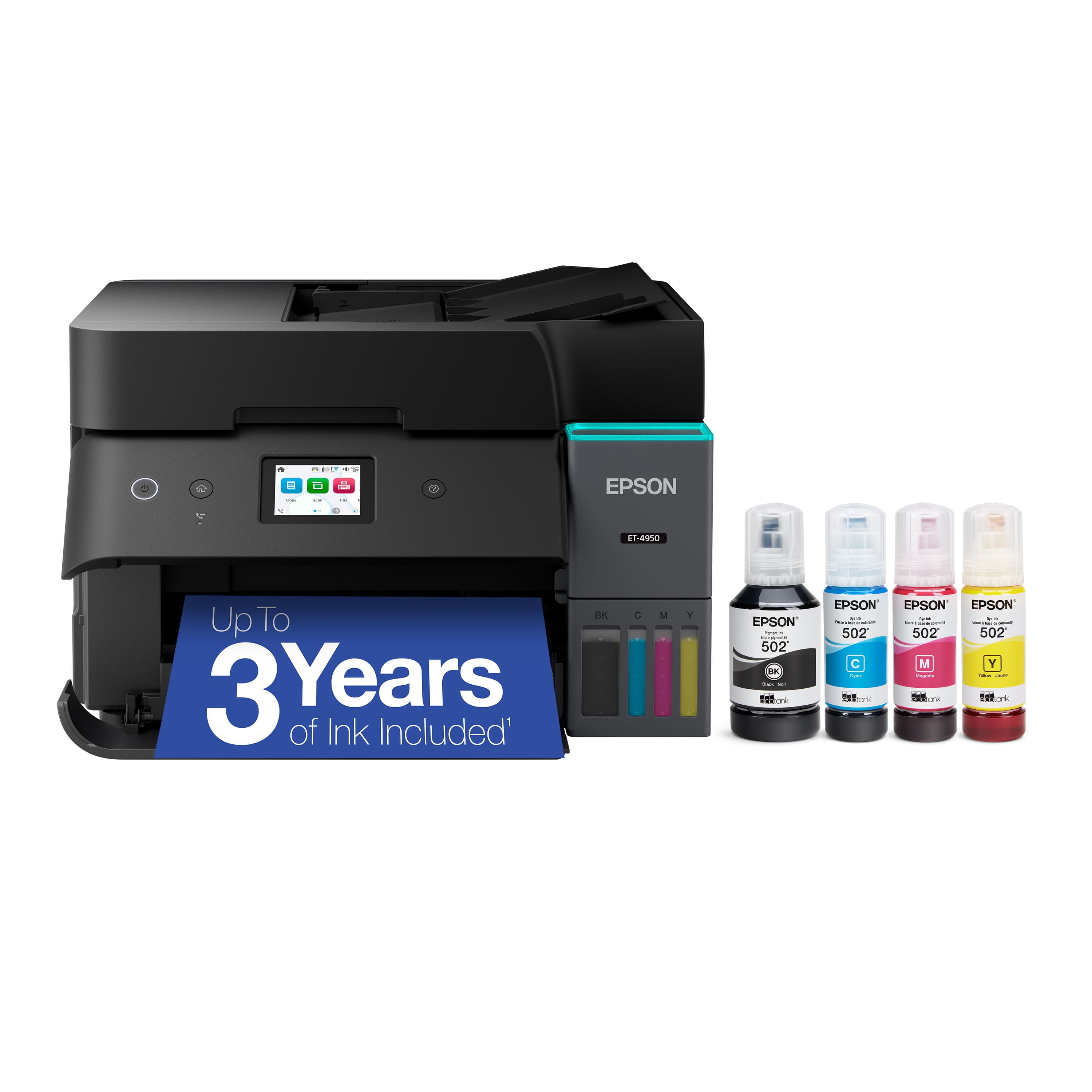
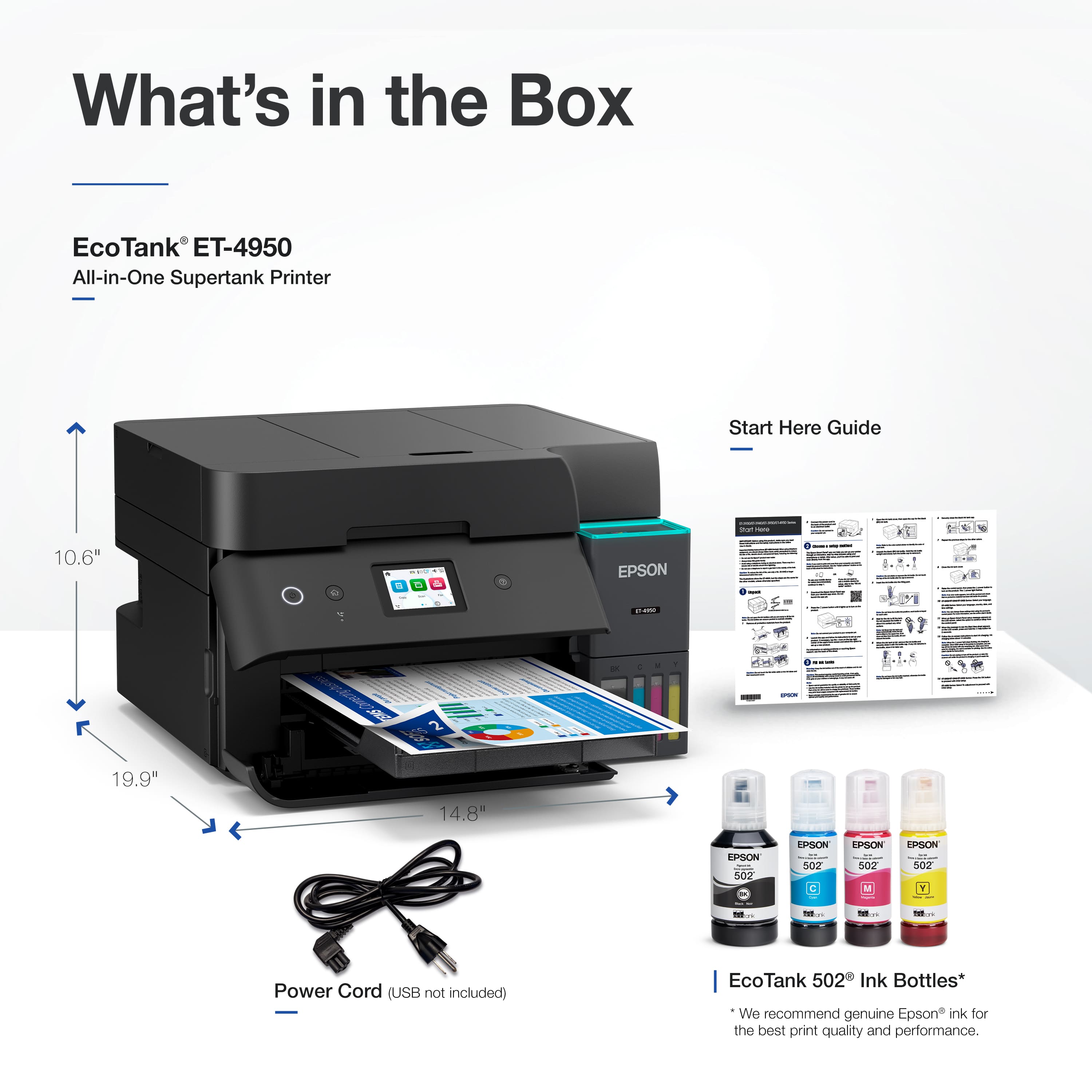
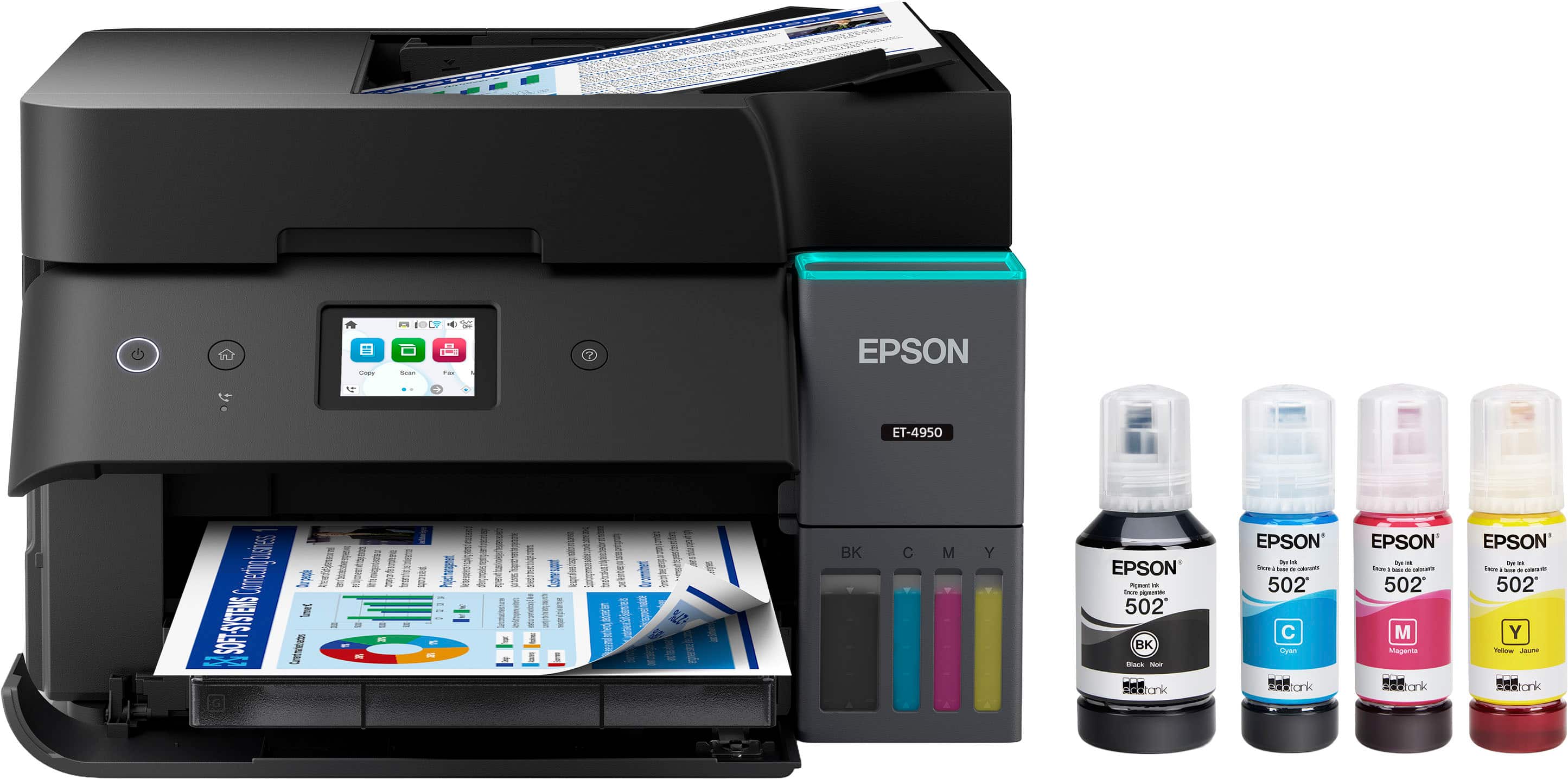
|Posted .This reviewer received promo considerations or sweepstakes entry for writing a review.The Epson EcoTank ET-4950 printer was super simple to set up and comes with four bottles of ink to fill up the reservoir chambers. I appreciate how much ink capacity this printer and that when the time comes to refill a color, I can do it by just getting another bottle and adding it to the reservoir, and it's way cheaper than traditional ink cartridges. Basic print quality is good. We mostly use it for simple documents and black and white coloring pages. It prints quite a bit faster than my old printer, and the dual side printing is a huge plus. But it does a decent job for photos when you crank up the dpi. I love the flexibility that I have with the built in Wi-Fi, where I can just connect it to my wireless network and then print from any device on my network whether it be a desktop computer, laptop, phone or tablet. The scanner and copier are relatively quick and easy to use as well and I love the auto feed function. So if you're looking for a good small office printer or for your home use, then the EcoTank ET-4950 is a fantastic choice.
I would recommend this to a friendAnother high-quality printer from Epson
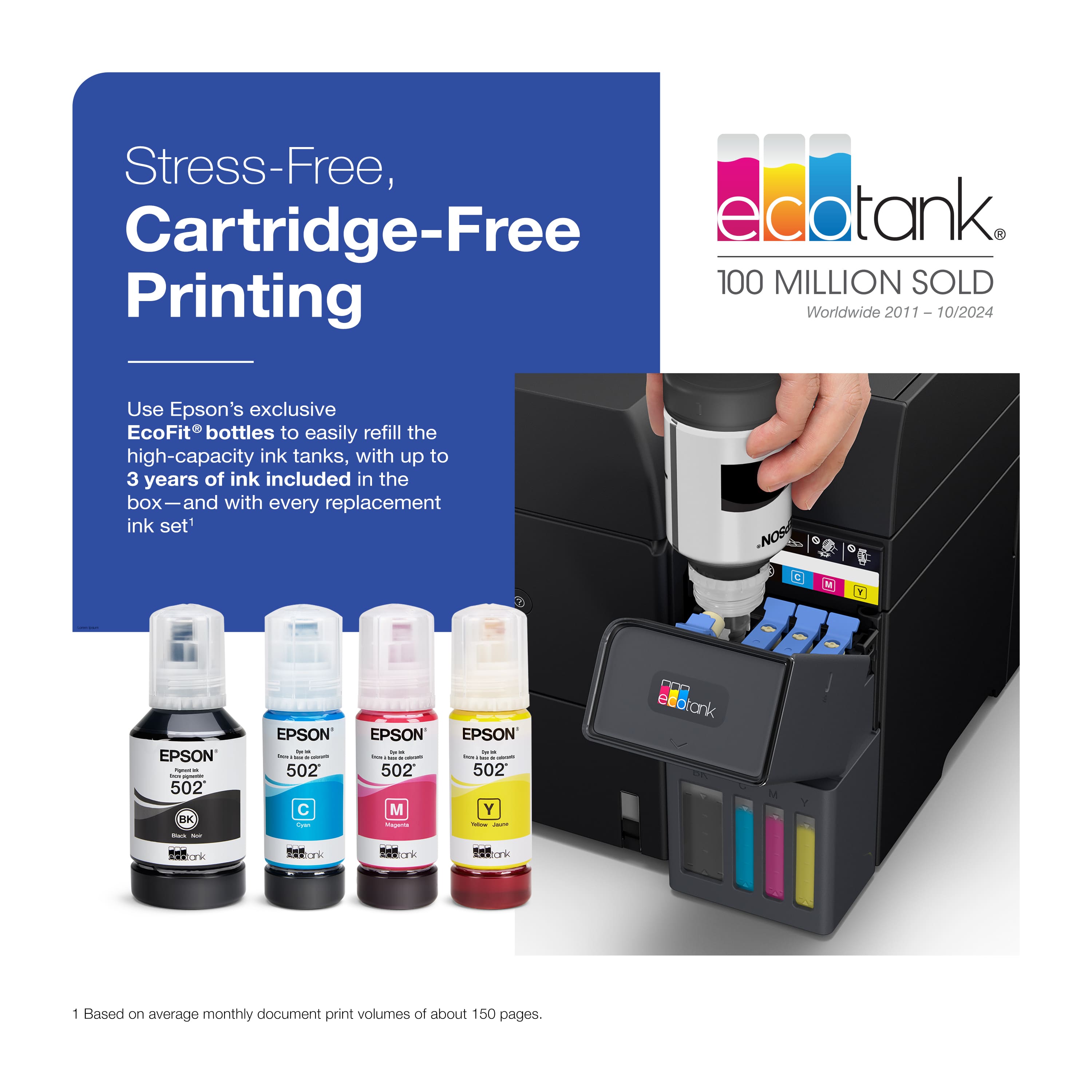
|Posted .This reviewer received promo considerations or sweepstakes entry for writing a review.The Epson - EcoTank ET-4950 Wireless All-in-One Color Supertank Inkjet Printer is advertised as “The Ultimate Home Office Printer” and based on my experiences with it so far, it certainly lives up to this lofty standard. One of the first things that most people worry about when purchasing a new printer is the inevitable ongoing costs of replacement ink cartridges. With the EcoTank ET-4950, ink cartridges are now a thing of the past. Instead, the ink is replenished with easy-to-use EcoFit bottles which contain way more ink than the old cartridges that were used in older printers. One of the other things that is unique about this EcoTank ET-4950 is its permanent printhead that is engineered to last the life of the printer. This is a big difference compared to other conventional thermal inkjet printers and something that really increases the value and longevity of the machine. As an “All-in-One” printer, the EcoTank ET-4950 has many of the other common features you would expect from an all-in-one printer including a 30-sheet auto document feeder, flatbed scanner, high-capacity 250-sheet paper tray, and the ability to print and scan from a mobile device via the Epson Smart Panel app. It also includes the various connection options of Ethernet, Wi-Fi 5, and even an old-school USB-B port if you want a direct connection to your PC. I found all of these features to work as expected and I honestly can’t find even one thing to complain about when it comes to this printer and its functionality. This seems to be the norm when it comes to the exceptional products the Epson brand continues to release and I am happy to say this Epson – EcoTank ET-4950 Wireless All-in-One Color Supertank Inkjet Printer has certainly lived up to the Epson name.
I would recommend this to a friendGreat printer
|Posted .This reviewer received promo considerations or sweepstakes entry for writing a review.This printer comes nicely boxed and easy to remove and set up. There were both written instructions and instructions via the Epson app. Printers with ink tanks always make me nervous since I fear spilling the container as I am filling the tank. Although I have experience with filling the tanks with ink, I did manage to spill some on my desk, when the empty bottle tipped over. I quickly did the clean up with rubbing alcohol. The instructions take you through step by step set up with the smart panel on the printer. I had a little trouble loading the paper since there is the upper section for the printer page and this confused me but I eventually figured it out. There are different size options for printing as well as a scan and fax setting. It took me less than 1 hour to set up this printer and I was very impressed with how Epson does instructions. This printer is nice and compact and allows me to keep in a tight space. I am really impressed with how the paper tray functions. When you shut it off, the paper tray completely slides inside the printer so that it is not exposed. This keeps the paper free from any dust. Epson printers are now my new favorite! I highly recommend this printer.
I would recommend this to a friendGenius combination printer, highly recommended
|Posted .This reviewer received promo considerations or sweepstakes entry for writing a review.Ive owned plenty of printers and used plenty of various types of printers, from Laser, to desktop to full combinations to even dot matrix older printers and the one thing I can say is the newer printers out there are a huge improvement over anything Ive used in the past. Epson is the leader in printing today and consistently releases printers that stay ahead of the game when it comes to funxctionality and all around capabilities. This all in one printer is no exception and comes with full functionality when it comes to printing, scanning and wireless funtionality. The Eco-Tank portion of this printer makes it easy to add reasonably priced ink of all colors to each tank seamlessly and keeping costs down. Lets face it toner and ink is the major expense when it comes to printers today and subscription based ink is the game that keeps a recurring revenue for the printer companies, however Epson is not cartrdges, its actually bottles of ink which eliminates the plastic cartridge component and just allows you to buy the ink. Id recomment this printer to anyone looking for great printing capability along with keeping ink costs down.
I would recommend this to a friendGreat printer that prints professional photo!
|Posted .This reviewer received promo considerations or sweepstakes entry for writing a review.I've had my share of printers, and like most people have always had issues! Of course most of the issues revolve around running out of ink and cost of the ink cartridges, etc... I think I've finally found the solution to my issues! Each replacement bottle is equal to 90 (yes, you read that correctly) standard ink cartridges!! Thats unreal! Epson said this is enough ink to last 3 years, and honestly I believe it! Thats alot of ink! As a parent, I've got thousands and thousands of pictures of my kids that I always say I'll print, but I never get around to it because the print quality is soooo bad on my home printer, and there's no easy way to print them! The app has been very simple and intuitive to use to print my pictures from both my phone and my laptop. To me, this is one of the best parts! Printing without this app was so cumbersome in the past that I usually just wouldn't even do it, but now I have no more excuses because this is so easy, and the end product ends up looking so good! I cant tell the difference between my photos I printed here on this printer, and the ones I got from the store!
I would recommend this to a friendExcellent Printer!
Posted .This reviewer received promo considerations or sweepstakes entry for writing a review.Good quality machine, easy to use, produces fine copies.
I would recommend this to a friendCopier
Posted .This reviewer received promo considerations or sweepstakes entry for writing a review.Next level of copiers with a legacy behind it to please.
I would recommend this to a friendEpson
Posted .This reviewer received promo considerations or sweepstakes entry for writing a review.Awesome. I love the new ink tanks vs cartridges. Just do it
I would recommend this to a friendDefective from the start
Posted .This reviewer received promo considerations or sweepstakes entry for writing a review.I bought an Epson ET-4950 printer on January 15, 2026. I paid extra for Best Buy to set it up in my home office. It hasn't worked from the start. It's now February 26, 2026. I constantly get a message that the "device restarted itself because of a system error." When I press OK, I'm constantly asked to do a "firmware update." This accomplishes nothing. Far worse, I have to completely turn off the printer and turn it on again in order to print from my laptop. I've done an hour-long chat session to try to solve these problems. No luck. After a long phone call involving many hassles, now Best Buy has promised me a free replacement printer and free installation. We'll see if this works. Frankly, knowing what I do now about this printer I wouldn't buy it again. Although I read reviews of it before buying, I was never told that the printer needs to be used at least once a week to keep the ink-tanks flowing. The printer is also pretty plasticicky and I'm not sure that it will hold up over the long run.
No, I would not recommend this to a friendBrand response from Epson
Posted .Hello SextusEmpiricus52, we apologize for the disappointing experience you’ve encountered with your Epson printer. Your ET-4950 includes free technical support for the life of your product. Please reach out to our Epson Support Team for assistance at (562) 276-4382; Hours: Monday – Friday, 7 a.m. to 4 p.m. (PT). We’re here to help. Sincerely, Alissa – The Epson Team.
