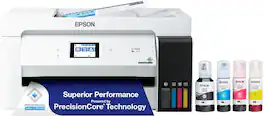
Epson - EcoTank ET-4950 Wireless All-in-One Color Supertank Inkjet Printer - Black
Epson - EcoTank ET-4950 Wireless All-in-One Color Supertank Inkjet Printer - Black
Color
BlackRelated Item

Specifications
- NetworkingWirelessENERGY STAR CertifiedYesPrinter TypePrinter, Copier, Scanner, FaxISO Color Print Speed9 pages per minuteISO Mono Print Speed18 pages per minuteOutput Tray Capacity30
- Key Specs
- Networking: Wireless
- ENERGY STAR Certified: true (Devices carrying the ENERGY STAR service mark, such as computer products and peripherals, kitchen appliances, and other products, generally use 20% to 30% less energy than required by federal standards.)
- Printer Type: Printer, Copier, Scanner, Fax
- ISO Color Print Speed: 9 pages per minute (The number of color pages able to be printed per minute in the device's default single-side mode, as tested by the International Standards Organization (ISO).)
- ISO Mono Print Speed: 18 pages per minute (The number of black ink (grayscale) pages able to be printed per minute in the device's default single-side mode, as tested by the International Standards Organization (ISO).)
- Output Tray Capacity: 30
- Touch Screen: true (Touch-screen devices make navigating more intuitive. Using a touch-screen display, you can do things such as tap to select, hold and drag to move items, swipe to scroll, and pinch to zoom.)
- General
- Brand: Epson
- Model Number: C11CL40201
- Product Name: EcoTank ET-4950 Wireless All-in-One Color Supertank Inkjet Printer
- Color: Black
- Display Screen: true
- Display Screen Size: 2.4 inches
- Dimensions
- Product Height: 9.4 inches (The out of box height of the item. Height is measured as the vertical distance from the bottom of the item to the top as it would be primarily used or placed.)
- Product Width: 14.8 inches (The out of box width of the item. Width is measured as the horizontal distance from one side of the item to the other as it would be primarily used or placed.)
- Product Depth: 13.7 inches (The out of box depth of the item. Depth is measured as the distance from the front of the item to the back as it would be primarily used or placed.)
- Product Weight: 16.1 pounds (The out of box weight of the item.)
- Features
- Automatic Document Feeder: true
- Photo Printing: true
- Wide Format Printing: false (Machines with this function support printing on media with widths between 18 and 100 inches, such as posters, banners, canvases, and more.)
- Wide Format Scanning: false
- Monochromatic/Color: Color
- Automatic Reduction/Enlargement: true
- Automatic Two-Sided Printing: true
- Tray Capacity: 250
- Duty Cycle: Up to 10,000 (The maximum number of pages per month that the device can produce without failing, as specified by the manufacturer.)
- Connectivity
- Wired Connectivity: USB-B
- Wireless Connectivity: Wi-Fi (The manner in which a device sends data to another device over a short distance without the use of wires or cables.)
- Scanner Info
- Scanner Type: Flatbed, Sheetfed
- Scanner Resolution: Up to 1200 x 2400 (Refers to the number of pixels/dots, both horizontally and vertically, of the image produced by the scanner. Generally, the higher the resolution, the sharper and cleaner the produced image.)
- Fax Info
- Integrated Fax: true
- Ink
- Compatible Cartridges: Epson T502
- Ink Cartridges Required: None (The quantity and color of ink cartridges required for the printer to operate.)
- Ink Cartridges Included: None (The quantity and color of ink cartridges included.)
- Ink Bags/Bottles Required: 1 x Black, 1 x Cyan, 1 x Magenta, 1 x Yellow (The quantity and color of ink bags/bottles required for the printer to operate.)
- Ink Bags/Bottles Included: 1 x Black, 1 x Cyan, 1 x Magenta, 1 x Yellow (The quantity and color of ink bags/bottles included.)
- Paper Info
- Automatic Document Feeder Capacity: 30 sheets
- Supported Paper Sizes: 3.5" x 5", 4" x 6", 5" x 7", 8" x 10", 8.5" x 11", 8.5" x 14"
- Paper Feeder: Cassette tray
- Copier Info
- Maximum Number Of Copies: 99
- Performance
- Printer Resolution (Black): Up to 4800 x 1200 (Refers to the number of pixels/dots, both horizontally and vertically, of the image produced by the printer in black ink. Generally, the higher the resolution, the sharper and cleaner the produced image.)
- Printer Resolution (Color): Up to 4800 x 1200 (Refers to the number of pixels/dots, both horizontally and vertically, of the image produced by the printer in colored ink. Generally, the higher the resolution, the sharper and cleaner the produced image.)
- Approximate Page Yield (Black): 6600
- Approximate Page Yield (Color): 5500
- Warranty
- Warranty - Parts: 1 year limited
- Warranty - Labor: 1 year limited
- Other
- UPC: 198390000899
Introducing the EcoTank ET-4950—The Ultimate Home Office Printer. Say goodbye to expensive cartridges with the Epson EcoTank ET-4950, the newest innovation from a recognized leader in photographic printing. Combining simplicity with a modern design, the ET-4950 features advanced technology that enhances both performance and print quality, making it an ideal choice for productive office printing—including content created by AI. Powered by PrecisionCore Heat-Free technology, the ET-4950 offers a duty cycle that’s twice as robust as its predecessor (1). And unlike conventional thermal inkjet printers, its unique permanent printhead is engineered to last the life of the printer. Designed to be simple and error-free, refilling ink is a breeze with large ink tanks and uniquely keyed EcoFit bottles—no mess, no stress and no ink bottle mix-ups. And with enough ink in the box to last up to three years (2), you'll enjoy affordable color printing without the hassle of frequently replacing cartridges. Featuring Ethernet and Wi-Fi for seamless connectivity, along with the user-friendly Epson Smart Panel app (3), you can easily print, scan, and more directly from your computer or mobile device (4). Choose Epson EcoTank, the #1 Best-Selling Supertank Printer (5). With more than 100 million units sold globally (6) across seven generations of innovation, EcoTank consistently delivers affordable, photo-quality prints, making it a reliable choice for all your printing needs.
- Incredible Value: Each replacement ink bottle set is equivalent to about 90 individual cartridges (7).
- Up to 3 Years of Ink Included in the Box (2): Comes with enough ink to print up to 6,600 pages black/5,500 color (8) for worry-free printing and fewer out-of-ink frustrations.
- Simple Ink Refilling: Supersized ink tanks and uniquely keyed EcoFit bottles make refilling ink simple—no mess, no stress and no ink bottle mix-ups.
- The #1 Best-Selling Supertank Printer (5): Epson invented EcoTank to revolutionize the way people print; we’ve sold 100 million EcoTanks worldwide (6) and this is our 7th generation of cartridge-free printers.
- Advanced, Productive Features: Fast 18 black/9 color ISO ppm print speeds with zero warmup time, an Auto Document Feeder, fax, a high-capacity 250-sheet paper tray, auto duplex printing and a 2.4" color display for easy navigation.
- Stunning Print Quality: High 4800 x 1200 print resolution for exceptional photos and text; enjoy amazing image quality on a wide range of media.
- Wireless Mobile Printing (4): Print and scan from the convenience of your smart device with enhanced mobile printing from the Epson Smart Panel app (3); supports Apple AirPrint.
- Engineered for Reliability: Epson PrecisionCore Heat-Free technology delivers a unique permanent printhead designed to last the life of the printer, plus professional-grade reliability with duty cycle twice as robust as its predecessor.
- Zero Cartridge Waste: Join the club with the millions of EcoTank owners who’ve already helped to reduce millions of pounds (9) of plastic from going into landfills.
- Use Genuine Epson Ink: For optimal print quality and performance. Non-genuine ink could cause damage not covered by the printer’s limited warranty.
- Incredible Value: Each replacement ink bottle set is equivalent to about 90 individual cartridges (7).
- Up to 3 Years of Ink Included in the Box (2): Comes with enough ink to print up to 6,600 pages black/5,500 color (8) for worry-free printing and fewer out-of-ink frustrations.
- Simple Ink Refilling: Supersized ink tanks and uniquely keyed EcoFit bottles make refilling ink simple—no mess, no stress and no ink bottle mix-ups.
- The #1 Best-Selling Supertank Printer (5): Epson invented EcoTank to revolutionize the way people print; we’ve sold 100 million EcoTanks worldwide (6) and this is our 7th generation of cartridge-free printers.
- Advanced, Productive Features: Fast 18 black/9 color ISO ppm print speeds with zero warmup time, an Auto Document Feeder, fax, a high-capacity 250-sheet paper tray, auto duplex printing and a 2.4" color display for easy navigation.
- Stunning Print Quality: High 4800 x 1200 print resolution for exceptional photos and text; enjoy amazing image quality on a wide range of media.
- Wireless Mobile Printing (4): Print and scan from the convenience of your smart device with enhanced mobile printing from the Epson Smart Panel app (3); supports Apple AirPrint.
- Engineered for Reliability: Epson PrecisionCore Heat-Free technology delivers a unique permanent printhead designed to last the life of the printer, plus professional-grade reliability with duty cycle twice as robust as its predecessor.
- Zero Cartridge Waste: Join the club with the millions of EcoTank owners who’ve already helped to reduce millions of pounds (9) of plastic from going into landfills.
- Use Genuine Epson Ink: For optimal print quality and performance. Non-genuine ink could cause damage not covered by the printer’s limited warranty.
Whats Included
- Printer
- Manual
- Power Cord
- 4x T502 Ink Bottles
- Printer
- Manual
- Power Cord
- 4x T502 Ink Bottles
Disclaimers
- 1. Versus the ET-3830.
- 2. Based on average monthly document print volumes of about 150 pages.
- 3. Requires Epson Smart Panel app download. Data usage fees may apply.
- 4. Most features require an Internet connection to the printer, as well as an Internet- and/or email-enabled device. For a list of Epson Connect enabled printers and compatible devices and apps, visit www.epson.com/connect
- 5. Source: Circana, LLC, Retail Tracking Service, US & Canada Combined, Inkjet SF and MF Printers Combined, Refillable Tank Included, Total Unit Sales, 12 Months Ending July 2024.
- 6. Worldwide 2011 – 10/2024.
- 7. Individual cartridges estimate based on print yields of a replacement set of black and color ink bottles as compared to Epson standard-capacity ink cartridges for similarly featured printers as of October 2024.
- 8. Part of the ink from the included bottles is used for initial setup; yields are lower than those of replacement ink bottles. Replacement and included ink bottle yields based on the ISO/IEC 24712 pattern with Epson’s methodology. Actual ink yields will vary considerably for reasons including images printed, print settings, temperature and humidity. Yields may be lower when printing infrequently or predominantly with one ink color.
- 9. Based on product and replacement ink bottle sales in North America 2015 – June 2021.
- * Black and color print speeds are measured in accordance with ISO/IEC 24734. Actual print times will vary based on factors including system configuration, software, and page complexity. For more information, visit epson.com/printspeed
- *Requires a high-speed Internet connection.
- 1. Versus the ET-3830.
- 2. Based on average monthly document print volumes of about 150 pages.
- 3. Requires Epson Smart Panel app download. Data usage fees may apply.
- 4. Most features require an Internet connection to the printer, as well as an Internet- and/or email-enabled device. For a list of Epson Connect enabled printers and compatible devices and apps, visit www.epson.com/connect
- 5. Source: Circana, LLC, Retail Tracking Service, US & Canada Combined, Inkjet SF and MF Printers Combined, Refillable Tank Included, Total Unit Sales, 12 Months Ending July 2024.
- 6. Worldwide 2011 – 10/2024.
- 7. Individual cartridges estimate based on print yields of a replacement set of black and color ink bottles as compared to Epson standard-capacity ink cartridges for similarly featured printers as of October 2024.
- 8. Part of the ink from the included bottles is used for initial setup; yields are lower than those of replacement ink bottles. Replacement and included ink bottle yields based on the ISO/IEC 24712 pattern with Epson’s methodology. Actual ink yields will vary considerably for reasons including images printed, print settings, temperature and humidity. Yields may be lower when printing infrequently or predominantly with one ink color.
- 9. Based on product and replacement ink bottle sales in North America 2015 – June 2021.
- * Black and color print speeds are measured in accordance with ISO/IEC 24734. Actual print times will vary based on factors including system configuration, software, and page complexity. For more information, visit epson.com/printspeed
- *Requires a high-speed Internet connection.
A: Hello WTD65. Yes, the ET-4950 includes a USB port so that you can save scanned files to your computer. Depending on your computer, you will need to use a "USB A to B" or "USB B to C" connection. Regards, Kevin - The Epson Team.
A: Yes it does. You just need to choose that option when you scan.
A: No. I have this printer and do not use the fax option. It does a great job on printing and scanning though!
Q: Hello paper - can this printer support 110 card stock?
A: Hello. The ET-4950 can print on cardstock, but feeding reliability can vary when using third-party paper based on the brand, texture, thickness, and weight. We recommend testing a sample first to make sure it works well, since Epson doesn’t guarantee compatibility with all paper types. Regards, Kevin - The Epson Team.
Q: Does this printer have a USB Drive port where I can print files directly from my USB drive?
A: Hello Connie. The ET-4950 does not include a separate USB port for USB drives. The printer can only be used via Wi-Fi or a direct USB connection. Regards, Kevin - The Epson Team.
Q: Where do you load envelopes and cardstock? Does it curl the cardstock?
A: Hello CatWoman. Envelopes and cardstock must be loaded in the lower paper cassette. Cardstock may curl depending on its thickness and material, so testing a few sheets beforehand is recommended. Regards, Kevin - The Epson Team.
Q: Where is the paper loaded from ?
A: Hello paper. The ET-4950 has a lower paper tray to load paper. You will need to pull the paper tray out, adjust the guide paper tray, and insert the print-side down. Regards, Kevin - The Epson Team.
Compare similar products
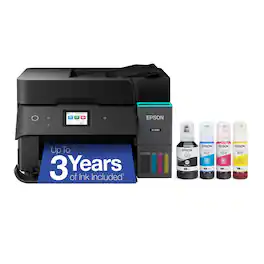
Introducing the EcoTank ET-4950—The Ultimate Home Office Printer. Say goodbye to expensive cartridges with the Epson EcoTank ET-4950, the newest innovation from a recognized leader in photographic printing. Combining simplicity with a modern design, the ET-4950 features advanced technology that enhances both performance and print quality, making it an ideal choice for productive office printing—including content created by AI. Powered by PrecisionCore Heat-Free technology, the ET-4950 offers a duty cycle that’s twice as robust as its predecessor (1). And unlike conventional thermal inkjet printers, its unique permanent printhead is engineered to last the life of the printer. Designed to be simple and error-free, refilling ink is a breeze with large ink tanks and uniquely keyed EcoFit bottles—no mess, no stress and no ink bottle mix-ups. And with enough ink in the box to last up to three years (2), you'll enjoy affordable color printing without the hassle of frequently replacing cartridges. Featuring Ethernet and Wi-Fi for seamless connectivity, along with the user-friendly Epson Smart Panel app (3), you can easily print, scan, and more directly from your computer or mobile device (4). Choose Epson EcoTank, the #1 Best-Selling Supertank Printer (5). With more than 100 million units sold globally (6) across seven generations of innovation, EcoTank consistently delivers affordable, photo-quality prints, making it a reliable choice for all your printing needs.
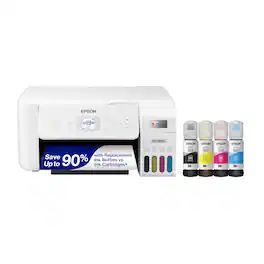
Your family needs a printer that’s fast, affordable, and easy to use. That’s why we developed the EcoTank ET-2800 – an innovative cartridge-free solution that uses high-capacity, easily refillable ink tanks. So you’ll worry less about running out of ink, and save a lot on replacement ink (1). The ET-2800 features genuine Epson print quality, a high-resolution flatbed scanner, and convenient color display – making it the ideal basic home printer.
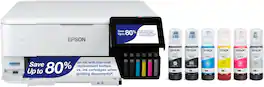
The EcoTank Photo ET-8500 wireless all-in-one prints lab-quality color photos, graphics and everyday documents — all at an incredible value. Epson’s cartridge-free, 6-color Claria ET Premium Ink system delivers vibrant colors and sharp text for all your creative projects. With low-cost replacement ink bottles, print 4" x 6" photos for about 4 cents each compared to 40 cents with cartridges (1). Print everything from borderless 8.5" x 11" photos to customized CDs/DVDs. You can even print on cardstock and other media up to 1.3 mm thick. For added convenience, each set of bottles lets you print for up to 2 years (2). Plus, save up to 80 percent with replacement ink bottles vs. ink cartridges (3) — that’s about $2,000 on each set (3). The EcoTank Photo lets you do it all with affordable in-house printing.
The EcoTank ET-15000 wireless all-in-one offers Cartridge-Free Printing with easy-to-fill supersized ink tanks. Save up to 90 percent on ink with low-cost replacement bottles (1). This all-in-one delivers vibrant prints up to 13" x 19" (through rear-feed tray) and scans up to 8.5" x 14" (via the ADF). Print for up to 2 years with each included or replacement ink bottle set (2) — each replacement set includes enough ink to print up to 7,500 pages (3). That’s equivalent to about 80 individual cartridges (4). And, there’s zero cartridge waste. The ET-15000 features a 250-sheet front tray paper capacity and rear specialty-paper feed, plus a 2.7" color touchscreen and hands-free voice-activated printing (5).
| Pros for Epson - EcoTank ET-4950 Wireless All-in-One Color Supertank Inkjet Printer - Black | |||
|---|---|---|---|
| Overall Performance, Print Quality | Print Quality, Ease of use, Overall Performance, Setup, Size | Print Quality, Ease of use, Setup, Overall Performance, Noise Level | Print Quality, Ease of use, Overall Performance, Setup, Size |
| Cons for Epson - EcoTank ET-4950 Wireless All-in-One Color Supertank Inkjet Printer - Black | |||
| There were no cons for this product— | Noise Level, Paper Tray, Connectivity | Paper Jam, Price, Software | Paper Jam, Noise Level |
Specs



Reviews
Customers are saying
Customers are delighted by the EcoTank ET-4950 printer's excellent print quality. Users also appreciate how easy it is to set up. Overall, customers seem to be satisfied with the printer's performance and user-friendliness.
Customer Images
The vast majority of our reviews come from verified purchases. Reviews from customers may include My Best Buy members, employees, and Tech Insider Network members (as tagged). Select reviewers may receive discounted products, promotional considerations or entries into drawings for honest, helpful reviews.
- Rated 5 out of 5 stars
Fantastic printer once it's up and running.
The Epson EcoTank ET-4950 is a very good all-around printer that delivers excellent value, especially for users who print frequently. Once set up correctly, it performs extremely well and saves a significant amount of money on ink. Pros: ✔ Exceptional value for the price — long-term ink savings easily justify the upfront cost ✔ Extremely low ink costs thanks to the EcoTank system ✔ Very high ink yield ✔ Fast print speeds ✔ Easy installation and setup for basic printing ✔ Duplex printing and duplex scanning work very well once properly configured ✔ Excellent print quality on both regular paper and photo glossy paper ✔ Photos print beautifully with great color and resolution Cons: ✖ Duplex printing setup is confusing – Required settings in the print menus are not obvious – If you don’t know what to change, duplex printing can be frustrating to configure – The output tray automatically extends during printing, which is nice, but there is no documentation explaining how to retract it – A very small, hard-to-notice icon at the top of the display must be tapped to retract the tray—this is not intuitive – It took three hours on the phone with tech support to resolve duplex printing issues – During troubleshooting, the printer printed one side, paused about 30 seconds, then printed the second side; this was resolved after installing the correct drivers and adjusting print menu settings ✖ Duplex scanning is very sensitive to paper condition – Requires pristine paper – Any bends, creases, or imperfect alignment can cause paper jams – Paper guides must be set precisely to avoid feeding issues Overall Impression: Despite some frustrating setup and customer support issues—especially related to duplex printing—the Epson EcoTank ET-4950 delivers outstanding ink savings, strong performance, and excellent print quality. Once properly configured, it is reliable, economical, and well-suited for home offices and high-volume printing users who don’t mind spending some time on setup. Overall Rating: ⭐⭐⭐⭐½ (4.5 out of 5 stars)
Michael Posted
- Rated 4 out of 5 stars
nice printer
huge upgrade over our last printer. bought this primarily for the automatic document feeding and automatic duplex printing. i also love being able to ditch ink cartridges. the only downside so far is that automatic duplex printing is not available for A5, which to be honest was the main size we wanted to print double-sided (for planner refills) so that’s a bit of a bummer, to put it lightly. it does work fine for A4 though, so i suppose we’ll just be buying a guillotine to print two sets at once and cut in half.
pwmcc Posted
- Rated 5 out of 5 stars
Why did I wait so long
After using cartridge-based ink jet printers over the years, I finally purchased the Eco Tank. Why did I wait so long?! Maybe it was the higher acquisition cost, but in a short time I have learned that the cost of ownership is much more affordable. A great printer that balances speed, print quality, functionality and cost of consumables. The automated document feeder is a great feature.
BlueRidgeView Posted