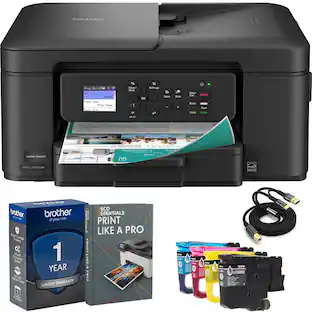
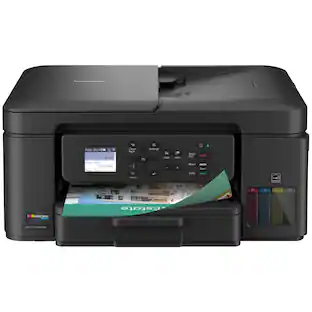
Brother - INKvestment Tank 980 Wireless All-in-One SuperTank Inkjet Printer, up to 3 Years of Ink + 3 year warranty, Duplex Print - Black
Customers are saying
Customers are positive about the printer's excellent print quality, versatile connectivity options, and user-friendly setup process. While users appreciate these features, some have noted that the device can be a bit noisy during operation. Overall, the feedback highlights a reliable machine that is easy to integrate into daily tasks.
Features
Maximize your savings with up to 3 years of ink in the box(1)
Print, copy, scan and fax for up to 3-years with the included ink(1) - all backed by a 3-year warranty.
Fast print speeds up to 17 PPM black and 16.5 PPM color (5)
Don't let slow printing slow you down. The MFC-T980DW ink tank printer delivers professional-grade print speeds – perfect for high-volume environments.
Innovative refillable ink tank technology
Unlike messy bottle-based systems, Brother's keyed bottle design makes refills foolproof – with each color bottle only fitting its designated tank slot. Refill in 30 seconds for color, 65 seconds for black with zero spills, zero guesswork.
Complete Print-Copy-Scan-Fax Solution for Busy Offices
Includes 150-sheet paper tray(2) + 80-sheet multipurpose tray(2) for flexible media handling, 20-page single-sided ADF (2) for fast multi-page scanning and copying, Automatic duplex (2-sided) printing saves paper and money, Front USB port for instant print-from-USB or scan-to-USB (6), and 1.8" color display with intuitive touchscreen navigation.
Print from virtually anywhere – wireless(3), Ethernet, USB, or Cloud(7)
The Brother Mobile Connect app(8) lets you print, scan, and manage your printer from your smartphone or tablet. Connect via Wi-Fi, Ethernet, USB, or Wi-Fi Direct for maximum flexibility. Print directly from Google Drive, Dropbox, Box, OneDrive, and more(7) using the printer's 1.8" color touchscreen – no computer required.
Crisp, Vibrant Prints with 1,200 x 6,000 DPI Resolution
From bold presentations to colorful reports, the MFC-T980DW ink tank printer delivers professional-quality color and rich black & white prints.
Customer Support
Includes a 3-year limited warranty(9). For customer service, visit us at www.brother-usa.com/support.
Brother Genuine Ink
Reliable performance you can count on. Brother Genuine Ink is quality-tested to work seamlessly with your Brother printer. Choose Brother Genuine BTD180 Ink bottles, the only brand we recommend for use with your printer.
Specifications
- NetworkingWireless, WiredENERGY STAR CertifiedYesPrinter TypeAll In One, Printer, Copier, ScannerISO Color Print Speed16.5 pages per minuteOutput Tray Capacity50Touch ScreenNo
Reviews
Rating 4.6 out of 5 stars with 27 reviews
- Print Quality (22)
- Connectivity (12)
- Ease of Use (10)
- Noise Level (3)
Customer Images
The vast majority of our reviews come from verified purchases. Reviews from customers may include My Best Buy members, employees, and Tech Insider Network members (as tagged). Select reviewers may receive discounted products, promotional considerations or entries into drawings for honest, helpful reviews.
Compare similar products

The Brother INKvestment Tank 980 Wireless Color Inkjet All-in-One Printer includes enough ink to print for up to 3 years(1), backed by a 3-year warranty(9). Innovative ink tank technology provides an easy-to-replenish solution with spill-free bottles that refill the ink quickly, and a keyed design that prevents adding the incorrect color to each slot. For all your business and personal printing needs, from business presentations to airline tickets, this ink tank printer includes convenience-driven features like a single-sided automatic document feeder (ADF), 150-sheet paper tray(2), and 80-sheet multipurpose tray(2) for flexible paper handling. Plus ethernet or wireless connectivity(3) and the ability to print from virtually anywhere with the Brother Mobile Connect app(4). Produce beautiful prints in vibrant color and bold blacks at fast print speeds with Brother Genuine BTD180 Ink bottles – the only brand we recommend for your Brother printer.
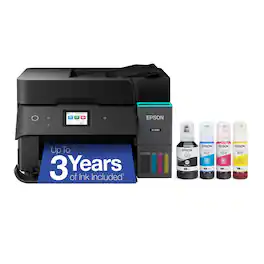
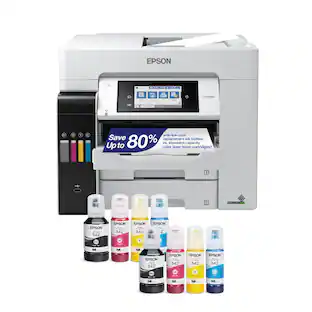
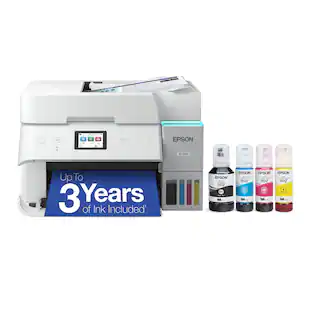
Introducing the EcoTank ET-4950—The Ultimate Home Office Printer. Say goodbye to expensive cartridges with the Epson EcoTank ET-4950, the newest innovation from a recognized leader in photographic printing. Combining simplicity with a modern design, the ET-4950 features advanced technology that enhances both performance and print quality, making it an ideal choice for productive office printing—including content created by AI. Powered by PrecisionCore Heat-Free technology, the ET-4950 offers a duty cycle that’s twice as robust as its predecessor (1). And unlike conventional thermal inkjet printers, its unique permanent printhead is engineered to last the life of the printer. Designed to be simple and error-free, refilling ink is a breeze with large ink tanks and uniquely keyed EcoFit bottles—no mess, no stress and no ink bottle mix-ups. And with enough ink in the box to last up to three years (2), you'll enjoy affordable color printing without the hassle of frequently replacing cartridges. Featuring Ethernet and Wi-Fi for seamless connectivity, along with the user-friendly Epson Smart Panel app (3), you can easily print, scan, and more directly from your computer or mobile device (4). Choose Epson EcoTank, the #1 Best-Selling Supertank Printer (5). With more than 100 million units sold globally (6) across seven generations of innovation, EcoTank consistently delivers affordable, photo-quality prints, making it a reliable choice for all your printing needs.

With long-lasting durability, productivity-boosting features, and a value-driven refillable ink tank, the Brother INKvestment Tank 780 Wireless Color Inkjet All-in-One Printer with Duplex Printing is a no-brainer for your home office or small office. An incredible three years of ink is included in the box,(1) for worry-free printing without the need for frequent ink refills, plus a 3-year limited warranty(2) for peace of mind. An innovative refillable ink tank provides an easy and practical solution for ink replenishment, with fast refill speeds and spill-free ink bottles that are keyed to help avoid inserting them into the incorrect color slot. Plus, enjoy feature-rich functionality with an easy-to-load 150-sheet paper tray(3), 1-sheet manual feed slot(3), single-sided automatic document feeder (ADF), automatic duplex (2-sided) printing, wireless connectivity(4), and the ability to print from virtually anywhere(5) with the Brother Mobile Connect app(6). Produce beautiful prints in vibrant color and bold blacks at fast print speeds with Brother Genuine BTD180 Ink bottles – the only brand we recommend for your Brother printer.

Bring a new level of productivity to your business with the ultra efficient WorkForce Pro WF-3820 all-in-one printer. Designed for high-volume print environments, the WF-3820 delivers precise, professional-quality prints at fast speeds up to 21 (black)/11 (color) ISO ppm† using vibrant DURABrite Ultra instant-dry pigment inks. A breakthrough in business printing, the WF-3820 features Epson’s innovative PrecisionCore Heat-Free Technology designed for enhanced reliability with minimal downtime. Built with convenience in mind, the WF-3820 offers a variety of user-friendly features to support easy, streamlined printing for small workgroups, including auto 2-sided printing, a large, 250-sheet paper capacity, built-in wireless and a 2.7" color touchscreen for quick navigation and control.
| Pros for Brother - INKvestment Tank 980 Wireless All-in-One SuperTank Inkjet Printer, up to 3 Years of Ink + 3 year warranty, Duplex Print - Black | |||
|---|---|---|---|
| Print Quality, Connectivity, Ease of Use | Print Quality, Setup Ease, Connectivity, Noise Level | Print Quality, Setup Ease, Reliability | Print Quality, Ease of use, Overall Performance, Setup, Price |
| Cons for Brother - INKvestment Tank 980 Wireless All-in-One SuperTank Inkjet Printer, up to 3 Years of Ink + 3 year warranty, Duplex Print - Black | |||
| Noise Level | There were no cons for this product— | There were no cons for this product— | Paper Tray |
Specs
Questions & Answers
For how long do the ink bottles that come w the new printer last? Thank you.
Answered by BrotherFor the Brother INKvestment Tank 980, the included ink bottles provide up to 3 years of ink, depending on usage.
can I scan multiple pages on the upper tray and send the scanned documents to an email?
Answered by BrotherYes, the Brother MFCT980DW can scan documents to your email as an attachment with the included software.
I have an older computer tower to print Quicken checks. Since it is running Windows 8.1, am I correct in thinking that this printer won't work with my system?

Customers often buy these together
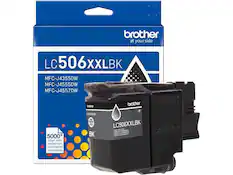
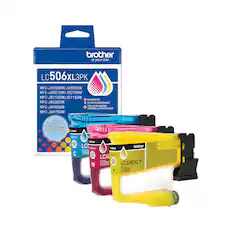
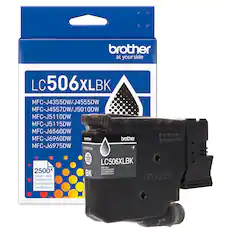
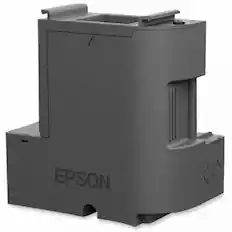
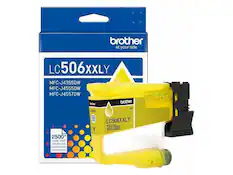
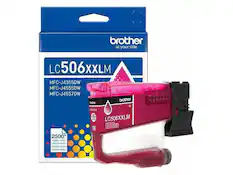
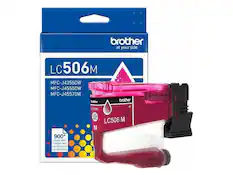
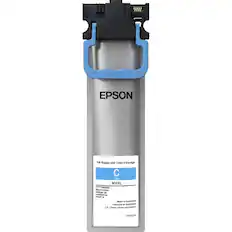
Ink Cartridges




Customers ultimately bought
 $439.00The price was $539.00
 Top Deal$129.99The price was $249.99
 Top Deal$649.99The price was $849.99

Explore tech essentials Sponsored
 Top Deal$369.99The price was $499.99
- Top Deal$649.99The price was $849.99
 Top Deal$329.99The price was $399.99
- Top Deal$129.99The price was $249.99

Discover related products
 $399.99The price was $479.99
 $593.99The price was $659.99
 $249.00The price was $275.00
 $12.99The price was $13.99
 $1,377.99The price was $1,409.33








Keep exploring
 $99.99The price was $199.99
 $1,750.00The price was $1,950.00