Explore the latest Back to School techShop now

Skip to contentGo to Product Search
Main Content

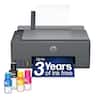
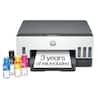
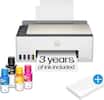
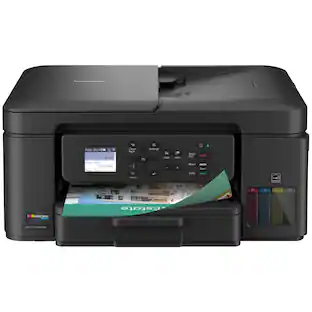
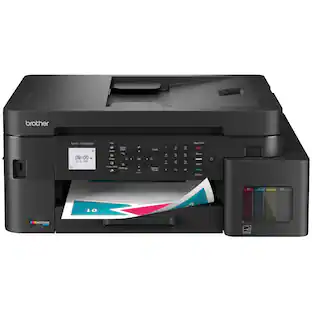
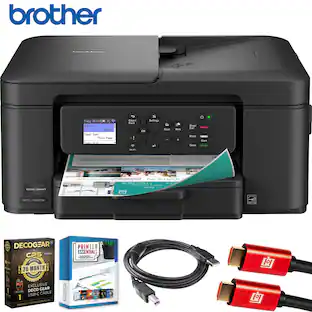
Brother - INKvestment Tank 580 Wireless All-in-One SuperTank Inkjet Printer, up to 3 Years of Ink + 3 year warranty (MFC-T580DW) - Black

Model: MFC-T580DW
SKU: 10927355
Sold & shipped by

About this product

The Brother INKvestment Tank 580 Wireless Color Inkjet All-in-One Printer includes a 3-year limited warranty(1), making it a smart choice for your home or home office. With up to three years of ink bottles included in the box(2) you can print all your personal and specialized documents freely, without worrying about running out of ink. Innovative ink tank technology provides a simple and convenient solution with fast refill speeds and a spill-free design, plus keys that help you avoid inserting them into the incorrect color slot. With robust features, this printer includes an easy-to-load 150-sheet paper tray(3), 1-sheet manual feed slot(3), wireless connectivity(4), and the ability to print from virtually anywhere with the Brother Mobile Connect app(5). Produce beautiful prints in vibrant color and bold blacks at fast print speeds with BTD180 Brother Genuine Ink bottles – the only brand we recommend for your Brother printer.

Features
  • Maximize your savings with up to 3 years of ink in the box(2)

    Print, copy, scan and fax for up to 3-years with the included ink(2) - all backed by a 3-year warranty.

  • Fast print speeds up to 16 PPM black and 9 PPM color (7)

    Efficiency is the name of the game. The MFC-T580DW ink tank printer delivers professional-grade print speeds.

  • Innovative refillable ink tank technology

    Unlike messy bottle-based systems, Brother's keyed bottle design makes refills foolproof – with each color bottle only fitting its designated tank slot. Refill in 30 seconds for color, 65 seconds for black with zero spills, zero guesswork.

  • Productivity-Focused Printing Features

    The MFC-T580DW ink tank printer includes a 150-sheet paper tray(3) with an easy-load design that makes loading your paper simple, while automatic duplex (2-sided) printing saves paper and money.

  • The Brother Mobile Connect app puts the power of printing at your fingertips

    Go mobile with the simple-to-use Brother Mobile Connect app(6) that delivers easy onscreen menu navigation for printing, copying, scanning, and device management from your mobile device.

  • Connect your way

    Interface with your printer on your wireless(4) network or via USB.

  • Crisp, Vibrant Prints with 1,200 x 6,000 DPI Resolution

    From bold presentations to colorful reports, the MFC-T980DW ink tank printer delivers professional-quality color and rich black & white prints.

  • Customer Support

    Includes a 3-year limited warranty(9). For customer service, visit us at www.brother-usa.com/support.

  • Brother Genuine Ink

    Reliable performance you can count on. Brother Genuine Ink is quality-tested to work seamlessly with your Brother printer. Choose Brother Genuine BTD180 Ink bottles, the only brand we recommend for use with your printer.

See all features
Specifications
  • Networking
    Wireless
    ENERGY STAR Certified
    Yes
    Printer Type
    All In One, Printer, Copier, Scanner
    ISO Color Print Speed
    9 pages per minute
    Output Tray Capacity
    50
    Touch Screen
    No
Sponsored

Reviews

Rating 4.5 out of 5 stars with 12 reviews

5 star rating. 8 reviews4 star rating. 2 reviews3 star rating. 2 reviews
83% would recommend to a friend

Top Mentions

  • Print Quality (9)
  • Setup Ease (3)
  • Size (3)

Customer Images

The vast majority of our reviews come from verified purchases. Reviews from customers may include My Best Buy members, employees, and Tech Insider Network members (as tagged). Select reviewers may receive discounted products, promotional considerations or entries into drawings for honest, helpful reviews.


  • Rated 5 out of 5 stars

    Solid Wireless Printer/Scanner w/Lots of INK

    I have already used this printer/scanner to help my daughter with a school project, printed a few travel photos, printed a few manuals/instruction books (double-sided), made copies of school worksheets, and scanned a few guides/articles. It is basic, but it has everything I need, works well, and should be worry free for the next few years. Pros 1. Checking the level and refilling ink is easy. There are sight glasses for each color and a small access door for refills right on the front of the printer. The printer comes with around 10x more ink than normal and the refills are affordable compared to other options. 2. Compact size and reasonable weight make it easy to reposition 3. Low noise and no noticeable print/scan delay coming out of sleep mode 4. 2-sided printing works great and only adds 2-3 seconds per page compared to single sided printing. 5. The printer buttons are good size and well marked, making it is pretty easy to do something quick like make a copy. 6. Good results on regular paper. Black and white print is sharp and colors are accurate. 7. Decent print speeds, that were just a bit under the quoted spec in real life. Black & White: 14-15 pages per minute on normal and 3-4 pages per minute on fine quality (normal actually looks good to me). Color: 3 pages per minute on normal and 8x10 photo/fine quality is 2-3min each page. 8. There are Brother mobile/PC apps for my iPhone 13, Pixel 8 (Android), and Windows 11 laptop that allow easy wireless printing and scanning. I really love that Brother allows you to skip registration and just use your printer (no account required). The Brother app also makes setup easy, by walking you thru Wi-Fi connections and filling the ink/paper. 9. Brother also offers a mobile print plug-in that allows printing from your mobile device's built-in print menu with additional settings for quality and output. On mobile devices, I recommend downloading both the Brother mobile app and plug-in. I use the app for scanning and prefer to use the plug-in for printing from my phone's built-in print menu when using editing apps or the internet browser. 10. 3-year warranty from a solid company. I have owned 4 Brother printers of different kinds over the past 20 years and they were all reliable. Other Notes - The supplied power cord length is a few inches short of 6ft and has 2 prongs (no ground required). The printer end of the cord has a right angle and comes out of the side of the printer (not the back). - The single line LCD display (think calculator) looks dated and makes changing settings locally harder than other printers I have used. Some copy functions have dedicated buttons, but other settings require scrolling line by line and clicking to get thru menus and select options. The control panel angle is adjustable to make the LCD easier to read at different heights, but there is no backlight for the LCD which makes it hard to use in dim light. This is not a deal breaker since most of the time I use the mobile or PC app, but disappointing for this price point. - There is no auto-document feeder (only a flat bed scanner), this reduces the size of the printer, but should consider the larger model if you scan or copy a lot of multi-page documents. - The Brother mobile and PC app are pretty good, but not perfect. I did have to delete and reinstall the printer once on the mobile app to correct a connection issue. You also cannot see ink level in the app, only on the front of the printer.

    This review is from Brother - INKvestment Tank 580 Wireless All-in-One SuperTank Inkjet Printer, up to 3 Years of Ink + 3 year warranty (MFC-T580DW) - Black

    Posted by MGoose

  • Rated 5 out of 5 stars

    What an INKvestment: Small Footprint, Big Impact

    The Brother MFC-T580DW Printer color inkjet all-in-one Printer has been a great addition to my study. Gone are the days where we spent all of our money buying ink cartridges with its INKvestment tanks that are both affordable to replace and can last years depending on use. These cartridges can technically last 3 years if you're monthly volume averages about 125 pages of light ink coverage. If you're printing high quality photos this period will decrease significantly. Personally, I use my printer for printing high-resolution glossy photos from my Smartphone or PC, and for basis work/productivity/school prints for me and my kids. - Design/Build - The printer has a matte black textured finish which is easy to keep clean. It's a relatively small footprint with a top cover that opens for scanning or copying. Dimensions are about 15.5" x 13.5" x 6". The print head is Piezoelectric which is very precise and durable compared to thermal heads. The LCD screen is small and hard to read, but the entire panel actually has 3 tilt settings to make it very easy, love this feature. I was able to enter my Wi-fi credentials with the buttons and LCD screen in about 30 seconds, but you can do that on the smartphone app too. Placing a window in the front for the inkjet cartridges makes it really easy to see your ink levels so that you know when to replace. - Specs & Features - - 4 INKvestment tanks - Cyan, Magenta, Yellow, and Black - 150 Sheet Standard Tray (Plain, Inkjet, Glossy, Recycled paper) Max weight about 60# - Manual Feed only fits 1 sheet (Envelopes, Labels, Cardstock, Photo paper) Max weight about 80# - 2-sided (Duplex) printing - Dual Band Wireless (2.4GHz and 5GHz) I like to put mine on the 2.4GHz band but it's nice to be able to use both - There's enterprise level security supporting WPA3-SAE, SSL/TLS and IP filtering. - Print Speed: Black 16ppm, Color 9ppm (This will vary with ink coverage) - Print Resolution: 1200 x 6000 dpi - Black: 120 Nozzles, Cyan/Magenta/Yellow: 70 Nozzles each. I've seen higher but print quality is really good so I wouldn't worry here. - Software - I downloaded the app for both my phone and my computer. The app on the phone is a breeze to operate. You can select paper type, size, and quality right from your phone. However, I did not see the scan function in my phone app, I used my PC app to scan. I will note setup on my PC did require more technical acumen than a typical casual user. It took me about an hour to setup my mobile app, pc app, update firmware, etc. I would recommend updating drivers and firmware via your PC. Environmental/Sustainability The ease of refilling ink cartridges eliminates plastic cartridge waste which also reduces shipping and disposal. It has energy star certification. It also has an EPEAT Silver rating for environmental impact. - Performance - The color print quality of my photos was exceptional and just as good as any photo I've picked up from local/national photo printers. I chose normal quality and I could produce a full coverage 8.5 x 11" glossy, coverstock photo print in about 3.5 minutes. If I chose higher quality it took up to 12 minutes but this seemed like a waste of time considering the high quality of the "Normal" quality print. The Black/White printing is quick and does the job. I personally prefer Laser black, but these quick b/w prints were good enough. I don't like to get caught up in pages per minute counts too much at home printing in my study because ink coverage can dictate print times as well as the complexity of the job. I felt like the full-color photo printing was good, and the B&W business/school document printing was extremely fast. The ink is dye-based so it is theoretically possible to get some smudges but I had no problems with this. The printer seemed like it went to sleep fairly quickly, I'm not sure where to adjust this or if you can, but I found my self waking up the printer several times while I was setting things up for a photo print. Scanning was very good. The 1200x2400 optical resolution captures high detail. I liked the B/W scanning better than color for reprints. - Pros/Cons - *Pros* - Wireless - Small, compact footprint - Generous amount of ink in the box - Extremely low operating cost is great for high-volume users or those that print photos - 3 year warranty - Glossy Photo print quality is excellent - Dual Band 2.4/5.0 GHz - Performs nozzle cleanings automatically after periods of inactivity *Cons* - No Automatic Document Feeder (ADF) - Small LCD Screen - Some parts of setup can be frustrating The Brother MFC-T580DW is a great value that delivers affordable everyday home printing. There are a few budget conscious features such as the LCD or lack of an ADF but it absolutely deserves a place in any home office with it's more than capable Print/Scan features. The app makes it easy to transfer your photos to print from your smartphone. Even though it's not perfect, I would highly recommend it for students, home office/remote workers, or those families or individuals want an affordable way to print their photos. It's an incredible value.

    This review is from Brother - INKvestment Tank 580 Wireless All-in-One SuperTank Inkjet Printer, up to 3 Years of Ink + 3 year warranty (MFC-T580DW) - Black

    Posted by NanoEthan

  • Rated 4 out of 5 stars

    Mixed value and inconvenience deliver for home use

    The most compelling feature of the Brother MFC-T580 is its shift away from expensive cartridges to an integrated tank printer system that uses ink bottles for refilling. This design dramatically lowers the running costs, bringing the cost-per-page for color prints to under $0.01 per page. This exceptional affordability makes it an outstanding choice for high-volume home or small office use where frequent printing is required. The refilling process is relatively clean and very straightforward, with spouts on each bottle fitting directly to the printer for each color. It significantly reduces waste plastic which would otherwise be thrown away. The initial setup process proved to be significantly frustrating. The recommended mobile application for setup failed to complete the process, preventing immediate wireless use. Ultimately, the printer required a direct physical connection to a PC via USB to finalize the installation and driver configuration. Even then, it did not automatically configure the printer driver, requiring me to add the printer on my PC after it was connected to the network. The printer's connection options are limited to USB or WiFi. Critically, the printer does not have a wired Ethernet network port, which can be a limitation for users who prefer the stability and security of a physical network connection in a permanent office setup. The scanning functional is limited, making it inefficient for processing multi-page documents. Scanning can only be done one page at a time (it lacks an Automatic Document Feeder or ADF). Furthermore, the scan destination is limited to a local target (PC or mobile application), meaning documents cannot be scanned directly to network folders or cloud services without an intermediary computer. The on-device LCD display is a significant drawback in terms of user experience. It is a single-line display with a highly constrained character limit. Worse, the display lacks backlighting, which makes it extremely difficult to read in low-light conditions or from an angle, often requiring the user to shine a light on it or crouch down to confirm settings and status messages. Even understanding this is a value priced printer, I would have made a different design choice. The overall print quality is average for a modern inkjet printer in this class. For general document printing, the performance is commendable: Small type and fine details are very readable and crisp. When printing images or colored graphics, there is no noticeable bleed or smudging between colors, maintaining clear separation. However, the quality is not flawless: Upon close inspection, some minor artifacts—such as light banding or slight graininess in solid blocks of color—are visible. The print quality is good enough for a home office, personal use, and schoolwork. However, the output is not sufficient to make a professional impression for materials intended for high-stakes business presentations or client handouts where premium, flawless color fidelity is expected. Overall, this printer delivers exactly what is promised: a great upfront price with extremely low operating costs. This printer is perfect for a family with regular printing needs who isn't looking to impress anyone.

    This review is from Brother - INKvestment Tank 580 Wireless All-in-One SuperTank Inkjet Printer, up to 3 Years of Ink + 3 year warranty (MFC-T580DW) - Black

    Posted by Dan0Sterling

  • Rated 3 out of 5 stars

    Poor instructions and many connection problems

    My past experience has been that Brother printers come with very poor instructions and have connection issues - but are reliable once stabilized. I was able to verify both the lack of instructions and the tedious process required to establish and maintain a connection. Updating firmware requires entering the temporary password found on the back of the machine. Registration required the serial number, also on the back. It would be wise to write those down before positioning the machine and getting started. The power cord and USB 2.0 type A/B port are on the side of the printer. This allows the machine to be closer to the wall, taking up a smaller footprint, and makes it easier to plug and unplug. That’s a good thing because it seems like every change I make requires unplugging and re-plugging to get the change to take effect. Step 1 in the instructions is to load the paper tray. The paper tray cover came out with the paper tray and there was no mention of the cover in the instructions. There was a cryptic picture on the cover itself that made no sense. Brother videos for that model showed the cover attached to the tray but that was impossible. I finally found a paper jam video that showed the cover going into a slot above the paper tray. Step 2 is to set up the printer using either a USB 2.0 type A/B cable (not included), mobile app, Wi-Fi or the LCD screen on the machine. Since I had the USB cable, I tried that method first. The printer was detected, but I couldn’t get any further than entering a password. I repeatedly got a “failure to connect” message. Meanwhile, the printer was flashing an orange ! mark. To try to make it stop, I pushed a couple of buttons. What I didn’t know was that there were words on the LCD screen that I couldn’t see because the printer was below eye level. It wasn’t until I dropped something on the floor and bent to retrieve it, that I noticed that there were instructions on the screen. I proceeded to try to connect via Wi-Fi, which required pushing the Wi-Fi button on the printer. The LCD screen was stuck on “fill the ink” and none of the buttons would work, including the button needed to do a factory reset to start over. Because I couldn’t see the LCD screen I had missed the initial ink purge step and I couldn’t find a way to get back to it. I couldn’t find anything by searching the Brother website. Their support is closed on the weekend, but on Monday I was able to chat with someone who sent me the document with the instructions for doing the initial purge. My ink mishap happened because there was nothing in the printed Quick Setup Guide about the ink cartridges. The printed instructions stopped at step 5 and omitted steps 6 - 11. I found the missing pages on the support.brother.com version of the Quick Setup Guide. On day 4 I was finally able to connect the printer to Wi-Fi and print a few pages. Then I thought I’d see how well it did with scanning. First I tried scanning using the LCD screen, but got an error message “no PC found”. Somehow, that disconnected me from Wi-Fi and resulted in 4 hours of plugging and unplugging the router and printer, restarting the computer, reading Brother website FAQs and watching videos to get it reconnected. I got repeated “Connection Failure” error messages. The thing that finally fixed the connection problem was going into the Network menu option and doing a reboot and then doing a reset on the machine (and unplugging and re-plugging). I still haven’t solved the problem of keeping this printer awake. It goes into sleep mode and won’t wake up to print. I’ve watched many videos and changed some Ecology settings and can get something to print once. But the next day it’s back in sleep mode and nothing will print. The tray system is very flimsy and I don’t expect it to last. The website says there is a limited 3 year warranty on the machine with the potential for an additional 6 months when connected via the mobile app. It says the ink will last approximately 3 years. However, the initial ink has a lower life expectancy because approximately 1:6 is used in the initial priming and more whenever a cleaning is needed. That amounts to at least 1000 pages. Replacement black = 7500 pages and replacement color = 5000 pages. Every mention of ink or warranty has a disclaimer footnote symbol beside it, but I was not able to find the actual footnote with the disclaimer wording. I don’t need color 99% of the time and I was hoping to be able to use only black ink most of the time. While I am able to change the printing preference to black only in the computer settings, there is a warning that not using all the inks could cause the print heads to clog, requiring more cleaning and purging. My two complaints about this printer are 1) I can’t rely on it waking up to print and 2) I can’t read the LCD screen. I had to put this printer on top of another printer to get the LCD screen about 15 inches above the desk top. Otherwise any words are invisible. Even at eye level I have to get right in front of it so I can read it. The words can’t be seen from a side angle. On the positive side, I can say that when the printer is working, documents print and copy quickly and the text is sharp. Scanning to the PC using the downloaded Brother iPrint&Scan app works well.

    This review is from Brother - INKvestment Tank 580 Wireless All-in-One SuperTank Inkjet Printer, up to 3 Years of Ink + 3 year warranty (MFC-T580DW) - Black

    Posted by jkj1

  • Rated 5 out of 5 stars

    I my printer were a man he’d be my boyfriend.

    I am so glad I purchased this. I had HP printers that suddenly were no longer compatible with Mac. I wasn’t happy and decided to try this printer. I’ve had to print multiple documents and they look great. It’s a little bit of a pain to set up but otherwise I’m thrilled with my purchases. The cartridges were getting stupid expensive. This is ink jet and you have to add the ink yourself which quite literally a 5 year could do. Don’t let that scare you. The cost is minuscule for the ink compared to the cartridges.

    This review is from Brother - INKvestment Tank 580 Wireless All-in-One SuperTank Inkjet Printer, up to 3 Years of Ink + 3 year warranty (MFC-T580DW) - Black

    Posted by GenieD

  • Customer reviews from brother-usa.com

    Syndicated rating, 4.090909 out of 5 stars with 11 reviews on brother-usa.com.

    See all brother-usa.com reviews
    brother-usa.com
From the Manufacturer

Compare similar products

Brother - INKvestment Tank 580 Wireless All-in-One SuperTank Inkjet Printer, up to 3 Years of Ink + 3 year warranty (MFC-T580DW) - Black
4.5(12)

The Brother INKvestment Tank 580 Wireless Color Inkjet All-in-One Printer includes a 3-year limited warranty(1), making it a smart choice for your home or home office. With up to three years of ink bottles included in the box(2) you can print all your personal and specialized documents freely, without worrying about running out of ink. Innovative ink tank technology provides a simple and convenient solution with fast refill speeds and a spill-free design, plus keys that help you avoid inserting them into the incorrect color slot. With robust features, this printer includes an easy-to-load 150-sheet paper tray(3), 1-sheet manual feed slot(3), wireless connectivity(4), and the ability to print from virtually anywhere with the Brother Mobile Connect app(5). Produce beautiful prints in vibrant color and bold blacks at fast print speeds with BTD180 Brother Genuine Ink bottles – the only brand we recommend for your Brother printer.

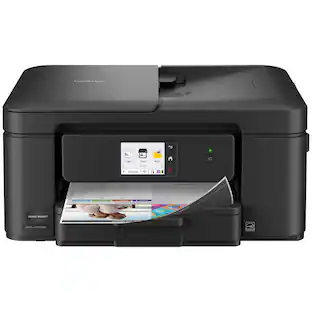
Brother - Work Smart 1360 Wireless All-in-One Refresh Subscription Eligible Inkjet Printer with Auto Duplex Printing (MFC-J1360DW) - Black

The Brother Work Smart 1360 Wireless All-in-One Refresh Subscription Eligible Inkjet Printer is the perfect choice for a reliable printer with robust efficiency-boosting features. With tools like automatic duplex (2-sided) printing, a 20-page single-sided automatic document feeder(1), and wireless(2) and Cloud connectivity(3) options available on the 1.8” color display, this multifunction printer helps you get your work done with simplicity and ease. Perfect for printing anything from to-do lists to business reports, this color inkjet printer outputs quality prints at fast speeds. Brother Page Gauge(4) monitors your ink usage so you know when you’re running low. When paired with the Brother Mobile Connect app(5), setup is quick and easy – plus, you’ll be able to print from virtually anywhere on your mobile device(6). Print Confidently with Brother Genuine LC501 Ink in your Brother Work Smart 1360 for reliable, consistent prints –it’s the only brand we recommend for your Brother printer.

Brother - INKvestment Tank 780 Wireless All-in-One SuperTank Inkjet Printer, up to 3 Years of Ink + 3 Year Warranty (MFCT780DW) - Black
4.2(25)

With long-lasting durability, productivity-boosting features, and a value-driven refillable ink tank, the Brother INKvestment Tank 780 Wireless Color Inkjet All-in-One Printer with Duplex Printing is a no-brainer for your home office or small office. An incredible three years of ink is included in the box,(1) for worry-free printing without the need for frequent ink refills, plus a 3-year limited warranty(2) for peace of mind. An innovative refillable ink tank provides an easy and practical solution for ink replenishment, with fast refill speeds and spill-free ink bottles that are keyed to help avoid inserting them into the incorrect color slot. Plus, enjoy feature-rich functionality with an easy-to-load 150-sheet paper tray(3), 1-sheet manual feed slot(3), single-sided automatic document feeder (ADF), automatic duplex (2-sided) printing, wireless connectivity(4), and the ability to print from virtually anywhere(5) with the Brother Mobile Connect app(6). Produce beautiful prints in vibrant color and bold blacks at fast print speeds with Brother Genuine BTD180 Ink bottles – the only brand we recommend for your Brother printer.

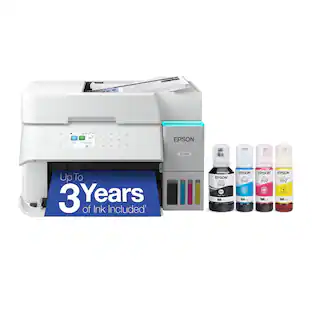
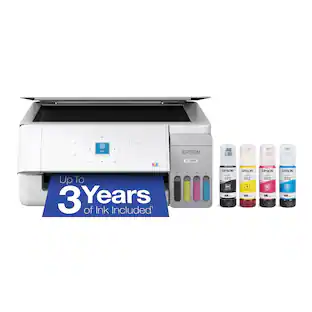
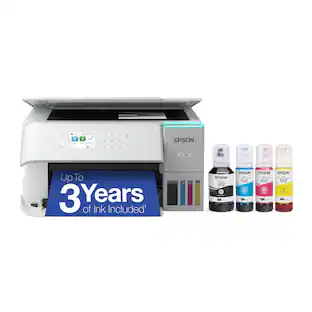
Epson - EcoTank ET-2800 Wireless All-in-One Supertank Inkjet Printer - White

Your family needs a printer that’s fast, affordable, and easy to use. That’s why we developed the EcoTank ET-2800 – an innovative cartridge-free solution that uses high-capacity, easily refillable ink tanks. So you’ll worry less about running out of ink, and save a lot on replacement ink (1). The ET-2800 features genuine Epson print quality, a high-resolution flatbed scanner, and convenient color display – making it the ideal basic home printer.

Pros for Brother - INKvestment Tank 580 Wireless All-in-One SuperTank Inkjet Printer, up to 3 Years of Ink + 3 year warranty (MFC-T580DW) - Black
Print Quality, Setup Ease, SizeOverall Performance, Print Quality, Size, Connectivity, Noise LevelPrint Quality, Setup Ease, ReliabilityPrint Quality, Overall Performance, Size, Ease of use, Setup
Cons for Brother - INKvestment Tank 580 Wireless All-in-One SuperTank Inkjet Printer, up to 3 Years of Ink + 3 year warranty (MFC-T580DW) - Black
There were no cons for this productSetup DifficultyThere were no cons for this productPaper Tray, Noise Level

Specs

Questions & Answers
  • Why can't you connect using the app? I tried but each time there is an issue and the app fails. Tried support and they were a joke.

    I’m sorry to hear that you are having issues with the Brother Mobile Connect app on your Brother MFCT580DW. I sincerely apologize for any inconvenience this issue may have caused you. We can help with that. I have included a link to the FAQ answer that should assist you. Please follow all the steps listed in the following link: Answer Link: https://help.brother-usa.com/AgentWeb/api/contextmanager/v.32510240001/workspaceContext/workspace/processedPrint/Answer/178477 Answer Link: https://help.brother-usa.com/AgentWeb/api/contextmanager/v.32510240001/workspaceContext/workspace/processedPrint/Answer/178479 If you still have difficulties, please contact Brother Customer Service at: https://www.brother-usa.com/support/MFCT580DW

    Answered by Brother
    Brother response
No content

Customers often buy these together

Sponsored

Finance Options

My Best Buy® Credit Card
Choose a benefit:Or
Buy Now, Pay Later
Lease to own

Finance Options

My Best Buy® Credit Card
Choose a benefit:Or
Buy Now, Pay Later
Lease to own