Labor Day Appliances SaleEnds 9/16. Limited quantities. No rainchecks.Shop now

Skip to contentGo to Product Search
Main Content

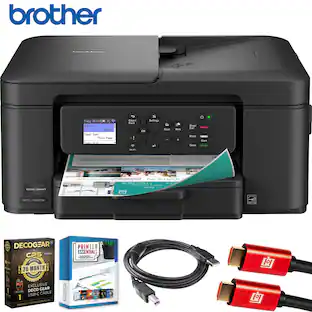
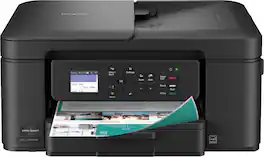
Brother - INKvestment Tank 780 Wireless All-in-One SuperTank Inkjet Printer, up to 3 Years of Ink + 3 Year Warranty (MFCT780DW) - Black

Model: MFC-T780DW
SKU: 11233504
Sold & shipped by

Customers are saying

Customers commend the excellent print quality for both documents and photos. They also appreciate the product's reliability and ease of setup.

Generated by AI based on customer reviews.
Features
  • All-in-One Printer

    This does-it-all multifunction printer enables you to print, copy, and scan on one convenient, compact printer.

  • Innovative Refillable Ink Tank Technology

    No-spill bottles quickly refill the ink tank in just 30 seconds for color and 65 seconds for black. The bottle design prevents inserting the incorrect bottles for each color. Includes up to 3 years of ink in-box(1).

  • Wireless and USB Connections

    Connect your way. Interface with your printer on your wireless network or via USB.

  • Cloud App Connections

    Print from and scan to popular Cloud apps(7), including Google Drive, Dropbox, Box, OneDrive, and more from the convenient 1.8” color display on the printer.

  • The Brother Mobile Connect app

    Put the power of printing at your fingertips. Go mobile with the simple-to-use Brother Mobile Connect app(6)' that delivers easy onscreen menu navigation for printing, copying, scanning, and device management from your mobile device.

  • Productivity-Focused Printing Features

    This printer includes a 150-sheet easy-load paper tray(3), 20-page single-sided automatic document feeder (ADF)(3), and automatic duplex (2-sided) printing, plus a 1-sheet manual feed slot(3).

  • Fast Print Speeds

    Engineered to print at fast speeds of up to 16 pages per minute (ppm) in black and up to 15.5 ppm in color(8).

  • Reliable Print Quality

    Crisp, clear printing up to 1,200 x 6,000 dpi. Brother inkjet printers produce beautiful prints in vibrant color or rich black & white for results you can be proud of.

  • Customer Support

    Includes a 3-year limited warranty(2). For customer service, visit us at www.brother-usa.com/support.

  • Brother Genuine Ink

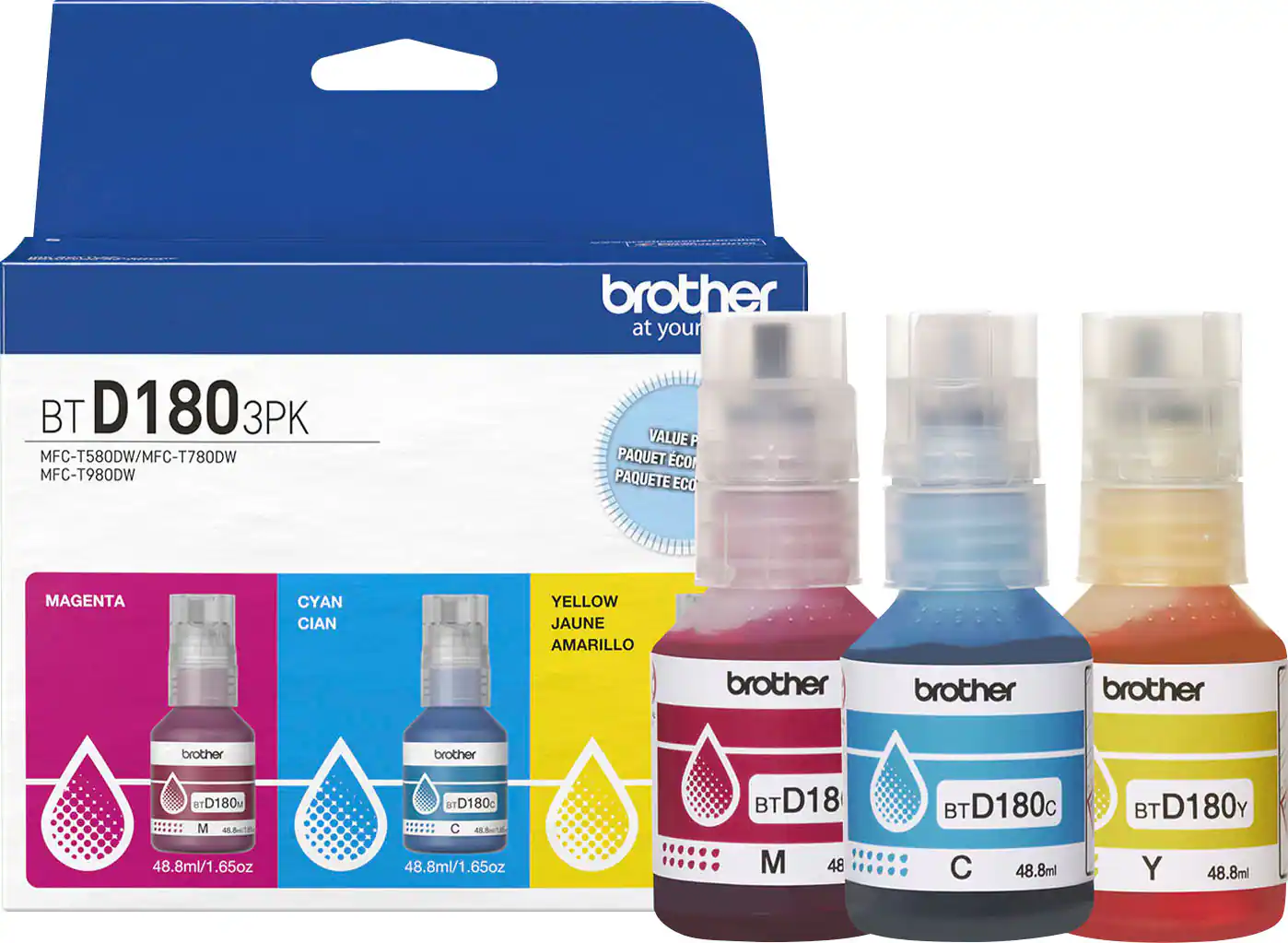
    Reliable performance you can count on. Brother Genuine Ink is quality-tested to work seamlessly with your Brother printer. Choose Brother Genuine BTD180 Ink bottles, the only brand we recommend for use with your printer.

See all features
Specifications
  • Networking
    Wireless
    ENERGY STAR Certified
    Yes
    Printer Type
    All In One, Printer, Copier, Scanner
    ISO Color Print Speed
    15.5 pages per minute
    ISO Mono Print Speed
    16 pages per minute
    Output Tray Capacity
    50
Sponsored

Reviews

Rating 4.2 out of 5 stars with 27 reviews

81% would recommend to a friend
Customers are sayingCustomers commend the excellent print quality for both documents and photos. They also appreciate the product's reliability and ease of setup.
This summary was generated by AI based on customer reviews.
  • Print Quality (11)
  • Reliability (7)
  • Setup Ease (7)

Customer Images

The vast majority of our reviews come from verified purchases. Reviews from customers may include My Best Buy members, employees, and Tech Insider Network members (as tagged). Select reviewers may receive discounted products, promotional considerations or entries into drawings for honest, helpful reviews.

  • Rated 5 out of 5 stars

    Fast and Reliable All-In-One Printer

    This is a great home or home office all-in-one printer. Brother has always been a reliable brand for me when it comes to printers and this one has been no different so far. It prints fast, copies and scans well, and it comes with a full supply ink. In the box there is the printer, a power cord, some manuals, and a set of ink bottles. The ink bottle tops are keyed in a way that helps you prevent from filling up the wrong tanks and also avoiding mess. I did get a few spots of ink of my hands during the filling process, but overall it was generally pretty clean. The supplied bottles completely fill all of the tanks and you even get an extra bottle of black ink, which is nice.The ink supply is supposed to be good for up to 3 years, though this will obviously depend on your own usage. You do get a nice visual indication of the ink levels through the clear window on the front of the printer. The setup process was pretty straightforward via the app and the built-in screen and it took me around 20 or so minutes to turn it on, connect to Wi-Fi, fill the ink tanks, calibrate, and update the firmware. The primary form of connectivity for this printer is W-Fi but it is also possible to connect to it via USB, though no USB cable is included.The paper tray at the bottom of the printer can accommodate many different paper and photo sizes up to A4. Navigating the printer functions via the screen and control panel is intuitive and I was able to accomplish all of the basic tasks on just the printer itself. Printing documents is definitely where this printer excels. It prints extremely quickly. Full size photos do take a bit longer. Print quality for both documents and photos is excellent. Copying and scanning also work great - I noticed that the printer does not wait for the document to completely scan before it starts printing, which speeds up the process. The printer can also be connected to cloud services like OneDrive or Google Drive, so scans can be saved directly from the printer. The app works well enough, though to me there wasn’t much functionality that I couldn’t already access on the printer itself. It is possible to setup this printer to be available outside of your local network, though I did not test this functionality. Overall, I’m very happy with this printer. My last Brother printer lasted a long time and even when I did get rid of it it was only because I’d gotten a newer model. If you need a reliable home printer/scanner this is definitely worth a look.

    This review is from Brother - INKvestment Tank 780 Wireless All-in-One SuperTank Inkjet Printer, up to 3 Years of Ink + 3 Year Warranty (MFCT780DW) - Black

    Posted by SamG

  • Rated 5 out of 5 stars

    High Quality Printer

    The Brother Inkvestment 780 has been an excellent, high-quality printer. I’ve used it for printing documents and photos, scanning pictures, and making copies. It has handled everything reliably. Document printing is fast and efficient, and while photos take a bit longer, the quality is impressive and well worth the extra time. Occasionally, it makes a slight squeaking noise during operation, but it’s quiet enough that it isn’t distracting. Setup: Setup was quick and straightforward using the Brother Mobile Connect app. The app itself is excellent, user-friendly, and easy to navigate. It connected wirelessly without any issues, and the printer’s built-in screen walks you step-by-step through loading paper, refilling ink, and running the initial alignment test. The entire setup process felt simple and stress-free. Ink: The ink refill system is especially well designed. The bottles click securely into place, making the process completely mess-free. The transparent tanks are a great feature, allowing you to clearly see the ink levels rise as they refill, which makes monitoring levels easy and convenient. Pros: • Mess-Free Ink System: The refill bottles are intuitive and clean, and the transparent tanks make it easy to monitor ink levels. • Excellent Mobile App: One of the best printer apps I’ve used simple, reliable, and easy to navigate. • Great Value: Replacement ink is affordable, and the included ink supply should last for years under normal use. Cons: • Minor Squeaking Noise: Occasionally makes a slight squeak during operation, but it’s not loud and isn’t a dealbreaker.

    This review is from Brother - INKvestment Tank 780 Wireless All-in-One SuperTank Inkjet Printer, up to 3 Years of Ink + 3 Year Warranty (MFCT780DW) - Black

    Posted by TechGeek28

  • Rated 4 out of 5 stars

    Reliable, economical, high quality Brother printer

    Brother INKvestment Tank 780 Wireless All-in-One SuperTank Inkjet Printer Brother’s entry into the large ink reservoir printers is welcome news to me. The current oldest printer I own is a Brother, and that’s because it won’t die. It will likely get passed down to family in my estate. This newest, fully featured inkjet is heavy, suggesting its mechanicals are robust, with access to the paper path easily accessed from the rear for clearing jams (which I have never had). The plastic case is plain but tough. Getting connected was an issue, which I will discuss later. The economics of large ink reservoirs with ink packaged in individual bottles that are purchased as needed is superior to small multipacks of ink that must be replaced with out regard to remaining ink levels. It’s time for setup and testing. SETUP: Getting set up for use took no more than a few minutes of removing plastic protectors and a little bit of blue tape. Model 780 can be used with Wi-Fi or USB-Direct. There is no Ethernet. I was not surprised, but just be aware of the implications for you. Setup is accomplished via a 1.8” color display and for Wi-Fi you use the Brother Connect App. Getting the printer ready for connecting to my computer by wire was fairly direct. But few of us have printers close enough to wire via USB. The following description of connecting to Wi-Fi is unique to my situation and to my electronic environment. It is likely your experience will be different. Connecting to my Mac Mini via WiFi was aggravating. Firstly, using a 1.8” display screen for setup with text cramped by space is a bad idea. Those simple directions were difficult to accomplish. Brother then directs the user to their App, which eventually becomes very useful. However, for WiFi setup, the App seems to be missing some guidance or instructions. Ultimately, the process is no different than other WiFi connections I’ve made to appliances or other devices. You must first make a local WiFi connection between the phone and the printer, so the printer can be handed off directly to your home WiFi. Did I miss that instruction? Once I figured that out, enabling the WiFi on the printer still required a lot of patience before my iPhone 14 would recognize the printer. The Brother printer would not appear in the App as available until after multiple attempts, re-pressing the WiFi button, and backing up and restarting. It eventually did appear, but I do not know what I did right. I’m now in the printing business, and I doubt I will have any further problems. Ink management is a delight. Large bottles carefully labelled and designed to match the printer ink reservoirs are the ideal approach to inkjet printing. This is an immense money-saving strategy. You only need to replace the depleted color. Intermittent printing use does not result in useless cartridges that are expensive to replace. And, no subscription required! Once the printer’s ink reservoirs are filled, I can monitor their levels by looking at the front-facing clear windows on the printer. FEATURES: This is a multifunction printer, including duplex printing, copying/scanning (direct from the flatbed at 1200 x 2400 dpi), a single-sided 20-page document feed, 150-sheet paper tray, and manual feed. All of this plus 3 colors plus black ink, which Brother expects should allow for 14,625 black pages and sufficient color ink for 4400 pages. I can’t guess what the parameters are for this prediction, but it’s years more than a cartridge-style printer’s capacity. PERFORMANCE: This is a quiet printer, with only minimal mechanical noise at turn-on. Paper handling is reliable from the rear feed or the reasonably large paper tray. I loaded heavy-weight photo paper from the back slot for my best prints, and it was problem-free. Document feeding is not something I do often, but I had no problems. The resulting prints were saturated with color and had great contrast. I was satisfied with the color print speed, and black-only text prints were very fast. SUMMARY: My initial connectivity issues do not discourage me, and I can still recommend this printer. Brother printers are very reliable, and I’ve yet to see one of mine fail. The performance is predictable, the printing output is colorful, and print resolution is high quality. This is a small, quiet, economical, and reliable printer that should be a great device for a small business, classroom, or consumer with above-average printing needs.

    This review is from Brother - INKvestment Tank 780 Wireless All-in-One SuperTank Inkjet Printer, up to 3 Years of Ink + 3 Year Warranty (MFCT780DW) - Black

    Posted by TECHBEENGOOD

  • Rated 5 out of 5 stars

    User Friendly and Prints Fast :)

    The Brother MFC-T780DW has been one of the easiest printers I have ever set up. Upon opening the box all I had to do was just install the ink. The Brother INKvestment tank printer comes with 5 ink tanks, it promises to last up to 3 years of ink. I have not had it that long, so I cannot prove that BUT I do have a similar model, and it is still going strong after 2 years. Once all the ink is set up, just follow the instructions on the printer screen. After that all you need to set up is the wi-fi connection, or you have the choice to use a USB cable. The wi-fi connection was flawless, and I did not run into any issues. I have several computers at home, and they were all able to connect easily to Brother Printer. You can also download the app if you want BUT you do not need to, I have an iPhone and I was able to print photos and documents without the use of the app. I went ahead and printed some photos and let me tell you that they came out so nice, no streaks of any kind, no pixels, and the print was high quality. Now obviously printing photos will use a lot of ink so the Ink life may not last too long. All documents printed fast. Overall, I've been happy with this printer. It's easy to set up, prints beautifully, and works seamlessly with all of my devices. If you’re looking for something reliable for the home or office, this is one I would recommend.

    This review is from Brother - INKvestment Tank 780 Wireless All-in-One SuperTank Inkjet Printer, up to 3 Years of Ink + 3 Year Warranty (MFCT780DW) - Black

    Posted by Ivette0930

  • Rated 5 out of 5 stars

    Excellent AIO Printer for Photos and Stickers

    This printer is a powerhouse and there’s plenty to like about it. First and foremost is that it uses refillable ink tank technology. This is the gamechanger. Users no longer need to purchase printer cartridges multiple times a year. Brother even throws in extra black ink, which is really nice. As an all-in-one printer, the printer also supports scanning. The printer has Automatic Document Feeder (ADF) that works for both printing and scanning. Duplex printing is also supported so we can save on paper consumption. Here’s the gist of the specs: ADF up to 20 documents 16 page per minute (ppm) in black and up to 15.5 ppm in color Duplex printing Scan with ADF up to 8.5 x 14” and flatbed glass up to 8.5 x 11” Setup Very easy and can be done by using mobile phone and PC. Both options work well and the printer can be up and running in minutes. Printer calibration and firmware update are part of the initial setup, and they are highly recommended to perform. Users need to have a piece of blank printer paper to perform the calibration. Connectivity Wireless printing works very well. I’ve been printing pictures from my phone and PC and had no issues. The app works well for wireless print. Performance I use this printer mostly to print photos and have been having great result with photo papers. I also use the printer to print stickers with vinyl sticker papers. Color, brightness, depth and resolution are all there. This is a great printer for photos and stickers. With the refillable ink tank technology, I have no worries about having to spend money to buy expensive printer cartridges. Even when the ink runs out, the 3-pack color ink is available in a very reasonable price and there’s a whole extra black ink bottle that comes with the printer to top up the blank ink. Conclusion Occasionally, there comes the need to print something in the house. This is the printer to get because of its massive capabilities and the three year limited warranty. This printer suits heavy users who want cost-effective, high-quality photo and sticker prints. Likes: Refillable ink-tank technology All-in-one, print and scan with ADF Great print quality for both photos and stickers Don’t Like: None

    This review is from Brother - INKvestment Tank 780 Wireless All-in-One SuperTank Inkjet Printer, up to 3 Years of Ink + 3 Year Warranty (MFCT780DW) - Black

    Posted by Fudgear

Compare similar products

Brother - INKvestment Tank 780 Wireless All-in-One SuperTank Inkjet Printer, up to 3 Years of Ink + 3 Year Warranty (MFCT780DW) - Black
4.2(27)

With long-lasting durability, productivity-boosting features, and a value-driven refillable ink tank, the Brother INKvestment Tank 780 Wireless Color Inkjet All-in-One Printer with Duplex Printing is a no-brainer for your home office or small office. An incredible three years of ink is included in the box,(1) for worry-free printing without the need for frequent ink refills, plus a 3-year limited warranty(2) for peace of mind. An innovative refillable ink tank provides an easy and practical solution for ink replenishment, with fast refill speeds and spill-free ink bottles that are keyed to help avoid inserting them into the incorrect color slot. Plus, enjoy feature-rich functionality with an easy-to-load 150-sheet paper tray(3), 1-sheet manual feed slot(3), single-sided automatic document feeder (ADF), automatic duplex (2-sided) printing, wireless connectivity(4), and the ability to print from virtually anywhere(5) with the Brother Mobile Connect app(6). Produce beautiful prints in vibrant color and bold blacks at fast print speeds with Brother Genuine BTD180 Ink bottles – the only brand we recommend for your Brother printer.
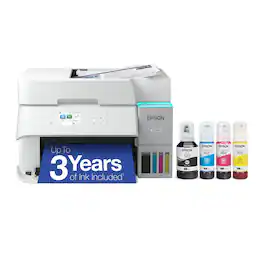
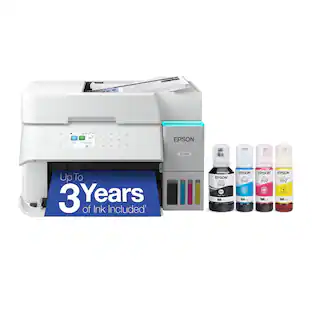
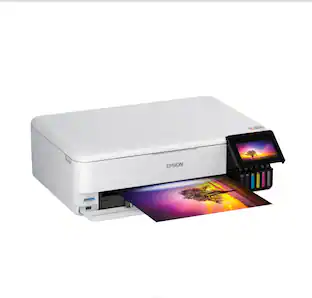
Epson - EcoTank ET-3950 Wireless All-in-One Color Supertank Inkjet Printer - White

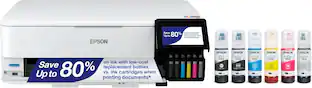
Introducing the EcoTank ET-3950 — The Perfect Printer for Busy Families. Say goodbye to expensive cartridges with the Epson EcoTank ET-3950, the newest innovation from a recognized leader in photographic printing. Combining simplicity with a modern design, the ET-3950 features advanced technology that enhances both performance and print quality, making it an ideal choice for home office printing—including content created by AI. Powered by PrecisionCore Heat-Free technology, the ET-3950 offers a duty cycle that’s twice as robust as its predecessor (1). And unlike conventional thermal inkjet printers, its unique permanent printhead is engineered to last the life of the printer. Designed to be simple and error-free, refilling ink is a breeze with large ink tanks and uniquely keyed EcoFit bottles—no mess, no stress and no ink bottle mix-ups. And with enough ink in the box to last up to three years (2), you'll enjoy affordable color printing without the hassle of frequently replacing cartridges. Featuring Ethernet and Wi-Fi for seamless connectivity, along with the user-friendly Epson Smart Panel app (3), you can easily print, scan, and more directly from your computer or mobile device (4). Choose Epson EcoTank, the #1 Best-Selling Supertank Printer (5). With more than 100 million units sold globally (6) across seven generations of innovation, EcoTank consistently delivers affordable, photo-quality prints, making it a reliable choice for all your printing needs.
Brother - INKvestment Tank 980 Wireless All-in-One SuperTank Inkjet Printer, up to 3 Years of Ink + 3 year warranty, Duplex Print - Black
4.6(27)

The Brother INKvestment Tank 980 Wireless Color Inkjet All-in-One Printer includes enough ink to print for up to 3 years(1), backed by a 3-year warranty(9). Innovative ink tank technology provides an easy-to-replenish solution with spill-free bottles that refill the ink quickly, and a keyed design that prevents adding the incorrect color to each slot. For all your business and personal printing needs, from business presentations to airline tickets, this ink tank printer includes convenience-driven features like a single-sided automatic document feeder (ADF), 150-sheet paper tray(2), and 80-sheet multipurpose tray(2) for flexible paper handling. Plus ethernet or wireless connectivity(3) and the ability to print from virtually anywhere with the Brother Mobile Connect app(4). Produce beautiful prints in vibrant color and bold blacks at fast print speeds with Brother Genuine BTD180 Ink bottles – the only brand we recommend for your Brother printer.

Brother - INKvestment Tank 580 Wireless All-in-One SuperTank Inkjet Printer, up to 3 Years of Ink + 3 year warranty (MFC-T580DW) - Black
4.5(12)

The Brother INKvestment Tank 580 Wireless Color Inkjet All-in-One Printer includes a 3-year limited warranty(1), making it a smart choice for your home or home office. With up to three years of ink bottles included in the box(2) you can print all your personal and specialized documents freely, without worrying about running out of ink. Innovative ink tank technology provides a simple and convenient solution with fast refill speeds and a spill-free design, plus keys that help you avoid inserting them into the incorrect color slot. With robust features, this printer includes an easy-to-load 150-sheet paper tray(3), 1-sheet manual feed slot(3), wireless connectivity(4), and the ability to print from virtually anywhere with the Brother Mobile Connect app(5). Produce beautiful prints in vibrant color and bold blacks at fast print speeds with BTD180 Brother Genuine Ink bottles – the only brand we recommend for your Brother printer.

Pros for Brother - INKvestment Tank 780 Wireless All-in-One SuperTank Inkjet Printer, up to 3 Years of Ink + 3 Year Warranty (MFCT780DW) - Black
Print Quality, Setup Ease, ReliabilityPrint Quality, Setup Ease, Size, Connectivity, Noise LevelThere were no pros for this productPrint Quality, Setup Ease, Size
Cons for Brother - INKvestment Tank 780 Wireless All-in-One SuperTank Inkjet Printer, up to 3 Years of Ink + 3 Year Warranty (MFCT780DW) - Black
There were no cons for this productControl Panel, Paper TrayThere were no cons for this productThere were no cons for this product

Specs

Questions & Answers
  • Can this printer connect directly to my router using an ethernet cable?

    No, the Brother MFCT780DW does not have a Ethernet connection feature. https://www.brother-usa.com/p/inkjet-printers/MFCT780DW

    Answered by Brother
    Brother response
  • Can u print from a flash drive

    The Brother MFCT780DW does not have a Flash drive feature. https://www.brother-usa.com/products/mfct780dw#specification

    Answered by Brother
    Brother response
  • Can I hook up to a USB port instead of a wireless setup?

    Yes, the Brother MFCT780DW can connect direct to a Type A/B USB 2.0 cable no longer than 6ft. https://www.brother-usa.com/products/mfct780dw#specification

    Answered by Brother
    Brother response
  • What is the maximum resolution for black prints?

    The maximum resolution for black prints is up to 6000 x 1200.

    This question and answer was generated by AI based on customer and product data.

  • Can this printer connect wirelessly?

    Yes, this printer has wireless connectivity.

    This question and answer was generated by AI based on customer and product data.
Ask a question
No content

Customers often buy these together

Sponsored

Finance Options

My Best Buy® Credit Card
Choose a benefit:Or
Buy Now, Pay Later
Lease to own