Customer Ratings & Reviews
- Model:
- C11CL40201
- SKU:
- 12345873
Rating by feature
- Value
Rating 4.4 out of 5 stars
- Quality
Rating 4.5 out of 5 stars
- Ease of Use
Rating 4.4 out of 5 stars
to a friend

3 Years of Ink!
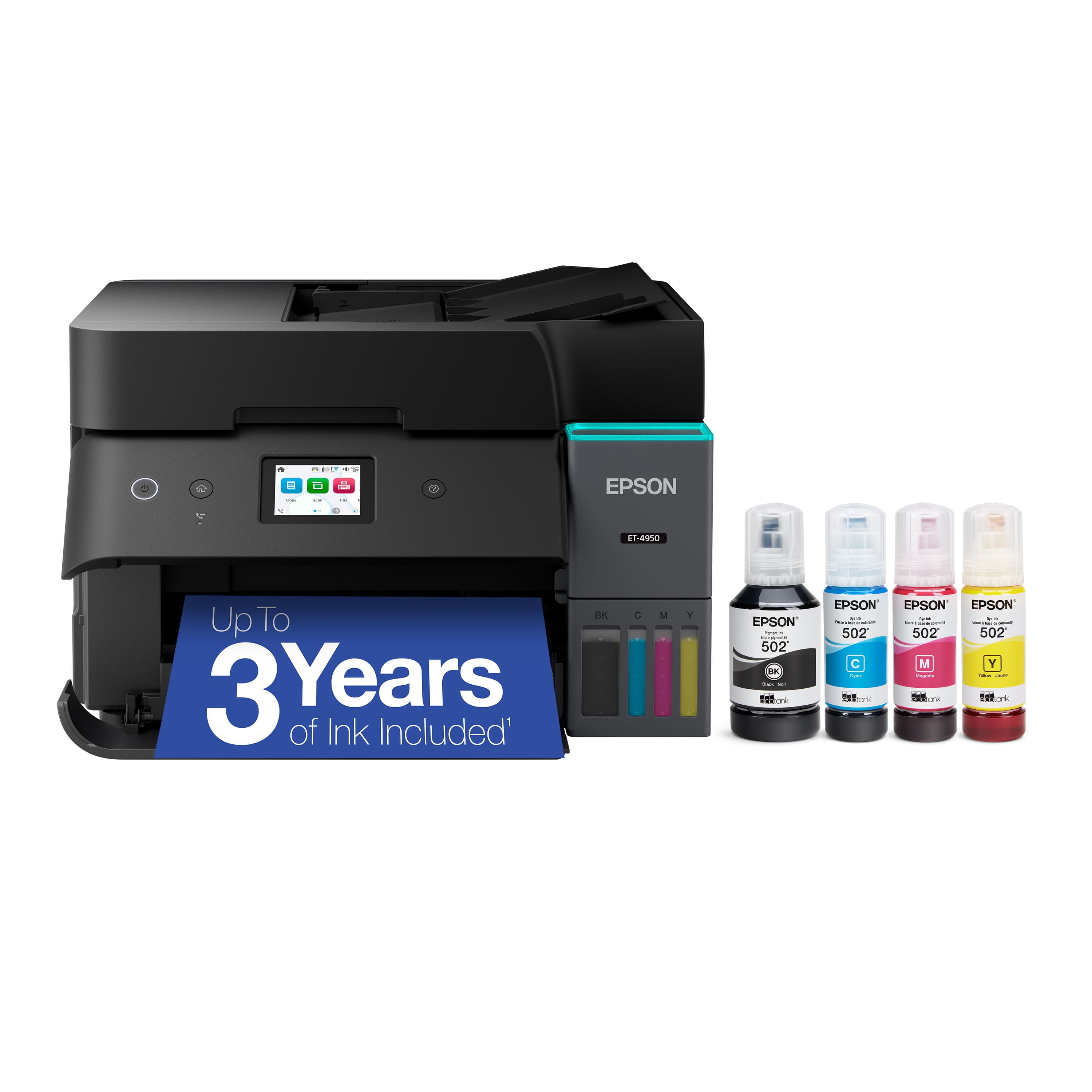
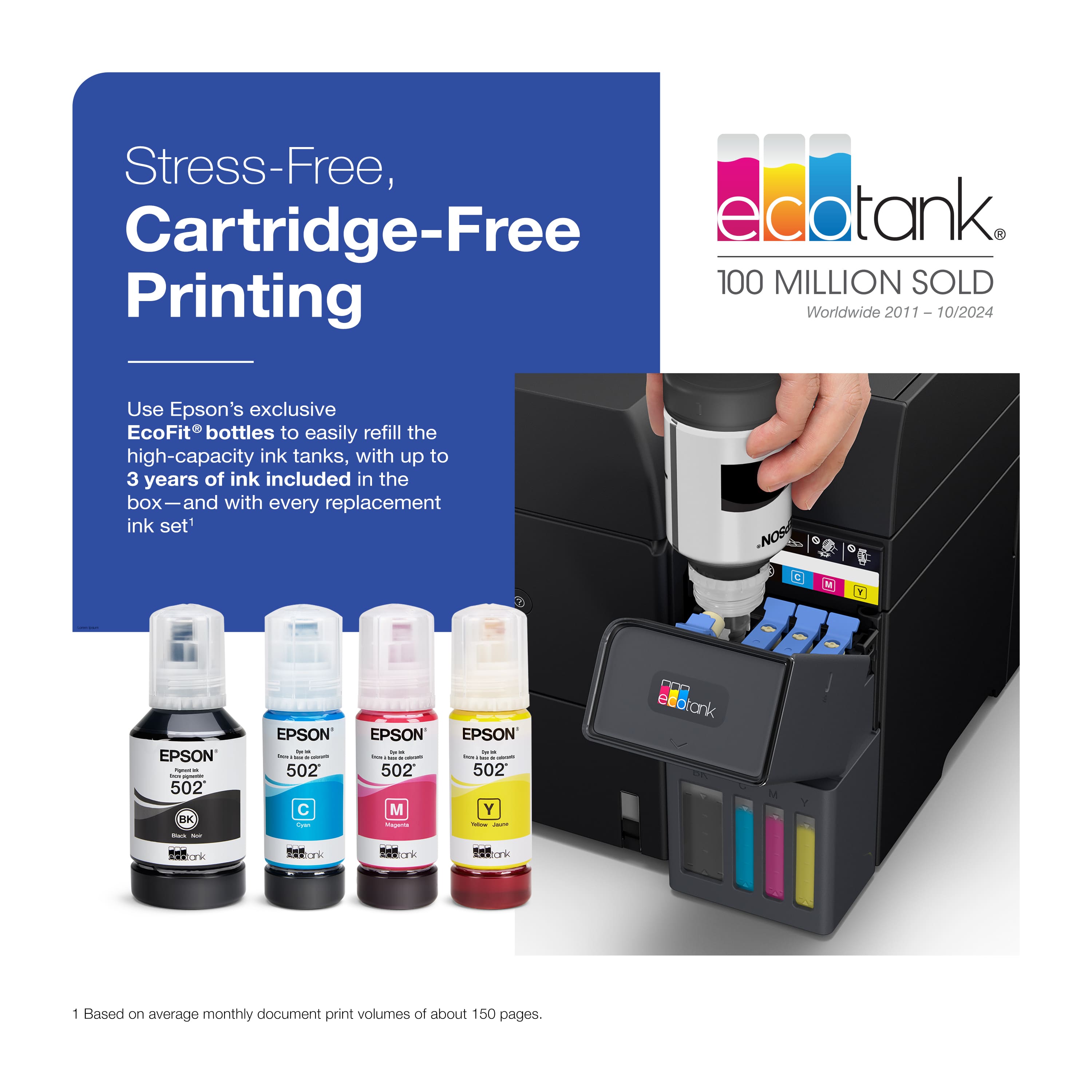
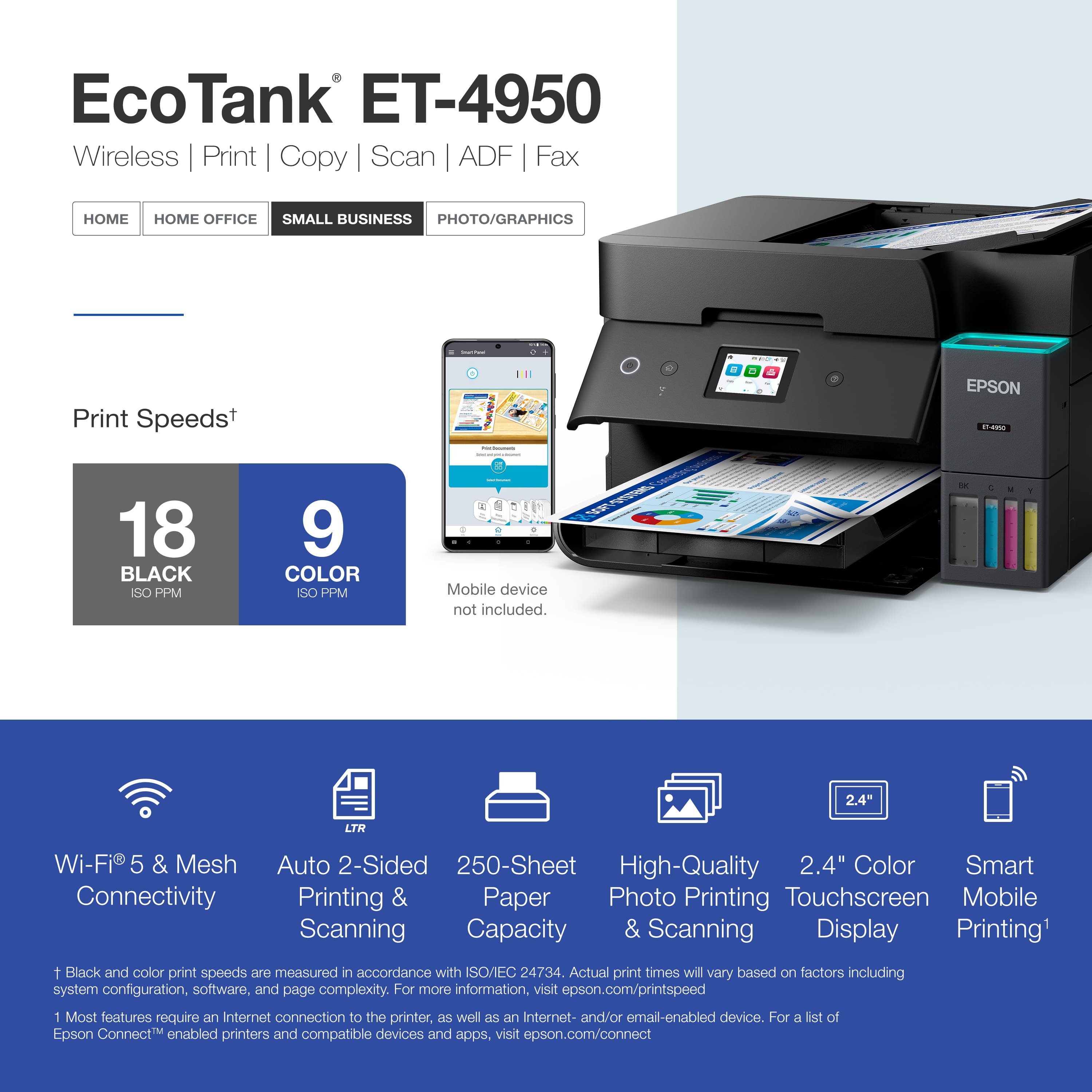
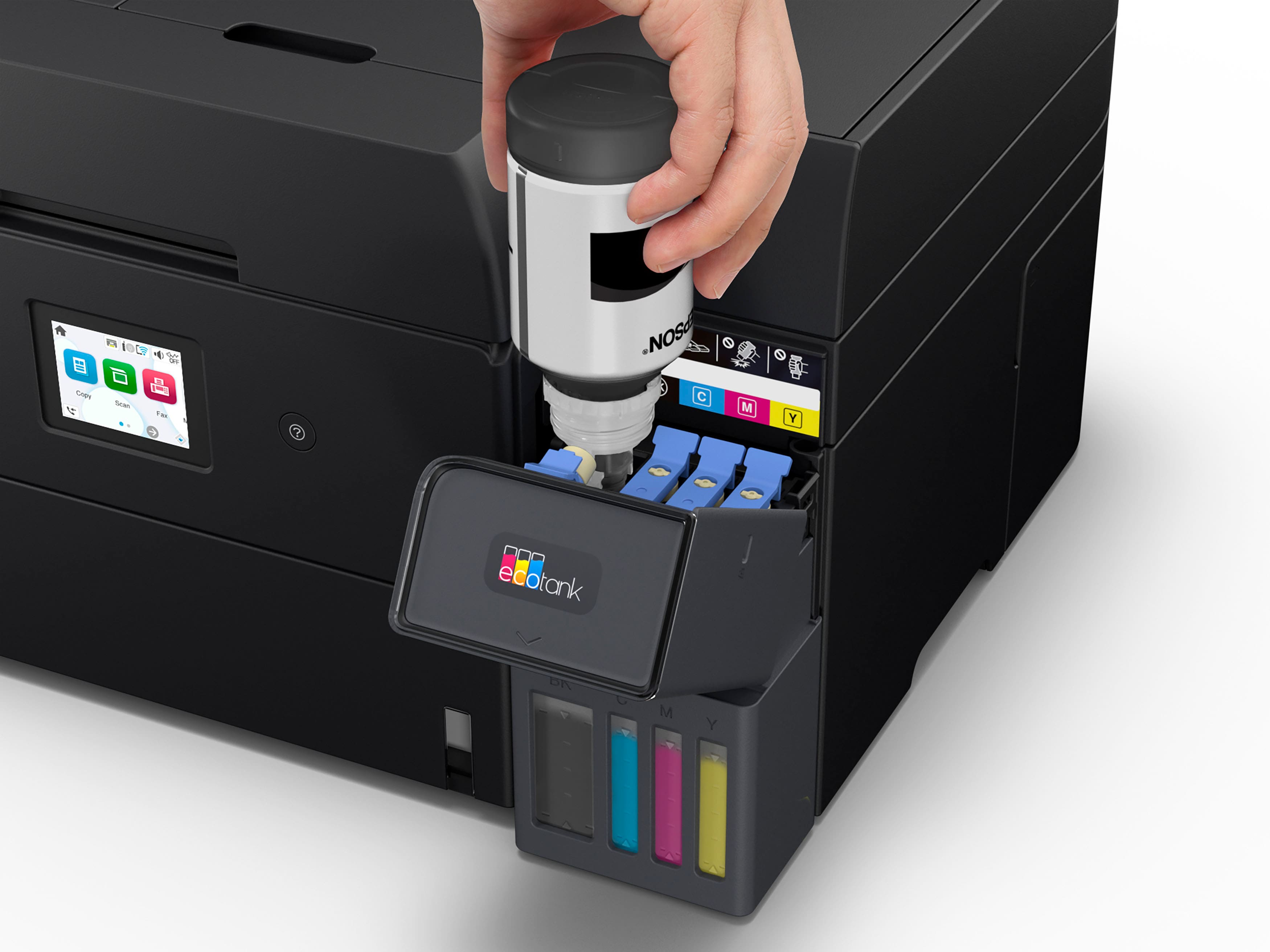
|Posted .This reviewer received promo considerations or sweepstakes entry for writing a review.The EcoTank ET-4950 is a great small printer for home or office. Especially for those who hate to spend so much on ink cartridges. This machine comes with ink bottles that are supposed to last 3 years - which they say is the equivalent to 80/90 ink cartridges. It is supposed to be enough ink to print 6,600 black pages and 5,500 color pages. Not only is that a cost savings- but great for the environment if you are not using that many ink cartridges. During the set-up process, you are prompted to download the Epson Smart Panel app. It walks you through the process of setting up the printer step-by-step. It was very easy and and easier than trying to read some paper that folds out six times. You just unscrew the bottles and fill the tank. There was no mess. Some of the highlights of this Wireless Print, Copy, Scan & Fax machine are: prints 18 black pages per minute and 9 color pages per minute, auto 2-sided prrinting and scanning, 2.4" color touchscreen display, and smart mobile printing. It has automatic two side printing, automatic reduction/enlargement. I have priced the bottles to refill the ink and it looks like it is $50-$60 for all four bottles. Not bad for three years worth of ink.
I would recommend this to a friendSo far so good at 6 weeks - easy setup
||Posted . Owned for 1 month when reviewed.This reviewer received promo considerations or sweepstakes entry for writing a review.I was an HP printer guy for at least two decades. However, repeatedly jamming ink nozzles and the high cost of ink cartridges (including HP's instant ink program) finally got me to try an ink tank printer. We got this about six weeks ago. Here are the results so far: - Setup was painless using the app. - Apparently print head clogging can actually be MORE of an issue with tank printers than cartridge printers. So far, we have not seen this, however, due to the ink averaging 1/10th the price of cartridge printers, I print a colorful page at least every two weeks to mitigate this. - Changing your wifi router/cable modem after installing this will likely confuse this printer. It took me an hour to finally decide uninstalling and reinstalling all the printer software was the only way to acclimate the printer to a new router with a new IP address. After doing this, worked flawlessly again. - Print quality is at least as good as our prior $500 HP printer. - Scanning software works well. I miss having a flash drive port to scan docs to but having a document go directly to a PC or phone has been problem free so far. - Footprint is actually fairly moderate. The output tray can be pushed inside when not in use and opens and extends automatically when you print something. - Not silent but is at least a little quieter than our HP printers. Certainly not noisy. Will update this review if issues develop in the coming months but so far very happy with the switch.
I would recommend this to a friendExcellent cost effective printer.
||Posted . Owned for 3 weeks when reviewed.This reviewer received promo considerations or sweepstakes entry for writing a review.I've been using the Epson EcoTank ET-4950 for a few months now, and I'm loving it! The ink tank system is a game-changer - no more frequent cartridge replacements or breaking the bank on ink. The print quality is top-notch, with vibrant colors and crisp text. Setup was super easy, and the app is user-friendly. The printer's compact design fits perfectly on my desk, and the touchscreen interface is intuitive. My only minor gripe is that the paper tray could hold a bit more, but it's not a deal-breaker. Overall, I'm really happy with my Epson purchase and would definitely recommend it to anyone looking for a reliable and cost-effective printer
I would recommend this to a friendCould Be Best In Class
|Posted .This reviewer received promo considerations or sweepstakes entry for writing a review.Based on my use of the Epson Ink Tank model ET-4950 (4950) for a week, I think it could be the best home office “all in one” printer out right now, though not perfect. I’ll discuss my positive, and disappointing experiences with its major functions below, but, overall, its brightest star is its ink, which is lively without needing to use much per print vs cartridge-based printers. I’ve used other brands of ink tank printers and they are of similar construction and features, but to my eyes their inks pale in comparison to the vividness Epson inks offer. So that is the chief reason, though there are others, in my opinion, to buy an Epson printer over another brand. The 4950 is Epson’s top ink tank “all in one” model. Its features are similar to the model below it except for, in my mind, one major feature: touch screen control. If you’ve ever waded through a printer menu with only arrow button navigation you know what a miserable experience that is, especially when you are in a rush. The 4950’s screen being touch sensitive is directed with swipes and taps and is a hugely better user experience than hard buttons that require click side arrow button, click side arrow button, click down arrow button, click OK button. Jumping up to the ET-4950 from its lower sibling for this feature is totally worth it. The ET-4950 also is the only ink tank printer in this family to have a fax function and a phone jack. That may be of interest to some too. I don’t have a landline anymore and also don’t send enough faxes to justify an eFax subscription so I couldn’t test this feature. BUILD QUALITY Home/home office inkjet printers have never been known for their impressive construction. Nothing has changed here in that aspect. The case, lid hingers, drawers, etc., all feel like they were designed to be the minimum required to be stable. Like an econo-car, it will get usually you where you want to go, but don’t expect more. What you are paying for here, compared to cartridge-based all-in-ones, is the time and money savings that come with having an ink tank. While I didn’t expect a beefy build one notable disappointment is the screen quality, which is on the level of a 1994 laptop. Specifically, it looks faded and is hard to read from a side angle, for example if the printer was next to you. It’s fine when looking straight at it though, and the screen can be tilted up allowing it to be read either sitting or standing. A wider viewable screen that could be read while next to the printer would have been a monster feature, but also in 2025 I expect it. While more feature related, it’s big work quality deficit is there isn’t a one-off or envelop tray that even basic laser printers have. If you need to print one envelope or a sheet of paper sized different than in the paper bin, you must unload the entire bin to print that one item. That’s a major inconvenience and waste of time. SETUP Set up and initialization is a long, but simple, process for me. It includes a firmware upgrade and install and charging the ink. From out of the box to working printer took about 30 minutes. While setup isn’t hard it does require some concentration. For example, you don’t want to accidentally load the yellow tank with blue ink. Reading instructions isn’t popular, I know, I don’t either, but I highly recommend it here because there is a specific order things must be done. Annually, I set up dozens and dozens of devices, both for myself and my tech-phobic friends and family. A long round of applause for Epson here, not just because it offers multiple setup routes – either onscreen or via phone app, or because both are mostly intuitive, but also because no registration is required before getting started, something some other printer companies demand. Nothing irritates me more than having to login to an account to change a printer setting via app. I avoid adding device apps to my phone that won’t get much use, both for privacy and clutter control. So, I opted to set up using the printer’s touch screen. However, if you don’t have a Wi-Fi router with WPS, the app will be a better set up option unless you like tapping in your password. After a few taps I was ready to move on. A couple notes though: 1. One of the last onscreen set up messages has no instructions on how to proceed. That information is in the instructions – you must press the “?” button. 2. This setup process does not include Wi-Fi setup. That must be done separately, but if you have a router with WPS it’s easy. On the 4950’s screen, select your network name then push the WPS button on your router. You’ll be connected in a minute or so. SOFTWARE / COMPUTER CONNECTION I use a Mac so Windows setup might be different. After connecting my Wi-Fi network to the 4950 my Mac and iPhone automatically recognized the printer. At this point I could print from any application that offered printing and scan using MacOS’s native Image Capture app. USB and LAN are available for wired setup too. Epson offers free printing and scanning software too which can be downloaded from its support site. These enable additional features, especially in scanning and is worth trying out. The software will alert you when new software or firmware is out so you can always be up-to-date. PRINTING Historically, I think it’s fair to say all-in-one printers have a stigma of being “jack of all trades, master of none.” Their beauty is in their compactness for small spaces rather than its superb output. But I think the 4950 could shake this reputation. I’ll admit when it comes to black and white documents, I prefer laser printers for their crisp text and rapid speed. But I’m impressed with the 4950’s abilities here. I’ve attached a photo of a laser printer vs 4950 for you do see for yourself. Mind you this is a photo of a printout, so it’s not 100% what my eyes see, but hopefully close. Even in the smallest fonts the curves are smooth and sharp. A magnifying glass is needed to see the difference between laser and the 4950. Both were printed on standard 20 lb. paper without issue. The 4950 didn’t like some heavier weights though. Specifically, I loaded up Koala brand 48 lb. letter size inkjet paper and it jammed up every time I tried to print, even after shuffling and reloading. I then tried Canon 45 lb. paper and that worked fine. So, I can’t say if the problem here is the paper brand or weight, but I thought it was worth a mention. Except for the question of whether the 4950’s paper weight limitation is 45 lb., it’s acumen at printing business documents, black and white or color, is at a professional level suitable for presentation work. My next test was photos. Here too it’s excellent thanks to, yes, Epson’s ink. If you decide to go with generic ink later you are on your own. The 4950, for sure, is purpose built as a generic home/home office/small office device. It’s unreasonable to expect its photo printing capabilities to rival a dedicated photo printer which typically use six inks rather than four. But the 4950 is no slouch either. In fact, it’s the best I’ve seen so far out of its genre. For this assessment I printed both a color-corrected RAW and JPEG photo of a giant panda direct from Adobe Lightroom. I used Canon 45 lb. matte paper each time. Printing correctly from Lightroom requires installation of Epson’s printer software so you can access the printer’s ICC profile. Once done, the 4950 delivers a print that is reliable as a proof before sending out to be printed as a poster, part of a book, etc. The JPEG print was also streak-free, sharp, colorful, and frame worthy. Of course, the 4950 doesn’t use archival photo ink so photos will likely fade over time. COPYING In every inkjet all-in-one printer I’ve ever used copying is an afterthought – a kind of bonus feature that the manufacturer didn’t spend much time developing. That is the case here. This is easily the 4950’s weakest feature and is best viewed as having it is better than not. It lacks the quality and speed of a dedicated copier or even one found on a laser printer all-in-one. Functionally, it’s fine for small jobs, say a one-off copy of a document under 20 pages. But it is slow compared to modern fast copiers that can push out collated multi-page documents in the blink of an eye. Multiple and single page originals, up to legal-size, can be loaded into the document feeder and single pages, up to size A4, or odd shaped items can be placed on the scanner glass. Also, in my experience, the document feeder is only happy with paper no thicker than resume paper. Heavier paper tends to get jammed and the Koala 48 lb. was a no-go. The main weakness here though is the copy quality. To my eye the blacks are not as deep compared to when printing, and colors can shift. For example, some blues look purple-ish. I would say it’s fine for personal use, but not presentation quality. For that you’ll want to scan, color correct if needed, and then print the photo or document. SCANNING My scanning experience was great, no matter if I used Epson’s software or 3rd party, all of them discovered and connected to the 4950 without hassle. Of course, I can’t speak for every app or OS. Loading up items to scan is exactly like copying with the same media limitations. Scanning output is terrific even before applying any needed tweaks with software. Documents, graphics, photos, are all sharp. Scanning speed various depending on the quality required but even the highest resolutions are completed in a reasonable amount of time. CONCLUSION The 4950 is an impressive ink tank based all in one printer with one feature it’s price-level competitors don’t have – Epson’s ink. While the 4950 doesn’t excel in all areas it’s unbeatable for its core functionality printing and scanning business documents and casual photos. It’s easy no account registration required set up is a bonus.
I would recommend this to a friendTiny Printer
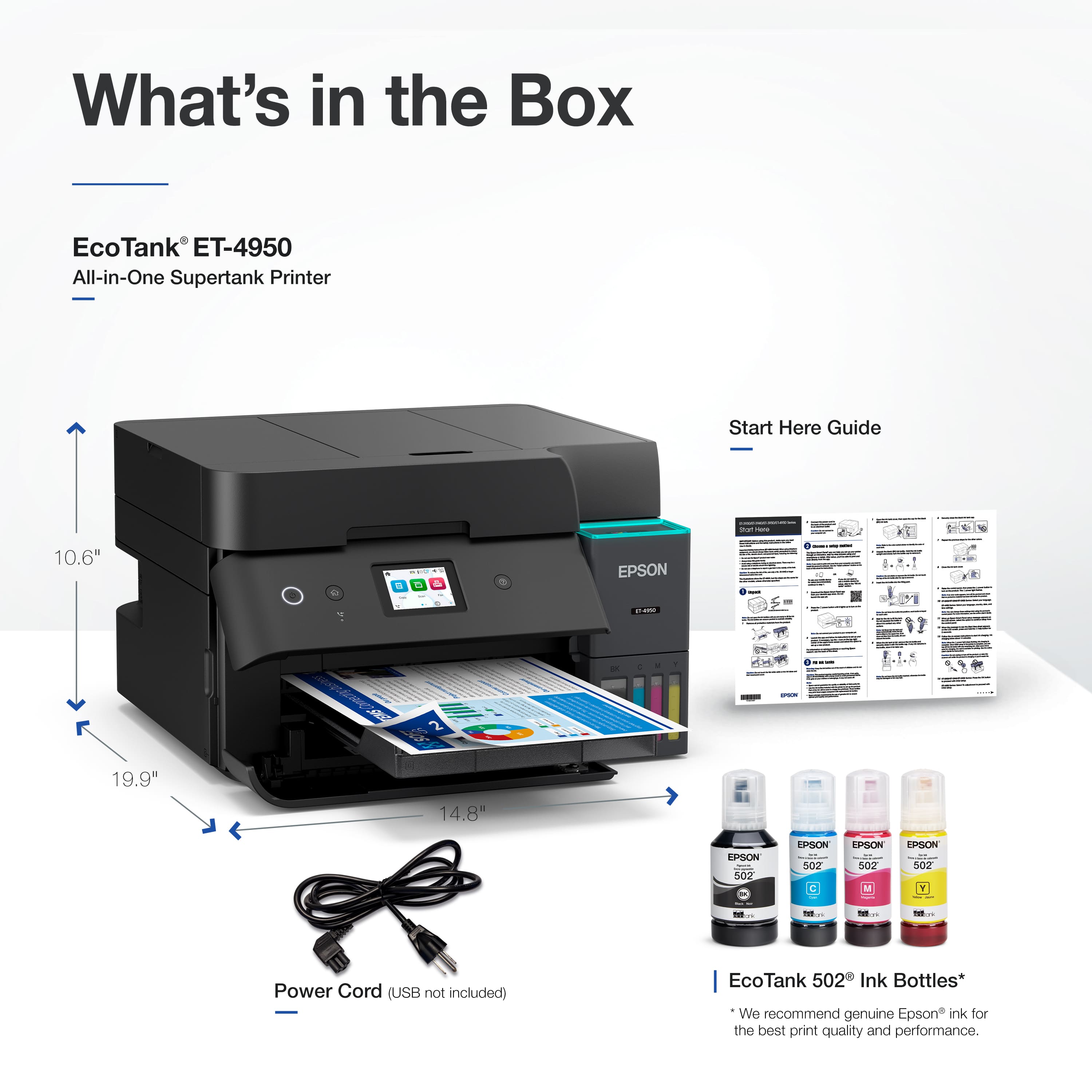
|Posted .This reviewer received promo considerations or sweepstakes entry for writing a review.This is the first Epson printer I have used. This model is very small and light weight (9.4-inch h 14.8-inch w x 13.7-inch d and 16 lbs.). Prints quickly and not having to deal with the ink cartridges is a BIG plus (goodbye monthly ink subscription). Also scans/copies very accurately. Having only one paper tray is limiting and as such printer is probably best for students or home use. I did not try the fax option. Easily unpacked but a lot of tape so make sure you find it all. I set it up using my desktop computer and software downloaded from printers site. I found the software not very intuitive, and I had to manually select wifi and enter info using the tiny 2-inch color screen on printer. It would not register printer at end of setup either. Filling the onboard ink “wells” was easy using the provided 4 color bottles. The front of the printer has scales showing ink levels. Multiple windows apps were installed that made it a tad confusing as to which to use for printing/scanning/etc. I did wind up figuring it out and it printed fast. I could not find any “picture” settings – only documents – but could be operator error. Several color “test” pictures did look nice using document and picture paper. Even in draft mode the pages were easily read. To collect printed pages the paper tray “opens” and a tray slides – which sticks out an additional 6 inches from front of printer. Tried scanning a colorful birthday card & received an error message that selected area was too large using 9600 dpi resolution - same at 6400 dpi. 200 dpi scanned but took over 3 minutes. 600 dpi – 2 minutes and 300 - 20 seconds. It scanned the entire tray area, not just the card. So had to edit the scan – but I may have missed a setting. It was very accurate. 1-year limited warranty. I worry that the ink in bottles or printer may dry out – only time will tell. The opening/closing printed tray seems overly engineered and worry it could a “break” point. Overall, a nice compact printer that is somewhat let down by software and having only 1 paper tray. Not having to deal with replacement ink cartridges is great though. Would recommend to anyone looking for a small all in one.
I would recommend this to a friendBLOWN AWAY BY THIS PRINTER
|Posted .This reviewer received promo considerations or sweepstakes entry for writing a review.This EcoTank 4950 is by far one of thee best inkjet printers i have used in a long time. Being in the I.T. world for over 30 years, i have used alot of different printers over this time, and I understand there are other versions (models) of Epson's EcoTank series or line, but this is the first time i have ever used an Epson Inkjet like this; so i was pretty surprised by how great this thing is compared to all the other competing brands out there (HP/Brother/Canon etc). The one thing I dislike most about using inkjet printers is replacing the cartridges, i feel like you get 100, maybe full color prints from those other models before you find yourself needing to replace black or colored cartridges. This printer for me, breaks that mold. I setup the printer, filled up the inkwells with the 'full' sized included cmyk colors and started immediatly printing 100 full colored photo paper 5x7 photos, and the ink wells barely broke 1/4 of the full tanks, leaving 3/4 more to go. For me that was the win me over point. Pros: HiRes Autofeed Scanner (or scanner bed) Fax Touchscreen Easy keyed-notched ink fills for no error fills Fast printing (18 ppm- black / 9ppm color) Easy to Print from phone or tablet Two side printing Cons i really thought i would have things to put here that i didnt like about this printer, but i really cant think of anything i disliked. The printing was quick, the photos looks outstanding, the ink was barely touched for how much i printed at first. The setup was very easy, between my windows 11 machines, or my iphone or android devices it was as simple as selecting 'print'. Setup of the paper(s) and sizes etc was pretty straight forward, any issues were presented on the clear little touch screen, so very easy to manuver. I would really recommend this printer for anyone looking for an all in one for their office or home. you really can't go wrong here for the value of these features and whats included.
I would recommend this to a friendGreat so far
||Posted . Owned for 1 month when reviewed.This reviewer received promo considerations or sweepstakes entry for writing a review.Best Buy was one of the few places that had this available in black. Fits in with things a little nicer than the white version. So far, it's working great. Printing text or pictures, all sharp and high quality. The starter bottles of ink are large enough to fill the tanks, perform the initial priming, and then top them back off to full. That was a nice touch, since the prime on a new unit does take a fair bit of ink. A couple of nice features are the automated output tray, which extends when printing and stows when powered off, and how the top document feeder is made to fold up to a completely flat surface when not in use. After reading a lot of terrible reviews on the mobile app, I elected to just do the setup via the control panel on the printer, which was not difficult at all. Happy so far, hope it holds up over time.
I would recommend this to a friendRoom EcoTank Prinyer
||Posted . Owned for 3 weeks when reviewed.This reviewer received promo considerations or sweepstakes entry for writing a review.Love this printer! It is easy to operate, quiet printing, and excellent prints and copies.
I would recommend this to a friendEpson - EcoTank ET-4950 Wireless All-in-One Color
||Posted . Owned for 2 weeks when reviewed.This reviewer received promo considerations or sweepstakes entry for writing a review.This Epson printer is the best printer I've bought. So much better than the HP ones we've had in the last few years. Faster, quieter, so easy to use. The display screen so easy to view and bigger than the other Epson printers and much better than the HP ones. The ink is much better than the cartridges. I love it,
I would recommend this to a friendRecommend
||Posted .This reviewer received promo considerations or sweepstakes entry for writing a review.Very happy with this printer. I was previously an HP printer fan, but I made a change after my last negative HP printer experience. Pros: Quick printing, easy-to-fill ink tanks, syncs well with my laptop with recommended software and apps. Cons: Clarity of print is a tiny bit fuzzy, so if need high-level business documents, maybe a laser printer would be better? Haven't tried adjusting printing yet, though, so print maybe could be better. I don't use this for photo printing, so can't comment on that function. Overall, I recommend this printer.
I would recommend this to a friendYou Can't Beat This!
||Posted . Owned for 2 weeks when reviewed.This reviewer received promo considerations or sweepstakes entry for writing a review.A fantastic all-in-one printer with a great automatic document feeder, great quality printing and great speed. The fact that is was available for $370 makes it an unbeatable bargain. I'm really looking forward to the benefits of the EcoTank system, too. The only negative was Best Buy customer service. The delivery company dropped off the printer somewhere other than my house (the delivery pictures shows a modern white house and mine is traditional and blue. I called customer service daily and each time was promised a next day delivery. It would show up in the tracking as out for delivery and then suddenly be cancelled. After a week, I finally demanded to talk to a supervisor who insisted that it was routine to take a week for a next day delivery from Minneapolis to Wisconsin to take a week. I was angry enough that I threatened to cancel my BB credit card and never shop there again (I'm a big technology and home apppliance purchaser through them). Suddenly, the printer was magically delivered the same day to my house. The product is excellent and the price was outstanding. BB needs to make some changes to their customer support system!
I would recommend this to a friendGood print quality, but constant paper jams
||Posted . Owned for 1 month when reviewed.This reviewer received promo considerations or sweepstakes entry for writing a review.I have had a number of Epson Eco-Tank printers over the past 3 years and I am a huge fan of their printers until I bought this one. I upgraded my ET-2800 to this printer a few months ago and have to say I am somewhat disappointed in it's performance. One of my issues was the drivers. Took a couple days to get Windows 11 to recognize this printer (I have an Epson ET15000 also) after tinkering with the installation. It made me run through the entire installation and setup before it would recognize it when honestly, because I already had their software installed for my Epson ET15000, it should have just needed the drivers for the ET48950 installed and it should have just recognized it. Epson needs to work on their installation and setup if you are using more than one of their printers. Overall, if you are printing one-sided pages, the speed and quality of the prints is excellent. The large tanks mean you can print A LOT of pages before needing a refill. The scan functions work well. Have no use for a fax machine (Why is this still a thing?), as I don't have a land line any more so couldn't say anything good or bad about that, and haven't needed a fax line for 15 years. I need a heavy-duty printer than can print large batch jobs of two-sides printing. This printer jams so often I am going to return it and get something that can actually print two-sided without me having to sit and watch every print. I can sometimes get 10 double-sided prints, but when I have a 60 page print job, and I can't rely on my printer to print reliably, then it's time to change brands, Mostly, it seems to be the duplexer in the back of the printer that is causing the issue. I have seen numerous reviews with paper jam issues and should have paid attention to those and looked for another printer. I have an Epson Eco-Tank 15000 large format printer, but I don't run large batch printing on it and only print photos on it and it works beautifully! The Epson ET-4950 will print one side, then after that side has dried and it tries to pull the paper back into the printer to print the seconds side, it doesn't work and will tell me there is a paper jam in the back of the printer or will come up with an error to call Epson support. I have followed recommendations that I have found in their forums and on reddit, and only fill the paper tray half-way, cleaned the rollers, etc.. I use high quality 24lb Advantage paper, which has worked flawlessly in every other printer I have has and is excellent quality paper and preferred weight for inkjets. If you are looking for a reliable printer for unattended print jobs, I would look elsewhere.
No, I would not recommend this to a friendBrand response from Epson
Posted .Hi KWM1, we are sorry to hear that you are having paper jam issues with your Epson ET-4950 printer. If you have already tried the FAQs and tips at the Epson support site for your product, please call the Epson Support Team at (562) 276-4382; Hours: Monday – Friday, 7 a.m. to 4 p.m. (PT). We appreciate your purchase, and we value your feedback. Sincerely, Alissa – The Epson Team.

Previous one lasted me 8+ years!
||Posted . Owned for 5 months when reviewed.This reviewer received promo considerations or sweepstakes entry for writing a review.I owned the previous model similar to this one for 8+ years before the print heads finally stopped working. The only reason I didn't just fix them is because I tried to take it apart to get to the print heads and couldn't figure out how to access them. No business in my city would touch it for repairs--weird... Broke down and just bought this newer model almost identical to it. Works like a charm. With the older one, the yellow would start drying up at about 6 years out, and would have to run the clean heads feature until it showed up again. Only replaced the waste box for print head cleaning once. Refilled the color tanks twice and the black 3 times....in 8+ years! This isn't a speedy fast printer, but for good quality color prints it meets my needs for in home use and some business use. This newer model has some neat features like auto product tray extension, and retracts when you turn it off. Operation screen is backlit.
I would recommend this to a friendEpson EcoTank ET-4950 All-In-One Printer
||Posted . Owned for 3 weeks when reviewed.This reviewer received promo considerations or sweepstakes entry for writing a review.I love my new all-in-one printer. After a few issues with setup, it seems to be working fine. I like having the inkjet tanks instead of cartridges. The ink should last longer and will be easier to fill. Best of all, the printer fits in the same spot as my old unit and looks great in my office.
I would recommend this to a friendI love the Epson Ecotank printers
||Posted . Owned for 3 weeks when reviewed.This reviewer received promo considerations or sweepstakes entry for writing a review.Setup was super easy. Prints beautifully. This is my 2nd Epson Ecotank. My last one i used like a workhose and it lasted really well.
I would recommend this to a friendEpson printer saves money
||Posted .This reviewer received promo considerations or sweepstakes entry for writing a review.Overall, I am happy with the printer. It was easy to install the ink. The set up was fine except that it would not wirelessly connect to my computer, even after closely following the instructions. A call to the tech department was answered quickly and the problem solved. The time between pressing print on my computer and the printer starting is slower than it was on my previous HP printer. I couldn't get the ADF to work but a call to tech solved the problem. However, in order to load multiple pages in it, I first have to turn off the unit and restart it. Otherwise, it's not recognizing that paper has been loaded. Copies are clear and the print is fine. The unit is compact. So far, I am very happy with the ink usage compared to the exorbitant amount of money I spent on HP cartridges. All-in-all, as of today, I would buy this printer again if I had to.
I would recommend this to a friendEpson 4950 printer
||Posted . Owned for 2 weeks when reviewed.This reviewer received promo considerations or sweepstakes entry for writing a review.Product is easy to use & produces quality prints. I have not tried photos yet, but look forward to doing so.
I would recommend this to a friendLove this printer!
||Posted . Owned for 1 month when reviewed.This reviewer received promo considerations or sweepstakes entry for writing a review.Really saves on ink! User friendly and easy to use. Already has saved us hundreds in ink.
I would recommend this to a friendCopier Search
||Posted .This reviewer received promo considerations or sweepstakes entry for writing a review.We needed a new printer/copier. I searched for a product that had a high rating for quality and value. I chose an Epson product that met all my concerns. It has a tank for ink instead of ink cartridges, which are very expensive over the life of a printer. The Best Buy rep. also let me know that I could bring my old printer in for a "trade in". I got a $50 discount on my new printer/copier.
I would recommend this to a friendHappy to finally own an Epson
||Posted .This reviewer received promo considerations or sweepstakes entry for writing a review.Very pleased with the color and print quality. Still learning some of the features, but so far I have found operating the printer very easy.
I would recommend this to a friend