Customer Ratings & Reviews


- Model:
- 010-01678-0B
- SKU:
- 5715643
Rating by feature
- Value
Rating 4.4 out of 5 stars
- Quality
Rating 4.5 out of 5 stars
- Ease of Use
Rating 4.4 out of 5 stars
Customers are saying
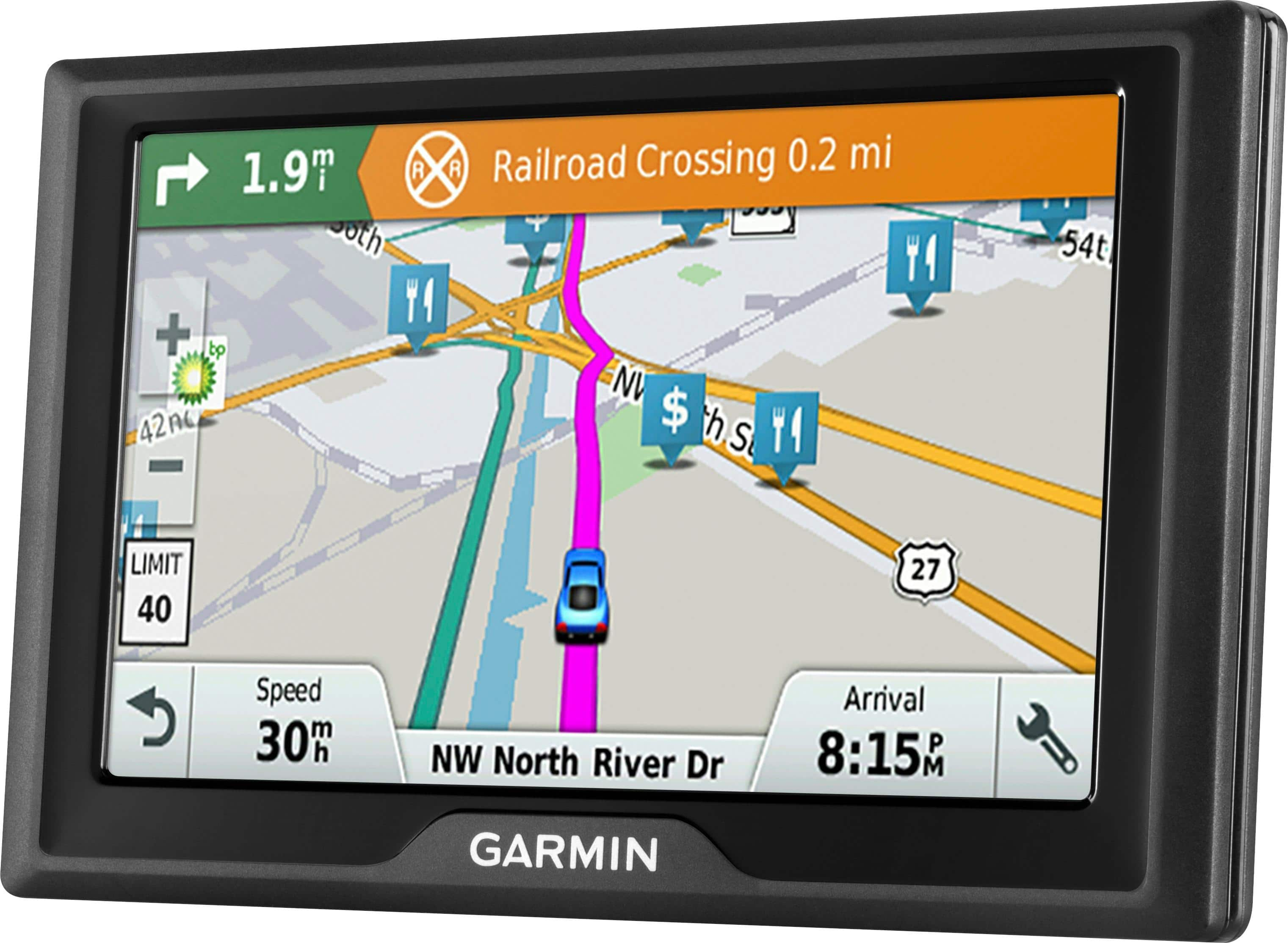
Customers value the Drive 51 LM 5" GPS's ease of use, accurate GPS navigation, and lifetime map updates. Many appreciate the clear screen and its helpful features, while some experienced issues with battery life and occasional power problems. Positive feedback frequently highlighted the device's intuitive interface and precise route guidance. However, a few users reported difficulties with the device's power functionality.
This summary was generated by AI based on customer reviews.
good
||Posted .This reviewer received promo considerations or sweepstakes entry for writing a review.It is a good product. had one before and needed another one.
I would recommend this to a friendOK
||Posted .This reviewer received promo considerations or sweepstakes entry for writing a review.I'm not overly impressed with this GPS but it's ok.
No, I would not recommend this to a friendNot able to download maps on Garmin
||Posted .This reviewer received promo considerations or sweepstakes entry for writing a review.Geek Squad was unable to download a map of Ireland for us. We made 4 trips to the store and numerous phone calls to get Ireland maps loaded on the Garmin with no success. This forced us to return the device and rely on an old Garmin with 4 year old maps.
No, I would not recommend this to a friendBrand response from GarminProductExpert
Posted .Garmin Product Support would be happy to help. Our contact information, including telephone number and hours of operation, can be found at: https://support.garmin.com/en-US/

Disappointing
||Posted .This reviewer received promo considerations or sweepstakes entry for writing a review.Hasn't work correctly yet - will be bringing it back.
No, I would not recommend this to a friendBrand response from GarminProductExpert
Posted .Garmin Product Support would be happy to help. Our contact information, including telephone number and hours of operation, can be found on at: https://support.garmin.com/en-US/
It's ok seen better
||Posted .This reviewer received promo considerations or sweepstakes entry for writing a review.I would rather have a larger screen this one to small
No, I would not recommend this to a friendDisappointed
||Posted .This reviewer received promo considerations or sweepstakes entry for writing a review.I have gotten lost 3 times and only used it 10 times. It behaves almost as if my location is a quarter of a mile from actual. It tells me to turn on streets that don't have the same name as on the street signs. I am very disappointed.
No, I would not recommend this to a friendBrand response from GarminProductExpert
Posted .Normally this issue is resolved by updating to the latest mapping and software, installed via Garmin Express: http://www.garmin.com/express
If the issues persist, Garmin Product Support would be happy to offer additional troubleshooting. Garmin contact information, including telephone numbers and hours of operation, can be found on our Support page: http://www.garmin.com/support
This is CRAP!
||Posted .This reviewer received promo considerations or sweepstakes entry for writing a review.This item has good features. However, you can't download "lifetime map updates" if the device stops working within 2 yrs. Where's the lifetime if you can't get it to turn on? Do not purchase! This was my 2nd time buying this. The first time I purchase it was within the warranty time frame.
No, I would not recommend this to a friendBrand response from GarminProductExpert
Posted .To get the device powered on, connect it to the vehicle power cable, or an AC adapter. Press and hold the power button for 15 to 20 seconds. Once the device powers on fully charge the battery and ensure the software is up-to -date.
- Cons mentioned:Battery life
Had to Return
||Posted .This reviewer received promo considerations or sweepstakes entry for writing a review.Today I exchanged it for another one. Tried charging it on my computer and 2 cars & wouldn't hold a charge. Finally wouldn't come on at all. Hopefully second one will work better
No, I would not recommend this to a friend Ok
||Posted .This reviewer received promo considerations or sweepstakes entry for writing a review.Great for directions and letting you know speed changes ahead. Great product. Minor glitches with turning off but I'm sure not everyone should have that problem
I would recommend this to a friend3 Months and dead
||Posted .This reviewer received promo considerations or sweepstakes entry for writing a review.I liked the functions contained on this gps and the price seemed decent. 3 months after purchase the unit is completely dead. My last gps lasted 8 years. Not this one.
No, I would not recommend this to a friendBrand response from GarminProductExpert
Posted .. I’m sorry to hear that the GPS isn’t working. When a device won’t power on a soft reset often resolves the issue. Connect the device to the vehicle power cable, or an AC adapter. Press and hold the power button for 10 to 15 seconds. Once the device powers on fully charge the battery. Here is a Garmin Product Support article that gives all of the charging details: https://support.garmin.com/faqSearch/en-US/faq/content/TiDz048p5C6qe2dMv5tNU7
If you’re unable to get the device powered on, Garmin Product Support would be happy to offer additional assistance. Our contact information, including telephone number and hours of operation, can be found on at: https://support.garmin.com/en-US/
not too happy
||Posted .This reviewer received promo considerations or sweepstakes entry for writing a review.We originally purchased Garmin and they lasted about 1-2 years however. We buy geek squad protection and have always had to turn them in due to them stop working before the extended warranty is up. The last 3 we have traded back in in less than 6 months time. The last one is under a month old and already has stopped working and while we were on vacation so I am very unhappy about this latest purchase.
No, I would not recommend this to a friendBrand response from GarminProductExpert
Posted .Garmin Product Support would be happy to help. Our contact information, including telephone number and hours of operation, can be found at: https://support.garmin.com/en-US/
Old model better
||Posted .This reviewer received promo considerations or sweepstakes entry for writing a review.When my old GPS finally went down I was looking forward to getting a new Garmin what a disappointment missing half the streets the save your route feature sucks not user friendly,miss the old version
No, I would not recommend this to a friendWorse than a similar unit I bought 6 years ago
||Posted .This reviewer received promo considerations or sweepstakes entry for writing a review.The contrast is very poor. The signs and letters can hardly be read, too small and the wrong contrast. When the sun shines on the screen it's impossible to see the map let alone road/street names.
No, I would not recommend this to a friend- Cons mentioned:Battery life
awful
||Posted .This reviewer received promo considerations or sweepstakes entry for writing a review.Would not keep a charge. Once on it would randomly turn off at the worst times, in Philadelphia traffic was the last straw. Returned for a full refund from Best Buy.
No, I would not recommend this to a friendBrand response from GarminProductExpert
Posted .I’m sorry that you’ve returned the device. Normally these issues are resolved by the updating to the latest mapping and software, installed via Garmin Express: http://www.garmin.com/express Thanks, James
- Cons mentioned:Power
Please don't purchase
||Posted .This reviewer received promo considerations or sweepstakes entry for writing a review.I am not getting power in my GPS after 6 months of purchased this item. Not sure whom to reached and how to return this item. Please don't waste your money.
No, I would not recommend this to a friendBrand response from GarminProductExpert
Posted .When a device won’t power on a soft reset often resolves the issue. Connect the device to a power source with a USB cable, vehicle power cable, or an AC adapter. Press and hold the power button for 10 to 15 seconds. Once the device powers on I would suggest fully charging the battery. Here is a Garmin Product Support article that gives all of the charging details: http://bit.ly/2mUqF0t
If you’re unable to get the device powered on, Garmin Product Support would be happy to offer additional assistance. Our contact information, including telephone number and hours of operation, can be found on at: https://support.garmin.com/en-US/
- Cons mentioned:Battery life
Doesn't work
||Posted .This reviewer received promo considerations or sweepstakes entry for writing a review.I am taking this back to the store, because it simply doesn't work the way it should. Also the battery doesn't last 5 minutes. I am never buying this brand again.
No, I would not recommend this to a friend Disappointed
||Posted .This reviewer received promo considerations or sweepstakes entry for writing a review.Bought this updated Garmin GPS and it loses satillite connection all the time tells u ur going the wrong way going down the highway. Also not easy to operate. Actually difficult to operate. Disappointed
No, I would not recommend this to a friendBrand response from GarminProductExpert
Posted .Garmin Product Support would be happy to help. Our contact information, including telephone number and hours of operation, can be found at: https://support.garmin.com/en-US/
Not user friendly
||Posted .This reviewer received promo considerations or sweepstakes entry for writing a review.Rarely recognizes any destinations. Have to input addresses and destinations different ways until it finally accepts. Followed it's directions on one trip. Took me 30 miles longer than my normal route.
No, I would not recommend this to a friendBrand response from GarminProductExpert
Posted .Thank you for your feedback on the Drive 51LM. We’re sorry that you are experiencing inconsistent routing. Please ensure that your device has the latest mapping and software installed via Garmin Express: http://www.garmin.com/express.
If you continue running into trouble with routing, Garmin Customer Care would be happy to offer additional assistance. You can find our contact information listed at: https://support.garmin.com/en-US/. Again, thank you so much for your review. James
- Cons mentioned:Battery life
Had to return it
||Posted .This reviewer received promo considerations or sweepstakes entry for writing a review.Took it on vacation and it shut down while driving 5 times. Not a battery issues just wanted to shut down when i was searching for a gas station.
No, I would not recommend this to a friendBrand response from GarminProductExpert
Posted .Based on your description of the delayed search response, it sounds like the software of the device may need to be updated. please ensure that your device has the latest mapping and software installed via Garmin Express: http://www.garmin.com/express.
- Cons mentioned:Battery life
Battery does not last longer
||Posted .This reviewer received promo considerations or sweepstakes entry for writing a review.Have to have charger with at all times because battery does not last long. Also it was going by landmarks in some areas instead of street names.
No, I would not recommend this to a friendBrand response from GarminProductExpert
Posted .This model includes Real Directions. Devices with Garmin Real Directions provide spoken instructions using not only street names but also recognizable landmarks, buildings, and even traffic lights. This helps minimize the need for you to find and read street name signs. The battery life on this model is up to 1 hour from a full charge. If the battery is not holding a charge, we would suggest using the provided vehicle power cable that came with your device or using an AC power adapter to fully charge the device.
If you have questions or need additional assistance, Garmin Product Support would be happy to help. Our contact information, including telephone number and hours of operation, can be found on at: https://support.garmin.com/en-US/