Customer Ratings & Reviews

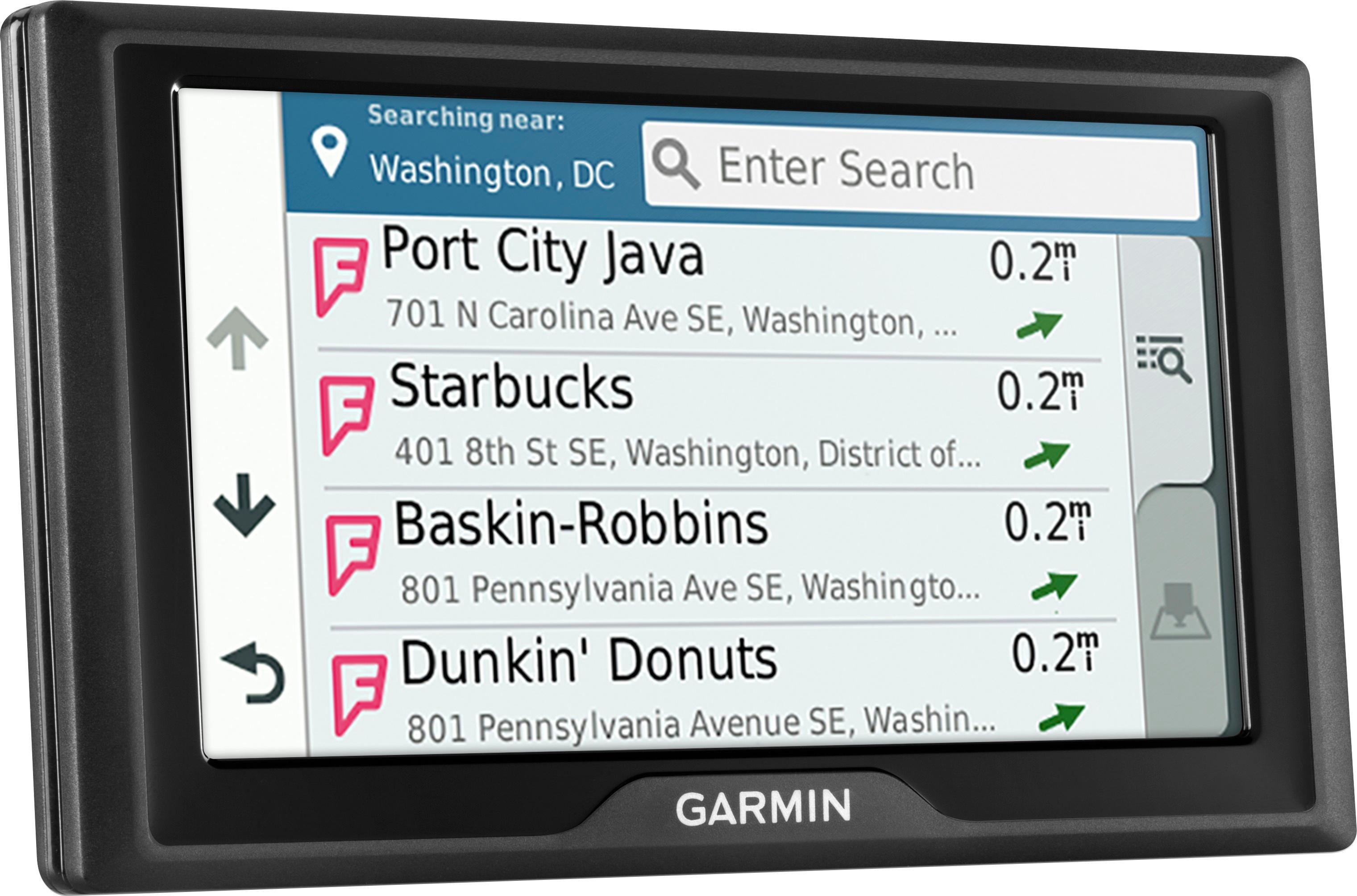

- Model:
- 010-01679-0B
- SKU:
- 5715640
Rating by feature
- Value
Rating 4.3 out of 5 stars
- Quality
Rating 4.3 out of 5 stars
- Ease of Use
Rating 4.2 out of 5 stars
Customers are saying
Customers appreciate the Drive 61 LM 6.1" GPS's ease of use, large screen size, and accurate GPS navigation. Many also highlight the value of the lifetime map updates and the affordable price. While some users experienced issues with battery life and touchscreen responsiveness, the positive feedback on core features outweighs these concerns. The inclusion of additional features, such as backup camera support, is also frequently praised.
This summary was generated by AI based on customer reviews.
It’s ok
||Posted . Owned for 10 months when reviewed.This reviewer received promo considerations or sweepstakes entry for writing a review.It’s harder to preload and change destinations. Not exactly thrilled with this
No, I would not recommend this to a friendGPS
||Posted .This reviewer received promo considerations or sweepstakes entry for writing a review.My husband said its not easy hitting the buttons. Otherthsn that, he likes it.
I would recommend this to a friendpoor
||Posted .This reviewer received promo considerations or sweepstakes entry for writing a review.Stop working after 4 months. would not recommend.!
No, I would not recommend this to a friendBrand response from GarminProductExpert
Posted .Hello, and thank you for leaving a review.
I recommend contacting Garmin Customer Care at the following link for assistance with any problems you have encountered: https://support.garmin.com/en-US/
-MH
Tempted to throw it out the window.
||Posted .This reviewer received promo considerations or sweepstakes entry for writing a review.I've used in dash GPS for years, my new Honda wants you to use your own, so I bought it. Not anywhere near the same. The touch screen doesn't always respond. It doesn't tell you to make a safe and legal U turn when you get lost, just lets you keep going. I'm going back to maps.
No, I would not recommend this to a friendBrand response from GarminProductExpert
Posted .Normally routing issues are resolved by the updating to the latest mapping and software. Please ensure that your device has the latest mapping and software installed via Garmin Express: http://www.garmin.com/express
If the issues persist, Garmin Product Support would be happy to offer additional troubleshooting. Garmin contact information, including telephone numbers and hours of operation, can be found on our Support page: http://www.garmin.com/support
Salesperson was not up-to-date with equipment
||Posted .This reviewer received promo considerations or sweepstakes entry for writing a review.Works well but not what we were looking for. Did not have live traffic
No, I would not recommend this to a friendRe-routIng does not work sometimes
||Posted .This reviewer received promo considerations or sweepstakes entry for writing a review.Re-routIng does not work sometimes when i drive to a wrong way
I would recommend this to a friendLarge screen
||Posted .This reviewer received promo considerations or sweepstakes entry for writing a review.We purchased this for a trip to Florida. Every time we entered into a big city the GPS would shut off and turn back on by itself within a minute or so. If we would have gotten back in time for the return policy I would have returned it.
No, I would not recommend this to a friendBrand response from GarminProductExpert
Posted .Normally these issues are resolved by the updating to the latest mapping and software, installed via Garmin Express: http://www.garmin.com/express If the issues persist, Garmin Product Support would be happy to offer additional troubleshooting. Garmin contact information, including telephone numbers and hours of operation, can be found on our Support page: http://www.garmin.com/support
Not up to expectations
||Posted .This reviewer received promo considerations or sweepstakes entry for writing a review.This system can provide traffic alerts but you need the special connections - $100 more then the last unit and lacks a lot of features found in the smaller version.
No, I would not recommend this to a friendBrand response from GarminProductExpert
Posted .The default traffic is provided through the Smartphone traffic app, however, this device is compatible with both the GTM 60™ and the GTM™ 36 traffic receiver power cables. So if your other Garmin used one of these cables, you can absolutely use it to provide traffic! Thanks, James
No instructions nothing
||Posted .This reviewer received promo considerations or sweepstakes entry for writing a review.Generally speaking when you buy something you would get instructions about what certain features do and how to navigate the screens? Nope nothing.
I would recommend this to a friendBrand response from GarminProductExpert
Posted .The Owner’s Manual can be found on the device under the Apps menu. Here is a link to the online Owner’s Manual: https://bit.ly/2Jemf4C
Garmin Nuvi
||Posted .This reviewer received promo considerations or sweepstakes entry for writing a review.Did not perform well. Had one a few years ago that was great. For this to have been a much newer model I was disappointed. Would not buy another one.
No, I would not recommend this to a friendBrought original and second one back..not working
||Posted .This reviewer received promo considerations or sweepstakes entry for writing a review.I have had two previous Garmin GPS devices and never had a problem trying to load or update maps. My original device was "loading" for over 15 hours and never moved off of the second step so I brought it back. The replacement was as bad and I returned it also.
No, I would not recommend this to a friendNeeds a manual to show how to operate product.
||Posted .This reviewer received promo considerations or sweepstakes entry for writing a review.Too confusing. Had my PC Guru help me download current maps. Did not come with an operation manual. Went back to Best Buy for salesperson to help/ He programmed it so that my destination became my home and vice versa. I was going to Orlando. No one appeared to know how to work this Garmin. I had one many years ago and had no problem programming it. Very disappointed in this product.
No, I would not recommend this to a friendBrand response from GarminProductExpert
Posted .Hello, this link will take you to the owner's manual: https://bit.ly/2N79mXE
Hard to usr
||Posted .This reviewer received promo considerations or sweepstakes entry for writing a review.Hard to Program. Just not happy with my older one was smaller but much easier to use and this one
No, I would not recommend this to a friendNot good of you don't live in USA :(
||Posted .This reviewer received promo considerations or sweepstakes entry for writing a review.Not good of you don't live in USA. :( I've bought this device in USA but I don't live there. Garmin gadgets are always awesome but it's not working for me since it just brought maps for USA. On the product box was written "life time maps". So I understood maps wouldn't be an issue. Great mistake of mine. I've already looked for a solution on the WWW but until now...
No, I would not recommend this to a friendBrand response from GarminProductExpert
Posted .Thank you for your feedback. Sorry about the confusion with the Lifetime Map Updates. The free Lifetime Maps are provided to update the pre-programmed maps and not add any additional map regions. You can purchase and install maps for other regions/countries. Please see the Garmin Support Center article about purchasing maps for other countries, for additional information: http://bit.ly/2j64mEc Thanks, James
Not for outside the lower 48
||Posted .This reviewer received promo considerations or sweepstakes entry for writing a review.The box SAYS for North America, but what it means is the lower 48 States of North America. I had a GPS that had the power source/ cords, something go wrong. So I had to replace it due to returning home that week. I live in Canada. The GPS had a fit when I asked it to do the route home. I had to do a route ALMOST home and wing it. Not happy with this machine.
No, I would not recommend this to a friendBrand response from GarminProductExpert
Posted .Sorry about the confusion. City Navigator® Canada only maps can be added to this model. Thanks, James
no traffic info
||Posted .This reviewer received promo considerations or sweepstakes entry for writing a review.missed the lack of traffic info when selecting :-(
No, I would not recommend this to a friendDifficult to use,
||Posted .This reviewer received promo considerations or sweepstakes entry for writing a review.Purchased for a trip to Missouri and return. Could never get it to locate Joplin MO or any other city or town. Impossible to see the screen on a bright day. Total waste of money and unable to return during the 15 day return period since I was traveling. Not even a good paper weight. Jer in San Clemente, CA.
No, I would not recommend this to a friendBrand response from GarminProductExpert
Posted .Garmin Product Support would be happy to help. Our contact information, including telephone number and hours of operation, can be found on at: https://support.garmin.com/en-US/ Thanks, James
Does not work.
||Posted .This reviewer received promo considerations or sweepstakes entry for writing a review.Going to return it. I spent a lot of time trying to work the GPS. I have had a hard time just to turn it on. I tried to use it this July 4 th bot it will not turn on.
No, I would not recommend this to a friendBrand response from GarminProductExpert
Posted .Connect the device to the vehicle power cable, or an AC adapter. Press and hold the power button for 10 to 15 seconds. Once the device powers on fully charge the battery. Here is a Garmin Product Support article that gives all of the charging details: https://support.garmin.com/faqSearch/en-US/faq/content/TiDz048p5C6qe2dMv5tNU7
If you’re unable to get the device powered on, Garmin Product Support would be happy to offer additional assistance. Our contact information, including telephone number and hours of operation, can be found on at: https://support.garmin.com/en-US/
Poor
||Posted .This reviewer received promo considerations or sweepstakes entry for writing a review.Worst Garmin I’ve have owned (3rd one). No Bluetooth, icons unresponsive. Useless (for me) add ons, example, Foursquare. Waste of money!!
No, I would not recommend this to a friendBrand response from GarminProductExpert
Posted .Normally this issue is resolved by updating to the latest mapping and software, installed via Garmin Express: http://www.garmin.com/express
If the issues persist, Garmin Product Support would be happy to offer additional troubleshooting. Garmin contact information, including telephone numbers and hours of operation, can be found on our Support page: http://www.garmin.com/support
Wrong directions given
||Posted .This reviewer received promo considerations or sweepstakes entry for writing a review.Address put in correctly, took me 50 miles out of my way. x's 2. Headed me towards Was. D.C. Instead of Lansdowne Va.
No, I would not recommend this to a friendBrand response from GarminProductExpert
Posted .Please ensure that your device has the latest mapping and software installed via Garmin Express: http://www.garmin.com/express.
If you continue running into trouble, Garmin Customer Care would be happy to offer additional assistance. You can find our contact information listed here: www.garmin.com/support. Again, thank you so much for your review. Thanks, James