Customer Ratings & Reviews


- Model:
- NS-CH1XGO8
- SKU:
- 5933701
Rating by feature
- Value
Rating 4.0 out of 5 stars
- Quality
Rating 3.8 out of 5 stars
- Ease of Use
Rating 3.9 out of 5 stars
Customers are saying
Customers are impressed with the product's ease of use, straightforward installation, and seamless HomeKit integration, especially considering its price. However, some customers have reported concerns about its reliability, potential impact on phone battery life, Wi-Fi connectivity issues, slow response times, and limited range.
This summary was generated by AI based on customer reviews.
Sorta works...sometimes
||Posted . Owned for more than 2 years when reviewed.This reviewer received promo considerations or sweepstakes entry for writing a review.Sorta works. Connects to HomeKit - shows in accessory list but only works once a day??
No, I would not recommend this to a friendBrand response from InsigniaCustomerSupport
Posted .Hi! We understand that a garage door controller must be ready to work when you need it. For us to be able to check what could be happening with your unit, please contact us on the link below and we will gladly assist you.
Viri E.
Insignia Support.
https://www.insigniaproducts.com/contact-us
Avoid
||Posted .This reviewer received promo considerations or sweepstakes entry for writing a review.Constant showing on "not responding" in Home app. Poorly designed.
No, I would not recommend this to a friendWaste of money
||Posted . Owned for 1 year when reviewed.This reviewer received promo considerations or sweepstakes entry for writing a review.Would give less stars if possible as it was a waste of money
No, I would not recommend this to a friendHorrible
||Posted .This reviewer received promo considerations or sweepstakes entry for writing a review.Didn’t work and i called the service desk and they just said it needed to update i waited and nothing
No, I would not recommend this to a friendWorks half the time
||Posted . Owned for 1.5 years when reviewed.This reviewer received promo considerations or sweepstakes entry for writing a review.You need PERFECT strong internet or this will not work when you actually need it.
No, I would not recommend this to a friendPoor
||Posted . Owned for 3 weeks when reviewed.This reviewer received promo considerations or sweepstakes entry for writing a review.Never could get it to work even using manufacturer tech help. Ended up returning
No, I would not recommend this to a friendFree junk
||Posted .This reviewer received promo considerations or sweepstakes entry for writing a review.Free junk nothing else to say man. Packed in junk
No, I would not recommend this to a friendNot easy-to-install
||Posted .This reviewer received promo considerations or sweepstakes entry for writing a review.Set-up of the Insignia Wi-Fi garage door controller was not easy. Lost connection. Returned
No, I would not recommend this to a friendBrand response from InsigniaCustomerSupport
Posted .Hi Andy,
We are sorry to hear you had installation difficulties with the Insignia Garage Door Controller. We have included installation videos and step-by-step instructions to assist you should you decide to try again. You can also call our Insignia Help Line and we will gladly walk you through the install process. 877-467-4289.
Arely R. - Insignia Support
WiFi opener
||Posted .This reviewer received promo considerations or sweepstakes entry for writing a review.Had to return due to not be comparable with my garage door opener
No, I would not recommend this to a friendNot Worth the Trouble
||Posted . Owned for 1 month when reviewed.This reviewer received promo considerations or sweepstakes entry for writing a review.Not worth the money. Undependable and inconsistent performance.
No, I would not recommend this to a friendInsignia Garage
||Posted . Owned for 5 months when reviewed.This reviewer received promo considerations or sweepstakes entry for writing a review.It's was difficult to install the instructions aren't clear.
I would recommend this to a friendcrap
||Posted . Owned for 1 year when reviewed.This reviewer received promo considerations or sweepstakes entry for writing a review.Dont waste your time will end up lasting a month or so than breaking
No, I would not recommend this to a friendBrand response from InsigniaCustomerSupport
Posted .Hello,
I am sorry to read about the experience you are having with the garage door controller. We know how important is this to you, so please follow the link below so we can help you to check what could the problem be and what can be done so you can continue enjoying it. We are here for you.
Eduardo L - Insignia Support
https://www.insigniaproducts.com/contact-us
Thumbs Down
||Posted . Owned for 5 months when reviewed.This reviewer received promo considerations or sweepstakes entry for writing a review.This didn’t always work. Always got not able to respond
No, I would not recommend this to a friendGarbage
||Posted .This reviewer received promo considerations or sweepstakes entry for writing a review.It Just worked one time. I returned it . Don’t waste your time and money.
No, I would not recommend this to a friendBrand response from InsigniaCustomerSupport
Posted .Hello Farhad,
We're sorry that you experienced difficulty with the Insignia Garage Door Controller. There are several key requirements to ensure that this product works effectively in your garage, especially a strong Wi-Fi connection. It looks like you returned the product, but should you change your mind, we would be happy to help troubleshoot any further issues you may have. Please call our technical support hotline at 1-877-467-4289 and we will do everything we can to ensure your satisfaction.
Arely R. - Insignia Support
- Pros mentioned:Ease of use
HomeKit garage door opener without to much hassle
Posted .This reviewer received promo considerations or sweepstakes entry for writing a review.How many times have you left your house wondering if you left the garage door open? This led me on a shopping quest for a “smart” garage door opener. Black Friday and cyber Monday seemed to be a good time as MyQ products were on sale and seemed to be the most popular and best reviewed products. The more I researched, though, the more money it seemed it would be to incorporate into a setup compatible with HomeKit (being an Apple guy, and for the added built in security). I have 2 doors which need to be controlled, so not only would I have to purchase the MyQ opener, but also another sensor, as well as a “home bridge” to make it compatible with HomeKit, bringing the total to around $150 (on sale!). As I was doing my research, I came across this insignia product which was also on sale, so I decided to give it a try (2 for less than $100). So glad I did! Install was pretty easy and straight forward. Docked one star for a glitch or two during this process. I initially had an issue with getting the first device to pair up with HomeKit which was solved by bringing the device into my house and then resetting it (long press on the button). It paired this way without problems and then I brought it back out to the garage and plugged it in and tested. All working without problems. Cool! I set up the second device by pairing first in the house and then doing the garage setup and it seemed to work ok first time out. Thought I was then good to go. Testing with Hey Siri commands works great. Love to be able to control the doors with voice and ask the status of the garage doors (why I bought these to begin with). Problem was that I discovered that when I was out of WiFi range and onto cellular network, the second device I installed was reporting the dreaded “no response” error. When I got back into the WiFi range back home, it worked fine again. Hmmm. Doing some research on this seemed to help a little, but ultimately, I realized that the only thing I did differently from the first device was that I didn’t reset it (long press) first as it connected to HomeKit no problem the first try when I started in the house. After I reset it and re-paired to HomeKit, all has been working fine for the past couple of days. So, bottom line, I am now super happy to have a HomeKit “connected” garage! Tl;dr version for setup. Would recommend the following steps: 1. Plug in device in house with decent WiFi signal. 2. Reset device with long press (5 seconds I think). 3. Pair with HomeKit (Home app). 4. Do garage installation. 5. Have fun opening and closing garage door using Siri commands.
I would recommend this to a friendBrand response from InsigniaCustomerSupport
Posted .Hello Denizen,
Thanks for your review Denizen, and thanks for being such a great resource for our other Insignia customers! If you should happen to see the "No Response" message again, please call our customer help line at 877-467-4289 and we will help you through this issue. When you call in, please identify yourself as a Garage Controller customer with the "No Response" message and we will get you to the right team to assist you.
Thank you for being an Insignia customer, we're dedicated to your satisfaction with this product!
Arely R. - Insignia Support
Short life
||Posted .This reviewer received promo considerations or sweepstakes entry for writing a review.Quit working after a week. Returned to store for refund.
No, I would not recommend this to a friendDoesn’t worj
||Posted .This reviewer received promo considerations or sweepstakes entry for writing a review.Returned it soon after purchase doesn’t work at all.
No, I would not recommend this to a friend- Pros mentioned:InstallationCons mentioned:Battery life
Overall Very Happy - after annoying problem
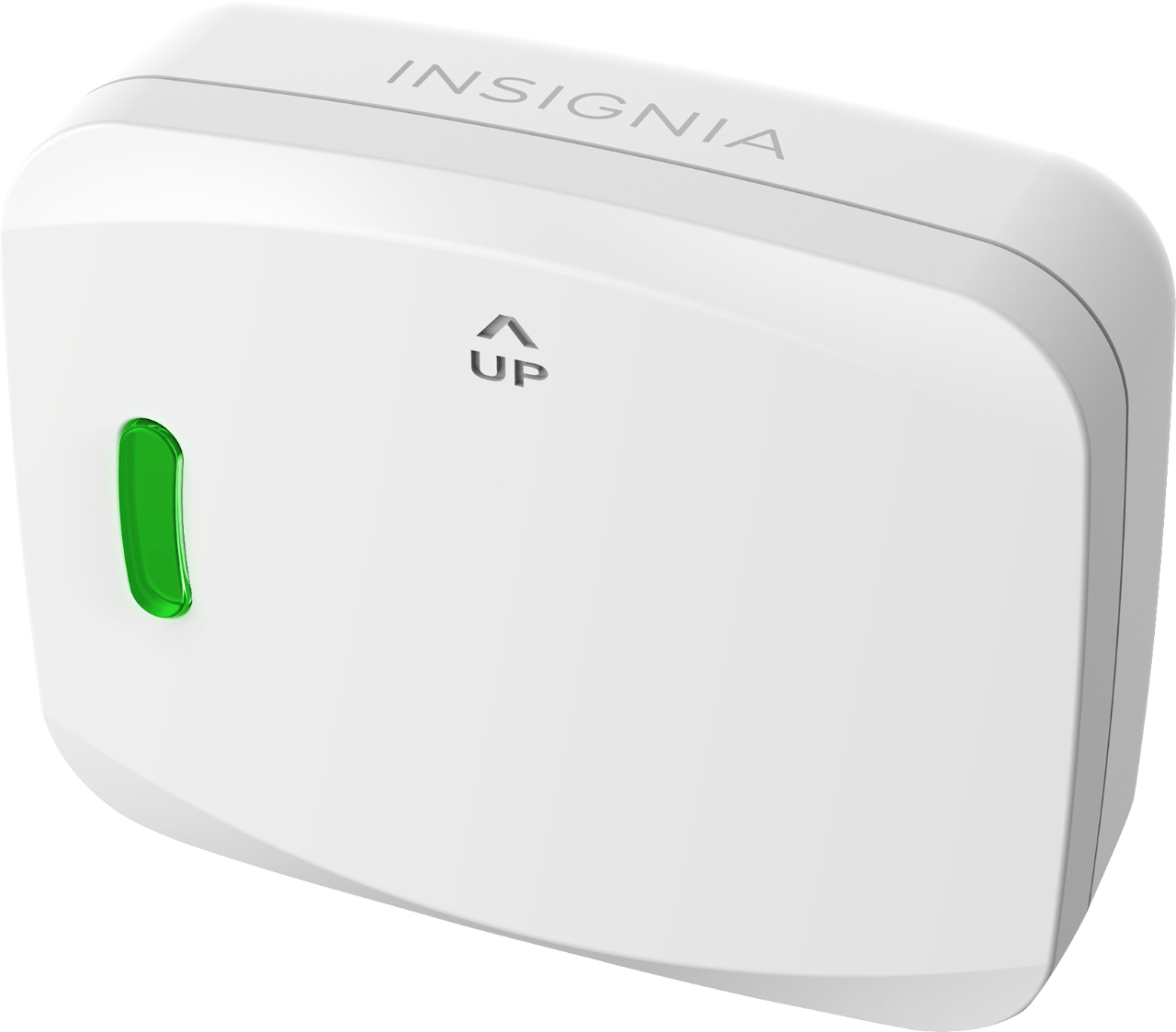
Posted .This reviewer received promo considerations or sweepstakes entry for writing a review.I was skeptical of this at first, given the cost and the Insignia brand name - which I am not familiar with producing HomeKit products but I decided to give it a try. It installed very quickly and was very easy to setup in HomeKit. It worked like a charm for a week or two and then suddenly, I received the "no response" error that many others have complained of. I called customer support who, while pleasant, did not seem able to help me at all other than to tell me they would try to send me a firmware update (the person I spoke with clearly did not know what that was). I was on the verge of returning it as defective and trying one more time with a second unit when I found TedRick's review here where he mentioned purchasing a better battery for the door sensor. I went on Amazon and ordered some energizer 2450 batteries and decided to give it a shot. I removed the unit from my HomeKit, replaced the battery on the door sensor, and then reset the unit by holding the button on the unit down for 10 seconds (notably and annoyingly, there were no instructions on how to reset the device in the instructions and I had to find it online). Once it was reset, I installed it with HomeKit all over again and its been working fine for several weeks now. This would have received 5 stars if Insignia hadn't cheeped out on the battery and the instruction manual. Having said that, given the low cost of the device (compared to competitors) and how well its working now, I still am happy with the purchase and would purchase another (especially now that I have some 2450 batteries on hand). P.S., there is also a button on the door sensor which I didn't realize (it didn't really look like a button) and which, I think may turn it on and off. That wasn't my issue though and I've been afraid to play with it since its working so well but figured I mention it just in case someone else was having an issue.
I would recommend this to a friend - Pros mentioned:Ease of use, Homekit integration
Best Homekit Garage Door Opener
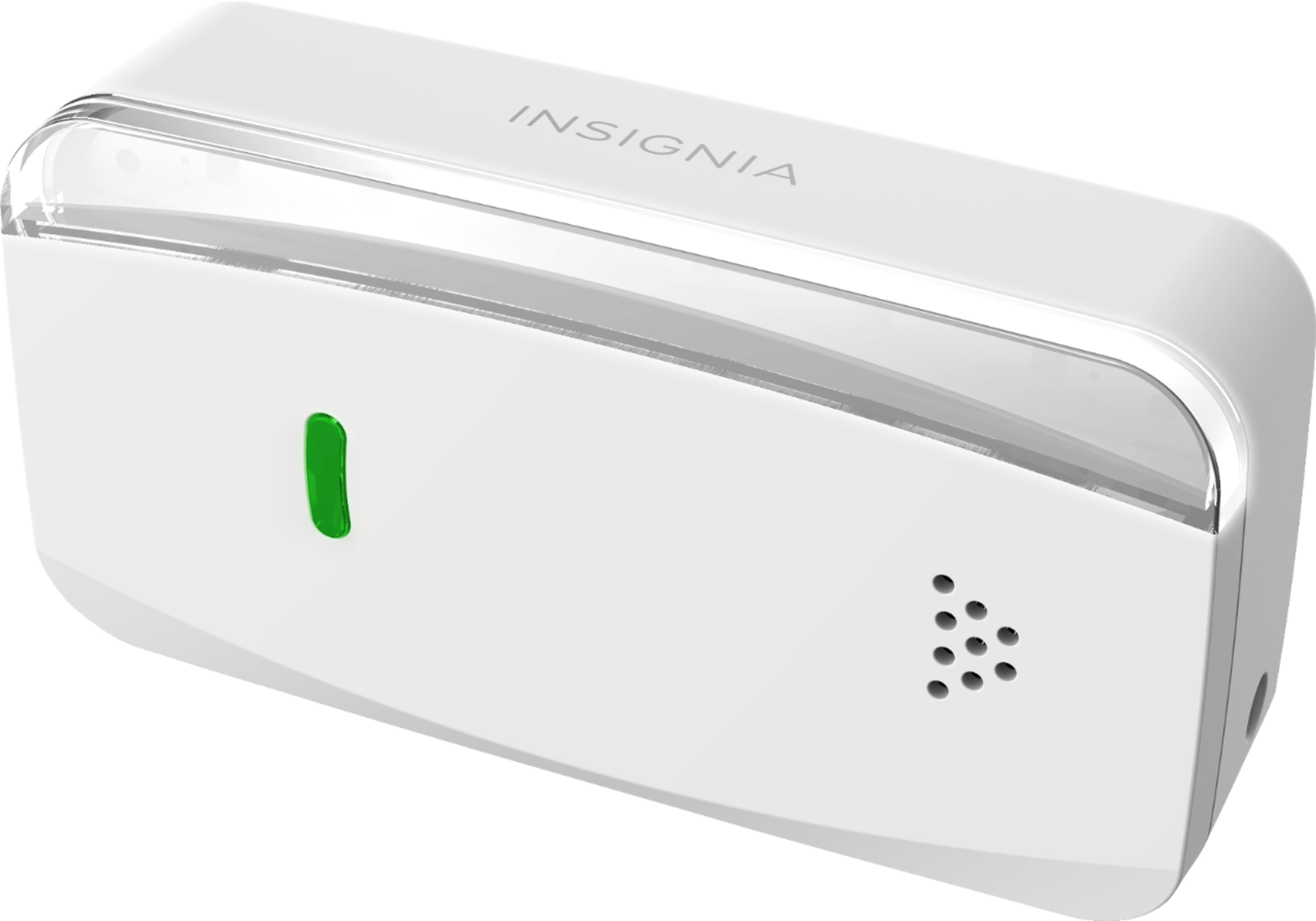
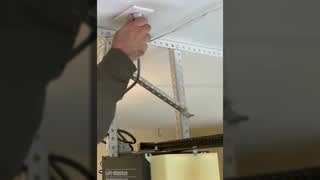
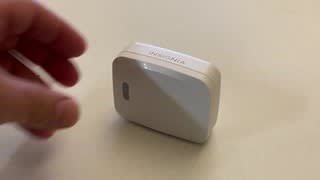
Posted .This reviewer received promo considerations or sweepstakes entry for writing a review.This is the best option if you're a homekit user. I was able to install it in about 20 minutes . The install involves a bit of time on a ladder and connecting bare wires to the garage door opener to the same place where the garage door button wires go by twisting them together. Initially while connecting to homekit the controller didn't pair properly and I had to reset the device to factory settings and try connecting again. It paired up with homekit on the second attempt without any trouble. The green light on the controller is also a button and is used to open the garage door, reset the device to factory settings, or pair it to a new garage door sensor depending on how long you hold down the button (momentary, 5 or 10 sec). Be careful not to press the green light while working on the garage door opener as it will trigger the garage door to open and can hurt you if your fingers are in the wrong spot. This does not work with Alexa, Google Home, or IFTT. If you need that function then look elsewhere. Chamberlain's MyQ supports homekit, however MyQ requires the purchase of their bridge which doubles the price of Chamberlain's system. MyQ requires a yearly subscription of $10 for integrations with Google home, IFTT, Tesla etc. I now get alerts when the door is opened or closed. I love being able to ask Siri to open or close the garage door from my apple watch while I'm riding my bike. I get piece of mind knowing the garage door is closed when I go to bed, or when I'm away from home. Overall it's reliable and works well.
I would recommend this to a friendBrand response from InsigniaCustomerSupport
Posted .Hey there VinceA!
Thanks you for your feedback. We are glad to see you enjoying the many features of the Insignia Garage Door Controller and integrating it with Siri voice in your daily routine. The initial WiFi pairing issue you reference can be avoided if the controller WiFi pairing steps are done inside the home where WiFi is stronger then moved and installed in the garage. It will be easier for the controller to re-establish an existing connection there if garage WiFi signal is not optimal. We also highly recommend that the garage door motor be unplugged from the AC socket during the installation to avoid the accidental motion of the door during the installation, as outlined in the manual.
Regarding IFTTT automation services, although this device does not support it, automation and scheduling tasks can be implemented using the Automation screen of your Apple Home app, as you likely know. Again, thanks for your valuable feedback.
Arely R. - Insignia Support
- Pros mentioned:Homekit integrationCons mentioned:Battery life
Didn’t work out of the box
Posted .This reviewer received promo considerations or sweepstakes entry for writing a review.This device does work if....... 1. You need to have a great internet connection. My router is on the other side of the wall and inside the garage I have a strong connection. Also, make sure your on the same connection. There is a 2.4G and 5G connection on my system. All devices need to be on the 2.4G connection (device, cell phone and whatever your using as a hub - I use an iPad). 2. The battery that came with the device is trash. Just replace it before the install. I struggled with the setup for days, and finally read reviews that recommended a battery change. My device would work once per day (to open the door). Then it wouldn’t close. I figured the battery saved up enough of a charge for the one time operation over night; but after that it was shot until the next day. I replaced battery, and that issue is gone. Also, my interaction with customer service was terrible. Upon emailing, I got a response a day later with questions that I had already answered in the email. I answered them anyway, and another day later; customer service spouted out what to do (per the manual that was enclosed in the packaging). That was insulting! Not only can I read, I can also ride a bike and chew gum at the same time. That’s when I started looking on the internet for others with problems like mine. 3. Once battery was changed, I re-paired the devices and uninstalled the device from Homekit. Then reinstalled the device. Everything now works. HINT: Since the sticker with the HomeKit code is inaccessible (up on ceiling), I cut out the sticker from the Spanish version of the directions and taped it to the part mounted to the garage door. So, anytime I have an issue and need to re-install the device to HomeKit, I don’t need to hunt for the directions or climb a ladder to access sticker on receiver. 4. Now for the good. I have an old Genie intellicode (circa 1999). My remote was not working, and a replacement was almost as much as this device. No remote also means I could not pair to my BMW’s homelink. Now, I just hot a button on the steering wheel and say “Hey Siri, open the garage door.” (Make sure your HomePod device is on and in your house). What an improvement, as I used to have to pull up to the garage and use the key pad on the house. Now, I just drive up, tell it to open, and drive in. I normally just use the wall switch to close it; but it does close by telling Siri or using the HomeKit app. So, it does what it is supposed to (3 stars). Would have been 4 if the battery was not a piece of garbage.
No, I would not recommend this to a friend