Customer Ratings & Reviews


- Model:
- JVAW53Pro
- SKU:
- 6680054
Rating by feature
- Value
Rating 3.8 out of 5 stars
- Quality
Rating 3.9 out of 5 stars
- Ease of Use
Rating 3.8 out of 5 stars
Customers are saying
Customers commend the product for its ease of use, straightforward setup process, and reliable connectivity. While users appreciate the compact size and the inclusion of a USB extender, some have noted concerns regarding video quality during movement and occasional connection speeds. Overall, the device is viewed as a decent, well-priced solution that offers convenient features like Airplay compatibility.
This summary was generated by AI based on customer reviews.
- Pros mentioned:Ease of use
Easy to use
||Posted . Owned for less than 1 week when reviewed.This reviewer received promo considerations or sweepstakes entry for writing a review.Very easy to attach to TV and use. And I know nothing about electronics!
I would recommend this to a friendBrand response from J5create Team
Posted .Hi Diane, thank you for the humor review as well as the five-star support. Glad the JVAW56 works great. Many thanks, j5create.

Great charger
||Posted . Owned for 1 month when reviewed.This reviewer received promo considerations or sweepstakes entry for writing a review.Does the job quickly and reliably and works effectively
I would recommend this to a friend- Pros mentioned:Ease of use
Wire
||Posted . Owned for 1 month when reviewed.This reviewer received promo considerations or sweepstakes entry for writing a review.Good product. Works like it is supposed to. Good buy.
I would recommend this to a friend Mirror cast device
||Posted . Owned for 1 month when reviewed.This reviewer received promo considerations or sweepstakes entry for writing a review.A good option for mirror casti g, periodic instability a nuisance but solved with restart
I would recommend this to a friendBrand response from J5create Team
Posted .Thank you for your feedback, Carl. Enjoy!
Cable Cutter
||Posted . Owned for 3 weeks when reviewed.This reviewer received promo considerations or sweepstakes entry for writing a review.Slightly involved to program, but works great with an antenna.
I would recommend this to a friendBrand response from J5create Team
Posted .Wirelessly display content from a phone, tablet, or laptop onto a bigger screen with the ScreenCast Wireless Display Adapter.
So so
||Posted . Owned for 3 weeks when reviewed.This reviewer received promo considerations or sweepstakes entry for writing a review.Great for screen mirroring apps that do not have some sort of block, such as Amazon prime video and HBO Max. A bit slow as you move beyond 10 feet from device. Great for my RV.
I would recommend this to a friendBrand response from J5create Team
Posted .Perfect for home, travel, office, and more. The ScreenCast works with a wide variety of apps. Just connect and share!
Good but not wired
||Posted . Owned for 1 month when reviewed.This reviewer received promo considerations or sweepstakes entry for writing a review.The wireless HDMI is okay, but not as reliable as a wire HDMI cable. The moments of lack of communication between laptop and TV were rare, but more frequent that with a cable.
I would recommend this to a friendBrand response from J5create Team
Posted .Hello,
Latency issues will be more noticeable with a wireless system. We appreciate your feedback.
Thank you,
j5create
Not worth it
||Posted . Owned for 1 month when reviewed.This reviewer received promo considerations or sweepstakes entry for writing a review.Too expensive and most of the laptops come with a function that allows to share the screen without a cable.
No, I would not recommend this to a friendBrand response from J5create Team
Posted .Greetings NEWPS5, thank you for considering one of our device and we appreciate your business. If you have any questions that we can help with, don't hesitant to reach out to us and we'll be happy to assist you. Kindly. j5create.
If you don't have smart tv
||Posted . Owned for 1 month when reviewed.This reviewer received promo considerations or sweepstakes entry for writing a review.Mirrors phone, laptop, etc to tv. Especially nice for non-smart tv.
No, I would not recommend this to a friendNot compatible
||Posted . Owned for 3 weeks when reviewed.This reviewer received promo considerations or sweepstakes entry for writing a review.Couldn't use with my older TV. No streamers at all
No, I would not recommend this to a friendBrand response from J5create Team
Posted .Please contact our Technical Support Team, so that they can get more information from you. Their information can be found on j5create website under the Support tab. Thank you.
- Pros mentioned:SetupCons mentioned:Lag

Great device with some limitations
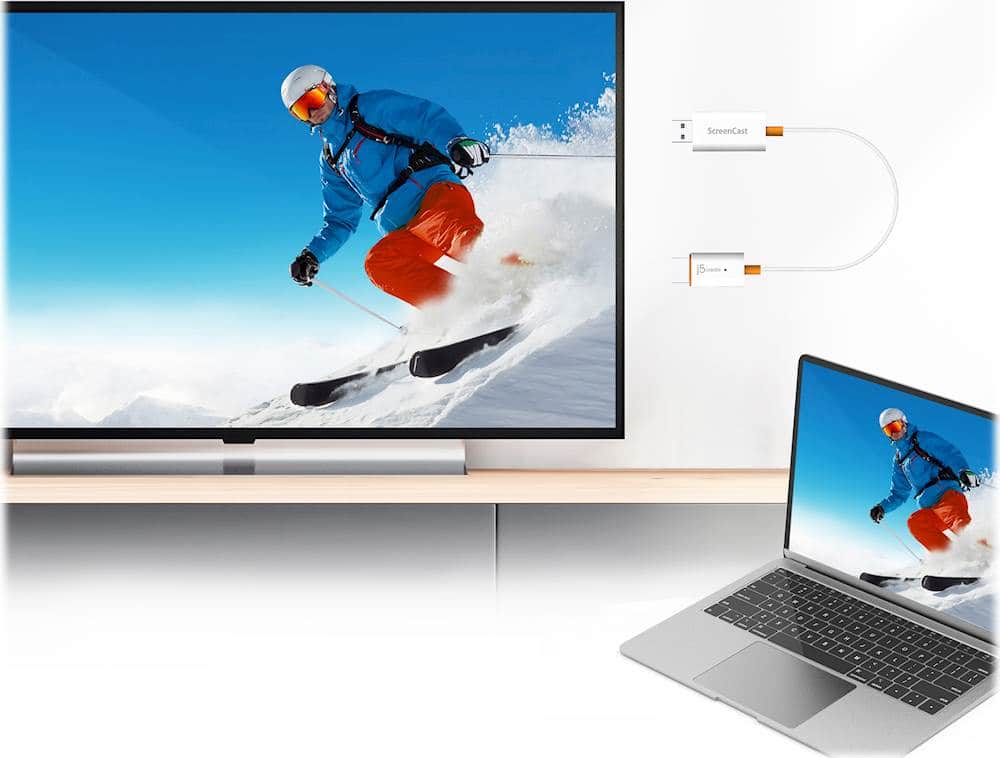
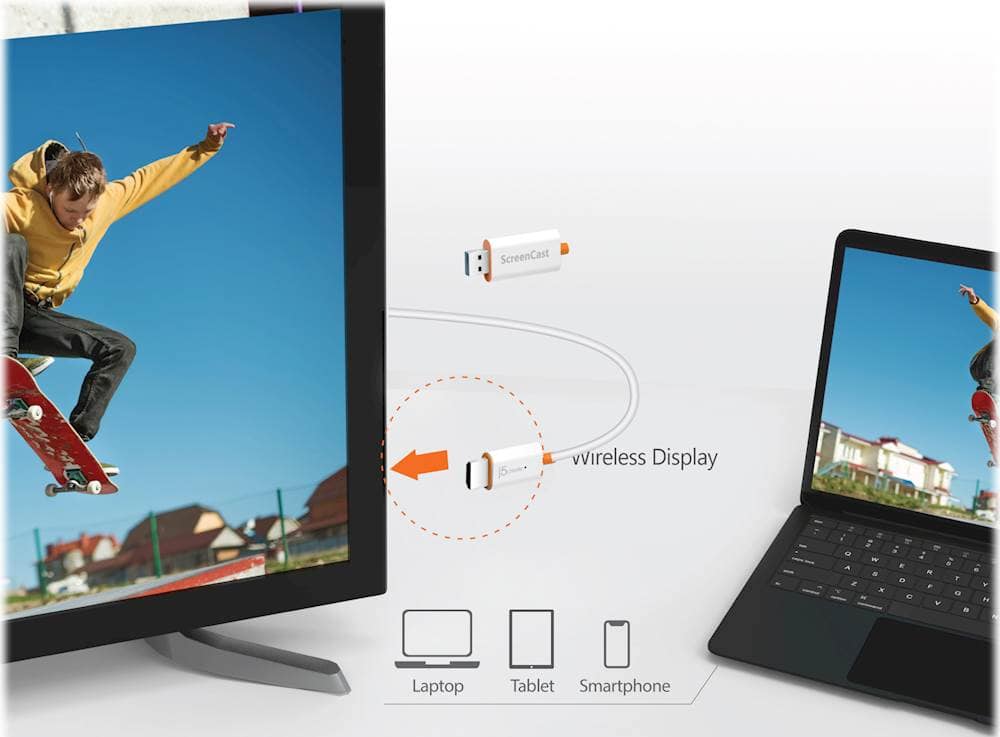
|Posted .This reviewer received promo considerations or sweepstakes entry for writing a review.I really like the j5create Screencast. I do think there are some limitations that people should be aware of. In the box, there is the j5create Screencast device as well as a USB type-A extension cable. The cable is useful as often times your device may not have a USB port right next to the HDMI port that the Screencast device can draw power from. The Screencast device itself was alot smaller than I thought it would be which was a pleasant surprise. I expected it to be somewhat bigger considering its functionality and other cast devices that I have seen. It's a very simple design and at first glance merely looks like a HDMI to USB adapter. Setup was simple enough. You plug it into an HDMI port and the USB side to a power source. You follow the on screen instructions. The ScreenCast creates its own wifi network which you connect to. Then, you go to the link provided on screen to connect the device to your wifi network. I promise it is alot easier than what I just typed out. Once that is finished, you are ready to cast your devices. On screen instructions are present for all of the devices. They are all very simple. The performance was ok. Not great. It mirrored an iPhone, Android, Windows laptop, and Macbook fine, but there was significant lag for me. I made sure that my wifi network was performing well. I think that the lag is simply because it is hard for a third-party company to create a device that is optimized for 4 different operating systems. Especially with videos that have a lot of action going on, the lag worsens. However, this occurs even with Chromecast. One important thing to note, I could not play streaming services such as Netflix and Hulu. This is due to the HDCP which is to prevent piracy. This is not necessarily the Screencast's fault. However, it did limit the usability significantly. Youtube did work fine. Unlike other streaming sticks, the Screencast does not have apps or dedicated software for the streaming services. What I really liked about this device is just its versatility in such a small package. It is able to connect to both iOS and Android devices as well as MacOS and Windows devices. The only thing I wish it included is Chromebook's ChromeOS but that's probably Google not providing support for it beyond Chromecast. However, the reason why I loved this versatility was mainly for the apple devices. You don't have to buy an apple TV or expensive airplay capable device to mirror your content. I can now show photos and videos from my phone straight to my TV. While this had been possible with Android devices and Chromecast, I could not find an affordable option with the other systems. All in all, this is a useful device. It does have its limitations with the lag and HDCP protections. However, it makes up for it with the versatility which I think makes this a great value. I think this is a great complement to other streaming sticks, not a replacement. Pros: Easy to setup Small and simple which makes it portable Versatility - able to connect to iOS, Android, MacOS, and Windows Cons: Lag HDCP makes it hard to use as a streaming device
I would recommend this to a friendBrand response from J5create Team
Posted .Hello,
We really appreciate your detailed review for the screen cast. I would like to address your drawbacks of the screen cast. HDCP compliance is a necessity of being an electronics manufacturer. The lag you are seeing may be the result of other wireless signals in the area where you are using the screen cast. If you would be interested in troubleshooting assistance you can contact the j5create customer support team. Our contact information is printed on the device package and is also on the j5create website under the ‘Support’ drop down.
Thank you,
j5create
Better then Microsoft's Wireless Display adapters
||Posted . Owned for 3 weeks when reviewed.This reviewer received promo considerations or sweepstakes entry for writing a review.I highly recommend these. Once you use these, you'll realize how much more flexible they are. Get em. You won't regret it.
I would recommend this to a friendPoor performance
||Posted . Owned for 1 month when reviewed.This reviewer received promo considerations or sweepstakes entry for writing a review.Difficult nd confusing to set up. Took me a half hour to figure out what the instructions were talking about, Poor performance - delays and cutting out in video and audio when screen mirroring with IOS.
No, I would not recommend this to a friendBrand response from J5create Team
Posted .If you have more specific details about the issue, please reach out to j5create customer support team for troubleshooting. Thank you.
Not simple for me to set up.
||Posted . Owned for 1 month when reviewed.This reviewer received promo considerations or sweepstakes entry for writing a review.Confusing for me to set up. I am not all that techie, so it's not as easy as the directions say.
I would recommend this to a friendBrand response from J5create Team
Posted .Please contact our Technical Support Team, so that they can get more information from you; in order to properly help you with the setup of the ScreenCast Wireless Display Adapter. Their information can be found on our website under the "Support" tab and a specialist will be ready to assist you. Thank you.
ScreenCast Wireless Display Adapter - White
||Posted .This reviewer received promo considerations or sweepstakes entry for writing a review.There is a QR code provided that is supposed to take you to a website that shows instructions. That website does NOT WORK!!! So, I have NO IDEA how to work this.
No, I would not recommend this to a friendBrand response from J5create Team
Posted .If you have more specific details about the issue, please reach out to j5create customer support team for troubleshooting. Thank you.

Nice for old skill use
|Posted . Owned for 1 month when reviewed.This reviewer received promo considerations or sweepstakes entry for writing a review.[Employee of bestbuy] Excellent device but with modern day TVs, it's virtually useless because most devices can screen cast without it.
I would recommend this to a friend- Cons mentioned:Video quality
It’s okay
||Posted . Owned for 2 months when reviewed.This reviewer received promo considerations or sweepstakes entry for writing a review.There are cheaper products that works just as well or better
No, I would not recommend this to a friendBrand response from J5create Team
Posted .Please contact our Technical Support Team, so that they can get more information from you. Their information can be found on our website under the "Support" tab and a specialist will be ready to assist you if you are having issues with our Adapter. Thank you.
Good Cable at first but then..
||Posted . Owned for 3 weeks when reviewed.This reviewer received promo considerations or sweepstakes entry for writing a review.It started good. I used it to connect my third monitor as with the pandemic it has been hard to find cables to work from home. After the third week it had difficulty connecting to my network and it is to complicated and frustating to fix. Rather go with two screens than deal with this. Also, there is a slight delay on the pointer. So if you are using to connect computer monitors, I would get something else.
No, I would not recommend this to a friendBrand response from J5create Team
Posted .Hello Jorge,
Thank you for sharing your feedback. I am sorry that you had a disappointing experience with the ScreenCast device. There are many factors that can have an effect on a wireless signal reaching the device. We also have a wide selection of display cables for a direct connection between a computer and an additional monitor. You may consider contacting our customer support team by email, phone, or live chat for assistance with your device. The contact information is on our company website and on the device packaging.
Thank you,
J5Create
Works well with android
||Posted . Owned for 3 weeks when reviewed.This reviewer received promo considerations or sweepstakes entry for writing a review.Works great if you have an Android, can’t mirror everything on IOS.
I would recommend this to a friendWouldn't Buy Again
||Posted . Owned for 5 months when reviewed.This reviewer received promo considerations or sweepstakes entry for writing a review.Great concept, but spotty execution and connection; I wish I would have just bought a chromecast or an Apple TV.
No, I would not recommend this to a friendBrand response from J5create Team
Posted .Perfect for home, travel, office, and more. The ScreenCast works with a wide variety of apps. Just connect and share!