Everything for Back to School — and then someShop now

Skip to contentGo to Product Search
Main Content

j5create - Wireless Display HDMI Extender Pro - Black

Model: JVAW53Pro
SKU: 6680054
Sold byBest Buy

About this product

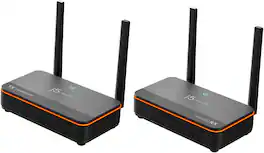
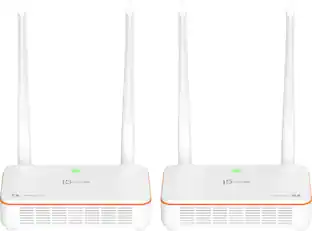
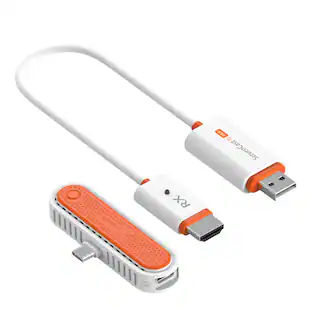
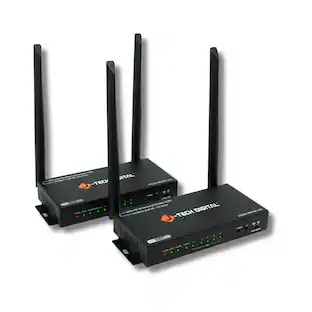
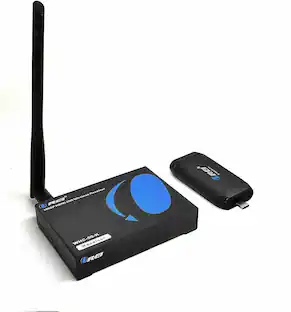
The JVAW53PRO Wireless Display HDMI Extender Pro includes a transmitter and receiver kit. It can send a high definition video and audio signal to an HDMI enabled TV set, projector or LCD PC monitor display device with receiver distance up to 100 meters and nearly zero latency. Users can extend other HDMI sources, including DVD players, Blu-ray players, PCs, notebooks and gaming machines (ex. Sony PS5, Nintendo Switch 2). The JVAW53PRO is fully HDCP compliant via HDMI, supporting resolutions up to 1080p and stereo digital audio. The extender also supports the transfer of IR remote control signals to the receiver side.

Features
  • Massive 328 ft Range

    Wirelessly transmit high-definition signals up to 100 meters, perfect for large venues and offices.

  • Ultra-Low Latency

    Experience seamless streaming with less than 0.06s (60ms) delay for near instantaneous response.

  • IR Remote Pass-Through

    Control your source device from the receiving end using your original remote and included IR cables.

  • 5 GHz Stable Connection

    Dual-band technology ensures a reliable, interference-free stream for a smooth viewing experience

  • Dual Antenna Power

    Equipped with 5 dB high-gain antennas to maximize signal penetration and stability.

See all features
Specifications
  • Brand
    j5create
    Model Number
    JVAW53Pro
    Product Name
    Wireless Display HDMI Extender Pro
    Color
    Black
    Maximum Video Resolution
    1080p
    Powered
    Yes
Sponsored

Reviews

Customer Images

The vast majority of our reviews come from verified purchases. Reviews from customers may include My Best Buy members, employees, and Tech Insider Network members (as tagged). Select reviewers may receive discounted products, promotional considerations or entries into drawings for honest, helpful reviews.

  • Rated 4 out of 5 stars

    Super Duper J5

    J5 Create- The J5 enabled the facilitator to hook up his phone via CAST. Super duper right? Right.

    This review is from j5create - Wireless Display HDMI Extender Pro - Black

    Posted by BENJAMIN

  • Rated 5 out of 5 stars

    A Complete Presentation Kit in My Pocket.

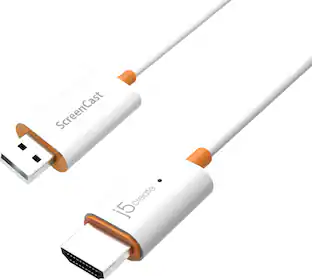
    j5create - ScreenCast HDMI Wireless Display - White - $54.99 Just about everyone in our family regularly finds themself presenting, demonstrating (teaching), and traveling. Having a “wire” that encapsulates all the necessary technology, and that will easily mirror slides, pictures, videos, or documents that are on our various source screens (phone, tablet, laptop) and display them quickly and conveniently on any available display (TV, monitor, projector) is exceptionally useful. The j5create even makes the process to make this happen very easy. SETUP: The j5create took mere minutes to set up. That “wire” is plugged into the display device. It needs a USB power source which can be your display’s powered USB. Or, you can use the USB extension cable that j5create provides to connect to your own power supply, but that’s not the typical situation. With the correct Input selected, you log into the j5create device and establish a local WiFi network. The j5create is now ready. Your source (iPhone for me) uses its typical control for throwing the screen image to the display (via the j5create). On the iPhone or iPad it’s the control screen you drag down from its hidden location. The Mac uses Airplay. Android will have its own APP for this purpose. I only tested Apple/Mac devices, but it was all very straightforward. PERFORMANCE: Once setup on my iPhone for me, the next use required I simply change my WiFi by selecting ScreenCast from my network list; going to the Control Panel and selecting ScreenCast from that list. I took a few pictures of my test results. The iPhone XR screen was now up on my older Panasonic 58” Tv, using the side HDMI for input, and the nearby USB port for power. I opened my PHOTO App, and all my photos could be displayed either in portrait or landscape mode. In fact, anything I’m doing on my phone is mirrored up on the connected display. I then tried going to my VUDU movie collection. The movie played, with both sound and video on my phone. BUT … only sound, not the video on my mirrored Tv. Oops. I’ve witnessed this before. Vudu was refusing to let me send this media to an external device. Copy protection!!! This is a unique issue, unrelated to anything ScreenCast is accomplishing, and will probably be a case by case issue depending on streaming service (Netflix, HBO, Peacock) or digital locker (Vudu, AppleTv). Ok. But, how about my Tv Apps? I have MLB.com on my phone for baseball games. I was watching my Red Sox game playing on my phone (vertical or horizontal layout), AND also on my big TV. Perfect sound and picture mirroring. So, some broadcast media works fine. Maybe most. The resolution is limited to that of the phone, so I wasn't expecting a perfectly smooth, sharp image and my lowered expectations were warranted. Still pretty good, though. I did not have actual (animation) games, but I’d be surprised if their high speed action translates well using this technology. RECOMMENDATION: Easy to recommend and a nice gift for teachers and presenters in your family. The ScreenCast has lots of uses, will work across multiple operating systems, is ridiculously convenient to carry and setup, and functions reliably. Recommended as long as you recognize its limitations.

    This review is from j5create - Wireless Display HDMI Extender Pro - Black

    Posted by TECHBEENGOOD

  • Rated 5 out of 5 stars

    Projecting Power in the Palm of Your Hand

    --- SETUP --- The setup for the ScreenCast 5G Wireless adapter is quick and simple. Just plug in the HDMI to a projector or TV and the USB end to a USB power supply, which most TVs and projectors have. From there, follow the on-screen instructions to set up your J5 to your wireless internet. --- FEATURES --- The key feature of this J5 ScreenCast is that it works with Mac and iOS phones as well as Android devices. --- PERFORMANCE --- The performance was phenomenal. I present often and it’s always a good idea to have a back-up. I would trust the J5 as my main form of presenting or as a backup, as it is just as reliable for either purpose. I tested this out with Mac and iOS devices. By plugging this in to the back of a TV, I was able to use my Mac to present a slide show wirelessly with very little noticeable lag. The audio came from the TV source, so I didn’t need additional speakers. Even more impressive was the ability to present a slideshow from my phone. I set my iPhone settings to mirror mode and my entire phone was visible wirelessly on the screen. I went through a presentation from Google Slides and was able to play video that was included in the slide. Again, from the phone to the J5 ScreenCast, there was no noticeable lag. --- EXPECTATIONS --- The product meets my expectations. It has now become a part of my travel pack for when I go and present, as It’s easier and cleaner to connect a wireless cable to a projector or TV than to drag a long HDMI cable. Do note that this is meant to mirror your screen for presentations, but it will not function if you try to project streaming services like Netflix or Hulu. In this case, the J5 showed a black screen. However, keep in mind that this is not the intended purpose of the cable. Just to get creative with the testing, I opened up the Clash Royale game on my iPhone. The game projected to the screen and it was a blast watching such vibrant colors compared to my original iPhone X. Sound source came from my TV and the game has never sounded better. --- VALUE --- The price for the j5 ScreeCast is good, considering the quality you get out of it. --- APPROVAL --- I highly recommend this product for people who present and travel often.

    This review is from j5create - Wireless Display HDMI Extender Pro - Black

    Posted by Trobadour

  • Rated 4 out of 5 stars

    Great for photos and documents

    THE BREAKDOWN: Who doesn’t find the idea of wirelessly “throwing” up pictures, video or documents from your phone, computer or tablet?? With my wife teaching small kids and myself being in the IT industry and teaching adults I found this item to be very interesting. The j5create cable makes this process a breeze! Be warned if you are buying this product to use with apps such as NETFLIX, HULU, AMAZON, etc….. you will be disappointed (read further for a full explanation). Setting this up took just a few minutes. You plug in the HDMI end into the HDMI port and then you need a USB port for power. Side note they recommend at least 1-amp USB port. Once you turn on the device you select the input and log into the j5create device and connect it to your local Wi-Fi network. Once that is complete, you’re ready to present. I used both my acer laptop and my iPhone to test this device. On my iPhone the process was super simple you just swipe up from the bottom and choose screen mirroring and the screencast device should be listed. From my laptop it was just as easy you select the Wi-Fi screencast network and you can mirror or extend your display just like if you have multiple monitors. The performance was as expected. It worked great for photo’s, phone videos and documents. If you want to play videos from apps like NETFLIX, HULU, AMAZON, etc…. then you will be disappointed. It does start and you can see the list of video’s, like on NETFLIX but once you try to play it, you get NO video only sound in my case. PRO’s: -Easy to Install -Easy to use -Not bulky -Very nice you want to share photo’s or documents -Can use with multiple devices CON’s: - Cannot play some video apps SUMMARY: Overall, the device worked well but you may find cheaper devices out there on the market that can do all this and more, and I would recommend this to a friend if they are in the market for device like this.

    This review is from j5create - Wireless Display HDMI Extender Pro - Black

    Posted by Ohanaman

  • Rated 2 out of 5 stars

    Useful in hotels and non-AirPlay enabled TVs

    This j5Create screencast is quite brilliant in concept. Make a lightweight usb-powered dongle device using a minimal of parts (wifi radio, I/F circuit, HDMI port) and use the customers television screen as the interface device to connect from a variety of electronic devices (phones, tablets, computers, game consoles, etc) It felt awkward at first jumping right in with no display nor idea how it was going to work, but sure enough, just plug one end into the USB port on a TV, and the other into an open HDMI port and bam, there’s your interface with setup instructions on-screen. Usage was relatively easy, though the quality of the ScreenCast image, and the refresh rate leave something to be desired. I compared the images from various ScreenCast sources with a dedicated most costly Apple TV and the difference was pretty striking. This dongle produces images decidedly softer, more blurred with blown out colors on stills. Video clips had considerable lag and looked merely acceptable on a 4k display. This product is not without its merits, particularly for older passive televisions that lack built-in AirPlay 2, where casting ability is desired, or you need to cast from a device not enabled on another set. I also imagine travelers and hotel guests would make good use of this extremely portable device. PROS ——— + size, portable + simple setup + device agnostic + includes USB extender cable + on-screen setup display page + works with phones, tablets, computers, DVD, game consoles, etc. CONS ——— -poor image quality -unnatural color palate -hardcoded 192. Subnet address -may not be compatible with 10.10.10.1 routers No, I do not recommend this product for most users, though it is utile for some.

    This review is from j5create - Wireless Display HDMI Extender Pro - Black

    Posted by TechReviews

Compare similar products

j5create - Wireless Display HDMI Extender Pro - Black

The JVAW53PRO Wireless Display HDMI Extender Pro includes a transmitter and receiver kit. It can send a high definition video and audio signal to an HDMI enabled TV set, projector or LCD PC monitor display device with receiver distance up to 100 meters and nearly zero latency. Users can extend other HDMI sources, including DVD players, Blu-ray players, PCs, notebooks and gaming machines (ex. Sony PS5, Nintendo Switch 2). The JVAW53PRO is fully HDCP compliant via HDMI, supporting resolutions up to 1080p and stereo digital audio. The extender also supports the transfer of IR remote control signals to the receiver side.

j5create - Wireless Display HDMI Extender - White
3.8(339)

Transmit audio and video with this j5create HDMI over wireless extender. Wi-Fi connectivity enables high-speed data transmission to your HDMI-enabled TV set, HDTV or projector up to 200 feet away with low latency. This j5create HDMI over wireless extender is compatible with macOS, iOS, Windows and Android devices for versatility.

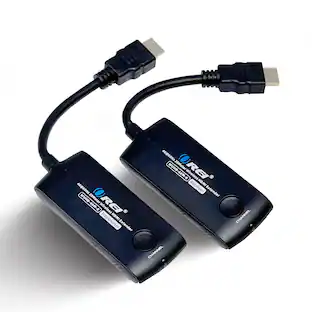
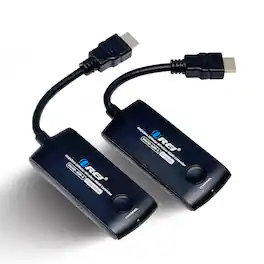
Orei - Wireless HDMI Extender Transmitter & Receiver Up to 1080p@60Hz - Upto 20M (WHD-66M-K) - Black

This WHD-66M-K is a 1080P Full HD HDMI wireless extender, including a transmitter and a receiver. Adopting ipcolor STREAM technology can realize high definition and low-latency transmission. Based on the 5G wireless frequency band, with stable anti-interference and safety performance. It supports 1-to-1 wireless transmission, and the transmission distance can reach 20 meters, effectively solving problems caused by complicated wiring. It's an ideal wireless video transmission solution for video conferences, home entertainment, multimedia education, etc

j5create - Wireless Display HDMI Extender Pro - Black

The JVAW53PRO Wireless Display HDMI™ Extender Pro includes a transmitter and receiver kit. It can send a high definition video and audio signal to an HDMI™ enabled TV set, projector or LCD PC monitor display device with receiver distance up to 100 meters and nearly zero latency. Users can extend other HDMI™ sources, including DVD players, Blu-ray™ players, PCs, notebooks and gaming machines (ex. Sony® PS5®, Nintendo Switch 2™). The JVAW53PRO is fully HDCP compliant via HDMI™, supporting resolutions up to 1080p and stereo digital audio. The extender also supports the transfer of IR remote control signals to the receiver side.
Pros for j5create - Wireless Display HDMI Extender Pro - Black
There were no pros for this productEase of use, Setup, Picture Quality, HDMI, DistanceThere were no pros for this productEase of use, Setup, Overall Performance, Connectivity, Compatibility
Cons for j5create - Wireless Display HDMI Extender Pro - Black
There were no cons for this productLag, Performance, Range, Connection, HeatThere were no cons for this productLag, Video Quality

Specs

Questions & Answers
  • Does this adapter require an internet connection to work?

    The adapter can work with or without an internet connection. It supports native AirPlay, Miracast, and Chromecast, allowing you to wirelessly display content from compatible devices without connecting to the internet.

    This question and answer was generated by AI based on customer and product data.
  • What comes included with the ScreenCast Wireless Display Adapter?

    The adapter comes with a USB extension cable that can power the adapter and increase the antenna distance.

    This question and answer was generated by AI based on customer and product data.
  • Which operating systems are compatible with this wireless display adapter?

    The ScreenCast Wireless Display Adapter is compatible with Windows, macOS, iOS, iPadOS, and Android operating systems.

    This question and answer was generated by AI based on customer and product data.
  • How far away can I be from the adapter and still maintain a stable connection?

    The adapter provides a stable wireless connection up to 49 feet.

    This question and answer was generated by AI based on customer and product data.
  • Why is this adapter good for travel?

    The adapter has a compact, portable design that makes it ideal for travel.

    This question and answer was generated by AI based on customer and product data.
No content
Sponsored

Similar products from outside of Best Buy

sponsored
Ask BlueAI

Finance Options

My Best Buy® Credit Card
Buy Now, Pay Later

Finance Options

My Best Buy® Credit Card
Buy Now, Pay Later