Customer Ratings & Reviews


- Model:
- JVAW53Pro
- SKU:
- 6680054
Rating by feature
- Value
Rating 3.8 out of 5 stars
- Quality
Rating 3.9 out of 5 stars
- Ease of Use
Rating 3.8 out of 5 stars
Customers are saying
Customers commend the product for its ease of use, straightforward setup process, and reliable connectivity. While users appreciate the compact size and the inclusion of a USB extender, some have noted concerns regarding video quality during movement and occasional connection speeds. Overall, the device is viewed as a decent, well-priced solution that offers convenient features like Airplay compatibility.
This summary was generated by AI based on customer reviews.
It did not perform as expected.
||Posted . Owned for 2 months when reviewed.This reviewer received promo considerations or sweepstakes entry for writing a review.Did not work well with my phone or laptop when trying to connect wirelessly.
No, I would not recommend this to a friendBrand response from J5create Team
Posted .Hello,
If you would like troubleshooting assistance with the JVAW56 our customer support team is here to help. You can find our contact information printed on the packaging and on the j5create website:
https://en.j5create.com/pages/support
I hope that you give us the opportunity to help getting your device working.
Thanks,
j5create
- Pros mentioned:Ease of use
Tom.g
||Posted . Owned for 1 month when reviewed.This reviewer received promo considerations or sweepstakes entry for writing a review.Quick easy great!!!love it best for my money thx best buy
I would recommend this to a friend Do not buy. Doesn’t work.
||Posted . Owned for 1 month when reviewed.This reviewer received promo considerations or sweepstakes entry for writing a review.This item does not let you transfer shows from your devices to your tv like the salesman said it would. It was a big waste of money. It does nothing I needed it for.
No, I would not recommend this to a friendBrand response from J5create Team
Posted .The ScreenCast Wireless Display Adapter will allow you to display content from a phone, tablet, or laptop onto a bigger screen. Please contact our Technical Support Team for further information about this issue. Their information can be found on our website under the "Support" tab and a specialist will be ready to assist you. Thank you.
Crap
||Posted . Owned for 1 month when reviewed.This reviewer received promo considerations or sweepstakes entry for writing a review.Terrible. I couldn’t get this to work. I had multiple people try. Then Best Buy tried to charge me $100 for a geek squad repair. What a waste.
No, I would not recommend this to a friendBrand response from J5create Team
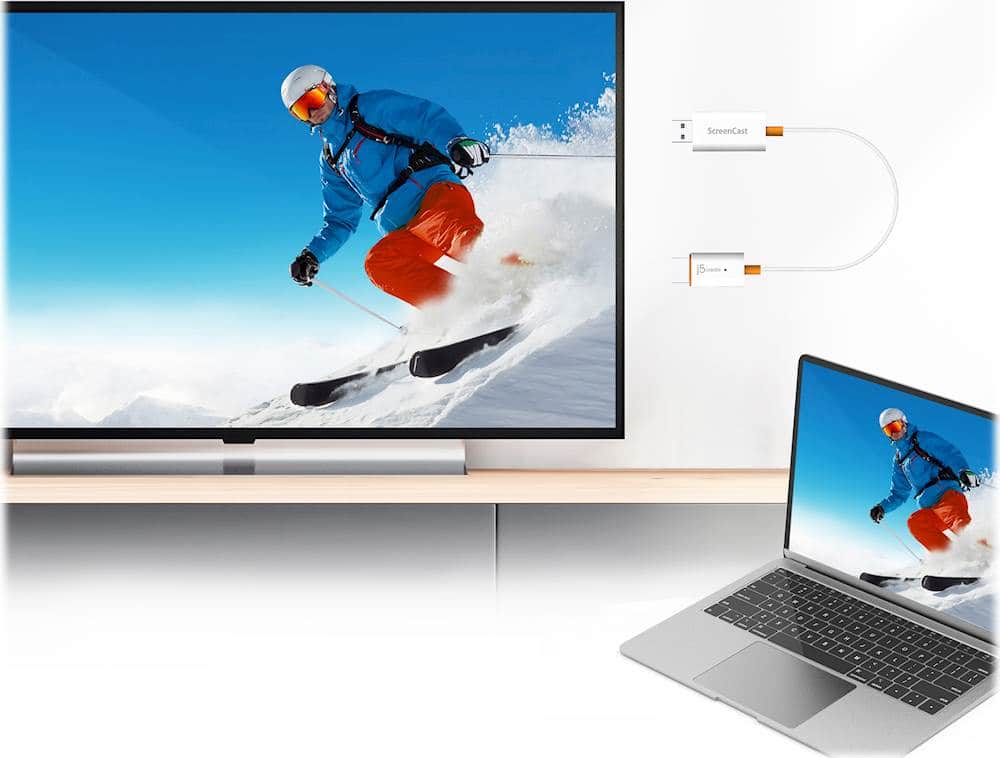
Posted .Plug the HDMI connector into an available HDMI port on the TV/display. Plug the USB connector into an available USB Type-A port on your TV or a USB power adapter. Turn on your TV to power up the ScreenCast. Select your TV's input/source until you see the setup screen. *If your TV screen remains black, your TV may not be supplying enough power. In this case, please plug the USB cord into a USB power adapter and connect it to an outlet. ** Feel free to contact j5create Technical Support if you require further assistance. Their information can be found on our website under the "Support" tab. Thank you.
Did not work for me
||Posted . Owned for 2 weeks when reviewed.This reviewer received promo considerations or sweepstakes entry for writing a review.Did not work for what i needed it to do and i had to do a reset on tv after trying it.
No, I would not recommend this to a friendBrand response from J5create Team
Posted .If you encountered problems with the adapter, here are some steps you can consider:
If the adapter is not functioning correctly, you can try resetting it to its default settings. There should be a reset button.
Ensure that your TV is compatible with screen mirroring or casting from the specific source device you are using (e.g., smartphone, tablet, laptop). Some TVs may have limitations on supported casting technologies (e.g., Miracast, Chromecast).
Confirm that the source device you are using (e.g., smartphone, tablet, laptop) supports the casting or screen mirroring technology used by the adapter (e.g., Miracast, AirPlay, Chromecast). Different devices may use different casting standards.
Make sure that both your source device and the ScreenCast Adapter are connected to the same Wi-Fi network, as many casting technologies rely on a shared network connection.
Check for firmware or software updates for both the ScreenCast Adapter and your source device. Updates can sometimes resolve compatibility issues and improve performance.
Feel free to contact j5create Technical Support if you require further assistance. Their information can be found on our website under the "Support" tab. Thank you.
Waste of money.
||Posted . Owned for 1 month when reviewed.This reviewer received promo considerations or sweepstakes entry for writing a review.This item didn’t work correctly. The website required to pair this item to our WiFi wouldn’t work. Tried to pair for several days. By the time we got fed up, it was too late to return and customer support was no help.
No, I would not recommend this to a friendBrand response from J5create Team
Posted .Hello and thank you for reviewing the JVAW56. In order for the Screencast to work properly, it does require a Wi-Fi connection in order to project on a TV. Due to the circumstances, we recommend reaching out to the support team printed on the casing to speak with an agent and they will have you up and running in no time. We apologize for the inconvenience you experienced and hope it is not too late to lend a helping hand.
Respectfully,
j5create
Poor
||Posted . Owned for 3 weeks when reviewed.This reviewer received promo considerations or sweepstakes entry for writing a review.The device didn't work and when i tried to return it i was turn away because i didn't have the box
No, I would not recommend this to a friendBrand response from J5create Team
Posted .Please contact our Technical Support Team, so that they can get more information from you; in order to narrow down the exact issue you are experiencing. Their information can be found on our website under the "Support" tab and a specialist will be ready to assist you. Thank you.
Product does not work.
||Posted . Owned for 2 weeks when reviewed.This reviewer received promo considerations or sweepstakes entry for writing a review.Simply does not work using a windows 10 laptop. Service was nice but not knowledgeable. No level 2 support.
No, I would not recommend this to a friendBrand response from J5create Team
Posted .Plug the HDMI connector into an available HDMI port on the TV/display. Plug the USB connector into an available USB Type-A port on your TV or a USB power adapter. Turn on your TV to power up the ScreenCast. *If your TV screen remains black, your TV may not be supplying enough power. In this case, please plug the USB cord into a USB power adapter and connect it to an outlet. To mirror your device (computer), Press and hold the windows key +P, then select "Connect to a wireless display" and select the ScreenCast's device name. ** Feel free to contact j5create Technical Support if you require further assistance. Their information can be found on our website under the "Support" tab. Thank you.
Try Another Brand
||Posted . Owned for 3 weeks when reviewed.This reviewer received promo considerations or sweepstakes entry for writing a review.There is a bad connection, even when the phone is only one foot away from the adapter. I would never suggest this brand.
No, I would not recommend this to a friendBrand response from J5create Team
Posted .In order to narrow down the exact issue you are experiencing, we recommend contacting the Technical Support Team and a specialist will be ready to assist you. Their information can be found on our website under the "Support" tab. Thank you.
Would not recommend
||Posted .This reviewer received promo considerations or sweepstakes entry for writing a review.I’m not sure why Best Buy is selling this product. I couldn’t connect to the manufacturer server . Which is the only way to pair. Seems outdated or something waste of my time.
No, I would not recommend this to a friendBrand response from J5create Team
Posted .Hello,
We appreciate you taking the time to leave your review of the j5create ScreenCast. If you would like assistance setting up the device the j5create customer service team would be more than happy to assist. Our contact information is printed on the device packaging and is also on our website under the ‘Support’ tab. I hope that you give us the opportunity to help get the ScreenCast up and running for you.
Thank you,
j5create
- Pros mentioned:Connectivity

Reliable Presentation Option On The Go
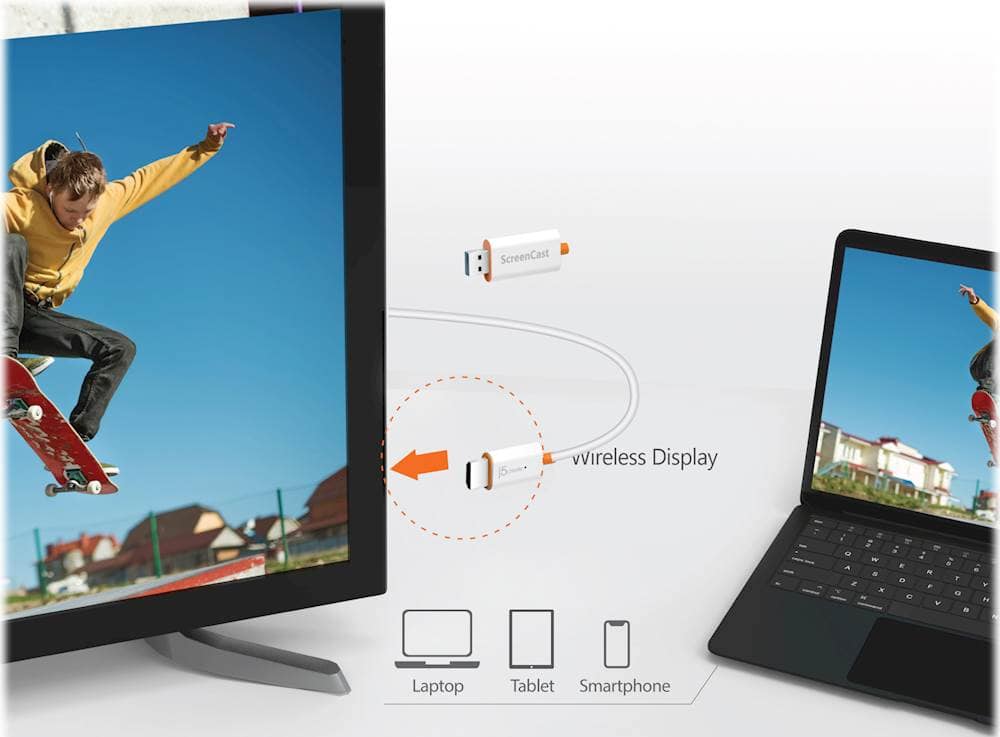
|Posted .This reviewer received promo considerations or sweepstakes entry for writing a review.I am an educator and travel from building to building providing training to staff along the way. Finally I have a way to quickly plug into a projector and still use my own device. And the beauty of this system is I am not tied to a corner of the room where all the cables usually come out of the wall. It is wireless so I can be anywhere within range and still project (cast) to the projector. This device will allow you to connect any device and stream content. You get 2 options for connecting. The system itself has it's own signal and you can connect to it.. This I found to be my preferred method when I am traveling to different locations. However when I am in one location for a longer period of time, or at home for instance, you can connect this to your local wifi network and then you can cast to this from other devices on your home network. This device will support a lot of cats options such as Airplay, Chromecast, and Miracast for example. This allows you to connect Windows, Mac, iOs and Android devices. You plug the HDMI end into an open HDMI port on your TV and the USB end into an open USB port on your TV (this provides the power) or to a USB port/plug in the wall.
I would recommend this to a friendBrand response from J5create Team
Posted .Hello,
We are glad to see that you are happy with the j5create screencast. This device is a great solution when traveling to make presentations. You cannot always guarantee that the appropriate cables and adapters will be at your presentation location. We appreciate that you took the time to post this review.
Have a great day,
j5create
- Pros mentioned:Connectivity, SetupCons mentioned:Lag
screencast from ANYTHING
|Posted .This reviewer received promo considerations or sweepstakes entry for writing a review.Love this. You can screencast from anything. Windows PC. Yes. iPhone. Yes. Chromebook. Yes. Setup is straight forward. It's important to note that there are 2 ways to connect. 1. You can connect to the WiFi of the device directly or 2. You can connect this to your WiFi network so it's on your LAN. The latter is more useful if you are using it permanently in one location (home, office) but if you're using it as a portable extender, then go with Option 1 (Option 1 is also good if you're using this in hotels). In my tests, it's only really truly a 5G connection if you connect it to your own WiFi connection. Other things to note. There's a very minor lag on first connection as everything stabilizes (2-3 seconds) and it's much better for work, presentation purposes. It's not perfect for streaming video (watching Netflix) unless you connect iit to your WiFi connection. Personally, I think this is better than a Chromecast as it's detected natively by your operating system (even Apple) and there's no need for any apps - all of the admin functions are done through a Web Interface. Overall, it's a good and useful to have.
I would recommend this to a friendBrand response from J5create Team
Posted .Hello,
It sounds like you are enjoying the j5create screencast. This is a great solution to wirelessly connect to displays and not worry about having to download an extra app or having compatibility issues. Thank you for taking the time to leave this review period
Cheers,
j5create
Not a good Alternative
||Posted . Owned for less than 1 week when reviewed.This reviewer received promo considerations or sweepstakes entry for writing a review.Did not even remotely work the way it should have.
No, I would not recommend this to a friendBrand response from J5create Team
Posted .In order to narrow down the exact issue you are experiencing, we recommend contacting the Technical Support Team and a specialist will be ready to assist you Their information can be found on our website under the "Support" tab. Thank you.
Bad purchase
||Posted . Owned for 1 year when reviewed.This reviewer received promo considerations or sweepstakes entry for writing a review.Only worked about a week… iPhone and iPad don’t recognize it.. doesn’t charge devices.
No, I would not recommend this to a friendBrand response from J5create Team
Posted .Please contact our Technical Support Team for further information about this issue. Their information can be found on our website under the "Support" tab and a specialist will be ready to assist you. Thank you.
Froze My Computer
||Posted .This reviewer received promo considerations or sweepstakes entry for writing a review.Very laggy, you get at best 10 fps (most devices are 60 fps) and it froze my computer when I tried to disconnect it.
No, I would not recommend this to a friendBrand response from J5create Team
Posted .Hello,
There are many external factors that can have an effect on the quality of the display. Some things that may affect the quality include; other wireless signals in the area, distance between the computer and the adapter, and physical obstructions in the area. Our customer service team would be happy to help troubleshoot the issue with you. They can be contacted by phone, email, or live chat. Contact information can be found on the device package and on the j5create website under ‘Support’. I hope that you give us the opportunity to assist you.
Thank you,
j5create
Don't recommend this
||Posted . Owned for 4 months when reviewed.This reviewer received promo considerations or sweepstakes entry for writing a review.Not useful product for me, I don't recommend as the casting never worked
No, I would not recommend this to a friendBrand response from J5create Team
Posted .Your TV must have an available HDMI port and an available USB Type-A port. Plug the HDMI connector into an available HDMI port on the TV/display. Plug the USB connector into an available USB Type-A port on your TV (*If a USB port is not available on your TV, you can connect it into a wall outlet using a USB power adapter). Turn on your TV to power up the ScreenCast. Select your TV's input/source until you see the setup screen. (*If your TV screen remains black, your TV may not be supplying enough power. In this case, please plug the USB cord into a USB power adapter and connect it to an outlet). ** If you require further assistance; please contact the j5create Technical Support team and we will be glad to further assist if necessary. Their information can be found on our website under the "Support" tab. Cordially, j5.
Wrong product
||Posted . Owned for 2 months when reviewed.This reviewer received promo considerations or sweepstakes entry for writing a review.Bought it but was the wrong product for the purpose for which I needed it for
No, I would not recommend this to a friendBrand response from J5create Team
Posted .Thank you and enjoy your new device.
Not worth it
||Posted .This reviewer received promo considerations or sweepstakes entry for writing a review.Did not function at all. I followed all of the instructions and nothing happened
No, I would not recommend this to a friendBrand response from J5create Team
Posted .In the case where customers are unable to obtain full functionality of their device, we recommend contacting the support team printed on the casing to speak with a rep and they will be glad to fully talk you through the whole setup. We apologize for the frustration this may have caused and hope we can still assist.
Respectfully,
j5create
Streaming device
||Posted . Owned for 3 months when reviewed.This reviewer received promo considerations or sweepstakes entry for writing a review.Its not worth it. It’s cheaper and better if you buy an HDMI wire.
No, I would not recommend this to a friendBrand response from J5create Team
Posted .We're sorry to hear the Adapter did not work out for your needs. Sincerely, j5.
- Cons mentioned:Video quality
One HDMI Streamer Receiver to Bind them All
|Posted .This reviewer received promo considerations or sweepstakes entry for writing a review.This device works by plugging into an HDMI port on a display and powering off a USB port. Then you set it up with another device by connecting wifi to its setup wifi name and set it up with your houses wifi to check for firmware and update. After that follow the instructions on your TV screen to cast just about anything to it. YES, you can Airplay from Mac or iOS devices. You can cast from Android, you can send from PC. It does it all. I experienced some jitter in the video feed. The most was from a windows 10 pc, the least was from an Android smartphone, with Mac and iPad somewhere in between. Very useful for getting everyone's stuff up on the big screen to show off, no matter there device.
I would recommend this to a friendBrand response from J5create Team
Posted .Hello,
Thank you for taking your time to review the screen cast adapter. It is great that you were able to test and get good results with a wide array of devices. I hope that you have a great day.
Thanks,
j5create