Customer Ratings & Reviews
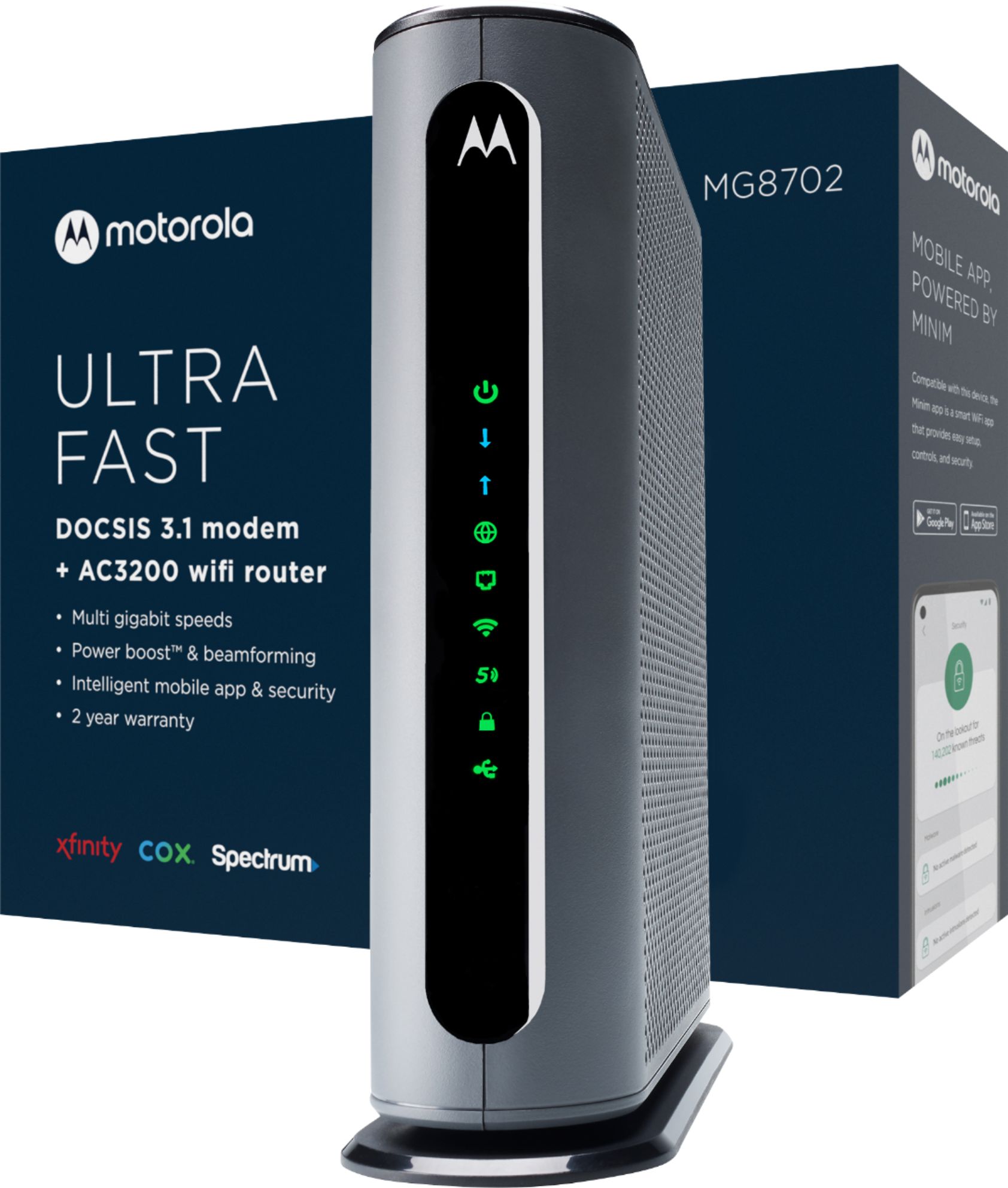
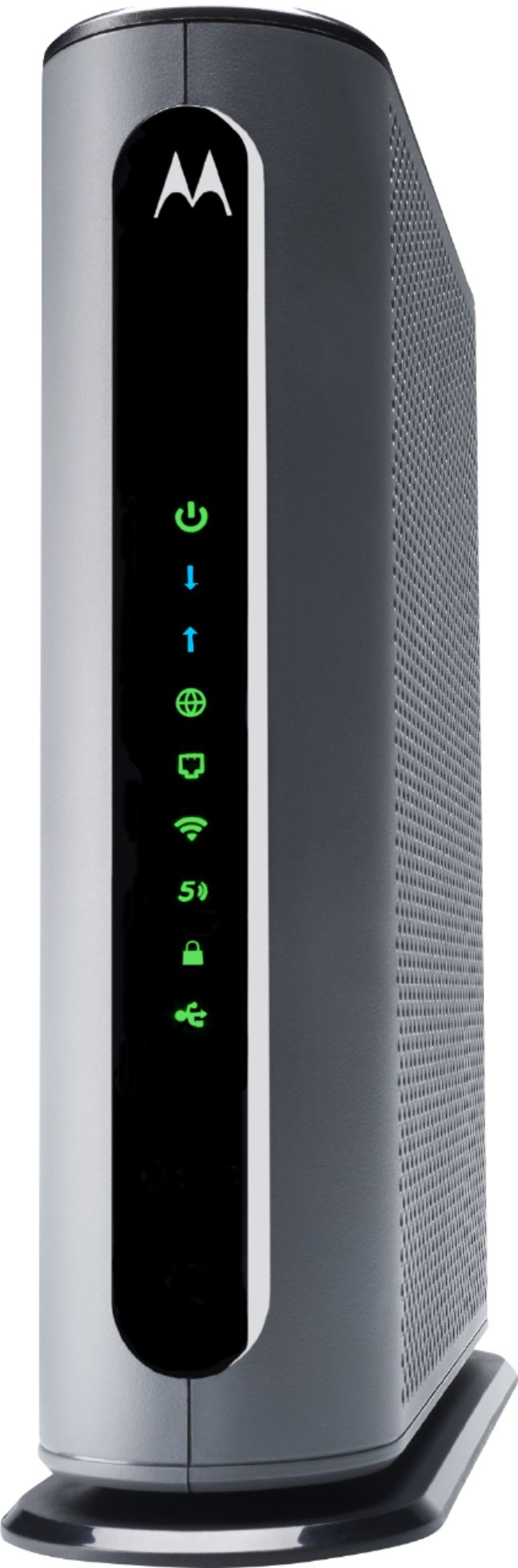
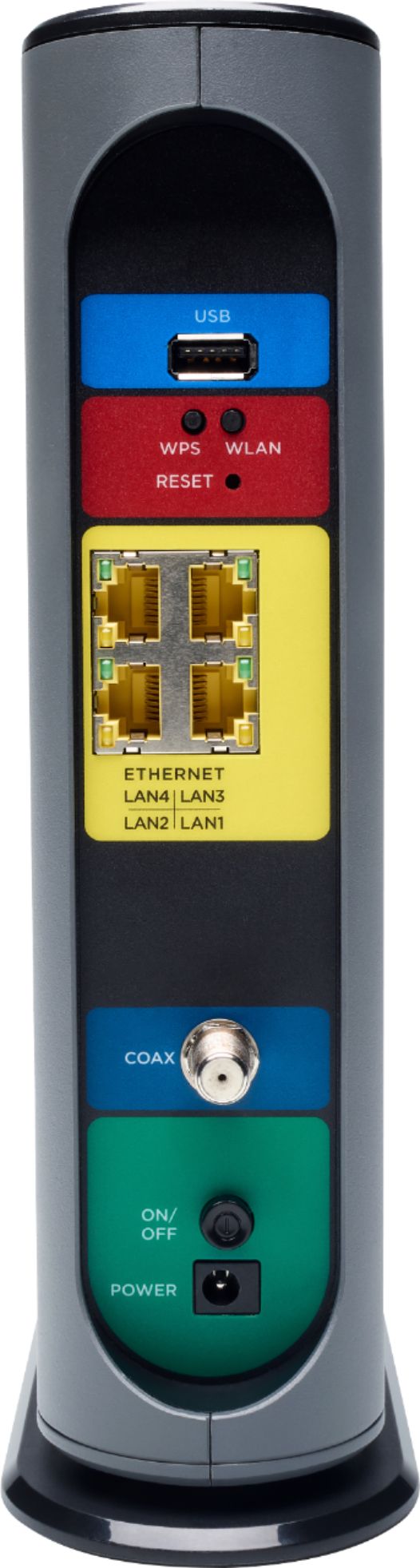
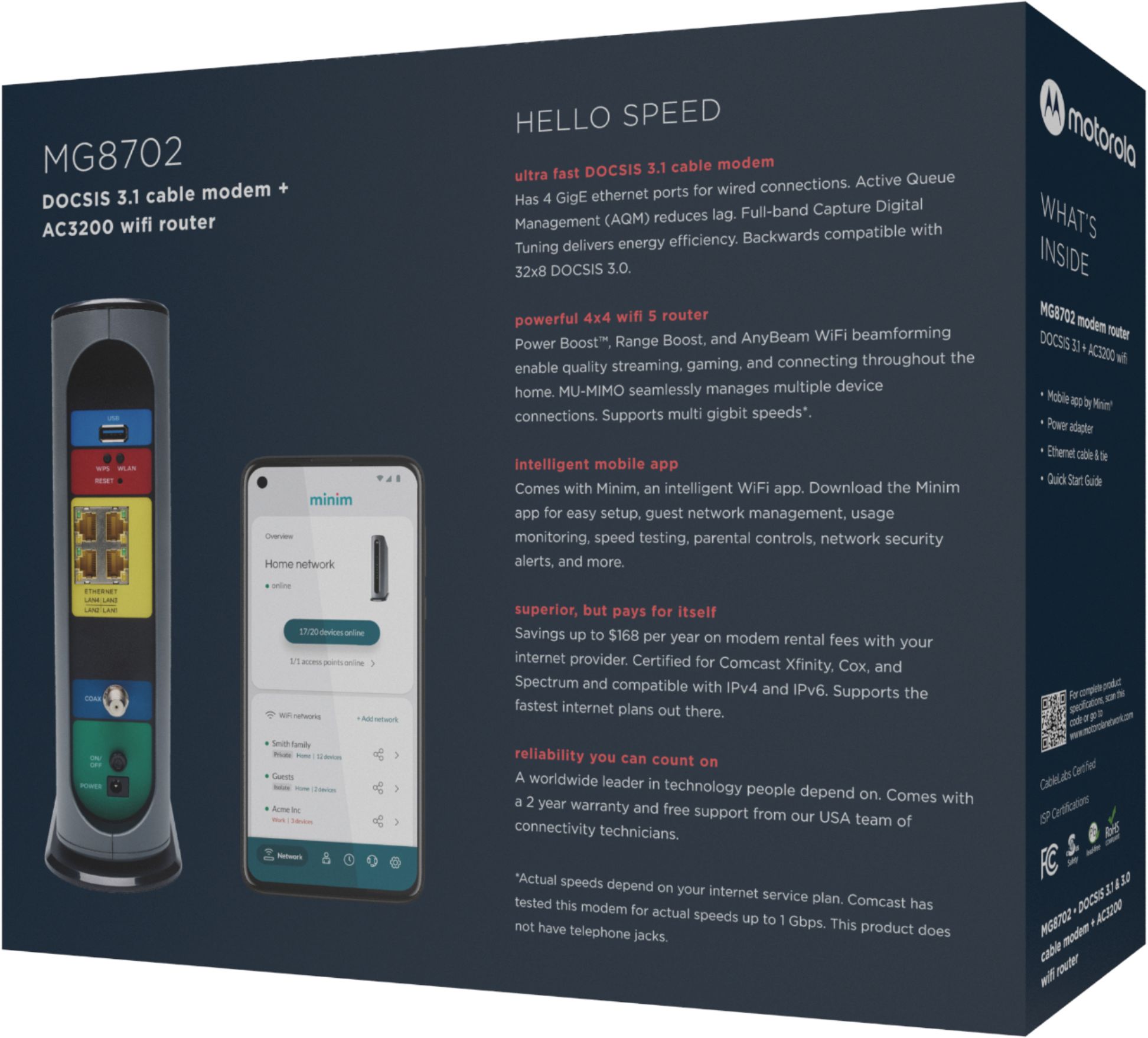

- Model:
- MG8702
- SKU:
- 6451967
Rating by feature
- Connection Quality
Rating 4.5 out of 5 stars
- Performance
Rating 4.5 out of 5 stars
- Setup
Rating 4.5 out of 5 stars
Customers are saying
Customers are delighted by the MG8702 32x8 DOCSIS 3.1 Cable Modem + AC3200 Router's ease of use, performance, and setup. Many appreciate its wide coverage and range, enabling strong Wi-Fi throughout their homes. However, some customers found the price to be high and experienced occasional connectivity or signal strength issues. The size of the unit was also a point of concern for a few users.
This summary was generated by AI based on customer reviews.
- Pros mentioned:Speed
Wow! I am impressed!
||Posted . Owned for 2 weeks when reviewed.This reviewer received promo considerations or sweepstakes entry for writing a review.I thought I was doing pretty well with my NETGEAR Orbi CBR40 with two satellites until I decided to upgrade my cable Internet service from 400 Mbps to 1 Gbps and learned the hard way that the Orbi is DOCSIS 3.0 and I need a cable modem that supports DOCSIS 3.1 to get those speeds. So, after a recommendation from a trusted friend who did some research for me, I chose the Motorola MG8702 cable modem. The setup was a little tricky but with patience and some instruction review, I was able to get it done to my satisfaction. Now, my house is split level, about 2500 square feet. The cable modem is on one end of the house and I have a home office upstairs in about the middle. My office is hard wired with CAT6 cable and a switch capable of Gbps speeds which is required as CAT5 cable will disappoint you. My work and personal laptops are wired with Ethernet connections, both connected to peripherals with docking stations. I'm getting the speeds I'm paying for with those. The Wi-Fi 6 is also improved, I enjoy download speeds of 500+ Mbps on my iPhone Xs near the modem, over 200 Mbps at the farthest point in the house away from the modem which is so much better than the average 45 Mbps I was getting with the Orbi nest system. So far I am extremely happy with the Motorola and have already recommended it to some friends. As always, do your own research before you buy and be sure you have all the infrastructure you need. If you do that and buy one of these, I have no doubt you will be as happy as I am.
I would recommend this to a friend consistent quality
||Posted . Owned for less than 1 week when reviewed.This reviewer received promo considerations or sweepstakes entry for writing a review.Okay here is the story. I had an mg 7700 motorola which was flawless. I wanted a wifi 6 router/modem with all the bells and whistles so i decided to give the netgear cax30s a try. I hooked it up, and it worked fine for a little while. However, i come home from work the next day, and my google speaker in my bedroom was disconnected from wifi. So i connect it again, and pass it off as a glitch. The next night i come home, my bedroom speaker, and my spare bedroom speaker are disconnected. Okay something is not right. I didn't feel like troubleshooting, so i returned said modem, and immediately ordered the mg 8702 motorola. I knew this would work fine as i had already owned the mg 7700. The motorola just works out of the box like it should unlike the netgear. I am sacrificing wifi 6, but oh well i will have to live with that for now. One negative thing about the Motorola though is the motosync app. It is pure garbage! I tried it a few times, and it kept erasing my settings that i had made through the modem portal on my desktop I like the speed test feature, and the fact that it tells you the speed of each device, but not at the expense of having to redo my settings everytime. my advice, don't use the app, just use the configuration manager through the desktop.
I would recommend this to a friendTake the leap!
||Posted . Owned for 3 weeks when reviewed.This reviewer received promo considerations or sweepstakes entry for writing a review.Finally took the leap after years of having a Netgear ac1750, ended up moving into a 1800sq foot home and my old router/modem couldn’t keep up with devices/range. Now after upgrading I even get amazing signal outside of the house. Would definitely recommend!
I would recommend this to a friend- Pros mentioned:Ease of use
Great product
||Posted . Owned for 1 month when reviewed.This reviewer received promo considerations or sweepstakes entry for writing a review.I bought this product more than a month ago, I bought it at Best Buy with the option to trade in old for new, they gave me a good discount for a new router. I am very satisfied with the purchase, everything works very well, it was easy to connect and activate, so I recommend this router
I would recommend this to a friend Good unit, clean fast internet
||Posted . Owned for 1 month when reviewed.This reviewer received promo considerations or sweepstakes entry for writing a review.So far so good, no outages or downtime I’m very happy with the wireless router/modem
I would recommend this to a friend- Cons mentioned:Size
Its worth the price......
||Posted . Owned for 1 month when reviewed.This reviewer received promo considerations or sweepstakes entry for writing a review.This modern is excellent for larger homes, it also gives it an extra boost to your wi-fi signal. It is pricey, but you have a big home, also everything in your home is connected and your always streaming, its worth it. I have connected to a Netgear RAX200 and it works great wuth now issues, especially if the tech guy from Xfinity is telling you, its the best in the market right now. The let the size intimidate you.
I would recommend this to a friend Motorola Router
||Posted . Owned for 3 months when reviewed.This reviewer received promo considerations or sweepstakes entry for writing a review.This is a great router. I recommend it to anyone that needs one.
I would recommend this to a friend- Pros mentioned:Speed
Happy Customer!
||Posted . Owned for 2 weeks when reviewed.This reviewer received promo considerations or sweepstakes entry for writing a review.I needed to upgrade my older Arris router to keep pace with my faster internet connection with Spectrum! After doing some research, this higher end cable wireless router has been the perfect fit! I'd recommend spending a little more money and get this Motorola router, you won't be disappointed!
I would recommend this to a friend - Pros mentioned:Speed
Well worth it!!
||Posted . Owned for less than 1 week when reviewed.This reviewer received promo considerations or sweepstakes entry for writing a review.Unbelievable! Increase internet speed 3x!! Old modem speed in red. This modem is shown in green. Using Xfinity services. No upgrade to service - just upgraded to this modem!
I would recommend this to a friend - Pros mentioned:Performance
Motorola modem/router
||Posted . Owned for 3 weeks when reviewed.This reviewer received promo considerations or sweepstakes entry for writing a review.This device has given me a great internet experience. Not only does it look nice but it also runs beautifully. As a person that streams and downloads I found it quite outstanding.
I would recommend this to a friend - Pros mentioned:Speed
MOTOROLA
||Posted . Owned for 3 months when reviewed.This reviewer received promo considerations or sweepstakes entry for writing a review.I like this 3.1 cable modem+router because of this is the fastest model I have ever had.
I would recommend this to a friend - Pros mentioned:Ease of use, Speed

Ultra-Fast Dependable Networking Made Easy!
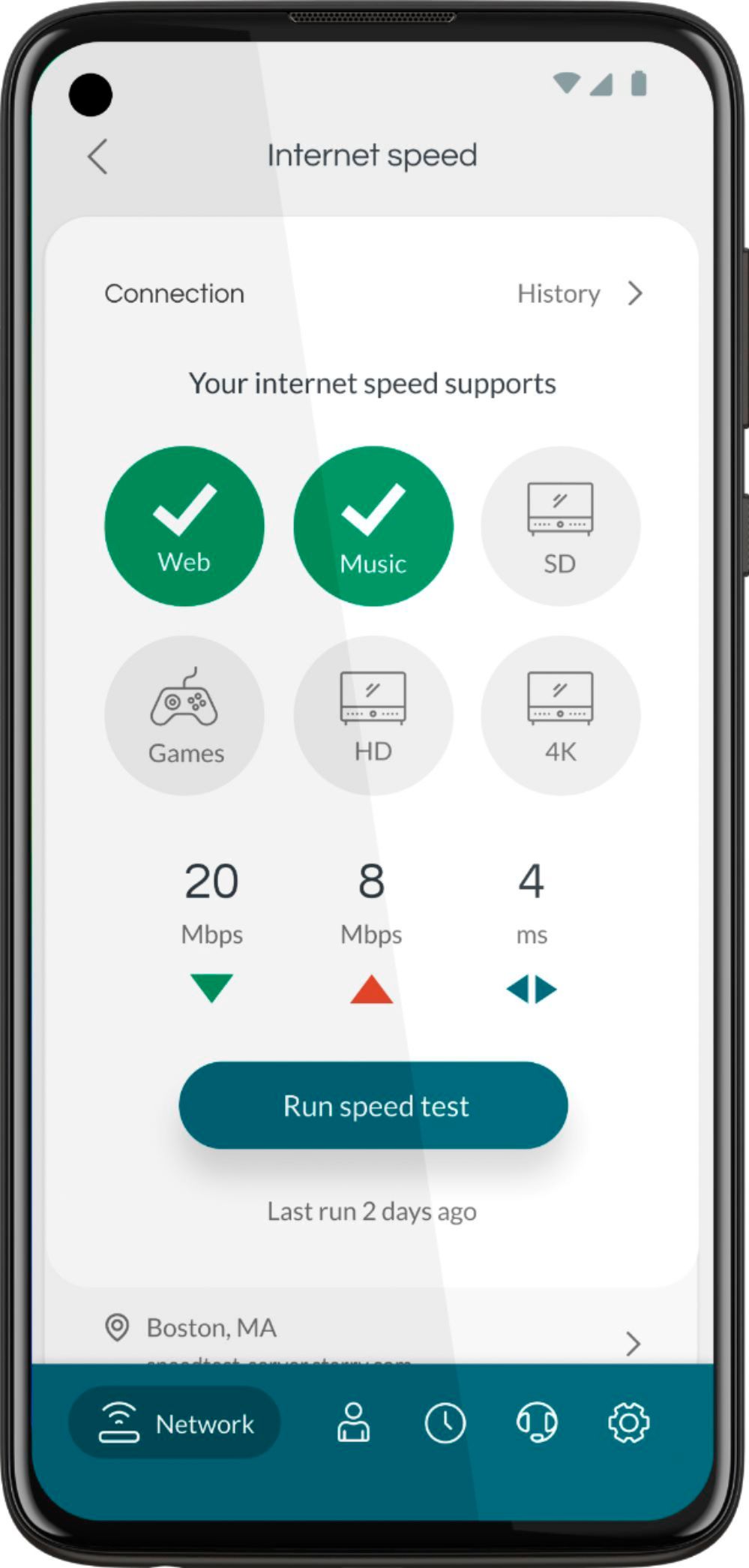
|Posted .This reviewer received promo considerations or sweepstakes entry for writing a review.I typically don't believe in dual purpose modem and router devices. The ultra-fast DOCSIS 3.1 Motorola MG8702 has managed to convince me that modem/router combos do work and can deliver a simplified and better experience than a setup with individual devices. Contents as delivered in package: • MG8702 DOCSIS 3.1 modem/AC3200 WIFI router • Coaxial wrench • Quick setup cards • Power adapter • LAN cable Motorola's MG8702 delivers an ultra-fast experience as stated. It appears robust and has been delivering consistent fast connectivity since setting it up. I only needed to call my internet provider (Xfinity) to provide my MAC ID; we were up and running in about 10 minutes. Supported wireless standards are IEEE 802.11ac, n, g, b and a. There are also four Gigabit LAN ports. Four internal dual-band antennas help deliver up to 1000 Mbps and 2167 Mbps with the 2.4Ghz and 5Ghz radios respectively. MU-MIMO (Multiple-User Multiple Input Multiple Output) and the power boost wireless amplifiers ensure devices stay solidly connected in my nearly three level 1800 sq ft townhome. You may create up to four SSIDs ( two for each band). The device also provides a 3.0 USB port for network storage, if needed. The front of the unit houses the various LEDs to notify status (i.e. internet availability, DOCSIS connection status, USB port utilization etc.) To maximize good hardware potential, the software designed to run it must also be just as good. The Minim Smart WiFi App takes advantage of the hardware and simplifies control of the device. It affords users ability to easily perform many tasks that typically require several steps with other manufacturers. To begin, you create an account and then scan the QR code (located underneath device) to link. A default SSID and password can also be found underneath; these can be changed. In my previous setup involving a triband wireless router, I had two SSIDs configured; one for the 2.4Ghz radio and the other for the two 5Ghz bands. The Minim App allows this configuration in very simple steps as previously stated. Other features of the App include: • Information on device speed test and signal strength • New device addition notification • Capture of time spent by each device and content viewed with parental control feature • Data used by each device (and their signal strength) with corresponding timestamps • Ability to create profiles and group devices to these user profiles • Timeline of changes made to the device • Ability to manually categorize devices (i.e. tablet, cellphone, appliance etc.) when the App failed to automatically do it The ease of use cannot be overemphasized. If you are comfortable and require additional tweaks, you can always do so via the default sign on ID and password through the 192.168. 0.1 IP address. This would be required if for instance you needed to change the default wireless security encryption from WPA2-PSK (AES) to another. In my experience, I created the previous SSIDs and passwords. This had all my devices up and running in no time; it was that seamless and the Minim App couldn't have made it easier. If I could improve this device, I would include a second 5Ghz radio and make it WIFI 6 compliant. I am a converted believer and have nothing but praise for the Motorola MG8702 and the Minim App. The setup ease, solid hardware specs and user control delivered makes this a high recommendation in my books. I look forward to many years of robust performance from a trusted brand!
I would recommend this to a friend - Pros mentioned:Speed
Modern
||Posted . Owned for 1 week when reviewed.This reviewer received promo considerations or sweepstakes entry for writing a review.This modern is fast & reliable, although I have only had it about 1 weeks I haven’t had any complaints or trouble. Was highly recommended & I’m not sorry very easy to set up!
I would recommend this to a friend Stupid limitation on number of allowed networks
||Posted . Owned for 1 month when reviewed.This reviewer received promo considerations or sweepstakes entry for writing a review.Won't let you create a 5GHz and 2.5GHz SSID without one being an isolated network. Only two networks are allowed and one of them has to be in isolated (Guest mode). As a result some devices that require that the 2.5GHz SSID be different from the 5GHz SSID but not be isolated from other devices (e.g. smart heater on 2.5GHz and Google Home on 5GHz) won't work. Many smart devices keep getting disconnected.
No, I would not recommend this to a friend- Pros mentioned:Performance, Setup
Smart, Effective Internet Gateway - MG8702
|Posted .This reviewer received promo considerations or sweepstakes entry for writing a review.Motorola MG8702 is an all-in-one router and modem, $270 at Best Buy, with the latest technology for your growing array of Internet-connected devices. In concert with the Minim app, the MG8702 is a Minim-enabled router. Promising easy set up and operation, there is also a depth of available customized settings to accommodate any user’s wants or needs. Best suited for homes up to about 2500 square feet, the MG8702 should do a fine job in the average small home or apartment. Here, it will be set up in a centrally located closet on a high shelf in our modest 1400 sq. foot home. **WHAT’S IN THE BOX** • THIS DOCSIS 3.1/3.0 Cable modem with AC3200 Wi-Fi 5 Router • Power Adapter • Ethernet Cable • Velcro Cable Tie • Coax wrench • Instructions to download the Minim app (from iOS or Google app stores) **THE SETUP** This should still be a painless DIY installation. Before starting, note the phone number for your ISP tech support line, which may be needed if there is existing equipment that needs to be removed from your account and if the old equipment needs to be returned. Users can perform simple setup using default values or customize the setup for gamers or make settings to keep younger Internet users from visiting unapproved sites. This, and more, are all part of the Minim app settings. Everyone’s requirements are unique, so I will not get into my specifics here, except to reiterate that this was among the easiest setups of its type I have encountered. Another plus is that the MG8702 is a DOCSIS 3.1, the latest, fastest cable modem standard, capable of working with the greatest number of devices. With its built-in Wi-Fi router, there are also four gigabit speed capable Ethernet ports for hard-wire connection to devices, such as a computer, TV, game system and cable set-top box, to name a few. Built-in gigabit-capable Wi-Fi is another important consideration for the future. My rule and advice to others is to use wired connections wherever possible and wireless only where necessary. With these preliminaries out of the way, it’s time to install! **PUT TO THE TEST** Before installation, I made notes of signal strength all around the house and outside in order to have the comparison with the old equipment, a 4-year-old modem and even older router. There is a wireless Ring video doorbell at the front door and a Ring video security camera high on a wall on one side of the house. We are familiar with signal strength of both of those devices. Other wirelessly connected devices include mobile phones, an old Internet radio, Roku streaming device, Google Home Mini speaker, an old tablet, Rachio automatic sprinkler timer and a Nest Thermostat. Wired connections include a computer, TV, cable set-top box and a DVD player. Spectrum made the switch from old to new seamlessly. For clarification, an ISP is not involved in the user’s choice of router, but with a combination unit like this, also known as an Internet Gateway, that is a different story. In our case, with a browser window open, the wired connection to the router knew that a new modem was connected. Prompted to enter the unique MAC address numbers and serial number from the sticker and with our acceptance, Spectrum activated the MG8702. In less than 10 minutes, it was up and running. Through the Minim app, we went on to customize several settings, including our own SSID (network name) and password, to name just a few. Additional users may be added. EVERY user’s setup and customization may be different. **HOW DID IT PERFORM?** I am pleased to report that the new technology works perfectly. Signal strength to the Ring doorbell and security camera is improved. There is no detectable slowdown regardless of how the network was taxed, such as when streaming 4K video. The signal is stronger at the extremities of the property, too, with adequate signal to sit in the back yard and listen to music over Wi-Fi through a phone. Similarly, there is strong Wi-Fi for listening to podcasts while gardening in the front yard. **NOTABLE MINIM WISH-LIST ITEMS** The Minim app setup does not currently allow users to see the password entry nor does it prompt to enter it a second time for confirmation and to avoid errors. I am confident this will be addressed in the future. While there is the useful and necessary capability to restart the network, the link to do so is a bit buried. This is another feature revision that should be addressed in Minim app updates. Over time, Minim will continue to see feature and usability updates making the app an even greater asset. **CONCLUSION** This Motorola MG8702 is a welcome upgrade to the old setup. Once the setup was completed, that was that. Isn’t that the objective? Just set it and forget it! The Minim app monitors usage in several ways and will keep the firmware, that is, the software inside the MG8702, up to date whenever revisions are detected. Highly recommended for the purpose and home size for which it is intended! The powerful Minim app offers a host of useful features including the following as provided by the manufacturer: Easy guided setup. Scan your device QRcode and go! Auto-manages all connected devices. This app is not just for mesh Wi-Fi products, it is a unified app that manages all Minim-compatible gateways and routers, too. Advanced threat protection. Delivers network and device-level security alerts, ad blocks, malware blocks, and security insights. Activity feed notification. You will receive information on all network events including new device connections, security incidents, router updates/reboots, and connection status. Speed tests. You can diagnose connectivity issues with built-in network and device speed tests. Parental controls. Create family profiles and control access. Usage monitoring. Track data usage across devices and profiles including bandwidth and time usage by top sites visited over time, signal strength over time, and more. **WARRANTY** The manufacturer warrants the MG8702 against defects in material and workmanship for two years.
I would recommend this to a friend - Pros mentioned:Setup, Speed
Excellent Combination Modem/Router
|Posted .This reviewer received promo considerations or sweepstakes entry for writing a review.I’m usually hesitant with Router/Modem combinations as from my previous testing they haven’t worked too well (mainly wireless stability and range) and I usually run into issues when trying to pair it with another router to get better speeds, range, and/or gaming benefits (duma OS). Thankfully, it appears they had this in mind as there is a button on the back of the device that allows you to turn on/off wireless. You can tell if the wireless is ON by seeing the wireless buttons light up on the front (two total, one for the 2.4 GHz band, and one for the 5 GHz band) or OFF when well off. Which allowed me to pair this very easily with my Gaming Router. Speaking of my gaming router, I did some testing to see how the AC3200 Wireless Router compared to my Netgear XR500 AC2600 Wireless Router. I was impressed that it had nearly the same distance as my other router, with very similar speeds, and very solid connections throughout my entire house even into the garage. The dedicated gaming router still won out (range, speed, and OS) but not by enough to justify the cost of buying it if you already had this. I had great ping times, download, and upload speeds. They were consistent across the board without any drops or difficulty connecting and I was getting the same speeds wired as wireless (360 down/30 up) when close by on the 5 GHz band with impressive speeds on the 2.4 GHz band as well. If I didn’t already own the other device there would be no reason to go shopping for another wireless router. So, they have eliminated nearly all my concerns with combinations this time around. The only lacking component was that the OS system isn’t as cool as Duma OS. But I was still able to do all my gaming needs such as port forwarding and triggering and other things without any issues. Plus having it setup in the same place is convenient. Especially when paired with Minim App instead of going through the online Web Browser. This modem supports multiple ISP Providers such as Xfinity, Cox, Spectrum, and Charter. My personal one is Cox and the setup was straightforward and easy. I disconnected my old box and then needed to activate this new box. Some users may already have this setup, so they can do it through their PC and Cox Account. Other uses like myself may need to call Cox directly to get it setup but either process is easy and doesn’t take a lot of time. After that you just need to go to the setup page to create your own wireless names and passwords. This guy comes with pretty much all the specs your average person would want/need and mostly comes with top of the line specs. I won’t bore you with the specifics, but some highlights are Docsis 3.1 (newest is 4.0), IEE 802.11 ac/n/g/b/a (currently up to date), MU-MIMO (current), Powerboosting/beamforming (current). It also is NOT Wifi 6 but that is okay as it would make this dramatically more expensive and most people wouldn’t need it. It comes with four Gigabit LAN ports. I like that these ports have lighting to know what is going on. If they are blinking they are transmitting data. If it is greenthen it is using 1,000 Mbps (AKA gigabit speeds) (dependent on device and what internet speeds you are paying for) and if it is amber it is supporting <100 Mbps. Some other aspects that I enjoyed is that the front of the device tells you all the information you need. Such as power on/off, dedicated download speed, dedicated upload speed, internet, LAN, 2.4 GHz wireless, 5 GHz wireless, WPS, and USB. If you are using high speeds it will change the lights from green to blue to ensure it is working correctly which is nice if something were to go wrong, you could troubleshoot a lot more easily. The only thing missing is the ability to turn off these lights which is feature on my Gaming Router that I like a lot since it is in the same room that I sleep. Instead I need to cover them. There is a lot of light bleed on the right side and the lights themselves are bright which can bother those who want a perfectly dark room. In general, I have nothing negative to say about this modem/router combination. You get great speeds, excellent reach, easy setup, strong connections, and you can customize a great number of things if you so wish. There are also a lot of hardware settings such as a dedicated power on/off for the entire unit, dedicated wireless on/off, and dedicated WPS. Which makes it an easy recommendation from me.
I would recommend this to a friend Great Modem
||Posted . Owned for 4 months when reviewed.This reviewer received promo considerations or sweepstakes entry for writing a review.Awesome Modem, works very well. I had no issue with it at all
I would recommend this to a friend- Pros mentioned:Setup, Speed
Great cable modem/router combo
|Posted .This reviewer received promo considerations or sweepstakes entry for writing a review.Love it. I had lots of issues with my internet and tried 3 different modem/router combos from other manufacturers but this Motorola is the one that resolves my months long network issues. I am not talking just about speed problems but loosing connection completely several times a week (sometimes even several times a day) for several months. Ever since I got this Motorola everything has been working fine with no issues at all. Speed got much better too but most importantly not one single disconnection yet. Setup was very easy, plug it to power, attach coax line and activate it. Then just customize Wi-Fi settings and it’s ready to go. Great gui interface and lots of settings to customize your network. I love Parental Control which lets me create policy for kids devices and set a time limits for their use. My other favorite thing is Control Device option which lets me to turn on/off network for any of the devices on my network. Definitely increased strength of the Wi-Fi compared to any previous router I have used. You can get a recommended mobile app called minim but I need to be honest and say that I did not like it. It was sending too many false alerts on every device connection (or reconnection). Then it messed up my WiFi settings and renamed them to two different networks (2.4Ghz and 5Ghz) instead of one same name like I preferred to. Also it was giving me wrong data reports too, saying for example that my iPad used 360GB of data in just a few hours which is not possible, and my all devices using over 1TB for just a few hours. Very good device but horrible phone app which needs some work. App use it’s not required. This modem has resolved all my internet issues: disconnections, speed and signal strength and I am extremely happy with it. Pros: Easy setup Stable network Great speed Increased signal strength Customizable settings Cons: Not a device problem but recommended mobile app is not good
I would recommend this to a friend - Pros mentioned:Setup, Speed
Impressive
|Posted .This reviewer received promo considerations or sweepstakes entry for writing a review.This Motorola Modem/Router is very impressive. Equipped with gigabyte speeds and Doscis 3.1 it makes the internet fly as I have gigabyte service with Comcast. Out of the box it comes with a power cord, a wrench, cable strap, and ethernet cable. I immediately downloaded the app Minim and used that as part of my setup. Setup was easy. This modem can truly handle the advertised speeds because it was hitting all the marks for me. While the modem is 5 star the router is less impressive. The router leaves parts of my 1900 Sq. Ft home with a weak connection. That is disappointing. However since I am limited to full star reviews I still give it 5 stars. My actual feeling is 4.5 stars because of the weaker than expected router range. That however cannot detract from the fact it has no hiccups as a modem and delivers exceptionally well. Of course today everything has an app and Motorola does pretty good job with theirs. It is helpful to the overall user experience. I owned an Arris modem previously and I must say Motorola is a step above. The multiple downstream and upstream options are a plus along with the 4 ethernet ports. My last product had 2. Buy this modem/ router today and be assured you have purchased the latest standard available. Motorola has an impressive product here.
I would recommend this to a friend - Pros mentioned:Coverage, SpeedCons mentioned:Price
Amazing Speeds and Reliability
||Posted . Owned for 2 weeks when reviewed.This reviewer received promo considerations or sweepstakes entry for writing a review.I wish I upgraded my modem/router years ago. This was an expensive upgrade for me at $250, but my wife and I both work from home and this has made a world of difference. I work in the basement, and she works upstairs with the TV on and I’m still maintaining over 500mbs (max Spectrum offers for my plan). Worth every penny. For reference, our house is approximately 3500sqft and I don’t need extenders or anything to get the speeds we are experiencing.
I would recommend this to a friend