Customer Ratings & Reviews

- Model:
- MG8702
- SKU:
- 6451967
Rating by feature
- Connection Quality
Rating 4.5 out of 5 stars
- Performance
Rating 4.5 out of 5 stars
- Setup
Rating 4.5 out of 5 stars
Customers are saying
Customers are delighted by the MG8702 32x8 DOCSIS 3.1 Cable Modem + AC3200 Router's ease of use, performance, and setup. Many appreciate its wide coverage and range, enabling strong Wi-Fi throughout their homes. However, some customers found the price to be high and experienced occasional connectivity or signal strength issues. The size of the unit was also a point of concern for a few users.
This summary was generated by AI based on customer reviews.
Great Wi-Fi
||Posted . Owned for 3 weeks when reviewed.This reviewer received promo considerations or sweepstakes entry for writing a review.Lots better Wi-Fi than we had with the Comcast’s unit
I would recommend this to a friendMotorola modem router
||Posted . Owned for 1 week when reviewed.This reviewer received promo considerations or sweepstakes entry for writing a review.Works great. Wish I would have purchased it a long time ago
I would recommend this to a friendToo much $$ and unnecessary for Average Households
||Posted . Owned for 1 week when reviewed.This reviewer received promo considerations or sweepstakes entry for writing a review.Expensive overkill for the average home. Unless you have multi Gig internet you don't need this. 1 Gig and under only needs a DOCSIS 3.0 not the 3.1 nor do you need 32x8 channel bonding. 24x8 is fine in the cheaper models for up to and including 1 Gig internet. Also for this $$ you should be getting AX WIFI vs the older AC. In addition I could never get the modems WIFI to get faster than 280-300Mbps. AC3200 supports up to 600Mbps on the 2.4GHz signal and up to 1300Mbps on each 5GHz band. So another unit returned. Best part of any Motorola brand is there's no Intel Puma chipset to worry about (Class action lawsuit on Puma chips!)
No, I would not recommend this to a friendGreat router modem
||Posted . Owned for 1 week when reviewed.This reviewer received promo considerations or sweepstakes entry for writing a review.Excellent cable modem and plus the router features as well
I would recommend this to a friend- Pros mentioned:Performance, Setup, Speed

Fast, future proof and efficient
|Posted .This reviewer received promo considerations or sweepstakes entry for writing a review.This replaced an 8+ year old Motorola Surfboard DOCSIS modem and a Tri-band router that were beginning to show signs of wear and tear. Amazingly, this replaces them both, and does so very well. Set-up was easy with no hiccups, and I was up and running in about 15 minutes. The app is needed, but easy to use and install with all features at your fingertips. The four ports onboard each amply provide more than enough bandwidth to handle all of the media tasks I throw at it. This wasn’t much of a surprise, but the wireless capabilities are what gets the rating. Without the need of a mesh system, I am getting more than adequate speed across my entire home. And being that it has all the current benchmark bells and whistles, there should be no issues on adapting to future technologies. Easy and intuitive. Space saving. Power saving. Not sure why this 2-1 type system hasn’t been out sooner, but this does the trick.
I would recommend this to a friend nice
||Posted . Owned for 2 months when reviewed.This reviewer received promo considerations or sweepstakes entry for writing a review.love and works like it should easy to hook up and use
I would recommend this to a friendMr
||Posted . Owned for 1 month when reviewed.This reviewer received promo considerations or sweepstakes entry for writing a review.Works to get signal in all of my 2800 square foot home
I would recommend this to a friend- Pros mentioned:SpeedCons mentioned:Price
MG-8702 is decent but must turn OFF Band Steering!
Posted .This reviewer received promo considerations or sweepstakes entry for writing a review.Decent upgrade for the MG-8702 cable modem router combo. Supposedly, it states that it provides 'up to' 1Gb speed, but that really depends on your cable internet subscription with your provider. It's dual band.. 2.4 and 5, the latter is the fastest but limited range while the former is slowest but expanded range. Always choose 5 first for the speed. The best speed always come with the ethernet cable to your computer than with wifi, which is always slower than the cable connection. It's pricey but sometimes goes on sale. The wifi 6 cable modem routers are becoming more commonplace so this version will slowly become obsolete but is still good if you don't 'need' wifi 6 which isn't that much 'faster'. If you need wifi 6, then you'll need to upgrade your PC's wireless card, if possible, as some desktop versions are soldered onto the motherboard. You'll need a separate PCI(-E) wifi card for an upgrade. IMPORTANT: TURN OFF the band steering then reboot! Most modem routers now combine the dual bands as One which is Terrible! You'll need to go into the Router's settings to change: Wi-Fi Privacy Settings -> Band Steering -> Disable! Now you can name the dual bands separately like: 1. Wifiband2.4 2. Wifiband5 You can use the SAME password for both for simplicity sake or use separate ones, as that's Your choice!
No, I would not recommend this to a friend total Junk
||Posted . Owned for 1 year when reviewed.This reviewer received promo considerations or sweepstakes entry for writing a review.totally went bad after a little more than one year. what a piece of junk
No, I would not recommend this to a friendAccess point temporarily full after 5 to 10 device
||Posted . Owned for less than 1 week when reviewed.This reviewer received promo considerations or sweepstakes entry for writing a review.Definitely do not buy this product I purchased this 2 days ago granted my PlayStation remote play is a lot more stable but there is a known issue with this modem after maybe 10 devices are connected you will start getting a issue where when you try to connect to your Wi-Fi you will get access point temporarily full I literally waited for 36 minutes on hold with Motorola to see what can be done to get this fixed That call lasted 30 seconds and all they told me after being on hold for 36 minutes is that this is a known issue with this model and there is no fix available yet that they are working on it but there is no fix available this has been going on since the first of the year definitely do not get this modem if you're connecting five or more devices because you will get access point temporarily full and you will not be able to connect
No, I would not recommend this to a friendDon't waste your Money on Motorola
||Posted . Owned for 1 week when reviewed.This reviewer received promo considerations or sweepstakes entry for writing a review.Initial setup was difficult as the Motorola support website was rejecting the username and password that was on the bottom of the modem. Trying to contact Motorola Customer NO service was futile as they keep you on hold forever. In my case twice and after 45 min. I just hung up. Fortunately, the Xfinity phone rep that initialized and registered the modem on my Xfinity account was able to get the thing working. We were still having some connectivity issues so I attempted to contact Motorola and that is when I realized, Motorola basically has no customer support. I have boxed this Motorola unit up and returning it to Best Buy and will choose a Netgear product for which I have always had decent luck with. Never again a Motorola product for me.
No, I would not recommend this to a friend- Pros mentioned:CoverageCons mentioned:Size
Wow
|Posted .This reviewer received promo considerations or sweepstakes entry for writing a review.With high speeds and excellent reach, this is an excellent combination modem / router. With two of us working from home, closed doors frequently cause degraded signals. These degraded signals made video calls inconsistent and choppy, at least for the person on the other side of the door from the router. With a router that was specifically rated highly for its ability to transmit through walls, the situation improved, but not enough. It seems absurd to have to purchase a mesh router for a 1,200 sf home, but that's where we were headed. Then the Arris Surfboard modem we'd been using started showing signs of flaking out. Dropped connections to the cable company, sudden "no internet" messages, followed by a return to normal., etc. So we decided to try this combination unit. What a difference. Let's start with setup. While the unit is Minim compatible and Motorola claims this simplifies setup, the reality is that you probably need to call your ISP as soon as you connect the modem. Minim couldn't find my device until I called the ISP, and by then I'd already set it up.If you're comfortable connecting to and setting up a modem, this one is a snap without Minim. The first thing I did was a series of side-by-side wireless speed tests. My download speed jumped from an average of 16.5MBS to 65MBS. No more buffering issues or patchy video calls. Web sites load in a flash. Upload speeds also improved, from 1.2 MBS average to 5.6. And the difference was noticeable on both wireless and wired connections. Coverage is great. I've dropped the repeater router, and the signal goes throughout the house and beyond. At its weakest point, my download speed is still twice was it was right by the source with the old modem and router. A couple of caveats. One, this thing is huge. The old router and modem were on a desk, and there simply wasn't room for this instead. I had to move it to a filing cabinet. Second is the level of control once you're logged in. For example, I want to shut down the guest network, but there doesn't appear to be a way to do this. The router itself doesn't show me a network map, relying instead on the Minim app. And finally, that Minim app itself. It didn't help me with setup. It stores your network data for 30 days, according to the privacy statement, which makes you vulnerable to hacks and subpoenas. It doesn't show me the level of detail that I get on the network map on my large Linksys router (different property). Minim does not appear to work properly, as when I told it to block a device as a test, I was still able to access the Internet from the device. Given all of these issues, I've deleted Minim and will use Fling to monitor my network. But, as for the modem / router combination here. it's a real winner. Better coverage, dramatically higher speeds, and pretty easy to set up and use. I would highly recommend it.
I would recommend this to a friend Soso
||Posted . Owned for 1 month when reviewed.This reviewer received promo considerations or sweepstakes entry for writing a review.Needs update. 1gig is fastest at the moment needs update. Wifi Guest is limited to 2, however it should have capability for more but is locked. Wifi not as fast.
No, I would not recommend this to a friend- Pros mentioned:Ease of use, Speed
Great Upgrade
|Posted .This reviewer received promo considerations or sweepstakes entry for writing a review.My current provider's speed tier offering that I was paying for (400mB/S up, 20mB/S down) no longer was supported by the Xfinity provided modem. I learned this, actually when I was setting up my AC3200. Imagine my surprise! My setup currently is a modem, and a mesh system for my house which is rather large. I keep the main units upstairs in my office. My master bedroom is the farthest point from the modem. Going into this, I assumed that I probably would need to keep my MX mesh system up and running. I tested the AC3200 WiFi capability. Sadly, it failed the master bedroom distance test. So I re-enabled my mesh system. I kind of got ahead of myself there. The modem itself was ridiculously easy to setup. Once plugged in, I attached my a laptop via ethernet. I then went to the proper Xfinity website, and wam-bam my modem was authorized and working without having to talk to, or chat with an Xfinity agent. Yay! (I was dreading that part the most). It was then that I noticed it stated my old Xfinity modem was not supported "for the speeds you are subscribed to". I immediately ran a speed test. Prior to this, on my ethernet connected desktop I was averaging 250mB/S down and 18mB/S up. I was pleasantly surprised by the results! 478 down 25 up! That in itself was worth the upgrade. The Motorola unit itself is sleek. It's not TOO big. In fact it's about the same size as the old Xfinity modem, if not a tad bit smaller. The icons on the front are easy to read and identify. And are multi-color (blue and green). Not annoying at all like the Xfinity unit display. Since I am using a mesh system running on a subnet (192.168.1/24) I had no need to test the app since I turned the units WiFi radio off. I did however install it, and the registration process was very simple. I am experiencing a noticeable speed increase in my wireless connections also - hitting the 300's down, and the 20's up. The control panel offers many more settings than the Xfinity modem. I love being able to control every facet of my internet connection, including security and VPN. Motorola has all the covered. While there ARE a ton of features, each is given a hyperlink to describe the setting. This will keep less advanced users from borking their settings. The ease of use, the form factor, and the speed of the ethernet connections gets this 4 stars. If I could give it 4.5 I would. The only reason it doesn't get 5, is that it failed the before mentioned master bedroom test. But, again, since I have a very capable mesh system, this is a non-issue. The biggest plus to this modem? It will save me $168 a YEAR in rental fees from Xfinity!!!!!!!!!!!
I would recommend this to a friend - Cons mentioned:Size
All in one solution
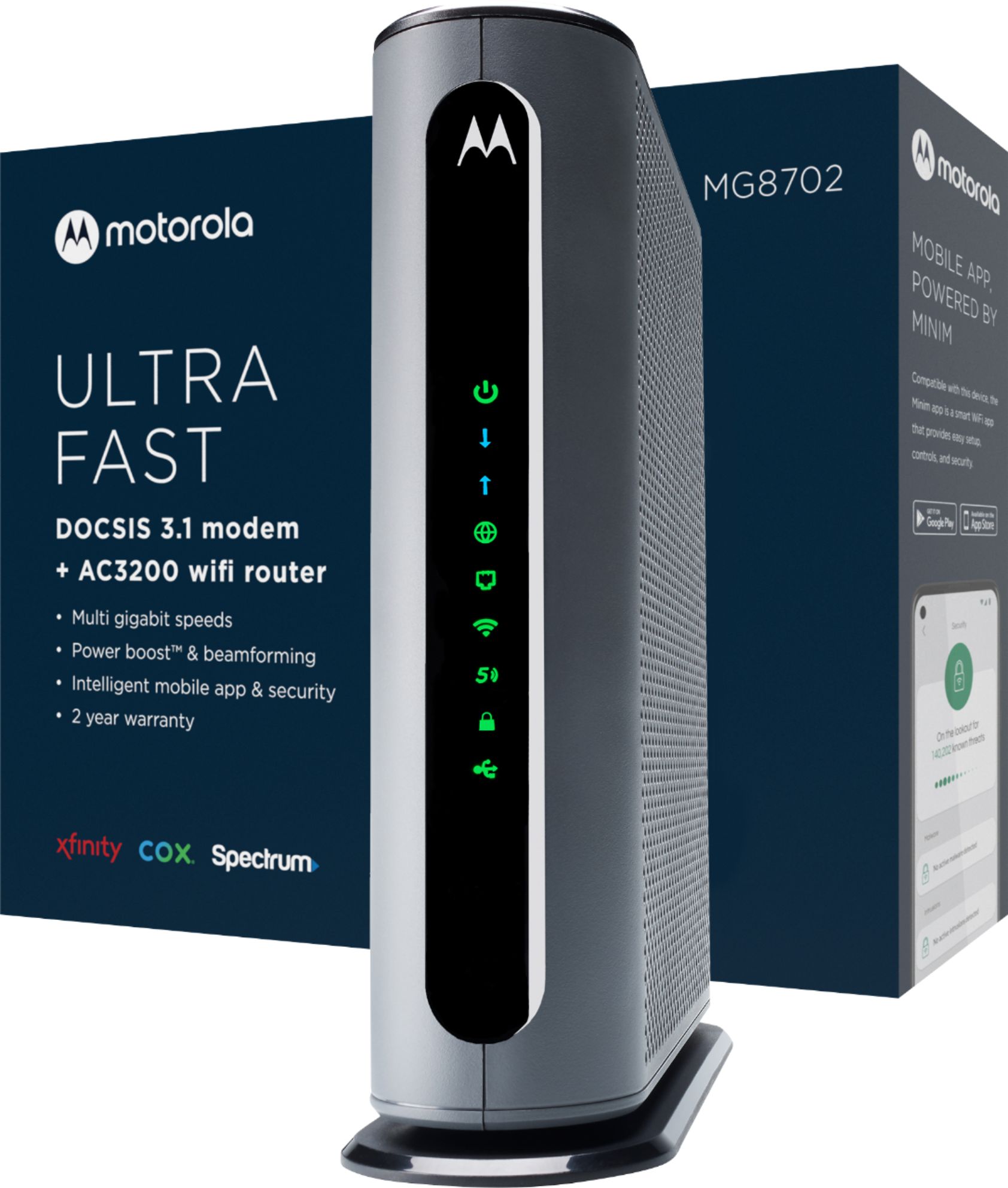
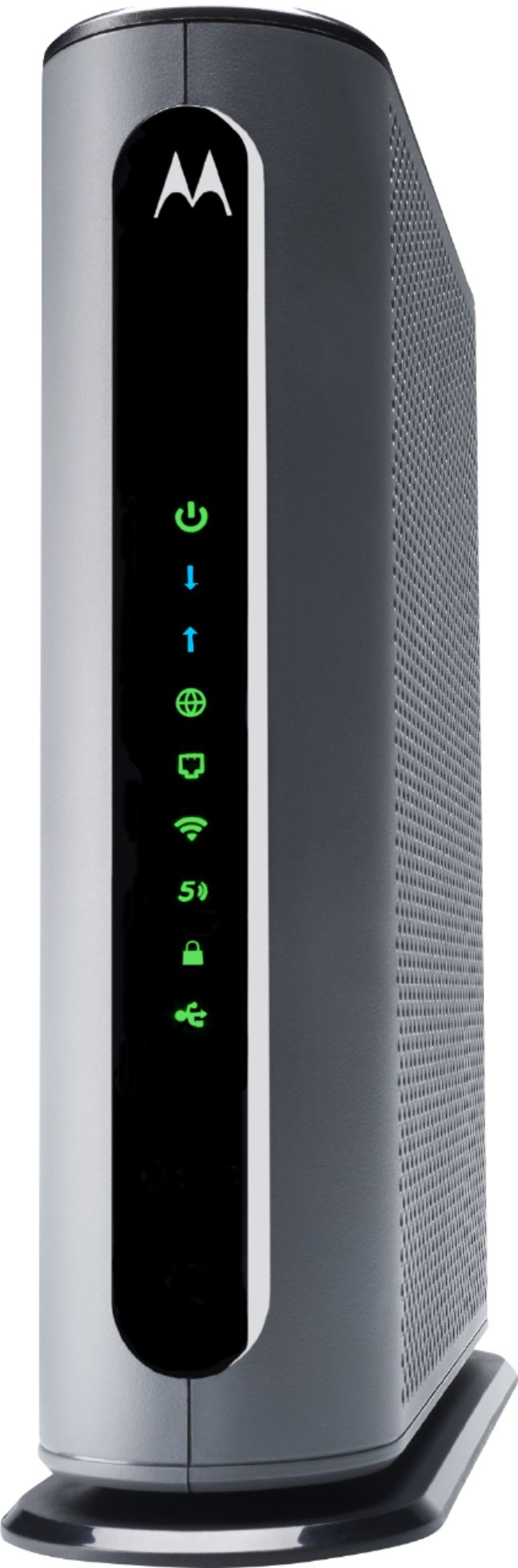
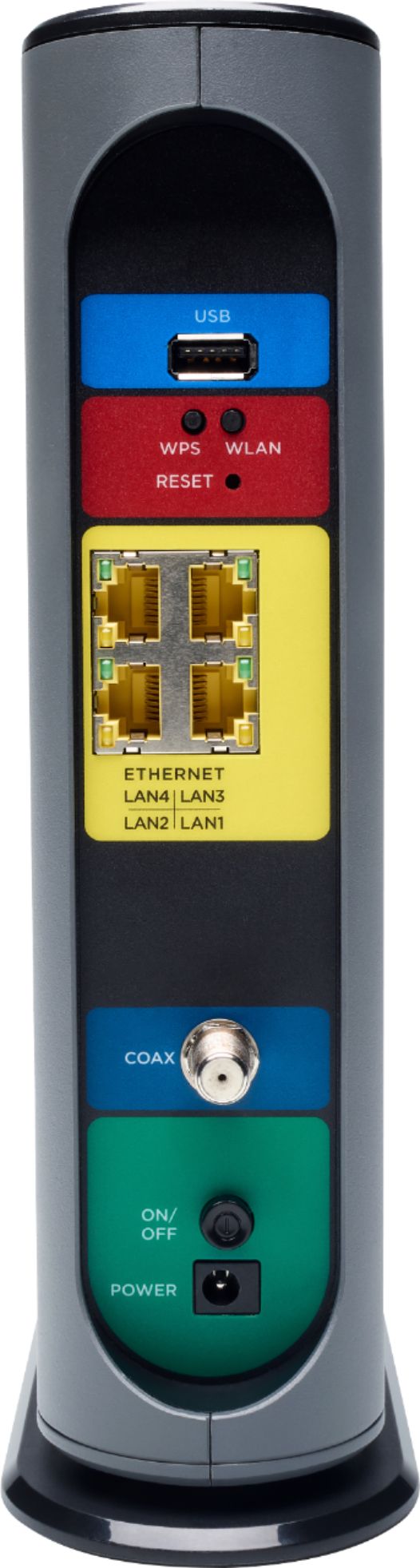
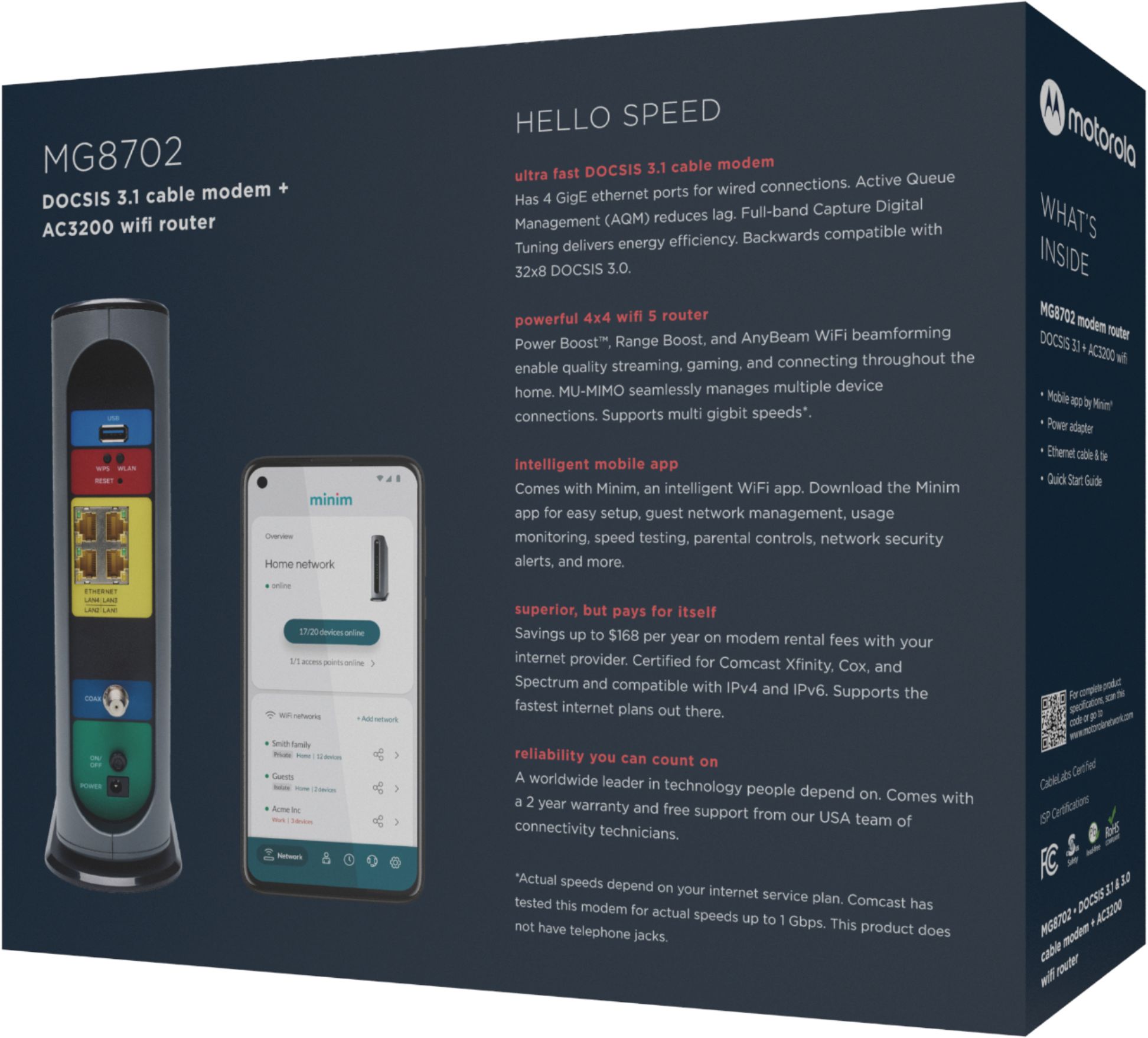
|Posted .This reviewer received promo considerations or sweepstakes entry for writing a review.If you are looking to simplify your modem/router combination with an all-in-one unit or maybe tired of renting a unit from your cable company – this is worth a look. Overall, it is a nice unit and do recommend for most homes. It stacked up very well to my current Arris SB6190 DOCSIS 3.0 (32 x 8) modem and Linksys Velop MX10 AX 2 node mesh system. Ethernet connected speeds were same on both systems and surprisingly the wi-fi speeds were just a tad higher on the Motorola unit. But for me the wi-fi did not provide a strong enough signal to reach some of my devices – resulting in on/off connection issues to these. To be fair my computer room is located at one end of the house and the devices having issues were on the absolute opposite end of the house/property – requiring signal to go over 80 feet and through several interior and 6-inch exterior walls and it just was not strong enough. Moving unit to a more central location would probably fix this issue but it just is not possible for me to do that. I researched and could not find any info if you could possibly add a satellite node at some point to create a mesh network. I am not a fan of extenders. I was provided with a contact at Motorola (a perk of being a TIN member) and sent email asking if a node could be added but after 4 days have not received a reply. If it is possible to create a mesh network, then problem solved but so far cannot confirm. This might be something to consider too if/when moving to a larger home. Because I wanted to use a DOCSIS 3.1 modem I wound up turning off the Motorola wi-fi and connecting my Linksys Velop mesh system to the modem. No issues doing this but defeats purpose of having/paying an all-in-one. Everything to get you started is in the box. Modem/Router – 9.5 x 2.8 x 9.75 inches and 34.4 ounces (which I found to be surprisingly light). It is a tad deep and tall but needs to allow for 4 dual-band internal antennas with Power Boost amplifiers. Modem component has the latest DOCSIS 3.1 – allowing for gigabyte speeds from network provider such as Cox or Xfinity and has 4 10/100/1000 Mbps ethernet connections. Router wi-fi component is rated at AC3200 – allowing for theoretical download speeds of 3200 Mbps. Allows for 32 Downstream and 8 upstream channels/devices. Also has 1 USB 3.0 for DLNA (does not seem to support printer). Small power brick with sideway plug, not ideal as for all my power strips it needed to be on the end, or it would block at least 2 openings. Cat 5e around 5-foot ethernet cable Coax wrench – nice touch so you do not have to find an open-end wrench to fit. Basically, no instructions provided so I went out to Motorola website and downloaded the quick start startup and user guides. Installation; The quick start guide is incredibly detailed and provides step by step instructions as well as contact numbers for the largest internet providers. To authorize you need to provide your S/N and MAC address – which is on the bottom of the modem. The default Network name (SSID) and wi-fi password as well as router access info of IP address and default username and password are all on the bottom too. So, do yourself a favor and take a picture so you have the info readily available. Once authorized you can access the unit by opening a webpage using the provided IP address or download the MotoManage app to your phone. I used the webpage for my initial setup - changing default username and password to something unique to me. To make transition as easy as possible I also renamed the network name (SSID) and network password to what I was currently using. This should allow most, if not all your connected devices to find and connect to the new unit. I have up to 48 devices connected at times and most did auto re-connected. Also, I had all the devices named so I could easily identify them on the old network and have a spreadsheet that has my given name as well as the devices MAC address (does not normally change) and IP address (which could change depending on your wi-fi IP range) – this really helps identify your devices. Modem is backward compatible to DOCSIS 3.0, 2.0 & 1.1. Front of unit has a series of lights that are easily decipherable indicating power on/off, downstream, upstream, online, 2.4 GHz usage, 5 GHz usage, WPS, USB and rear panel. Back of unit has USB 3.0 DLNA connection, WPS/WLAN buttons, reset, 4 ethernet 10/100/1000 Mbps, coax connection, on/off and power connection. Ethernet connection will blink Amber if 10/100 Mbps or Green if 1 Gbps. After setting up network, etc. using webpage I downloaded the Motorola app. I did not allow camera access and now it asks me each time I open the app – which is getting irritating. Overall, app is okay and does provide more info than can be accessed using webpage. You can track usage by device which could be nice to help determine what is eating up your data limit. Can really drill down into the real guts of the system, which to be honest is above my pay grade – so left alone for the most part. Can setup security, etc. I did receive a notice that after 30 days I could continue to pay monthly fee, but it was not clear as to what the fee was for? In looking through user manual it just mentions fee is for “advanced features”? 2-year warranty. Cons; All in ones can be pragmatic if 1 component fails. Cannot determine whether adding a node to create mesh network is possible. What are the “advanced features” monthly fee is for? And why would I be charged for something? Overall a nice all-in-one that for most homes will be more than enough.
I would recommend this to a friend Home owner
||Posted . Owned for 1 month when reviewed.This reviewer received promo considerations or sweepstakes entry for writing a review.Returned would not cover 1750sq ft house very disappointed
No, I would not recommend this to a friendTerrible experience
||Posted . Owned for less than 1 week when reviewed.This reviewer received promo considerations or sweepstakes entry for writing a review.I bought this router and modem device after researching for a few hours and this exact Motorola model appeared on multiple articles published within the past year. I paid for next day delivery because I was eager to experience the high speeds from Xfinity. The device arrived brand new with no noticeable defects or damage so I connected to my home network and activated it. Now, after nearly three days, barely half of the smart devices in my home will even connect to the network. From simple light bulbs and speakers to cameras, I’ve had issues across the board that I didn’t experience with my older, slower router and modem combo. I will be returning this device and buying one of a different brand that hopefully works flawlessly and effortlessly. TLDR; Terrible experience, hardly works, will be returning.
No, I would not recommend this to a friendOnly writing a review for the points.
||Posted . Owned for 1 month when reviewed.This reviewer received promo considerations or sweepstakes entry for writing a review.Does what it's supposed to do. Was mildly annoying to set up. Nothing to write home about. Only writing a review for the points.
No, I would not recommend this to a friend- Pros mentioned:Speed
Quick, easy, great app
|Posted .This reviewer received promo considerations or sweepstakes entry for writing a review.My old modem started to flake out on me so it was time to replace it. The Motorola AC3200 had all the features I need: fast (DOCSIS 3.1), 4 ethernet ports, Xfinity ready, and an app for management. NOTE: It is in your best interest to pre-download the Minim App and the Xfinity app (if you are an Xfinity customer) I simply plugged my modem in, punch a code (located on a sticker under your modem) into the app, and waited about 5 minutes for it to do its thing. On first try, my modem never connected to the internet but that was my fault because (1) I didn't follow instructions and (2) I forgot that Xfinity requires you to register your modem with them--through the xfinity app. Once I grabbed the Xfinity app and rebooted the modem everything worked magically after about 10 minutes of Motorola/Xfinity talking to each other. As long as you have the apps ready to go on your phone or tablet you should be fine. I do not use the wifi on this router. Instead I use a Google mesh wifi. I was VERY PLEASED to see the mesh network automatically come back online about 2 minutes after the modem registered online with Xfinity. Nonetheless, I intend to use the built-in wifi network as a backup in the event the Google Home wifi goes down. Motorola was smart enough to put stickers on the bottom of the modem with all the info you need to connect to the built-in 2.4 or 5ghz signal. Our speed tests have improved significantly across all devices and our connection reliability improved dramatically, but again, I suspect something was wonky with my old DOCSIS 3.0 modem. This modem is compliant with ISP plans up to 500mbps. 32x8 means you have 32 downstream channels (think "lanes of a highway") and 8 upstream channels which is critical in households with numerous wifi connected devices. While the price point for a DOCSIS 3.1 modem might seem daunting, you will recover that cost given you are no longer renting from your ISP--and you don't need a separate wifi router as the antennas are baked into the modem. This modem does NOT support a landline phone connection, however, so if you use a phone service through your ISP this isn't the modem for you. The Minim app is very friendly and has lots of useful tools and can be monitored when you are away from the network. The app will give you connected device info, it will help identify threats, has filtering options (security, ad privacy, adult content), speed testing, "today's top data use" reports, pause/unpause connectivity, "time spent" reports letting you know what sites have been visited and how often/long, change reports & history, etc.
I would recommend this to a friend Good modem, not so good router.
||Posted . Owned for 3 weeks when reviewed.This reviewer received promo considerations or sweepstakes entry for writing a review.A little too buggy for me. My linksys wifi 6 is much more stable.
No, I would not recommend this to a friend