Customer Ratings & Reviews
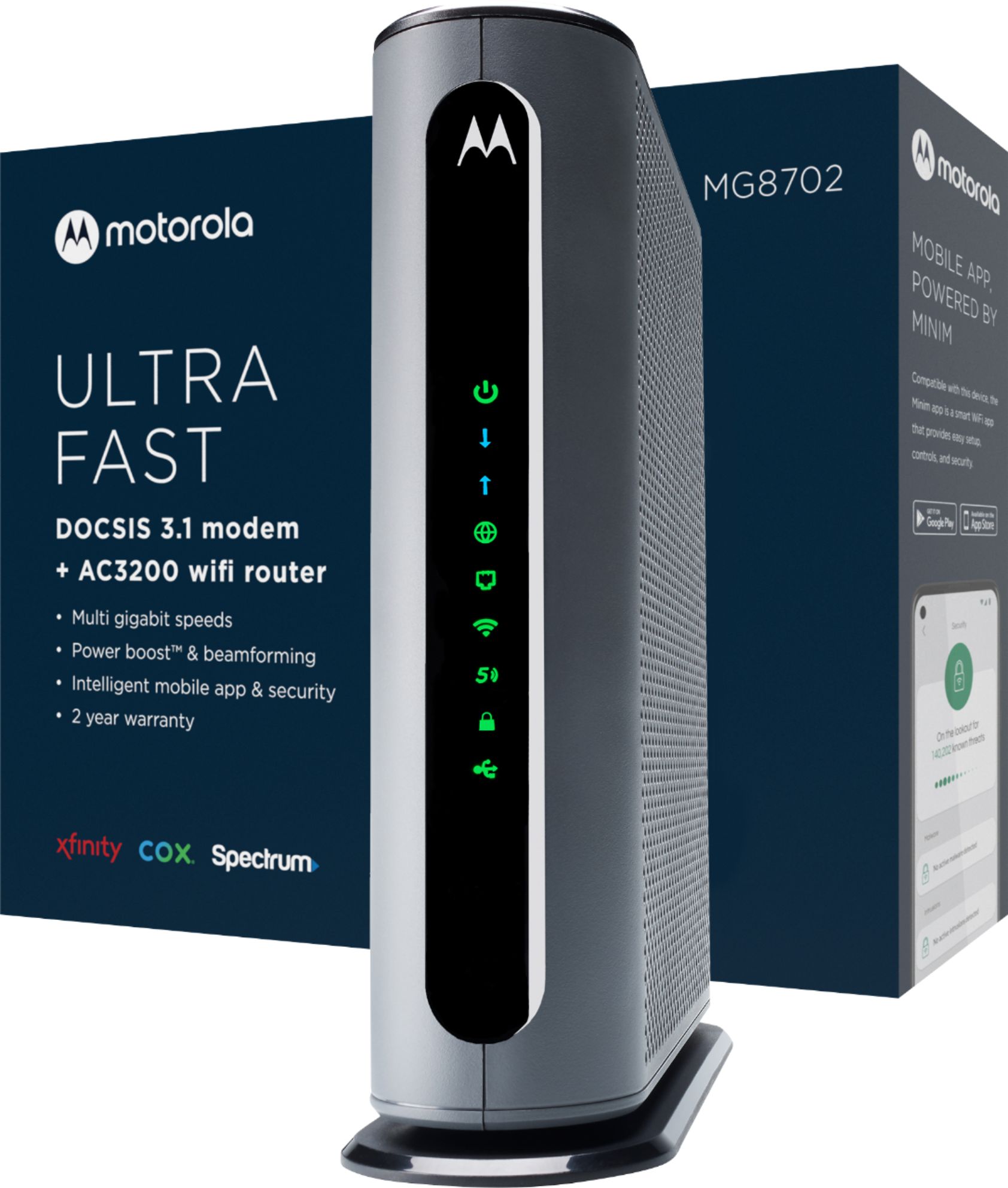
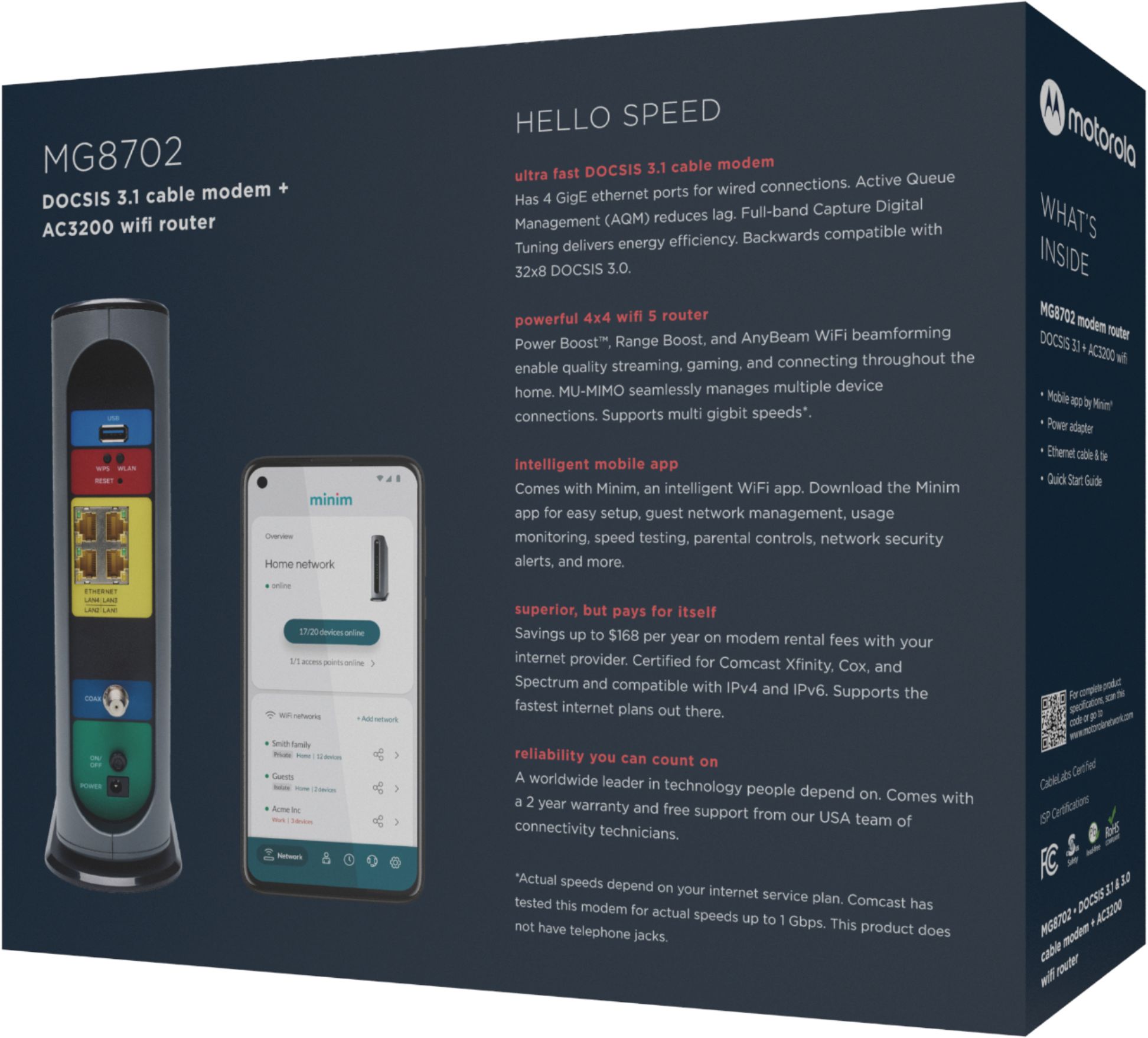

- Model:
- MG8702
- SKU:
- 6451967
Rating by feature
- Connection Quality
Rating 4.5 out of 5 stars
- Performance
Rating 4.5 out of 5 stars
- Setup
Rating 4.5 out of 5 stars
Customers are saying
Customers are delighted by the MG8702 32x8 DOCSIS 3.1 Cable Modem + AC3200 Router's ease of use, performance, and setup. Many appreciate its wide coverage and range, enabling strong Wi-Fi throughout their homes. However, some customers found the price to be high and experienced occasional connectivity or signal strength issues. The size of the unit was also a point of concern for a few users.
This summary was generated by AI based on customer reviews.
Horrible
||Posted .This reviewer received promo considerations or sweepstakes entry for writing a review.Kept rebooting on its own and disconnecting from the internet. Had to reset to get the internet, then it would reboot itself again. I returned it and purchased an Arris.
No, I would not recommend this to a friend- Pros mentioned:Setup

Great value, easy to set up
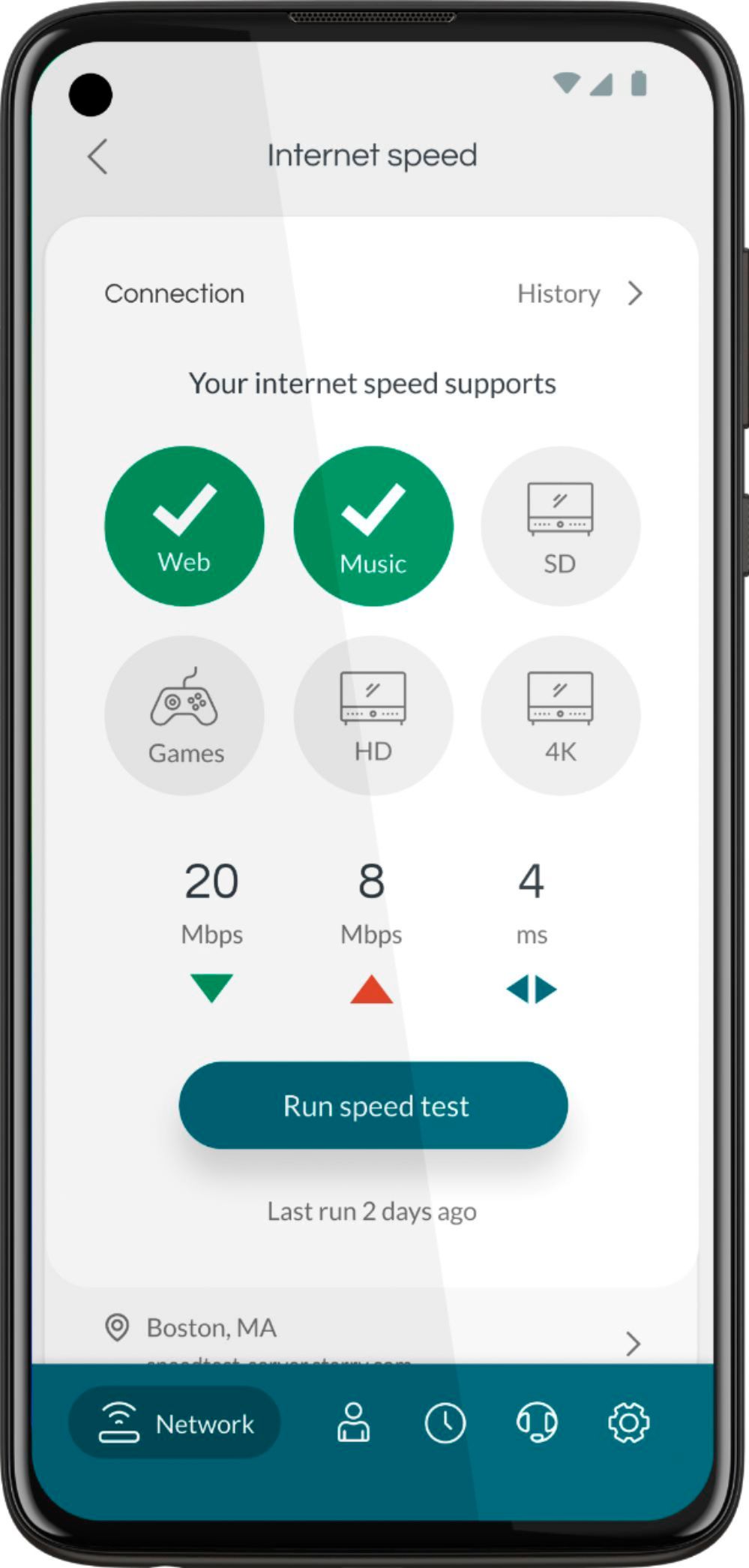
|Posted .This reviewer received promo considerations or sweepstakes entry for writing a review.The Motorola MG8702 AC3200 Cable gateway + wireless router is kind of a strange product to review for me. My previous setup is a lot more like an enterprise grade network hooked up to an MB8600 cable modem, as my home network has always been a bit of a learning lab for me. This new MG8702 gateway was pretty amazing in how easy it was to set up. When you open the box, there's a card recommending you download the Motorola "Minim" app for your phone along with some other little inserts on how to activate it and the support numbers. I connected the MG8702 to my cable hookup and downloaded the app. I then connected to the wifi network created by the MG8702 (using the SSID and password on the sticker on the gateway) and activated it using the xfinity app (which you're required to do now instead of through a web browser). Once activated, the Motorola Minim app connected to the MG8702 through the "cloud" after scanning the QR code on the sticker on the bottom of the gateway. The Minim app takes care of all the basic setup you need to get a secure, fast network going for the average family. I think the total process to set up the network took less than 2 minutes using the app. Wireless speeds were great with my Surface Book and Note 20 Ultra - I haven't stress tested the network yet but the 4x4 MIMO AC wifi should be more than enough for most families. Wired speed maxes out at the ~930mbps that I got with my MB8600 so no problems there. One big advantage to using Motorola cable modems is they are much more tolerant of poor signal quality than the ones you can rent from Comcast. My signal has always been just inside the acceptable window and the original rental modem I had would reboot constantly as it timed out. The MG8702 appears to have the same tolerance as the MB8600 as it has not reset at all in the 5 days that I've had it, which included two strong thunderstorms! My only complaint with the MG8702 is that it doesn't offer much flexibility for someone with an existing network. For an average user who just wants to get something that can be set up in a few minutes and be totally forgettable, this is a great product. For a more tech savvy person, this doesn't offer the flexibility that having a dedicated modem and separate router can provide.
I would recommend this to a friend AWFUL DEVICE DO NOT BUY
||Posted . Owned for 2 months when reviewed.This reviewer received promo considerations or sweepstakes entry for writing a review.As other reviews have mentioned this device is plagued with issues, randomly reboots, unstable upload and download speeds. Dont rely on Motorola for support either because they DO NOT answer the phone. I returned this and went with a Nighthawk AX8
No, I would not recommend this to a friendNothing special
||Posted . Owned for 3 weeks when reviewed.This reviewer received promo considerations or sweepstakes entry for writing a review.Slow compared to. Xfinity. If this the best there is. Not buy it after I got this one
No, I would not recommend this to a friend- Pros mentioned:Performance
Difficult activation with Xfinity, but worth it
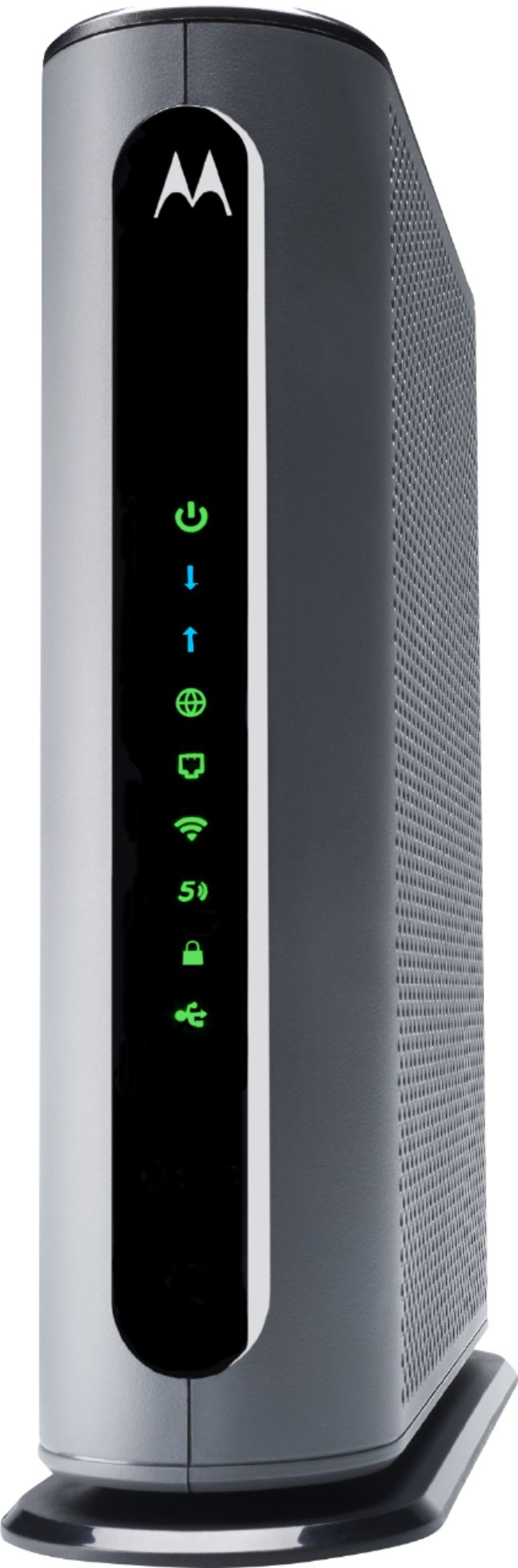
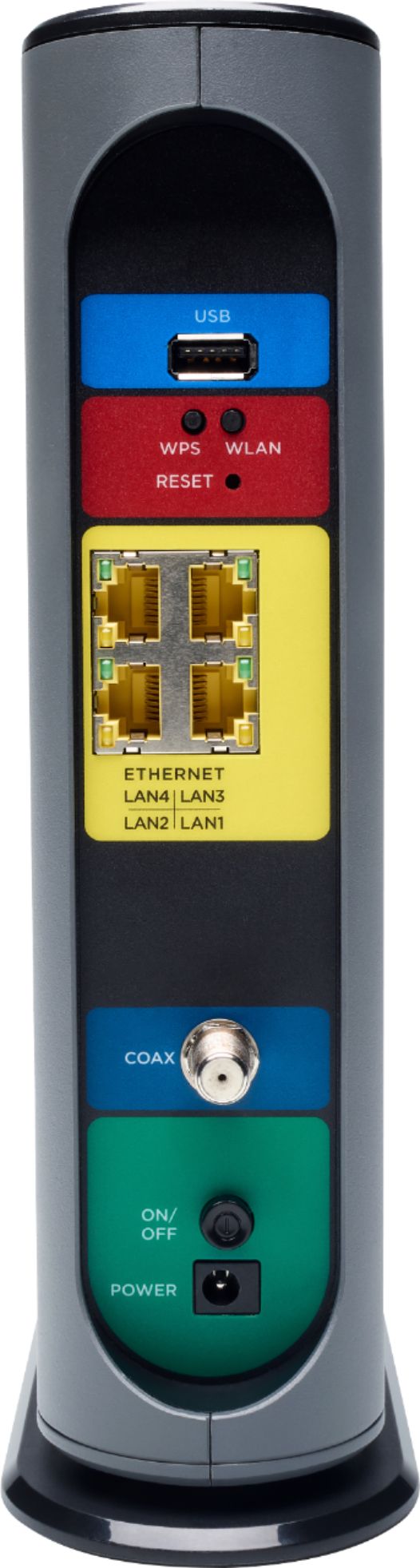
|Posted .This reviewer received promo considerations or sweepstakes entry for writing a review.The front of the box containing the Motorola MG8702 modem-router combo reads, in bright colors, Xfinity, COX, and Spectrum. After trying to activate the modem for some 8 hours over four occasions on two different days, I began to wonder whether Xfinity should be listed on the box. One of the technicians even claimed that the MG8702 was not compatible with their services, although she tried to activate it after I told her it was listed on the Xfinity website as a compatible cable modem. After two days of failure, I gave it a rest for a week and decided to try one last time. Finally, after a wasted 30 minutes with the Xfinity assistant app and 40 minutes on the phone with a technician, the MG8702 was activated. I tell this story just as a warning that you may have difficulty activating the modem with Xfinity, but that if you persist, it should work. The documentation that came with the MG8702 amounted to three pages, most of which described features and performance data, but not much in the way of how to get started on using the features. There was a suggestion to first download the Motorola minim app, which I did, but I found it couldn't do much without the modem being set up. Once the system was up and running, I discovered that the minim app provides a startling amount of information on devices connected to the modem/router. It alerts you when a new device connects to the modem's network, shows the signal strength, bandwidth, and sites connected to. You can also run speed tests for each device with the minim app. When I connected to the modem through my laptop's browser to examine its settings, the minim app alerted me to this fact. This app is far more useful than I expected. Oddly, although the three pages of documentation show pictures of both the front and back of the modem, only the features of the back (USB 3.0 port, WiFi on/off button, WPS button, factory reset, 4 Gigabyte Ethernet LAN ports, COAX connector, power on/off button, power jack) are labeled. The front has a set of LED icons that light up, but they are not labeled in the picture. This made it hard for me to discuss with the Xfinity technician what was happening, even though the icons are fairly intuitive. Only later I discovered on a separate piece of paper a list of the LED icons (power, downstream, upstream, online, LAN, 2.4 GHx WiFi, 5 GHz WiFi, WPS, and USB). I have not yet tried out the USB 3.0 port. I currently have a NAS drive connected to my existing wireless router, a Linksys WRT 1900 AC, but I don't see a need to transfer it to the new MG8702, which would disrupt existing connections. When I get a new external drive, I will add it to the MG8702. By the way, the Linksys router and the MG8702 seem to be coexisting happily without interfering with one another, the former with a 192.168.1.1 address and the latter, a 192.168.0.1 address. The Linksys router plugs into one of the Gigabit Ethernet ports in the back of the MG8702. I had only two moments where I feared that the MG8702 might not work as advertised. When the Xfinity technician finally activated the modem, the wireless stopped working. But, after unplugging and modem and plugging it back in, the wireless came back and everything was fine. The other momentary scare is that my phone disconnected from the network about a minute after first connecting. But, after reconnecting, it has been solid. I have tried other devices, including my laptop and Xfinity Flex box, and all is well. I can't report on whether Gigabyte speeds are possible because my plan with Xfinity is for only 100 MB. But all my devices are reading faster than that, so I am completely satisfied with this modem's performance. Again, if you have Xfinity, persevere and this modem/router combo should work great for you.
I would recommend this to a friend Slow modem/router.
||Posted . Owned for 1 month when reviewed.This reviewer received promo considerations or sweepstakes entry for writing a review.At times my computers lose network. Have to reset router,
No, I would not recommend this to a friendSLOWER!!!!
||Posted . Owned for 3 weeks when reviewed.This reviewer received promo considerations or sweepstakes entry for writing a review.My internet declined in speed when I began using this modem/router
No, I would not recommend this to a friendDo Not Recommend
||Posted . Owned for 4 months when reviewed.This reviewer received promo considerations or sweepstakes entry for writing a review.We purchased this modem on September 11, 2021 and here it is January 8, 2022 and it stopped working. So fiur months later and $269.00 down the drain! Thanks for nothing Bestbuy!!
No, I would not recommend this to a friendModem Router Died After 6 Months
||Posted . Owned for 8 months when reviewed.This reviewer received promo considerations or sweepstakes entry for writing a review.Lasted about 6 months and then died. What a huge waste of money. Motorola customer warranty service is non-existent. I am working with my credit card provider to try and get a refund. This is simply not a good brand.
No, I would not recommend this to a friendUnreliable
||Posted . Owned for 1 month when reviewed.This reviewer received promo considerations or sweepstakes entry for writing a review.Poor device, very unreliable, cannot be configured and little assistance from the manufacturer which did bot seem to know their product. Word of advise, don’t buy it!!!
No, I would not recommend this to a friendNever again
||Posted . Owned for 3 months when reviewed.This reviewer received promo considerations or sweepstakes entry for writing a review.Please stop making this Product it sucks Motorola stick to the low budget phones and stop making routers this was another horrible router trash at best
No, I would not recommend this to a friendregret missing return period
||Posted .This reviewer received promo considerations or sweepstakes entry for writing a review.don’t buy this, disconnects you randomly, doesn’t show on certain devices, 0 connection at points.
No, I would not recommend this to a friendVERY DISAPPOINTED
||Posted .This reviewer received promo considerations or sweepstakes entry for writing a review.Product was faulty. Had three COX technicians verify. But the time it was confirmed, it was too late to return.
No, I would not recommend this to a friendStop, never buy
||Posted . Owned for 1 month when reviewed.This reviewer received promo considerations or sweepstakes entry for writing a review.Garbage it did not even lasted a full month before it stopped working, will never buy Motorola Again
No, I would not recommend this to a friendJunk
||Posted . Owned for 2 months when reviewed.This reviewer received promo considerations or sweepstakes entry for writing a review.Keeps dropping my internet provider and just out of warranty
No, I would not recommend this to a friendExcellent (for the right customer)
|Posted .This reviewer received promo considerations or sweepstakes entry for writing a review.This is a tricky product to review, because the value you'll get from it depends entirely on your specific needs. If you're an Xfinity (Comcast) subscriber, intend to remain one, and want a simple, easy-to-set-up device that has provides pretty admirable speeds over a reasonable range, then this is the modem/router combo for you. Speed is the high point with this device. I was consistently drawing down the max mbps on my Internet plan (I'm now contemplating upgrading to the gigabit option) with no hiccups or drops. Upload speeds were impressive as well. This combo unit has pretty much made my old AC router obsolete based on the speeds I'm getting. Where things get a little bumpy is with the coverage. I have a three-floor town home, so I'm not exactly stretching reasonable expectations when it comes to signal strength. The MG8702 is very good, but it's not top-tier. The broadcast area is actually slightly shorter than the old router I was using. Three floors away from the modem/router, and you'll start to see drops in signal strength. Of course, if you live in an apartment or condo, this won't matter to you (and the coverage will be more than adequate), and home owners could always augment this unit with a repeater or signal booster. The only drawback to doing that, though, is that you're walking into "mesh system" price ranges anyway, so people living in larger homes may want to investigate one of those as an alternative. If you're in the right-sized place, though, coverage won't be an issue. One other thing to note - like many newer products, this device is user-friendly to a fault. Setup is completed through an app (of course!), which, like all such phone app-based solutions, is really limited in setup and customization options. This can be fixed after first setup, though, and users who want minimal setup might actually prefer this solution. In short, get this if and only if: You use Xfinity/Comcast You need speed more than coverage area You want a product that will keep you current for at least several years You don't live in a mansion
I would recommend this to a friendFast Router
|Posted .This reviewer received promo considerations or sweepstakes entry for writing a review.I needed to replace my Mediacom-supplied modem as it was very slow and very unreliable. I confirmed with Mediacom that the MG8702 is supported and it was. I'm going to focus my review on the modem/router itself as the Motorola App needs a lot of work. I was able to get the MG8702 up and running quickly. I was also able to get through to Mediacom within a few minutes (which may be a new record time!) to get them to document the MAC number before the router came online. After I got the router going, I checked the speed of my connection in various places in my home using Speedtest.net. I was impressed in how much faster the download and upload speed was versus the old Mediacom-supplied router. On average, it provided 40% faster download and upload speeds. For this, the modem/router deserves a 5 star rating. My gripe with Motorola (and all other consumer electronic companies) is their unending need to have a proprietary app for every device. My advice to them is if you're going to have an app to control some (or all) elements of the device, then it better work well. This was not the case with the MotoManage app. The app is not intuitive and kept "timing out" after every step of the setup process. The first step was to name the device....after I hit enter, it timed out two seconds later. Then it prompted me to add other people in my household to the device. After I hit enter for that, it timed out seconds later. Then, when I wanted to change the SSID and password, there was no intuitive way to find this on the app. I finally found it but there was no messaging to allow me to change the SSID and password so I didn't want to overwrite the defaults. I ended up calling Motorola customer service. Their voice system said there would be a 13 minute wait....it ended up being 35 minutes. Fortunately, they do have a call-back feature and a customer service rep did call to help me through the process. As someone who has been responsible in their career for app development, this app seems like it was designed by IT developers without a strong emphasis on the customer in terms of usability and reliability. Another gripe I have with all cable modem manufacturers is the blinking lights on the front of the device. All modems seem to have this but on the MG8702, the Wi-fi light blinks on and off quickly - just like a strobe light. Since I have the device located right under our big-screen TV, it is annoying to have a fast-flashing light when we're watching TV - especially in the evening. There should be a way for the light settings to be controlled via the app - just like what TiVo and other set-top box manufactures provide. All-in-all the modem works great - but all modem manufactures have to think about reimagining the box to find ways to hide flashing lights and make the app experience as good as the device experience.
I would recommend this to a friend- Pros mentioned:Ease of useCons mentioned:Connectivity
Not happy
Posted .This reviewer received promo considerations or sweepstakes entry for writing a review.I was able to connect to the internet myself. Would have been easier if I created a new network name as opposed to using the old one. Live and learn. Connecting to Xfinity cable is a different story. Day 3 and still not connected. I tried to contact Motorola tech support at the phone number provided but got a recorded message that their systems are down. Yeah right. Thanks Motorola. Three hours of phone conversations with two Xfinity technicians and many resets later still not working. Have to wait 3 days for a tech to come over. Hopefully won’t charge me. I regret this purchase already. Should have kept renting
No, I would not recommend this to a friend Motorola AC3200 Router with Cable Modem
|Posted .This reviewer received promo considerations or sweepstakes entry for writing a review.I just received my Motorola 8702 Cable Modem/Router a few days ago and have been putting it through its paces. Inside the box along with the cable modem/router is a power cable, ethernet cord, and couple pages of user documentation. First I must say, it's been a while since I've used any Motorola equipment and so far, I'm thoroughly impressed with the quality of this cable modem. It's much taller than my current cable modem (which I just recently purchased), however, it has a nice sleekness to it and amazing build quality. On the back you will find a USB port, WPS and WLAN buttons (along with a RESET pinhole button), 4 LAN Ethernet ports, COAX connecting point, ON/OFF button, and the power adapter port. On the front panel is where you will find the status LEDs that will let you know what's currently going on with the cable modem/router. Now connecting the cable modem/router is fairly simple especially if you've done this before. However, I must note that if you are replacing equipment that you may be renting from your ISP or any other cable modem for that matter you must inform your ISP of the MAC address of the cable modem which can be located on the bottom of the device. Several ISPs (like mine Xfinity), allow the customer to update their hardware online either through their websites or apps. Xfinity allows me to update changes through my Xfinity app, which makes it a lot easier than having to sit and wait on hold forever. After connecting, everything to the back of the modem I downloaded the Minim app from the App Store (or Google Play Store if you have Android) and followed the prompts to finish setting up my device. Once the setup process was complete, I started testing out the speed by visiting a few websites on my desktop in the living room and almost immediately noticed a significant boost in the loading of different sites. To test the Wi-Fi, I went to the upstairs bedrooms of our condo and tested the connection where we had trouble getting little to no signals before. The signal was strong in both bedrooms upstairs and well as the basement. Signal used to fade slightly near the garage door headed outside but it has gotten much much better with this cable modem/router combo.
I would recommend this to a friend- Pros mentioned:Performance
Mr
Posted .This reviewer received promo considerations or sweepstakes entry for writing a review.Works good. No complaints since started. Special App for the modem helps to check the working performance & internet speed. Where I can see only 50% of my plan speed. Needed some effort in setting up with my internet provider Xfinity.
I would recommend this to a friend