Last-Minute SavingsLimited quantities.Shop now

Skip to content
Gift Ideas
Main Content

Customer Ratings & Reviews
Last Minute Deal
Your price for this item is $49.99
The comparable value price is $99.99

Customer reviews

Rating 4.7 out of 5 stars with 524 reviews

Rating Filter

Rating by feature

  • Video Quality

    Rating 4.8 out of 5 stars

  • Mobile App

    Rating 4.7 out of 5 stars

  • Sound Quality

    Rating 4.7 out of 5 stars

Pros mentioned filter

Cons mentioned filter

96%would recommend to a friend

Customers are saying

Customers love the Battery Doorbell Smart Wifi Video Doorbell for its great video quality, ease of use, and overall performance. Many are happy with the battery life and easy setup. While some find the device larger than expected and note occasional communication delays, the positive aspects of motion detection and enhanced security contribute to a generally favorable customer experience.

This summary was generated by AI based on customer reviews.

The vast majority of our reviews come from verified purchases. Reviews from customers may include My Best Buy members, employees, and Tech Insider Network members (as tagged). Select reviewers may receive discounted products, promotional considerations or entries into drawings for honest, helpful reviews.
Page 25 Showing 481-500 of 524 reviews
  • Rated 5 out of 5 stars

    Ring

    |
    |
    Posted . Owned for 1 week when reviewed.
    This reviewer received promo considerations or sweepstakes entry for writing a review.

    love my ring camera.makes home feel safe and comfy.

    I would recommend this to a friend
  • Rated 5 out of 5 stars

    Upgraded

    |
    |
    Posted . Owned for 1 week when reviewed.
    This reviewer received promo considerations or sweepstakes entry for writing a review.

    New update looks very updated. Like the new style.

    I would recommend this to a friend
  • Rated 4 out of 5 stars

    Disappointed

    |
    |
    Posted . Owned for less than 1 week when reviewed.
    This reviewer received promo considerations or sweepstakes entry for writing a review.

    I was a little disappointed that the battery needs to be charged. Really inconvenient if you're away at the time.

    No, I would not recommend this to a friend
    • Brand response from Ring
      Posted .

      Hi DianeH.

      Thank you for taking the time to share your feedback with us. We are always looking for ways to improve our neighbor's experience, and your feedback is an invaluable part of this process. That is why we are dedicated to offering devices that help you safeguard what is most important at home, while also allowing you to connect with your neighbors from anywhere. Together, we’ll make neighborhoods safer!

      We understand the importance of having a solid charge on your Ring Battery Doorbel so that you are able to have a longer time between charge cycles. We recommend using the Ring Solar Charger to assist with extending the life of the battery in your Ring Battery Doorbel. The Ring Solar Charger for the Ring Battery Doorbel is a solar power source that can be mounted behind your Ring device. With just a few hours of direct sunlight per day, it can keep your Ring Battery Doorbel fully charged in most cases.

      Ring Community was launched to help deliver the most current news and educational information to our neighbors. This online forum is divided into four categories: Product Boards, Ring Updates, Tips and Tricks, and a Moderators’ Corner. The Product Boards are where you can begin new topics with your questions or feedback; there is also a search option that helps you find topics that have already been posted by other neighbors. We invite you to visit our Ring Community today.

      Thank you,
      Miyuki from Ring. Ring

  • Rated 2 out of 5 stars

    Ring item unable to use.

    |
    |
    Posted . Owned for 1 month when reviewed.
    This reviewer received promo considerations or sweepstakes entry for writing a review.

    Unfair to rate this product because it didn't work with my home system yet it has gotten rave reviews but not for me....I have to return the item . I'll always shop at Best Buys...a awesome place with great deals to shop!

    I would recommend this to a friend
    • Brand response from Ring
      Posted .

      Hi Goodshow.

      Thank you for taking the time to share your experience with us. At Ring, we want to ensure that you have the best possible experience with our products. Your peace of mind and security are extremely important to us. The features and technology provided by the Ring Battery Doorbell are incredibly valuable and help provide you with peace of mind about your home security. Rest assured, we're here to help!

      At Ring, we believe that stronger communities are the key to safer neighborhoods. That is why we are driven to create products that help you protect what matters most at home, and empower you to connect with your visitors from wherever you are. We are saddened to read that this device did not meet your expectations but are still here to assist you. Our support team is available 24/7.

      If you still have the Ring device in your possession, we invite you to reach out to our community. Ring Community is our first peer-to-peer community forum, giving our customers the ability to help one another and share their personal feedback/experiences with Ring. We look forward to hearing from you, if we can be of any further assistance!

      Thank you,
      Amilia from Ring. Ring

  • Rated 3 out of 5 stars

    Ring products suck. This is nothing special.

    |
    |
    Posted . Owned for 1 month when reviewed.
    This reviewer received promo considerations or sweepstakes entry for writing a review.

    Doesnt record 50% of the time, ive went through all the settings, its the 2nd one Ive owned. Ring products suck. Dont buy!!!

    No, I would not recommend this to a friend
    • Brand response from Ring
      Posted .

      Hi RebeccaJ.

      Thank you for taking the time to share your experience with us. At Ring, we understand it is essential to have your Ring Battery Doorbell online and working properly so you can keep your home secure. Having a solid connection ensures you do not miss any activity around your home. We are here today to provide you with education to assist you in finding the best solution for your home’s environment.

      It sounds like the device is not performing as expected. It is important to ensure that you have the proper motion settings in place for your environment. This camera uses adjustable motion detection and runs on passive infrared sensors. The system identifies visitors via a moving heat signature and sends a notification to your smart device when one is detected. You can adjust three preset motion zones and their distances under the "Motion Settings" tab on the device's page in the Ring app. Additionally, you can choose how often the camera checks for movement in those predefined zones via the "Motion Frequency" setting. If you find that your camera is missing some motions, please set the motion frequency to "Frequently."

      Accuracy in motion detection can also be improved by enabling the "Smart Alerts" feature for people only in your Ring app. To enable "Smart Alerts," please follow these steps:
      Tap the menu (≡) on the top left.
      Tap "Devices."
      Tap the device that you want to adjust.
      Tap "Motion Settings."
      Tap "Smart Alerts."
      Tap "Enable Feature."
      Tap "Continue."
      Select the notification options that you want for "Person" and "Other Motion."
      You'll see a video camera where you can select or de-select recording and a bell icon to represent alert notifications.
      After you've adjusted your settings, tap "Done".

      The Ring Battery Doorbell is compatible with b/g/n wifi networks operating on 2.4 GHz frequencies. High-speed internet is recommended. If your Ring device is far from your wifi router, it may be experiencing connection issues.

      Here are a few of the top reasons for poor connectivity:
      Your Ring device may be too far from your WiFi router.
      Your mobile device has a low signal or poor connection.
      Your home wifi connection is poor (or your internet service provider is experiencing high traffic).

      To learn more about your device's signal strength, follow these steps:
      Open the Ring app.
      Tap the menu (☰).
      Tap “Devices.”
      Select the ring device you would like to test.
      Tap on the “Device Health” tile.
      Scroll to “Signal Strength” under the “Network” section.
      The green, amber, and red colors are indicators of your device connection. Green is good; red is poor.
      Move your wifi router off the floor.

      Walls, floors, and furniture can interfere with or weaken your router's wireless signal. Choose an elevated, central, open location for your wifi router.

      Check your mobile device's signal. If your mobile device has one or two bars, this could be causing issues accessing your Ring device. For best results, make sure you're connected to wifi from wherever you are.

      Most internet service providers range from 100–400 mbps (megabytes per second) for download speed and 10–100 mbps for uploading. If your wifi speed is falling below the ranges noted above, we recommend contacting your internet service provider.

      Ring Community was launched to help deliver the most current news and educational information to our neighbors. This online forum is divided into four categories: Product Boards, Ring Updates, Tips and Tricks, and a Moderators’ Corner. The Product Boards are where you can begin new topics with your questions or feedback; there is also a search option that helps you find topics that have already been posted by other neighbors. We invite you to visit our Ring Community today.

      Thank you,
      Miyuki from Ring. Ring

  • Rated 3 out of 5 stars

    Battery short lived in cold weather

    |
    |
    Posted . Owned for 1 month when reviewed.
    This reviewer received promo considerations or sweepstakes entry for writing a review.

    The doorbell works great, but... The battery died in a just a few days. The weather was in subzero so that might be contributing to the short battery life. I was on a trip, and couldn't do anything about it. Otherwise it's great.

    I would recommend this to a friend
    • Brand response from Ring
      Posted .

      Hi KelleyR.

      Thank you for taking the time to share your experience. We understand the importance of having a solid charge on your Ring Battery Doorbell so that you are able to have a longer time between charge cycles. Having longevity in a battery-powered security device is crucial when it comes to monitoring your home, especially if you are away for long periods of time. We are here to provide you with some education to resolve the battery life issue you mentioned in your review.

      It sounds like the device is not performing as expected. There are some troubleshooting steps that you can take to ensure that you have your device set up for optimal battery-life performance. The more events captured by your Ring devices, the more your battery is used. Using "Live View" can also drain your battery faster. If your device is capturing an excessive number of events each day, you may need to recharge your battery sooner.

      To prevent excessive activity, under "Motion Settings" for your device in the Ring app, you can:

      Adjust your "Motion Sensitivity" slider to a lower sensitivity.
      Redraw your "Customizable Motion Zones."
      Change "Motion Frequency" to regularly or periodically.
      You could also adjust the direction of your Ring device so it doesn't detect as much motion.

      You can go to "Power Settings" in the Ring app to see what features may be draining your battery.

      To access "Power Settings," open the Ring app:

      Tap the menu (≡) on the top left of the dashboard.
      Tap "Devices."
      Tap the individual device (video doorbell or security camera) you want to check.
      Tap "Power Settings" to check your "Battery Level" percentage and "Feature Power Usage."
      Tap a feature to adjust "Snapshot Capture," "Motion Frequency," and "Video Recording Length.".

      As cold weather sets in, lithium-ion batteries like those used in Ring Doorbells and Security Cameras may experience several issues, including trouble holding a charge, running out of power faster than normal, or losing functionality. Knowing at what temperature batteries will start to be impacted can help you take the necessary steps to keep your device working. When the temperature drops to:

      36°F (3°C): The battery may not hold a charge as effectively, resulting in having to charge the unit more frequently.
      32°F (0°C): The battery may not charge at all. Even hardwired configurations may not charge the battery.
      -5°F (-20.5°C): The battery may stop working completely until temperatures warm up.

      When it gets cold and your device's battery runs out, bring your entire device inside and charge the battery with a USB cord. This will allow your device to warm up while the battery charges.

      If any additional information is needed regarding your Ring Battery Doorbell, please reach out to our community. Ring Community is our first peer-to-peer community forum, giving our customers the ability to help one another and share their feedback and experiences directly with Ring.

      Thank you for being the best part of Ring! Have a wonderful day!

      Sincerely,
      Miyuki from Ring. Ring

  • Rated 4 out of 5 stars

    Wireless ting doorbell

    |
    |
    Posted . Owned for less than 1 week when reviewed.
    This reviewer received promo considerations or sweepstakes entry for writing a review.

    Like my ring, but dont like that i have to pay to get and keep history.

    I would recommend this to a friend
  • Rated 3 out of 5 stars

    Difficult

    |
    |
    Posted . Owned for 1 month when reviewed.
    This reviewer received promo considerations or sweepstakes entry for writing a review.

    The Ring is constantly going off when people walk or drive by mu house. It is difficult to get the battery out to charge it. I should have bought one to hard wire,

    No, I would not recommend this to a friend
    • Brand response from Ring
      Posted .

      Hi Susie.

      Thank you for taking the time to share your experience with us. At Ring, we understand it is essential to have your Ring Battery Doorbell online and working properly so you can keep your home secure. Having a solid connection ensures you do not miss any activity around your home. We are here today to provide you with education to assist you in finding the best solution for your home’s environment.

      It sounds like the device is not performing as expected. It is important to ensure that you have the proper motion settings in place for your environment. This camera uses adjustable motion detection and runs on passive infrared sensors. The system identifies visitors via a moving heat signature and sends a notification to your smart device when one is detected. You can adjust three preset motion zones and their distances under the "Motion Settings" tab on the device's page in the Ring app. Additionally, you can choose how often the camera checks for movement in those predefined zones via the "Motion Frequency" setting. If you find that your camera is missing some motions, please set the motion frequency to "Frequently."

      Accuracy in motion detection can also be improved by enabling the "Smart Alerts" feature for people only in your Ring app. To enable "Smart Alerts," please follow these steps:
      Tap the menu (≡) on the top left.
      Tap "Devices."
      Tap the device that you want to adjust.
      Tap "Motion Settings."
      Tap "Smart Alerts."
      Tap "Enable Feature."
      Tap "Continue."
      Select the notification options that you want for "Person" and "Other Motion."
      You'll see a video camera where you can select or de-select recording and a bell icon to represent alert notifications.
      After you've adjusted your settings, tap "Done".

      The Ring Battery Doorbell is compatible with b/g/n wifi networks operating on 2.4 GHz frequencies. High-speed internet is recommended. If your Ring device is far from your wifi router, it may be experiencing connection issues.

      Here are a few of the top reasons for poor connectivity:
      Your Ring device may be too far from your WiFi router.
      Your mobile device has a low signal or poor connection.
      Your home wifi connection is poor (or your internet service provider is experiencing high traffic).

      To learn more about your device's signal strength, follow these steps:
      Open the Ring app.
      Tap the menu (☰).
      Tap “Devices.”
      Select the ring device you would like to test.
      Tap on the “Device Health” tile.
      Scroll to “Signal Strength” under the “Network” section.
      The green, amber, and red colors are indicators of your device connection. Green is good; red is poor.
      Move your wifi router off the floor.

      Walls, floors, and furniture can interfere with or weaken your router's wireless signal. Choose an elevated, central, open location for your wifi router.

      Check your mobile device's signal. If your mobile device has one or two bars, this could be causing issues accessing your Ring device. For best results, make sure you're connected to wifi from wherever you are.

      Most internet service providers range from 100–400 mbps (megabytes per second) for download speed and 10–100 mbps for uploading. If your wifi speed is falling below the ranges noted above, we recommend contacting your internet service provider.

      We understand the importance of having a solid charge on your Ring Battery Doorbell so that you are able to have a longer time between charge cycles. We recommend using the Ring Solar Charger to assist with extending the life of the battery in your Ring Battery Doorbell. The Ring Solar Charger for the Ring Battery Doorbell is a solar power source that can be mounted behind your Ring device. With just a few hours of direct sunlight per day, it can keep your Ring Battery Doorbell fully charged in most cases.

      Ring Community was launched to help deliver the most current news and educational information to our neighbors. This online forum is divided into four categories: Product Boards, Ring Updates, Tips and Tricks, and a Moderators’ Corner. The Product Boards are where you can begin new topics with your questions or feedback; there is also a search option that helps you find topics that have already been posted by other neighbors. We invite you to visit our Ring Community today.

      Thank you,
      Miyuki from Ring. Ring

  • Rated 4 out of 5 stars

    Ring Camera

    |
    |
    Posted . Owned for 1 week when reviewed.
    This reviewer received promo considerations or sweepstakes entry for writing a review.

    Great Service And Product It Works Really Well And Is Worth The Money!

    I would recommend this to a friend
  • Cons mentioned:
    Internet connection

    Rated 1 out of 5 stars

    Video camera

    |
    |
    Posted .
    This reviewer received promo considerations or sweepstakes entry for writing a review.

    Couldn't connect... already connected to someone else account

    No, I would not recommend this to a friend
    • Brand response from Ring
      Posted .

      Hi user678469.

      Thank you for taking the time to share your experience with us. At Ring, we want to ensure that you have the best possible experience with our products. Your peace of mind and security are extremely important to us. The features and technology provided by the Ring Battery Doorbell are incredibly valuable and help provide you with peace of mind about your home security. Rest assured, we're here to help!

      At Ring, we believe that stronger communities are the key to safer neighborhoods. That is why we are driven to create products that help you protect what matters most at home, and empower you to connect with your visitors from wherever you are. We are saddened to read that this device did not meet your expectations but are still here to assist you. Our support team is available 24/7.

      If you still have the Ring device in your possession, we invite you to reach out to us at our community. Ring Community is our first peer-to-peer community forum, giving our customers the ability to help one another and share their personal feedback/experiences with Ring. We look forward to hearing from you, if we can be of any further assistance!

      Thank you,
      Amilia from Ring. Ring

  • Pros mentioned:
    Setup, Video quality
    Cons mentioned:
    Size
    Tech Insider Network Member

    Rated 5 out of 5 stars

    Updated and upgraded

    |
    Tech Insider Network Member
    Posted .
    This reviewer received promo considerations or sweepstakes entry for writing a review.

    The biggest issue still remains persistent for the entire Amazon Ring ecosystem: no local recording, so you are required to pay for a subscription in order to keep and view any recordings. With that out of the way, the product itself is excellent. Camera quality is great for both daytime and nighttime modes, which is expected given the previous model of doorbell pro was already great. Motion detection was accurate, and you can identify detection zones for the camera to specifically focus tracking. The camera can seamlessly connect with other Ring cameras, so for instance, at my house, when the floodlight camera detects movement it automatically triggers the doorbell to also record at the same time. Installation was simple, again, no different from installing the prior model. The one wish I had for this iteration was for the doorbell body/chassis to be downsized from the outgoing model, but side by side, it’s actually slightly bigger. Maybe the upgrades required a bigger footprint, but compared to some competing smart doorbells with similar specs, the Ring is definitely on the chunky side. Overall, the camera quality and accuracy are enough to offset the small nitpickings I have. If you’ve already got other Ring devices, then this is a no brainer.

    I would recommend this to a friend
  • Pros mentioned:
    Battery life, Ease of use, Video quality
    Tech Insider Network Member

    Rated 5 out of 5 stars

    Easy Installation and Advanced Features

    |
    Tech Insider Network Member
    Posted .
    This reviewer received promo considerations or sweepstakes entry for writing a review.

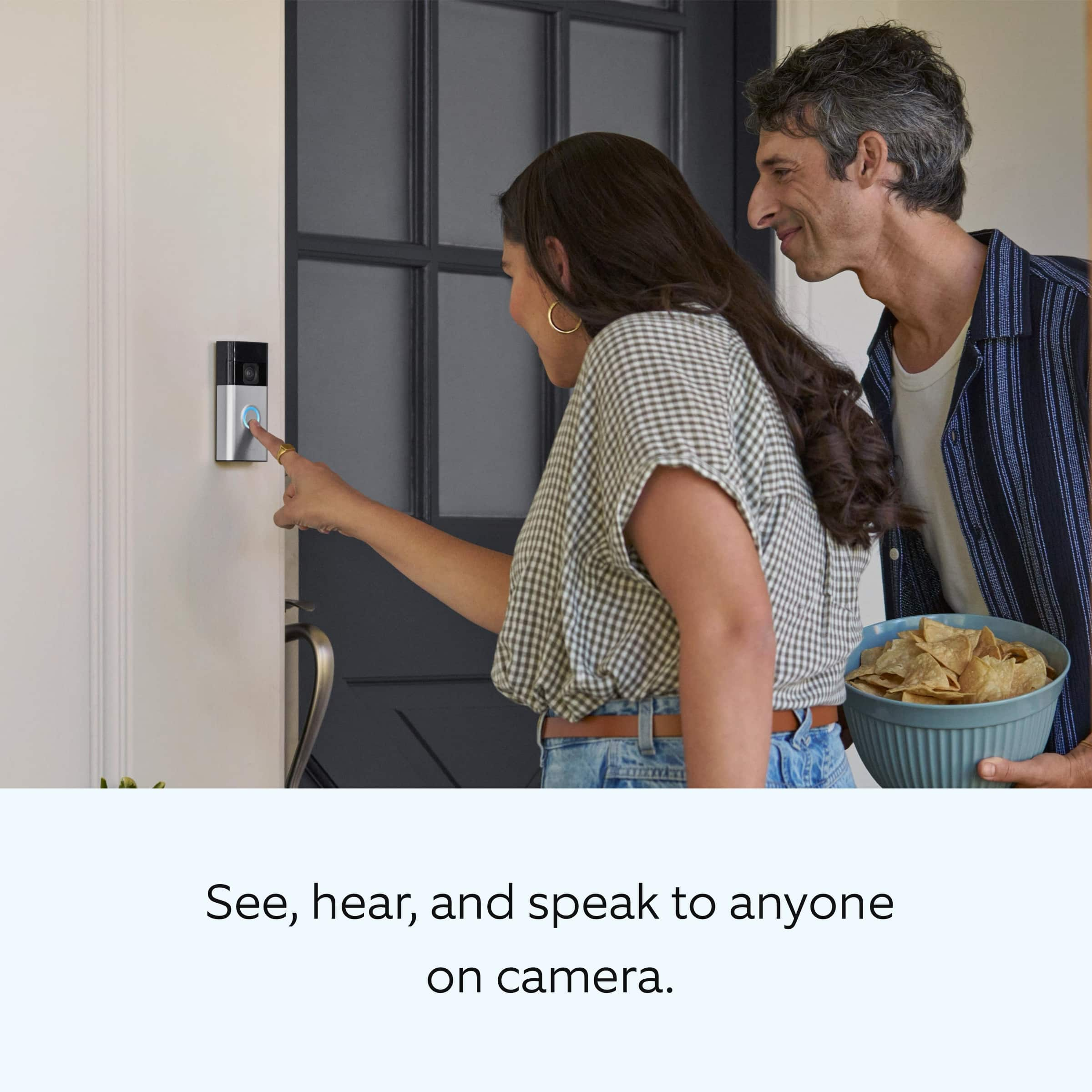
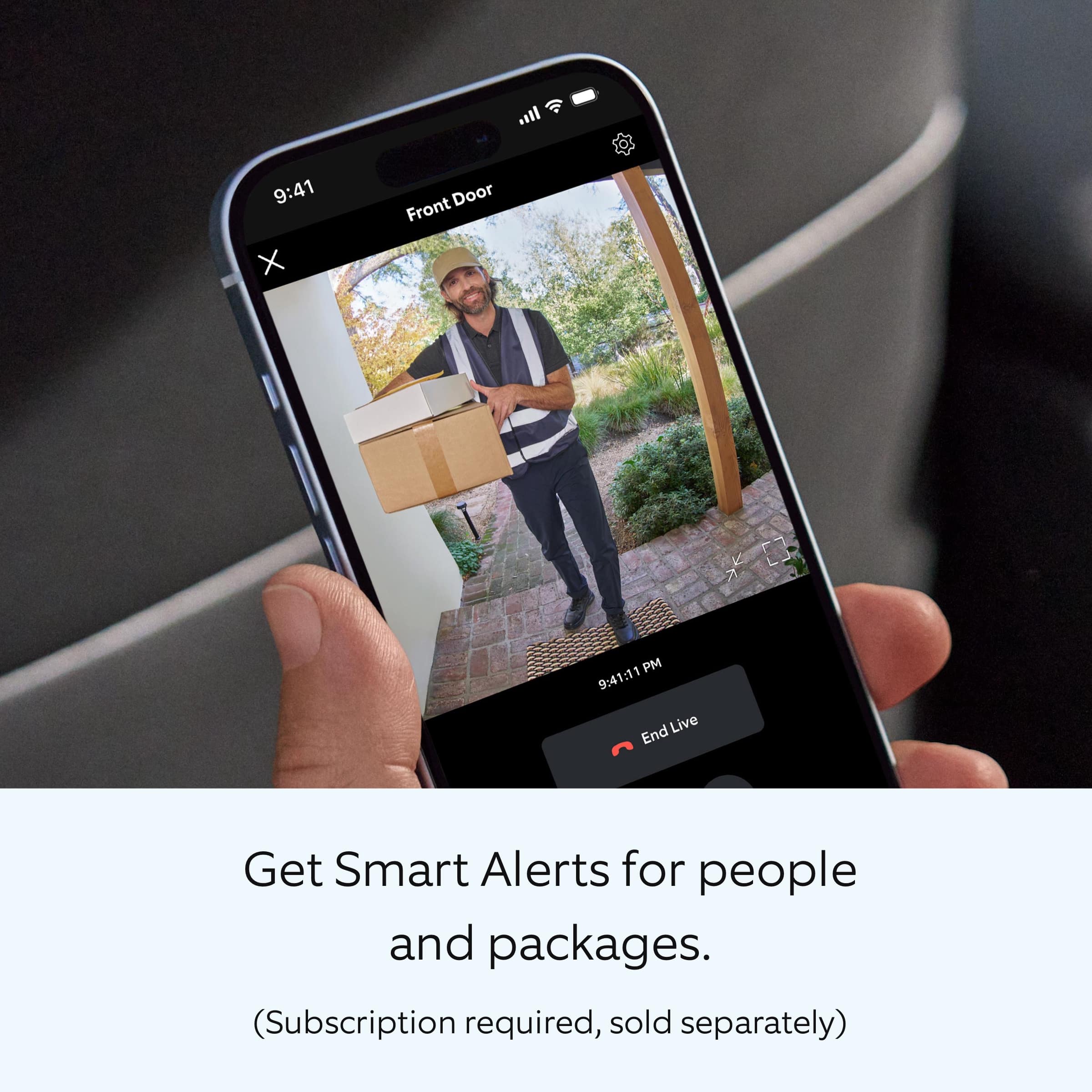
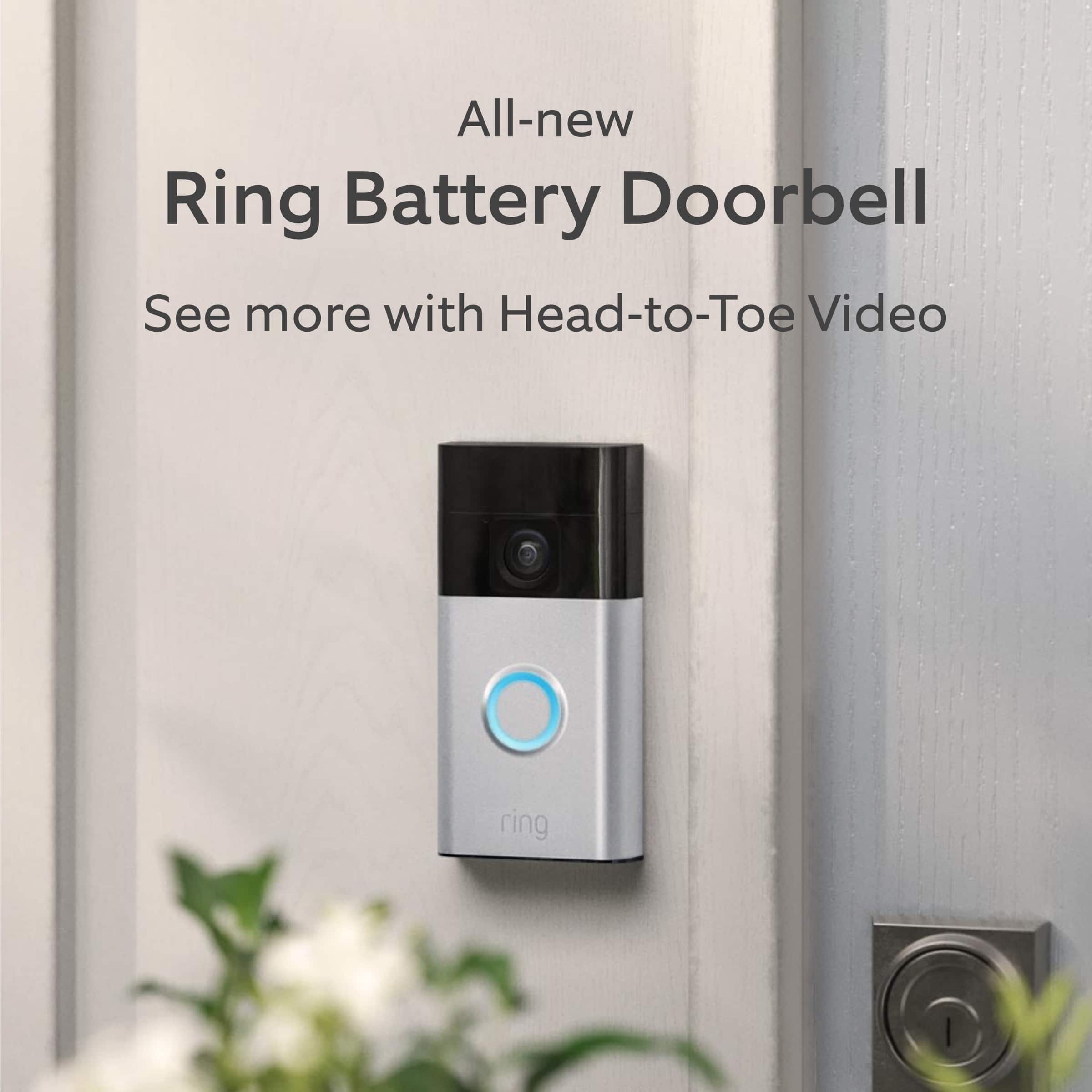
    I recently installed the Ring Battery Doorbell in Satin Nickel, and it's been a game-changer for home security. The Head-to-Toe Video feature is outstanding, giving me a complete view of my front door area, including packages left on the ground. The video quality is crisp, and I love how I can check everything in real-time using Live View, even when I’m away. The Two-Way Talk feature is a standout as well. I can easily communicate with delivery drivers or visitors without having to open the door, which adds an extra layer of convenience and safety. Installation was a breeze – it took me less than 10 minutes to get everything set up. The built-in battery means I don’t have to worry about replacing batteries, and recharging is as simple as plugging it in with the included Micro USB cable. The motion detection works flawlessly, and the customizable motion zones allow me to filter out unnecessary notifications, like passing cars. I opted for the Smart Alerts subscription, which has been very useful in distinguishing between people and packages, giving me peace of mind. I also love that the doorbell connects seamlessly with my other Ring devices, letting me control everything through one app. Overall, it’s an easy-to-install, feature-packed smart doorbell that provides excellent security for my home!

    I would recommend this to a friend
  • Rated 2 out of 5 stars

    Ring doorbell

    |
    |
    Posted . Owned for 1 month when reviewed.
    This reviewer received promo considerations or sweepstakes entry for writing a review.

    Poor motion alert don’t caught motion a lot poor quality

    No, I would not recommend this to a friend
    • Brand response from Ring
      Posted .

      Hi JohnF.

      Thank you for taking the time to share your experience with us. We understand how important it is to have your Ring Battery Doorbell capture all the correct motion events. The Ring Battery Doorbell was designed to capture motions based on your specifications to help keep your home secure. We are here to provide you with some information to resolve the issue you mentioned in your review.

      It sounds like the device is not performing as expected in regards to motion detection. It is important to ensure that you have the proper motion settings in place for your environment. Here are a few tips to optimize the motion settings on your device:

      1. Adjust Motion Sensitivity: Ring devices can detect motion up to 30 feet with the Motion Sensitivity slider at the maximum level. If you turn Motion Sensitivity down, this range will be lower, decreasing false motion. If your device is missing motion, increase the Motion Sensitivity using the slider.
      2. Change the position of your Ring device: Adjust the position of your doorbell to improve the accuracy of motion detection.
      3. Turn on Smart Alerts: You can enable Smart Alerts on your doorbell or camera to improve motion accuracy in detecting people and other objects, including packages. To turn on Smart Alerts, tap the Motion Settings tile on the device’s page in the Ring app. A Ring Home Plan is required to use Smart Alerts.
      4. Change the Motion Frequency: Under Advanced Settings, tap Motion Frequency. You can adjust how often battery-powered devices check for motion. If your device is missing motion events, increase the Motion Frequency to Frequently (Shortest battery life—Motion detection always stays active) in the Ring app. If too much motion is being detected, change the frequency to Regularly (Medium battery life—Motion detection takes a short break after each motion alert) or Periodically (Maximum battery life—Motion detection takes a longer break after each alert).

      We invite you to reach out to our community if any additional information is needed regarding your Ring Battery Doorbell. The Ring Community is our first peer-to-peer community forum, giving our customers the ability to help one another by sharing their feedback and experiences with each other.

      Thank you,
      Amilia from Ring. Ring

  • Rated 1 out of 5 stars

    Jeff bezos camera

    |
    |
    Posted . Owned for 2 months when reviewed.
    This reviewer received promo considerations or sweepstakes entry for writing a review.

    Just install cctv you have to pay a subscription or it wont work after the first month

    No, I would not recommend this to a friend
    • Brand response from Ring
      Posted .

      Hi CodyR.

      Thank you for taking the time to share your experience with us. We understand the importance of having all relevant product information prior to purchasing. The features and technology provided by the Ring Battery Doorbell are incredibly valuable and help provide you with peace of mind about your home security. We can definitely provide you with more information regarding the concern mentioned in your review.

      It sounds like you are concerned with the need for the Ring Home Plan subscription. At Ring, we work hard to be completely transparent in both our products, and the optional services in which we provide. The Ring Home Plan is mentioned on our Ring packaging, on our website, and in the welcome email you received upon setting up your device. Your Ring products provide their standard features (real-time notifications, live view, and two-way talk) without any subscription. Ring Home Plans offer downloading and sharing video capabilities and additional features for those who want them.

      We invite you to reach out to our community if any additional information is needed regarding your concern. The Ring Community is our first peer-to-peer community forum, giving our customers the ability to help one another by sharing their feedback and experiences with each other. Join the Ring Community today!

      Thank you,
      Amilia from Ring. Ring

  • Pros mentioned:
    Setup, Video quality
    Tech Insider Network Member

    Rated 5 out of 5 stars

    Definitely a "Smart" Buy

    |
    Tech Insider Network Member
    Posted .
    This reviewer received promo considerations or sweepstakes entry for writing a review.

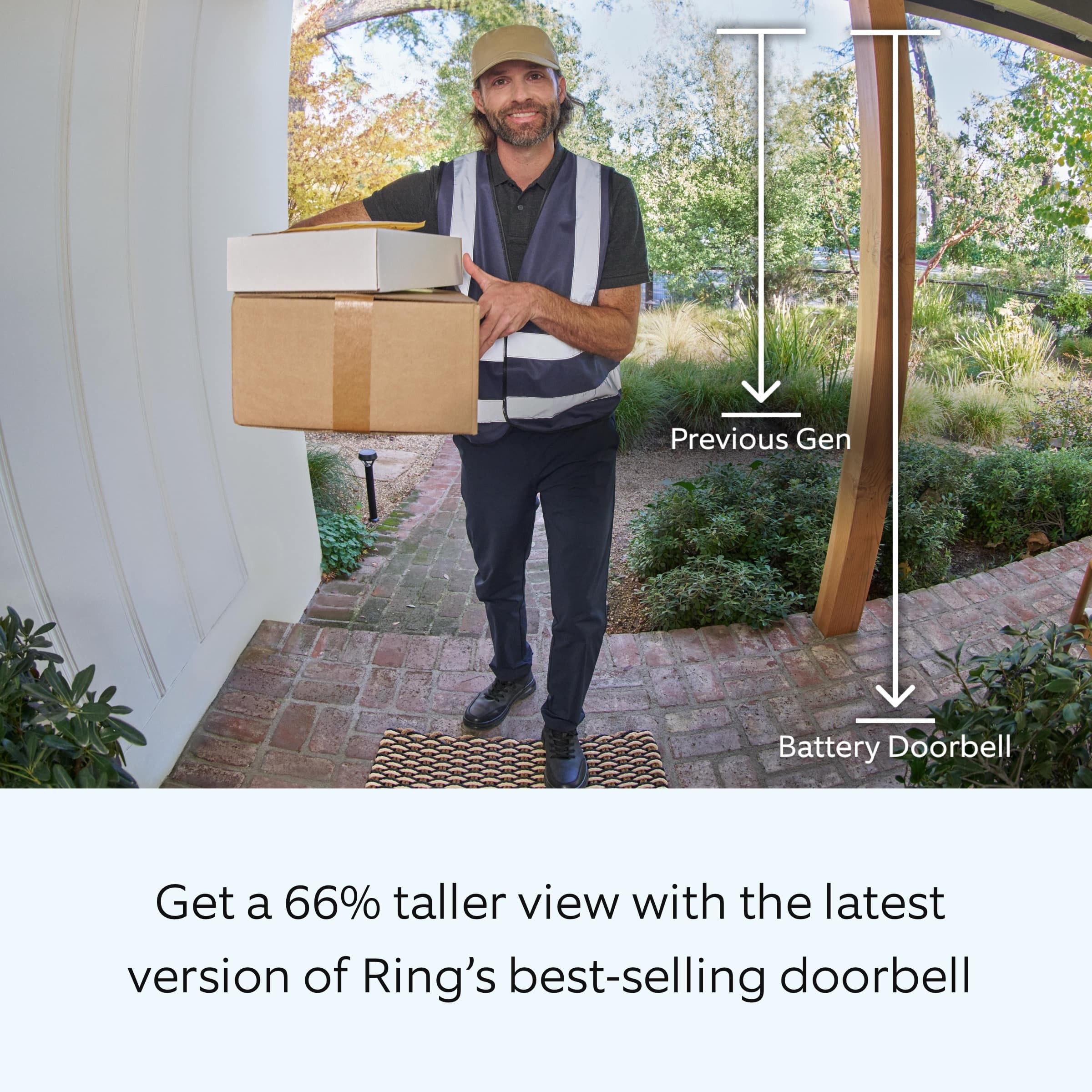
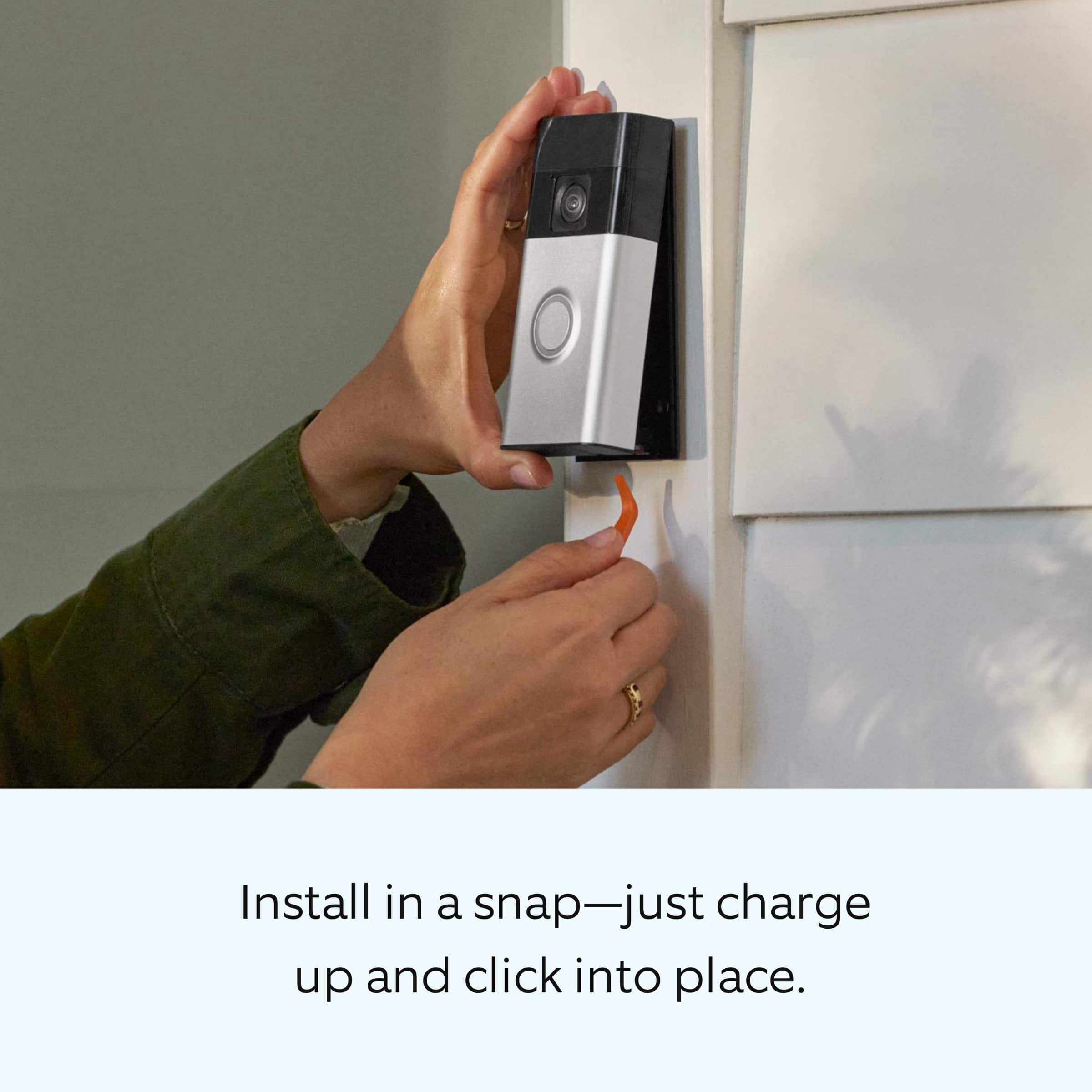
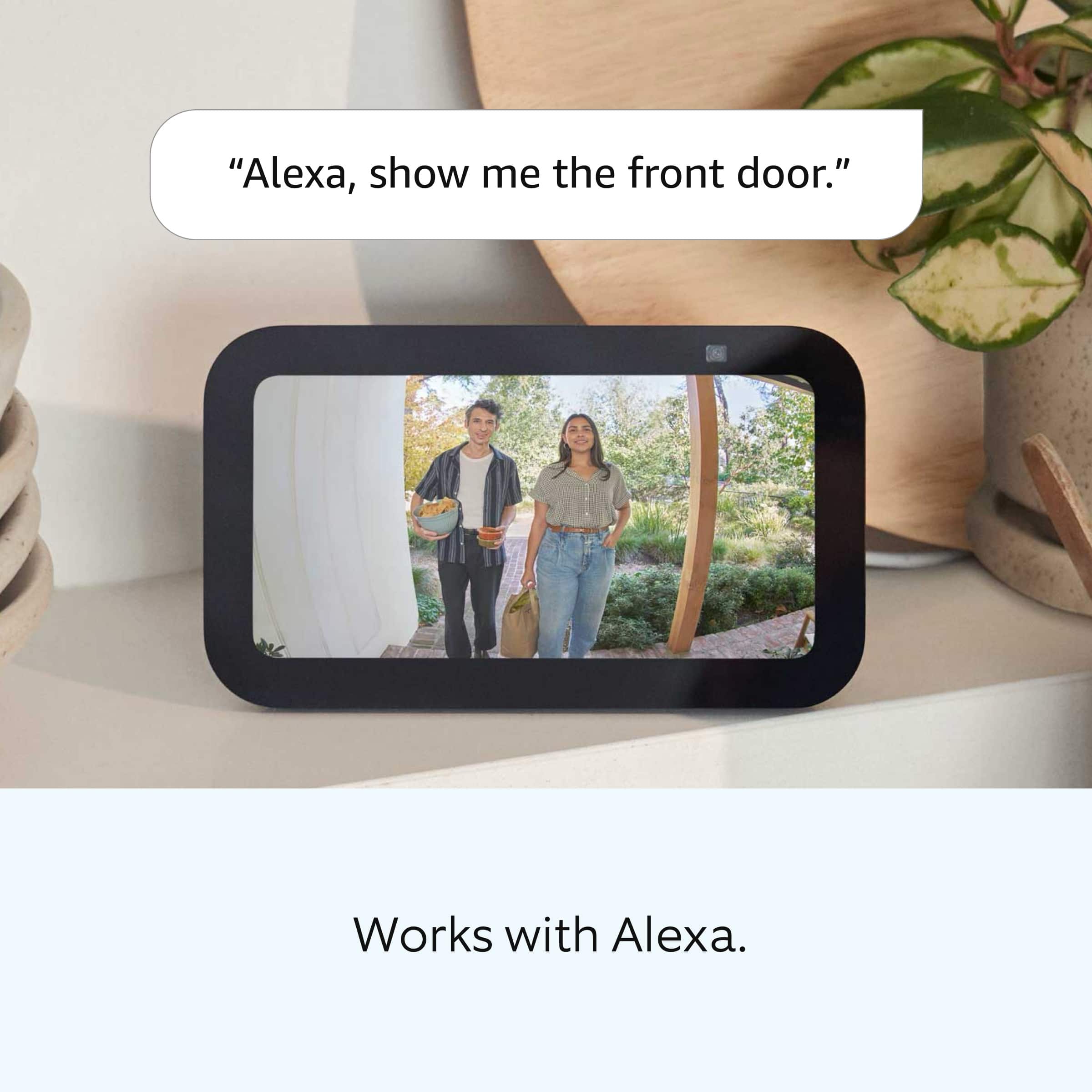
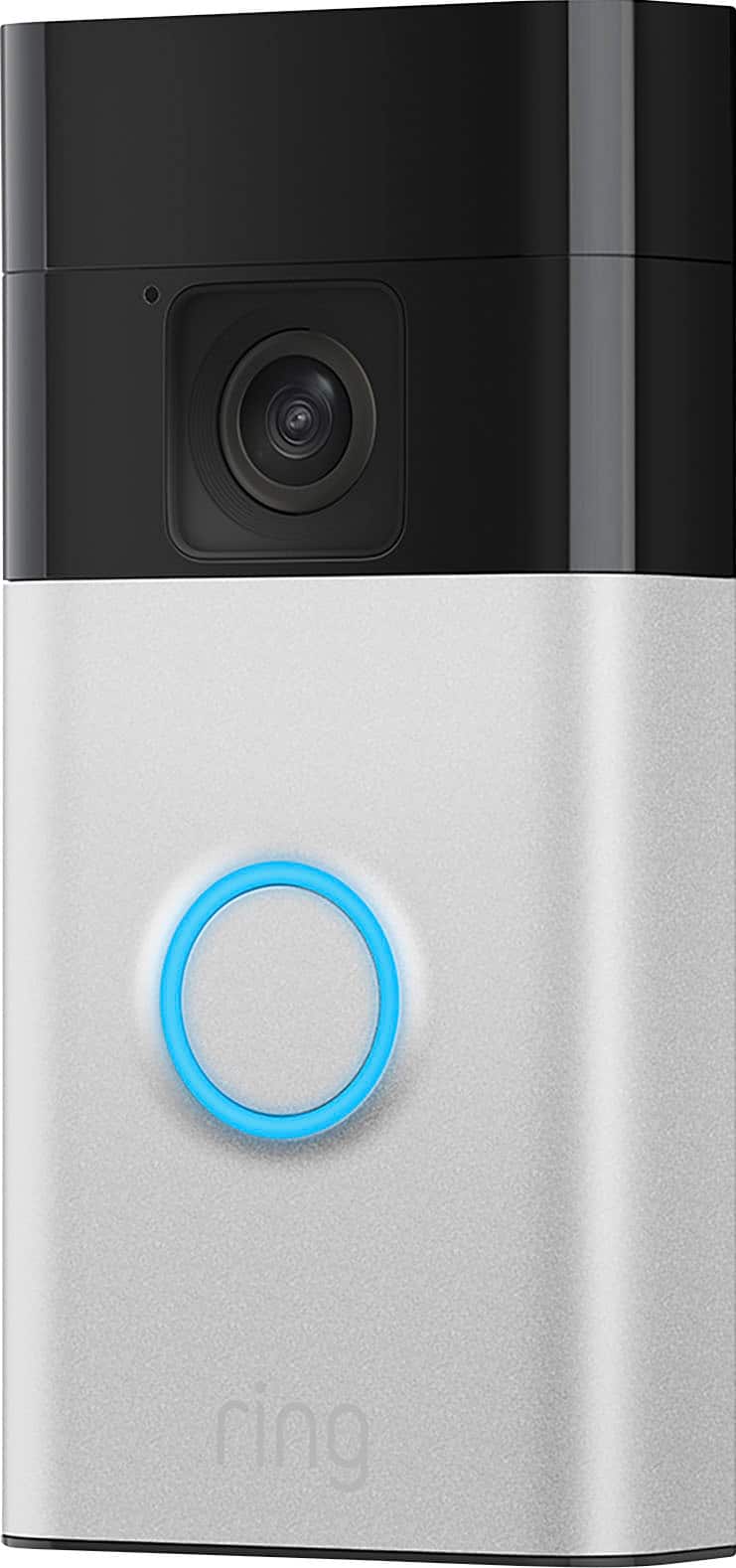
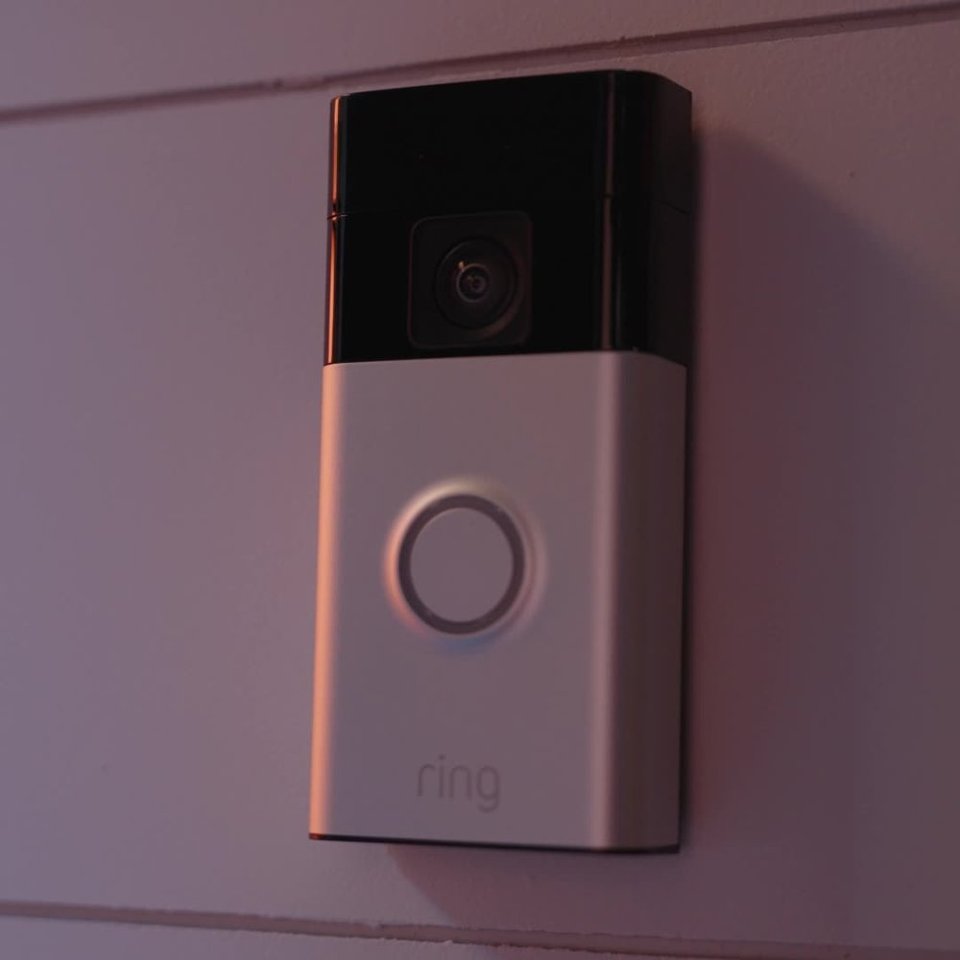
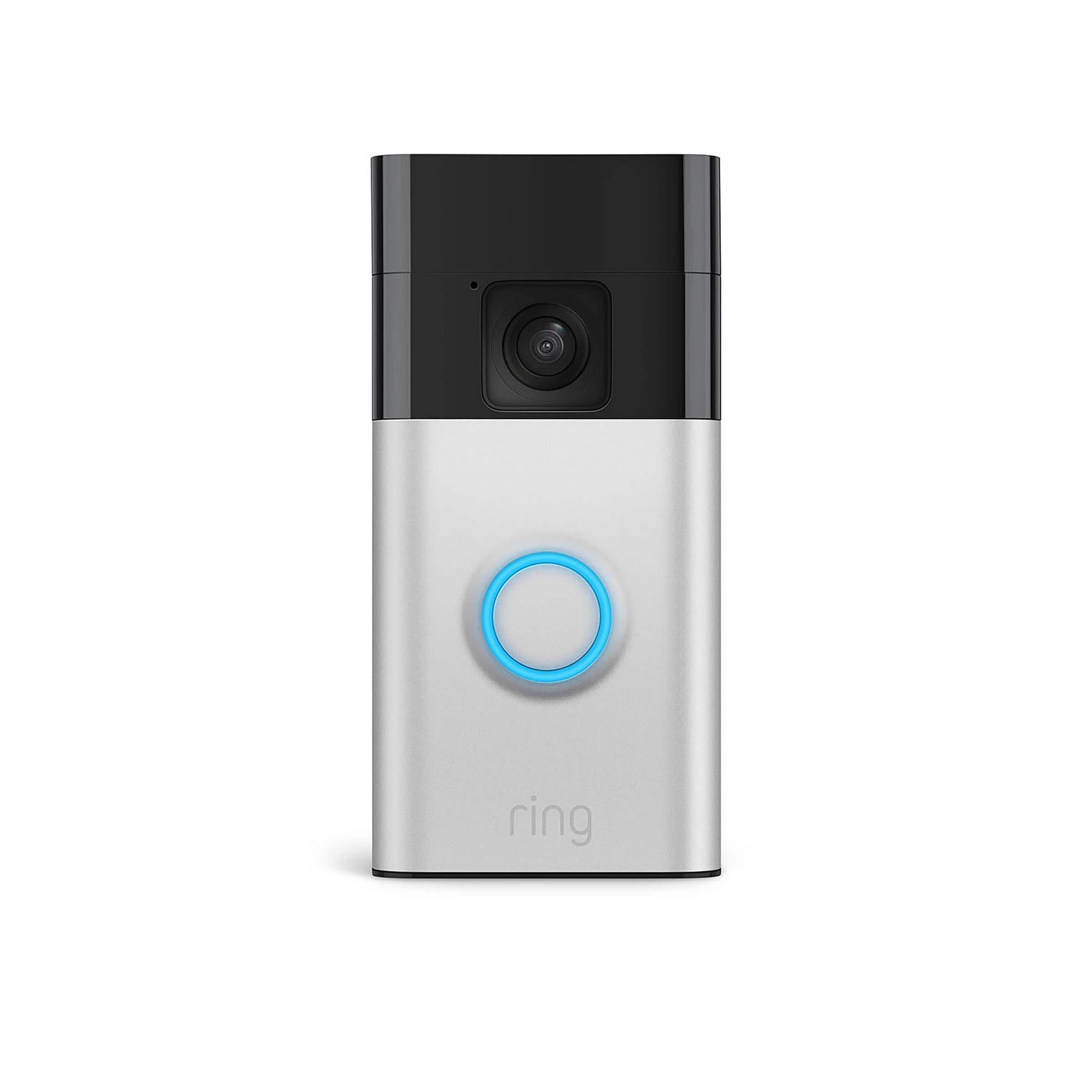
    The Amazon Ring Smart Battery Doorbell should be an essential part of your Ring home security system. This 3rd generation doorbell is very similar in both appearance and size to the previous version. It is 4.98 inches tall x 2.4 inches wide x 1 inch deep weighing 0.45 lbs. and is available in a Venetian Bronze or Satin Nickel finish. It has 2 way wireless audio and video monitoring, including Night Vision with a distance of up to 19 feet, via your home Wi-Fi connection and works with Alexa. Both the picture and the sound are extremely clear when viewed on both my cellphone and my Echo Show. However I occasionally experienced a bit of a lag while the live view was loading. Its 2K (1440p) imaging is an improvement on the Full HD imaging of the 2nd generation Ring doorbell and the camera allows for a 66% taller image that allows you to see visitors from head-to-toe. In order to monitor the doorbell you must download the Ring App, which is available for both Apple iOS and Android operating systems. Once installed, the app walks you through setting up an account and adding the doorbell to it. It has numerous settings that allow you to personalize your field of view, the notifications that you receive, etc. Only Cloud storage (which requires a yearly or monthly subscription) is available with this doorbell-no local storage using a USB. So while you can view live images via real-time video, use two-way talk, answer doorbell notifications, and receive alerts without having a subscription, you cannot save, review, or share your video. It’s very easy to install and no wiring is needed. Ring provides instructions and tips for installation at ring.com/battery-doorbell-guide. 1. Install the mounting plate with the included screws. Flat surfaces work best and it can be installed on siding. You want to make sure the camera will have an unobstructed view of whatever you want in your field of view as well as good Wi-Fi reception in your location. 2. Fully charge the doorbell’s built-in rechargeable Lithium-ion battery using the microUSB to USB-C charging cord included. Initial charge of the doorbell may take 6-8 hours and the circular LED light on the front of the device will illuminate when it’s fully charged 3. Finally, snap the doorbell into place on the mounting plate. You will need to monitor the battery life and unsnap the doorbell from its mount using the included curved removal tool to recharge it using the USB cord when needed. Ring products, and this doorbell specifically, are high quality, dependable, and easy to operate. The peace of mind that comes with being able to screen and communicate with visitors, be notified of package deliveries and be able to monitor them, and to be able to share stored videos is definitely worth the price of this doorbell. I give it 5 stars and recommend this as a great gifting idea.

    I would recommend this to a friend
  • Rated 3 out of 5 stars

    Have Technician charge battery before installing f

    |
    |
    Posted . Owned for 2 weeks when reviewed.
    This reviewer received promo considerations or sweepstakes entry for writing a review.

    battery did not last long before needing to be charged

    I would recommend this to a friend
    • Brand response from Ring
      Posted .

      Hi 4321.

      Thank you for taking the time to share your Ring experience with us and other consumers. We believe in keeping people close to what’s important. That is why we are driven to create products that help you protect what matters most at home and empower you to connect with your visitors from wherever you are. Together, we’ll make neighborhoods safer!

      It sounds like you are concerned about the battery life of your Ring device. Below is our order of setup steps for the Ring Battery Doorbell installation.
      1. Download the Ring app.
      2. Scan the QR code.
      3. Remove protective film.
      4. Fully charge the battery.
      5. Choose a location for your doorbell.
      6. Mount your Ring Battery Doorbell.

      If any additional information is needed regarding your Ring Battery Doorbell, please reach out to our community. Ring Community is our first peer-to-peer community forum, giving our customers the ability to help one another and share their feedback and experiences directly with Ring.

      Sincerely,
      Matthew from Ring. Ring

  • Pros mentioned:
    Video quality

    Rated 1 out of 5 stars

    Ring Doorbell

    |
    |
    Posted . Owned for 1 month when reviewed.
    This reviewer received promo considerations or sweepstakes entry for writing a review.

    No doubt is a great camera ring doorbell but just didn’t fit as my door is in the way when opens..since bought in a bundle couldn’t return for full refund.

    I would recommend this to a friend
    • Brand response from Ring
      Posted .

      Hello JRCan2.

      Thank you for taking a moment to leave your review on the Ring Battery Doorbell. We sincerely appreciate it! At Ring, we believe that stronger communities are the key to safer neighborhoods. That is why we are driven to create products that help you protect what matters most at home, and empower you to connect with your visitors from wherever you are.

      While we are saddened to read that this device did not meet your expectations, if you need additional assistance regarding your Ring Battery Doorbell, please reach out to our community. Ring Community is our first peer-to-peer community forum, giving our customers the ability to help one another and share their feedback and experiences directly with Ring.

      Thank you for being the best part of Ring! Have a wonderful day!

      Sincerely,
      Jess from Ring. Ring

  • Pros mentioned:
    Video quality

    Rated 1 out of 5 stars

    Not a secure camera

    |
    |
    Posted . Owned for 3 weeks when reviewed.
    This reviewer received promo considerations or sweepstakes entry for writing a review.

    Camera works great. Problem is it doesn’t have any security screws. Camera snaps in but comes loose from bracket.

    No, I would not recommend this to a friend
    • Brand response from Ring
      Posted .

      Hi Lymba.

      Thank you for taking the time to share your experience with us. We understand the importance of a seamless setup process so that you can begin using your Ring Battery Doorbell right away. The features and technology provided by the Ring Battery Doorbell are incredibly valuable and help provide you with peace of mind about your home security. We are happy to provide you with more information regarding the installation concern that you mentioned in your review.

      It sound like your device is not operating as expected in regards to the installation. We are always looking for ways to better our neighbors' experiences, and your feedback is an invaluable part of that process. Rest assured, we do take our customers’ feedback seriously and implement good ideas where we can. Prior to installing, make sure your mounting plate is flat against the wall. You may need to loosen or tighten your mounting screws to ensure the mounting plate is flat against the wall. When mounting the Ring Battery Doorbell you should hear a click when it snaps into place and be unable to remove without the security tool.

      We invite you to reach out to our Community if any additional information is needed regarding your Ring Battery Doorbell. The Ring Community is our first peer-to-peer community forum, giving our customers the ability to help one another by sharing their feedback and experiences with each other.

      Sincerely,
      Matthew from Ring. Ring

  • Pros mentioned:
    Setup
    Tech Insider Network Member

    Rated 4 out of 5 stars

    An Upgrade to a Popular Product

    |
    Tech Insider Network Member
    Posted .
    This reviewer received promo considerations or sweepstakes entry for writing a review.

    This Ring doorbell is a slight upgrade from the one that’s familiar to most people, having a wider field of view than the previous model. However, for us it is our first “smart” doorbell and I am reviewing it from that standpoint. The first issue I had was the basic lack of documentation included in the package. This model is normally powered by an internal rechargeable battery but my understanding was that it could also be wired into a standard doorbell circuit. Since this was to replace the front doorbell that’s been on our house for the last 40 years, I wanted it to be able to ring that doorbell when the button was pressed as well as not have to recharge the battery. Nothing on the box mentioned this so I wasn't even sure that I had the right product. It turned out that this is all supported but it required a lot of looking around on Ring’s website as well as perusing Reddit to confirm it. In the end, installation was quite easy and took me about 15 minutes max including removing the old button. The Ring also requires installation of their smartphone app, which can actually guide you through the process, including instructions for connecting the existing bell wires. Once installed, the app can be used to confirm that the connection is working and gives you the option to ring the existing bell. So, exactly what I wanted but it wasn’t as easy to learn about as it could have been. We have no other “smart home” devices such as networked chimes, Alexa speakers, etc. and are unable to report on how well those features work. So events from the bell can only come in as smartphone notifications. Various other settings are available thru the app. I set it up with motion detection as well as a neat little feature that takes a photo once an hour and makes them available on the device history timeline. Both of these are working well and I’ve already been notified when a package from FedEx was left on our porch. It might have to be tuned in the future to avoid false alarms such as when we’re sitting on the front porch. Shortly after I installed it we left on a week-long trip and I used the photo timeline to occasionally look at what was happening within the camera’s view each hour and can confirm that, yes, it gets dark every night! :-) One issue that I’ll have to address is that many of these features – mainly the storage of photos and video – require a subscription at a monthly or annual rate. Frankly, I’m starting to suffer from subscription overload lately and will have to decide if this is really worth it. We’ve never had porch pirates and the like in my neighborhood and it might be enough for us just to have it operate as a doorbell, let us see who is there, and perhaps talk to them if necessary.

    I would recommend this to a friend
  • Rated 1 out of 5 stars

    Never ever again

    |
    |
    Posted . Owned for 2 weeks when reviewed.
    This reviewer received promo considerations or sweepstakes entry for writing a review.

    I need to pay monthly to use the hardware. Since when? Pretty soon we’ll be paying monthly to use headphones. Absolutely sickening the way these CEOs figure any way possible to take our money.

    No, I would not recommend this to a friend
    • Brand response from Ring
      Posted .

      Hi JacobG.
      Thank you for taking the time to share your experience and feedback with us. We understand the importance of having events recorded on your Ring Battery Doorbell. Being able to save, download, and review footage captured by your Ring Battery Doorbell is a valuable feature of the Ring Home Plan. We are happy to hear that you are enjoying the functionality of the device. While subscribed to one of our Ring Home Plans, you will have access to videos of every motion and live view event. Without this service, you will still receive real-time video alerts on your smartphone and have access to the live view feature. For more information on Ring Home Plans, please visit the Ring website. If any additional information is needed regarding your Ring Battery Doorbell, please reach out to our community. Ring Community is our first peer-to-peer community forum, giving our customers the ability to help one another and share their feedback and experiences directly with Ring. Thank you,
      Jess from Ring. Ring