Customer Ratings & Reviews
- Model:
- B0BZWRSRWV
- |
- SKU:
- 6589895
Customer reviews
Rating 4.8 out of 5 stars with 1330 reviews
(1,330 customer reviews)Rating by feature
- Video Quality4.8
Rating 4.8 out of 5 stars
- Mobile App4.8
Rating 4.8 out of 5 stars
- Sound Quality4.8
Rating 4.8 out of 5 stars
Customers are saying
Customers recognize the Battery Doorbell Smart Wifi Video Doorbell for its impressive video quality, ease of use, and overall performance. Many appreciate the long-lasting battery and simple setup process. While some find the size larger than expected, the product is generally well-regarded for its motion detection and contribution to home security.
This summary was generated by AI based on customer reviews.
Rated 1 out of 5 stars
Jeff bezos camera
||Posted . Owned for 2 months when reviewed.This reviewer received promo considerations or sweepstakes entry for writing a review.Just install cctv you have to pay a subscription or it wont work after the first month
No, I would not recommend this to a friendBrand response from Ring
Posted .Hi CodyR.
Thank you for taking the time to share your experience with us. We understand the importance of having all relevant product information prior to purchasing. The features and technology provided by the Ring Battery Doorbell are incredibly valuable and help provide you with peace of mind about your home security. We can definitely provide you with more information regarding the concern mentioned in your review.
It sounds like you are concerned with the need for the Ring Home Plan subscription. At Ring, we work hard to be completely transparent in both our products, and the optional services in which we provide. The Ring Home Plan is mentioned on our Ring packaging, on our website, and in the welcome email you received upon setting up your device. Your Ring products provide their standard features (real-time notifications, live view, and two-way talk) without any subscription. Ring Home Plans offer downloading and sharing video capabilities and additional features for those who want them.
We invite you to reach out to our community if any additional information is needed regarding your concern. The Ring Community is our first peer-to-peer community forum, giving our customers the ability to help one another by sharing their feedback and experiences with each other. Join the Ring Community today!
Thank you,
Amilia from Ring.
Rated 1 out of 5 stars
Horrible
||Posted .This reviewer received promo considerations or sweepstakes entry for writing a review.It will not work with my blue stream system Bluetooth Wi-Fi or whatever. in addition, it has the wrong phone number. I don’t know where it came from. I cannot delete it.
This review is from Ring - Battery Doorbell Smart Wifi Video Doorbell - Battery-Powered with Head-to-Toe Video, Live View, and Two-Way Talk - Venetian Bronze
No, I would not recommend this to a friendBrand response from Ring
Posted .Hi Ronn.
Thank you for taking the time to share your experience with us. We understand the importance of a seamless setup process so that you can begin using your Ring Battery Doorbell right away. The features and technology provided by the Ring Battery Doorbell are incredibly valuable and help provide you with peace of mind about your home security. We can definitely provide you with more information regarding the connection concern mentioned in your review.
It sounds like the device is not performing as expected. The Ring Battery Doorbell is designed to work with your home's wifi network and is compatible with b/g/n wifi networks operating on 2.4 GHz frequencies. If you're receiving a 'Setup did not complete' message and cannot finish setup, it could be due to one of these common causes of setup failures:
* Your Ring device is too far from your wifi router. Ideally, your router should be within 20 feet of your Ring device.
* There's a possible problem with your internet connection.
* There's a possible issue related to your wifi modem or router.
Make sure your wifi router is off the floor.
Walls, floors, and furniture can interfere or weaken your router’s wireless signal. Choose an elevated, central, open location.
Make sure you're entering the correct password. Passwords are case sensitive and do not include spaces. Your network password can often be found on the bottom or side of your router.
Wifi passwords are case and special character (such as *,@,$, or #) sensitive. Double check letter capitalization and placement.
If you haven't changed your wifi password since your router was installed, it may be on a sticker on the underside of your router.
Connect other devices to your wifi network using your last remembered password to verify it is still correct.
If you have multiple networks or a wifi extender, confirm you are connecting to the correct one.
Make sure to connect to the 2.4 GHz network, not 5 GHz. All Ring devices can connect to 2.4 GHz, while only select Ring devices have Dual-Band Wifi to be able to connect to either.
If you’re still having issues, try holding down the reset button on top of the camera for 20 seconds. Before you reset your device, make sure to download any videos in your account.
If you are attempting to connect to a community wifi network, you may need to reach out to your internet service provider to manually add the MAC ID of the Ring device to allow it to connect to your wifi.
We invite you to reach out to our community if any additional information is needed regarding your Ring Battery Doorbell. The Ring Community is our first peer-to-peer community forum, giving our customers the ability to help one another by sharing their feedback and experiences with each other.
Thank you,
Amilia from Ring.
Rated 1 out of 5 stars
So disappointed
||Posted . Owned for 1 month when reviewed.This reviewer received promo considerations or sweepstakes entry for writing a review.I'm so disappointed with this item which I purchased along with the chime. It's unreliable with ringing. For example, yesterday I was in my office when someone rang the chime bell and the chime didn't ring and neither did my phone. Later that day I was in the grocery store and my phone (or maybe my watch) chimed indicating someone at my door. I'm ready to return this item.
This review is from Ring - Battery Doorbell Smart Wifi Video Doorbell - Battery-Powered with Head-to-Toe Video, Live View, and Two-Way Talk - Venetian Bronze
No, I would not recommend this to a friendBrand response from Ring
Posted .Hi CarolG.
Thank you for taking the time to share your experience with us. We understand the importance of having your Ring Battery Doorbell and Ring Chime alert you to motion at your door. The Ring Battery Doorbell is designed to work in many environments to provide you with peace of mind and security. We can definitely assist you with this today to ensure your Ring device is performing optimally, and the proper settings are chosen within the Ring app.
It sounds like the device is not performing as expected in regards to motion detection and alerts. The Ring Battery Doorbell is designed with customizable motion settings to be adjusted according to your needs. It is important to ensure that you have the proper motion settings in place for your environment. This camera uses adjustable motion detection and runs on passive infrared sensors. The system identifies visitors via a moving heat signature and sends a notification to your smart device when one is detected. You can adjust three preset motion zones and their distances under the "Motion Settings" tab on the device's page in the Ring app. Additionally, you can choose how often the camera checks for movement in those predefined zones via the "Motion Frequency" setting. If you find that your camera is missing some motions, please set the motion frequency to "Frequently." We recommend also making sure that you have toggled on the Motion Alerts setting on the device's page in the Ring app and that no schedules have been set to snooze motion alerts.
We recommend following these steps in the Ring app to ensure that the proper Chime alert settings are chosen:
Open the Ring app.
Tap the top menu (☰) and then Devices.
Select your Chime or Chime Pro device.
Tap Audio Settings then Chime Alerts.
Under each linked Ring device, you can select Motion Chime Alerts for doorbells and cameras, and Ring Chime Alerts for doorbells.
Now when an event happens, your Chime at the same location will play a sound.
We invite you to reach out to our community if any additional information is needed regarding your question. The Ring Community is our first peer-to-peer community forum, giving our customers the ability to help one another by sharing their feedback and experiences with each other.
Thank you,
Melissa from Ring.
Rated 1 out of 5 stars
Do not shop at Best Buy
||Posted . Owned for 1 month when reviewed.This reviewer received promo considerations or sweepstakes entry for writing a review.Buyer beware! I purchased this as a gift and unfortunately bought the wrong color. I went to my local Best Buy to even exchange and was told that is not allowed although the products are identical, only difference is the color of the front plate. I called customer service and they told me the same thing. I have never experienced this type of policy at another store or online. Absolutely ridiculous!
This review is from Ring - Battery Doorbell Smart Wifi Video Doorbell - Battery-Powered with Head-to-Toe Video, Live View, and Two-Way Talk - Venetian Bronze
No, I would not recommend this to a friendBrand response from Ring
Posted .Hello Eric.
Thank you for taking the time to share your experience with us. We understand the importance of a seamless ordering, setup and installation process, as this allows you to start using your Ring Battery Doorbell right away. What you describe is not the experience we want you to have, rest assured we are here to offer you some help.
At Ring, we understand you have many choices when it comes to your home security. If the retailer has not resolved this concern for you, please reach out to our community forum today by visiting Ring's website. We appreciate that you have chosen Ring to secure your home and look forward to providing you a solution so that you have a Ring device you can rely on.
Sincerely,
Jess from Ring.
Rated 1 out of 5 stars
Never ever again
||Posted . Owned for 2 weeks when reviewed.This reviewer received promo considerations or sweepstakes entry for writing a review.I need to pay monthly to use the hardware. Since when? Pretty soon we’ll be paying monthly to use headphones. Absolutely sickening the way these CEOs figure any way possible to take our money.
No, I would not recommend this to a friendBrand response from Ring
Posted .Hi JacobG.
Thank you for taking the time to share your experience and feedback with us. We understand the importance of having events recorded on your Ring Battery Doorbell. Being able to save, download, and review footage captured by your Ring Battery Doorbell is a valuable feature of the Ring Home Plan. We are happy to hear that you are enjoying the functionality of the device. While subscribed to one of our Ring Home Plans, you will have access to videos of every motion and live view event. Without this service, you will still receive real-time video alerts on your smartphone and have access to the live view feature. For more information on Ring Home Plans, please visit the Ring website. If any additional information is needed regarding your Ring Battery Doorbell, please reach out to our community. Ring Community is our first peer-to-peer community forum, giving our customers the ability to help one another and share their feedback and experiences directly with Ring. Thank you,
Jess from Ring.
- Pros mentioned:Battery life, SetupCons mentioned:Connectivity
Rated 4 out of 5 stars
Doorbell for any DIY person who wants security
|Posted .This reviewer received promo considerations or sweepstakes entry for writing a review.As a homeowner, the battery-operated Ring doorbell's convenience was a significant draw for me. The fact that it could be installed within about 15 minutes straight out of the box was a pleasant surprise. Despite a minor issue with the need for a constant internet connection, the overall ease of installation was a huge plus. The doorbell's features, such as its HD video and crisp audio, further added to its appeal. I have a 6E mesh network at home, and my Ring connection loss made me invest in the Ring Chime Pro, which I had heard was a great product and an internet extender. Once I connected it, I noticed a significant improvement in my internet connection. I was impressed with the app interface and the doorbell alerts., which give the app a DVR feel. I can only speak about the premium features, as I am on a trial membership. I also enjoy the two-way talk feature. I can tell my granddaughter good morning and wish her a good day at school from the office. I am eager to see what the basic version offers when my trial ends. I particularly appreciate the people who text and feature, which filters out alerts for dogs, bugs, and birds. I hope the basic version retains these features, as I understand the frustration of being pushed into a subscription. For anyone considering a DIY Ring doorbell, the impressive battery life is a major selling point. I fully charged it about a week ago, and it's only lost about 2% of the battery despite a very busy doorway. This level of convenience adds a significant layer of security to your life. Pros: easy installation sturdy build HD video and crisp audio Cons: Internet connection drop
I would recommend this to a friend Rated 1 out of 5 stars
Run...and do it quickly!
||Posted . Owned for 3 months when reviewed.This reviewer received promo considerations or sweepstakes entry for writing a review.They bring you into there ecosystem initially giving a month of full service then try to get you to pay a monthly subscription to use all features. What a joke!
This review is from Ring - Battery Doorbell Smart Wifi Video Doorbell - Battery-Powered with Head-to-Toe Video, Live View, and Two-Way Talk - Venetian Bronze
No, I would not recommend this to a friendBrand response from Ring
Posted .Hi Amanda.
Thank you for taking the time to share your experience with us. At Ring, we want to ensure that you have the best possible experience with our products. Your peace of mind and security are extremely important to us. The features and technology provided by the Ring Battery Doorbell are incredibly valuable and help provide you with peace of mind about your home security. Rest assured, we're here to help!
It sounds like you are concerned with the need for the Ring Home Plan subscription. At Ring, we work hard to be completely transparent in both our products, and the optional services in which we provide. The Ring Home Plan is mentioned on our Ring packaging, on our website, and in the welcome email you received upon setting up your device. Your Ring products provide their standard features (real-time notifications, live view, and two-way talk) without any subscription. Ring Home Plans offer downloading and sharing video capabilities and additional features for those who want them.
If any additional information is needed regarding your Ring Battery Doorbell, please reach out to our community. Ring Community is our first peer-to-peer community forum, giving our customers the ability to help one another and share their feedback and experiences directly with Ring. Join the Ring Community today!
Thank you,
Amilia from Ring.
Rated 1 out of 5 stars
Dont buy
||Posted . Owned for 1 month when reviewed.This reviewer received promo considerations or sweepstakes entry for writing a review.Half the features dont work. Theres a problem with who is supposed to replace it.ring and best buy dont agree so im stuckwith gunk unless rind or best buy decide. Been a loyalbest buy customer for yrs. First time Been let down but i dont usually get a defective unit.
This review is from Ring - Battery Doorbell Smart Wifi Video Doorbell - Battery-Powered with Head-to-Toe Video, Live View, and Two-Way Talk - Venetian Bronze
No, I would not recommend this to a friendBrand response from Ring
Posted .Hi Geek129.
Thank you for taking the time to share your experience with us. At Ring, we want to ensure that you have the best possible experience with our products. Your peace of mind and security are extremely important to us. The features and technology provided by the Ring Battery Doorbell are incredibly valuable and help provide you with peace of mind about your home security. Rest assured, we're here to help!
At Ring, we believe that stronger communities are the key to safer neighborhoods. That is why we are driven to create products that help you protect what matters most at home, and empower you to connect with your visitors from wherever you are. We are saddened to read that this device did not meet your expectations but are still here to assist you. Our support team is available 24/7.
If you still have the Ring Battery Doorbell in your possession, please reach out to our community. Ring Community is our first peer-to-peer community forum, giving our customers the ability to help one another and share their feedback and experiences directly with Ring.
Thank you,
Amilia from Ring.
Rated 1 out of 5 stars
No good
||Posted .This reviewer received promo considerations or sweepstakes entry for writing a review.This doorbell cannot stick on stucco. It will not stay on the wall. I would like to return. It did not get a chance to get into the store.
No, I would not recommend this to a friendBrand response from Ring
Posted .Hi Ronn.
Thank you for taking the time to share your experience with us. We understand the importance of a seamless installation process so that you can begin using your Ring Battery Doorbell right away. The features and technology provided by the Ring Battery Doorbell are incredibly valuable and help provide you with peace of mind about your home security. We can definitely provide you with more information regarding the concern mentioned in your review.
It sounds like the device is not performing as expected in regards to installation. We recommend following these instructions when installing your Ring Battery Doorbell:
1. Download the Ring app.
2. Scan the QR code.
3. Remove protective film.
4. Fully charge the battery.
5. Choose a location for your doorbell.
6. Install the mounting bracket. Then, attach your doorbell to the bracket.
On stucco, brick, or concrete, use a ¼ in (6 mm) masonry bit to drill holes for the included wall anchors.
7. Press until you hear a click to secure.
We invite you to reach out to our community if any additional information is needed regarding your Ring Battery Doorbell. The Ring Community is our first peer-to-peer community forum, giving our customers the ability to help one another by sharing their feedback and experiences with each other.
Thank you,
Amilia from Ring.
Rated 1 out of 5 stars
Defective item
||Posted . Owned for 1 month when reviewed.This reviewer received promo considerations or sweepstakes entry for writing a review.Battery only last a week. Best Buy wouldnt let me return it within 30 days. Neber again will i buy from this company.
No, I would not recommend this to a friendBrand response from Ring
Posted .Hi SCAMMEDBYBESTBUY.
Thank you for taking the time to share your experience with us. We understand the importance of receiving a working device in your order. The features and technology provided by Ring Security Cameras are incredibly valuable and help provide you with peace of mind about your home security. We are eager to address the issue you raised in your review and provide you with a resolution today.
It sounds like you are having a concern with a return. In this particular case, we suggest that you reach out to Best Buy's customer service at: 1-888-237-8289. We are confident that they will be ble to provide you with a resolution to this concern.
If you still have the Ring device in your possession, we invite you to reach out to our community. Ring Community is our first peer-to-peer community forum, giving our customers the ability to help one another and share their personal feedback/experiences with Ring. We look forward to hearing from you, if we can be of any further assistance!
Thank you,
Matthew from Ring.
Rated 1 out of 5 stars
My Ring camera
||Posted .This reviewer received promo considerations or sweepstakes entry for writing a review.Not able to make it work but will try again on my day off
This review is from Ring - Battery Doorbell Smart Wifi Video Doorbell - Battery-Powered with Head-to-Toe Video, Live View, and Two-Way Talk - Venetian Bronze
No, I would not recommend this to a friendBrand response from Ring
Posted .Hi HermilinaB.
Thank you for taking the time to share your experience with us. We understand the importance of a seamless setup process so that you can begin using your Ring Battery Doorbell right away. The features and technology provided by the Ring Battery Doorbell are incredibly valuable and help provide you with peace of mind about your home security. We can definitely provide you with more information regarding the concern mentioned in your review.
It sounds like you are experiencing an issue with the setup of the device.
To set up your Ring Battery Doorbell, you can scan the QR code on your Ring device or product packaging via the Ring app. Follow these instructions in the Ring app:
Tap the three lines (≡) on the left side of your dashboard in the Ring app.
Tap "Set up a Device" and select the type of your device.
Tap "I’m Ready to Scan."
Point your smartphone’s camera at the QR code on your Ring device or product packaging. (Note: If you don’t see the QR code, please remove your video doorbell’s faceplate).
Center the code in the phone camera’s view at the bottom half of the screen.
When the code is recognized, a green square will appear and a pop-up with your device image detected.
If you experience issues scanning the QR code, please follow these steps:
Move your camera closer or further from the QR code to help it focus.
Once your camera finds focus, hold it steady for a few seconds.
If your camera won’t focus, clean your camera lens, move to a well-lit area, and try again.
If you continue to experience issues, please follow these additional steps:
Tap "Other Options" below the scanner.
Select Can’t Scan the QR code.
Confirm by selecting "Enter code manually" (this corresponds to PIN code digits underneath the QR code).
Find your device in the list.
Enter your five digit PIN which can be found below the QR code.
For additional support, we recommend reaching out to our Ring Customer Support team. They are available 24/7 at: 1-800-656-1918. We also invite you to reach out to our community. The Ring Community is our first peer-to-peer community forum, giving our customers the ability to help one another by sharing their feedback and experiences with each other.
All the best,
Miyuki from Ring.
Rated 1 out of 5 stars
Ring doorbell
||Posted . Owned for 3 weeks when reviewed.This reviewer received promo considerations or sweepstakes entry for writing a review.Apparently this was refurbished and not disclosed when sold. My husband found past codes in ring doorbell. It does. It work when it gets cold. Even when it warms up it only works half the time
This review is from Ring - Battery Doorbell Smart Wifi Video Doorbell - Battery-Powered with Head-to-Toe Video, Live View, and Two-Way Talk - Venetian Bronze
No, I would not recommend this to a friendBrand response from Ring
Posted .Hi West.
Thank you for taking the time to share your experience with us. We understand the importance of receiving the correct device in your order. The features and technology provided by Ring Security Cameras are incredibly valuable and help provide you with peace of mind about your home security. We are eager to address the issue you raised in your review and provide you with a resolution today.
It sounds like you did not receive the correct Ring device in your order. In this particular case, we suggest that you reach out to Best Buy's customer service at: 1-888-237-8289 or. We are confident that they will be able to provide you with a resolution to this concern.
If you still have the Ring device in your possession, we invite you to reach out to our community. Ring Community is our first peer-to-peer community forum, giving our customers the ability to help one another and share their personal feedback/experiences with Ring. We look forward to hearing from you, if we can be of any further assistance!
Thank you,
Matthew from Ring.
- Pros mentioned:Setup, Video quality
Rated 5 out of 5 stars
Definitely a "Smart" Buy
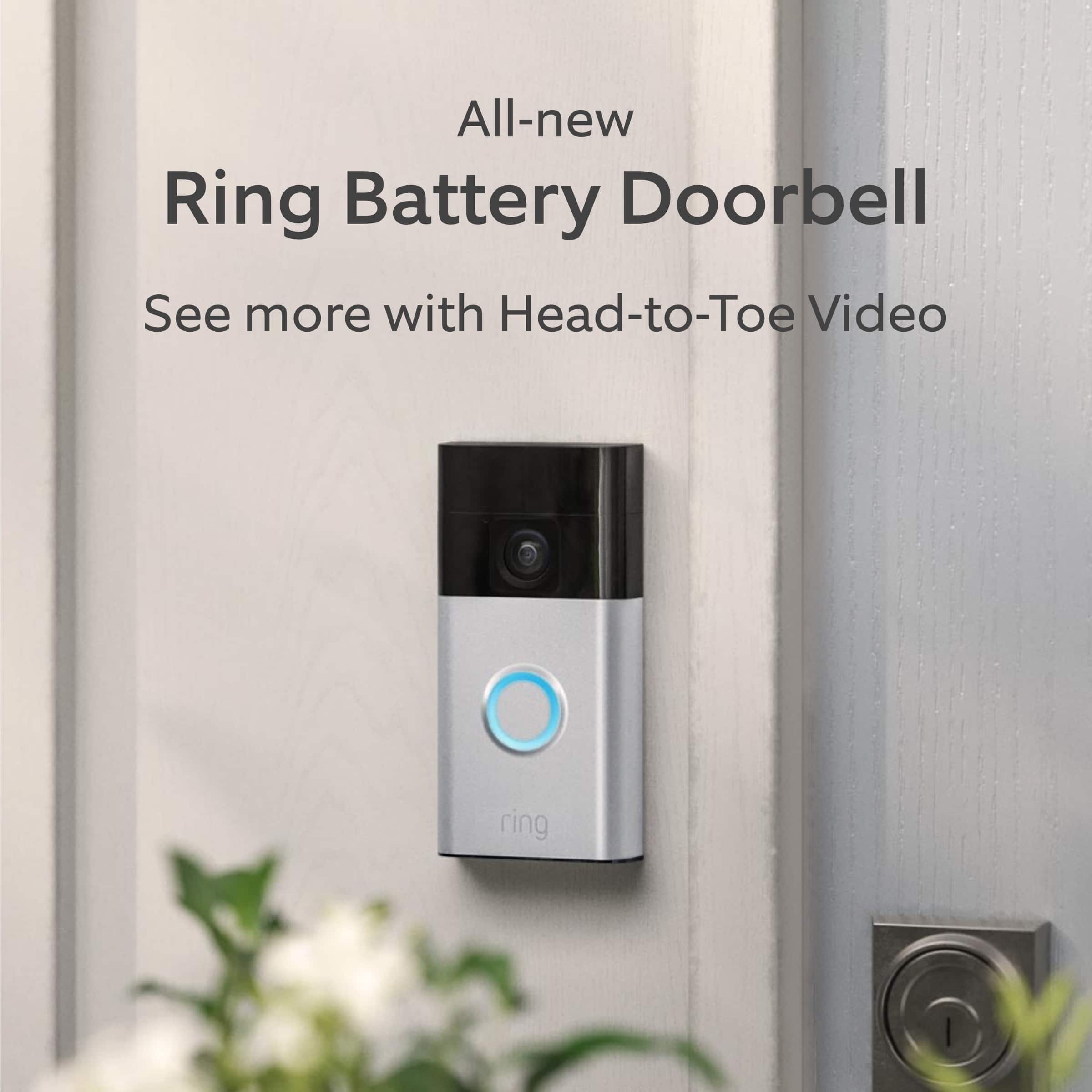
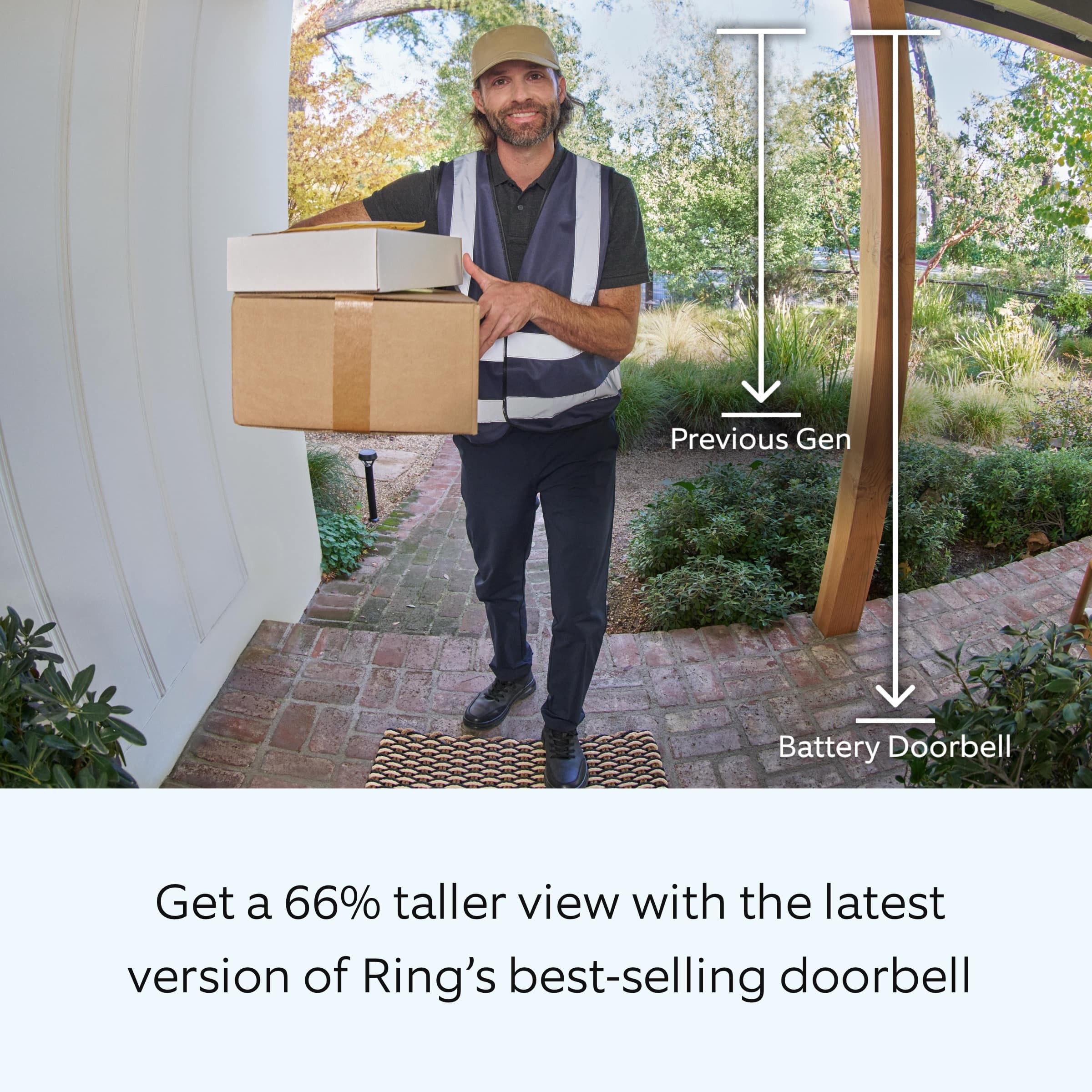
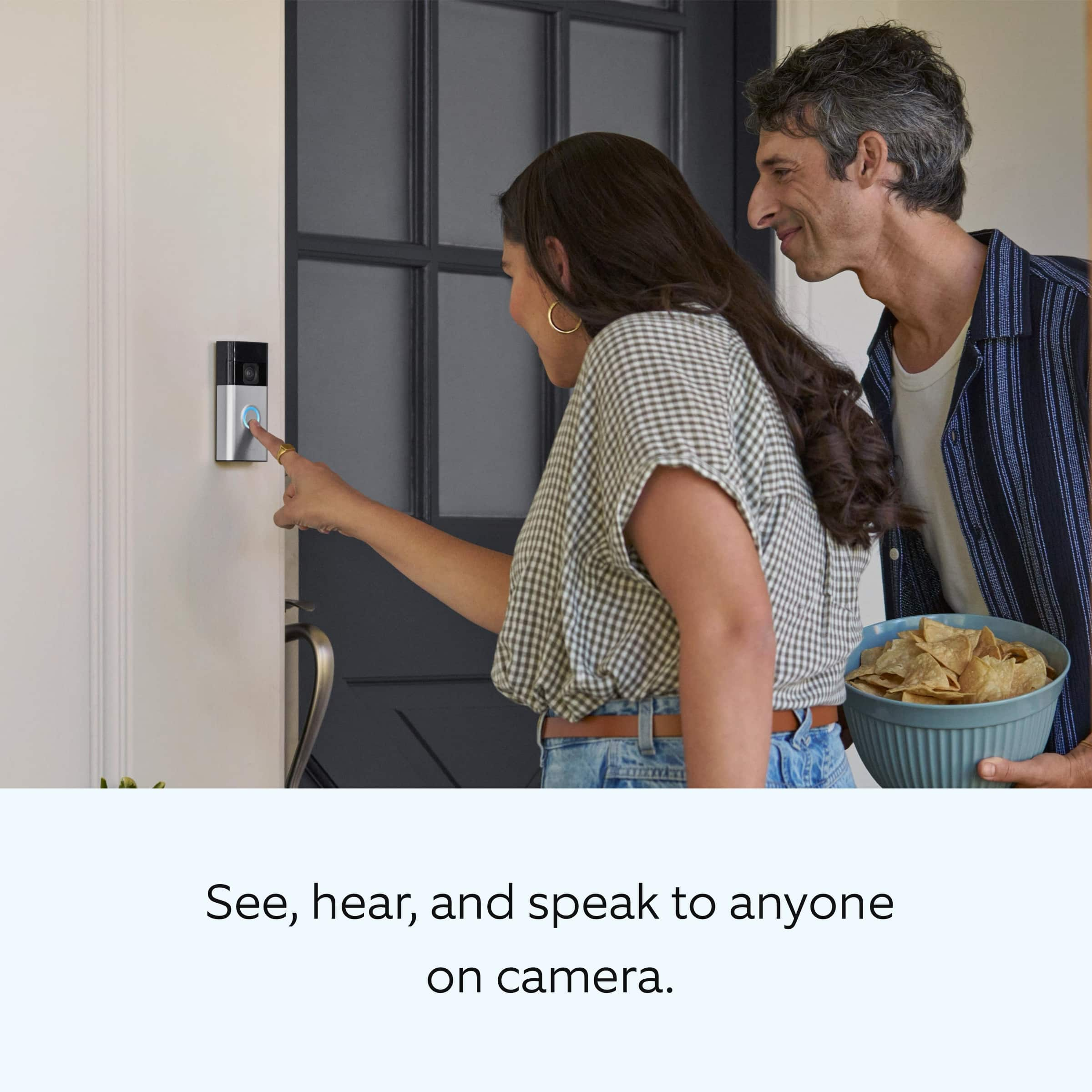
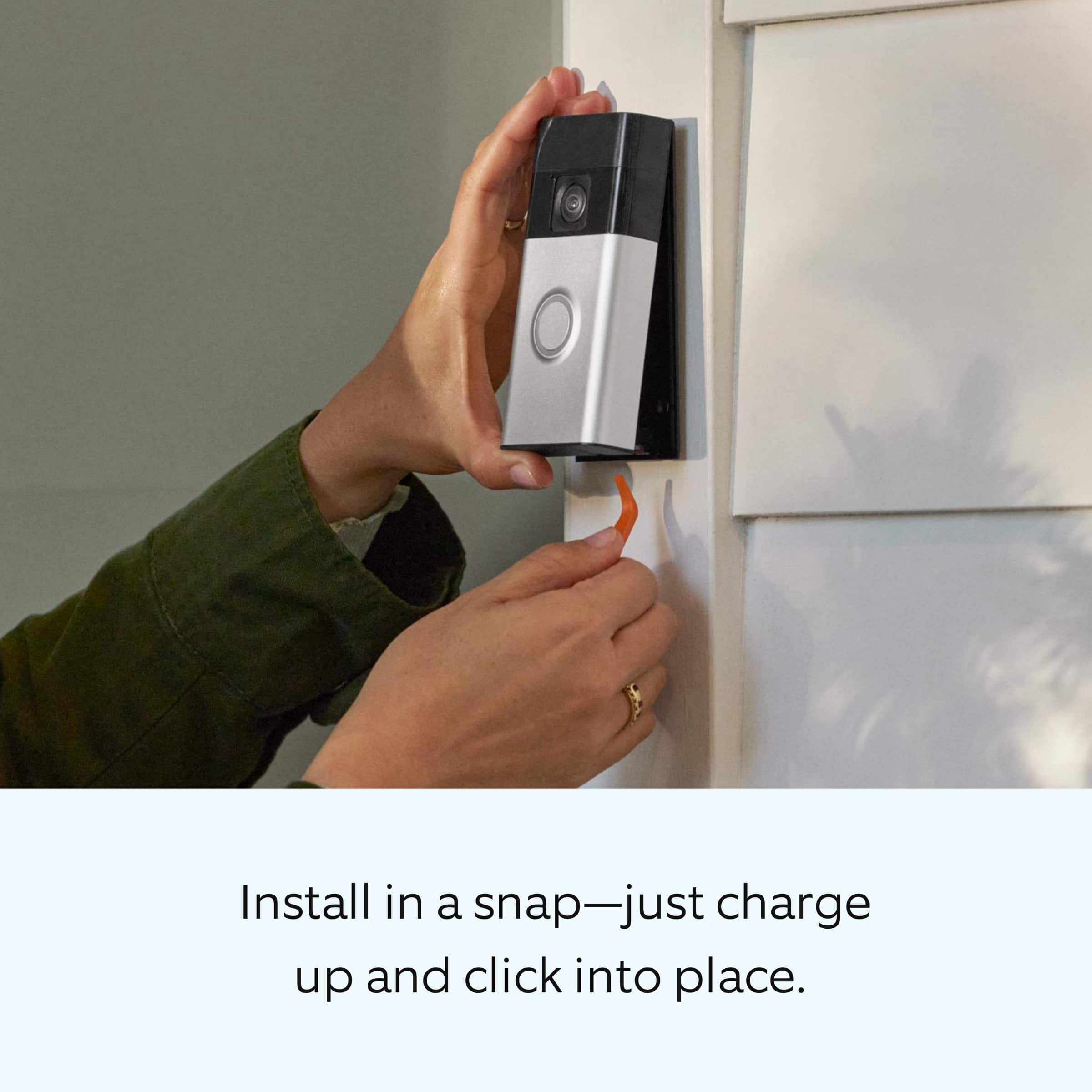
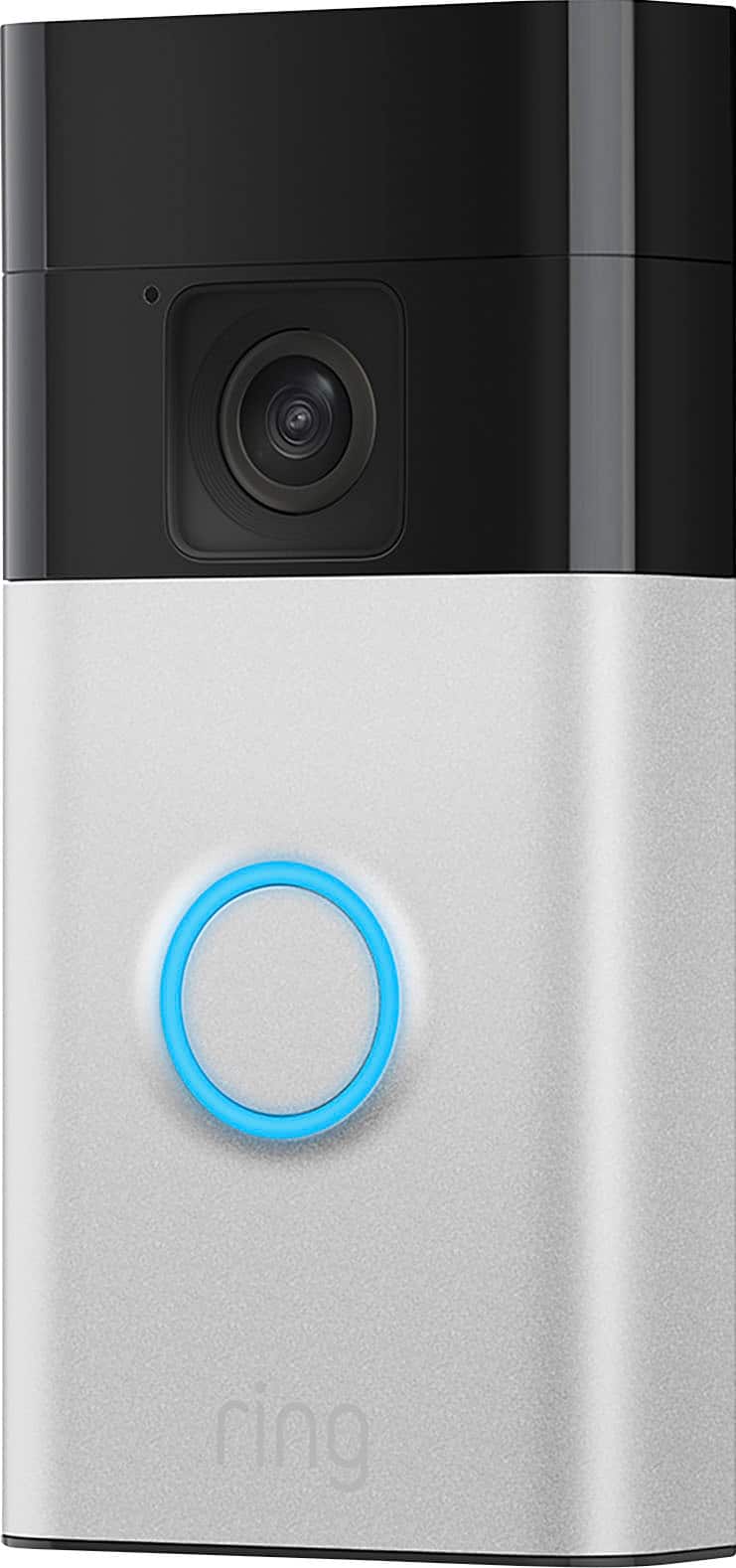
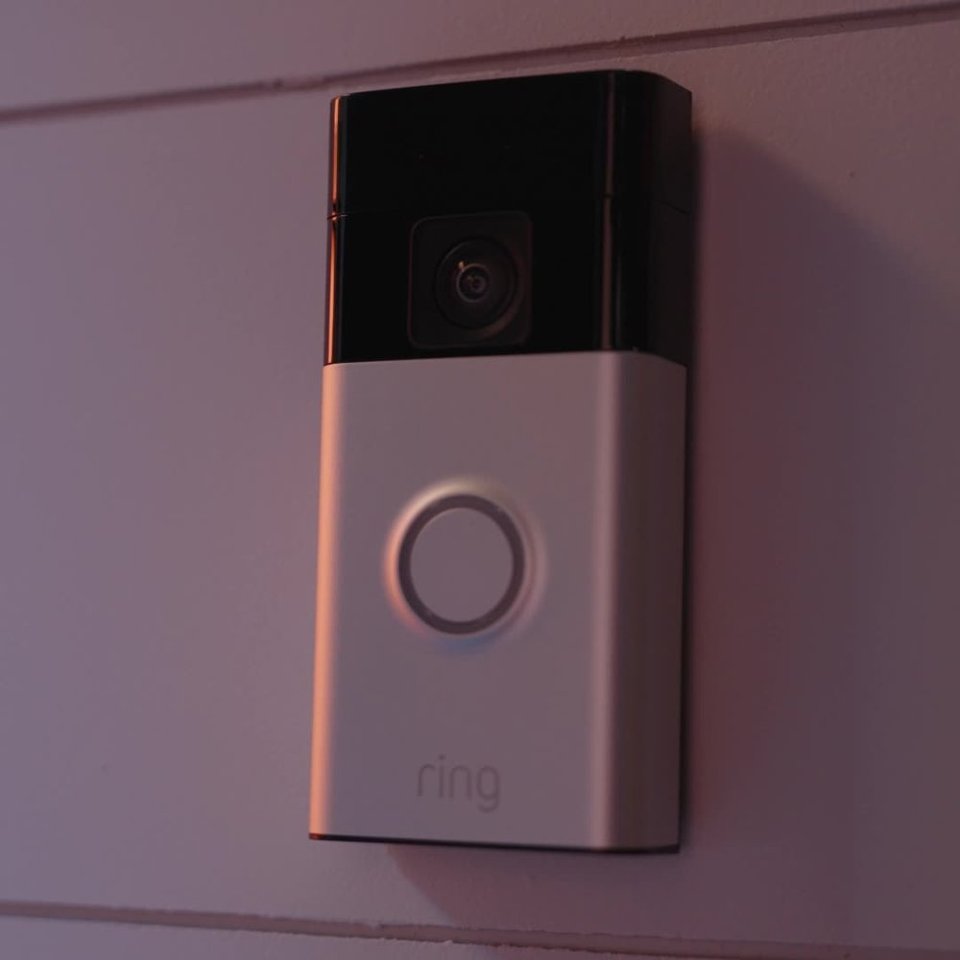
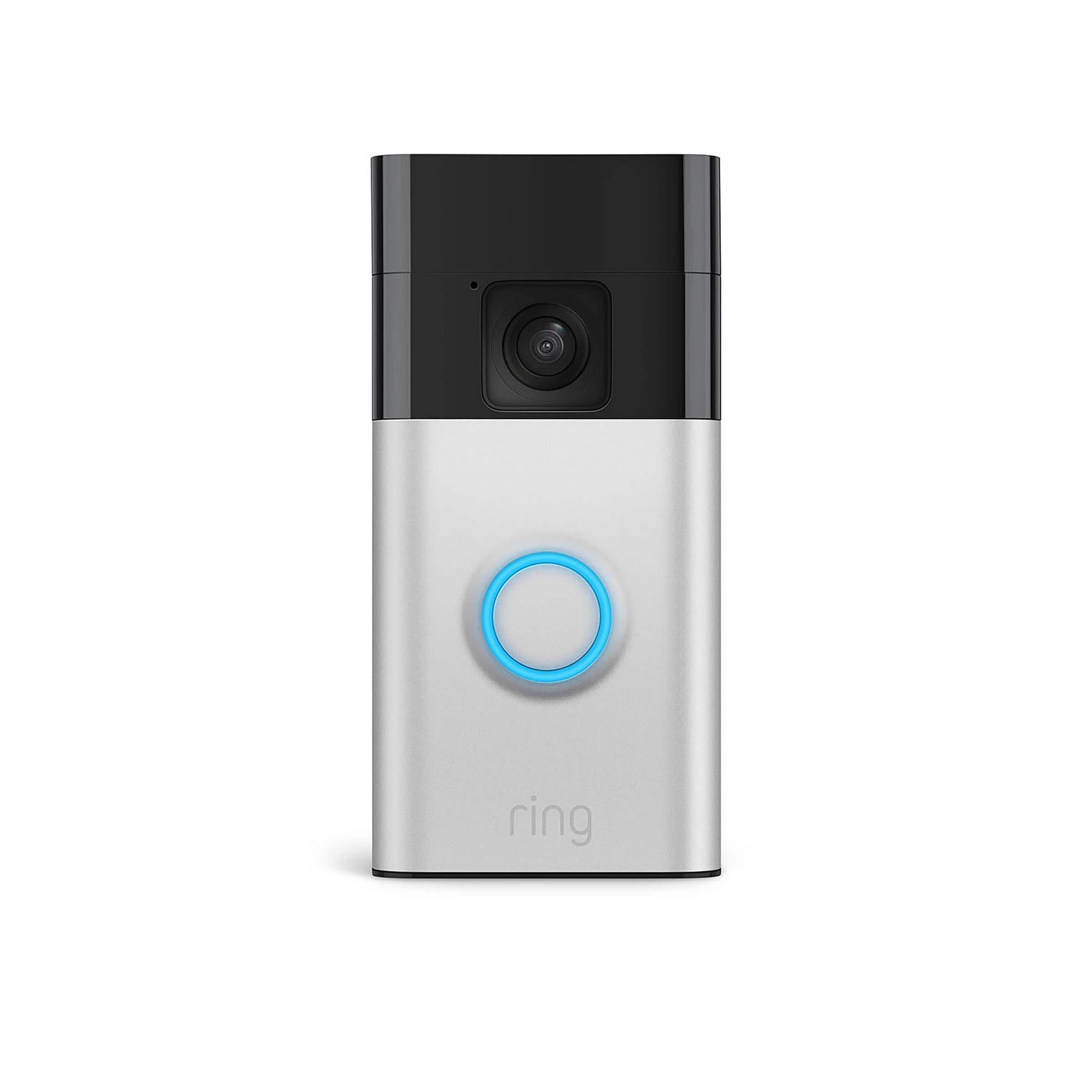
|Posted .This reviewer received promo considerations or sweepstakes entry for writing a review.The Amazon Ring Smart Battery Doorbell should be an essential part of your Ring home security system. This 3rd generation doorbell is very similar in both appearance and size to the previous version. It is 4.98 inches tall x 2.4 inches wide x 1 inch deep weighing 0.45 lbs. and is available in a Venetian Bronze or Satin Nickel finish. It has 2 way wireless audio and video monitoring, including Night Vision with a distance of up to 19 feet, via your home Wi-Fi connection and works with Alexa. Both the picture and the sound are extremely clear when viewed on both my cellphone and my Echo Show. However I occasionally experienced a bit of a lag while the live view was loading. Its 2K (1440p) imaging is an improvement on the Full HD imaging of the 2nd generation Ring doorbell and the camera allows for a 66% taller image that allows you to see visitors from head-to-toe. In order to monitor the doorbell you must download the Ring App, which is available for both Apple iOS and Android operating systems. Once installed, the app walks you through setting up an account and adding the doorbell to it. It has numerous settings that allow you to personalize your field of view, the notifications that you receive, etc. Only Cloud storage (which requires a yearly or monthly subscription) is available with this doorbell-no local storage using a USB. So while you can view live images via real-time video, use two-way talk, answer doorbell notifications, and receive alerts without having a subscription, you cannot save, review, or share your video. It’s very easy to install and no wiring is needed. Ring provides instructions and tips for installation at ring.com/battery-doorbell-guide. 1. Install the mounting plate with the included screws. Flat surfaces work best and it can be installed on siding. You want to make sure the camera will have an unobstructed view of whatever you want in your field of view as well as good Wi-Fi reception in your location. 2. Fully charge the doorbell’s built-in rechargeable Lithium-ion battery using the microUSB to USB-C charging cord included. Initial charge of the doorbell may take 6-8 hours and the circular LED light on the front of the device will illuminate when it’s fully charged 3. Finally, snap the doorbell into place on the mounting plate. You will need to monitor the battery life and unsnap the doorbell from its mount using the included curved removal tool to recharge it using the USB cord when needed. Ring products, and this doorbell specifically, are high quality, dependable, and easy to operate. The peace of mind that comes with being able to screen and communicate with visitors, be notified of package deliveries and be able to monitor them, and to be able to share stored videos is definitely worth the price of this doorbell. I give it 5 stars and recommend this as a great gifting idea.
I would recommend this to a friend - Pros mentioned:SetupCons mentioned:Security
Rated 5 out of 5 stars
Enhanced vertical view & USB-C charging doorbell
|Posted .This reviewer received promo considerations or sweepstakes entry for writing a review.The All-new Ring battery doorbell (2024 release) brings some solid improvements to an already reliable product. This version now offers 66% more vertical coverage with its head-to-toe video feature, providing a better view of visitors and packages. The wider field of view is especially helpful for capturing everything from top to bottom, so nothing is missed. One of the most notable updates is the built-in battery with a USB-C charging port, making recharging easier and quicker than previous models. Removing the doorbell to charge is simple, due to the new plastic tool that pops off the security clip — a handy feature, though it feels like a slight trade-off in security. Installation is incredibly easy, taking just a few minutes to mount and connect through the Ring app. I was able to seamlessly integrate it with my existing Ring devices, including the Ring Pro Chime, and it works flawlessly. The app offers a variety of customization options, including motion zones, sensitivity adjustments, and real-time alerts for both people and packages, with notifications that are super reliable. Two-Way Talk makes it easy to communicate with even when I'm not home. While the updates, such as USB-C charging and enhanced vertical coverage, are welcome additions, this iteration feels like a minor evolution rather than a major overhaul. It’s a great option for anyone new to Ring, or for those looking for a smoother, more comprehensive field of vision. However, if you already own a previous version, the improvements may not be compelling enough to upgrade unless you specifically need the expanded vertical view. Pros: 66% more vertical coverage USB-C charging port Easy installation and integration with existing Ring devices Customizable motion zones and notifications Alexa compatibility and Quick Replies feature Cons: Minimal security downgrade with the new pop-out security clip Mostly incremental improvements over previous models Overall, the 2024 Ring battery doorbell is a well-designed, reliable doorbell with practical enhancements, perfect for both new users and those looking to enhance their existing setup.
I would recommend this to a friend - Pros mentioned:Battery life, Video quality
Rated 5 out of 5 stars
Super East to Install and Works Great
|Posted .This reviewer received promo considerations or sweepstakes entry for writing a review.This week I finally joined the smart video doorbell club, probably should have joined sooner. I am not what is often referred to as an “early adopter” at all. I remember a neighbor of mine bought a smart doorbell several years ago and I remember him complaining about installing it and saying it was more effort than he had expected. Well this device is super easy to install and took only minimal time and effort. I got my Ring Doorbell last week and I couldn’t be happier with it. Set up was super quick and easy. When I first opened the box I saw the battery needed charging so I just plugged it in and forgot about it till the next day. Once I saw the battery was fully charged I started the setup process. I found the app by using the QR code on the box and quickly set up my account. Installing the actual ring camera was super quick and easy as well. Just had to screw in a bracket that holds the doorbell and I was done! Once it was up and running I had to go run an errand and I was quickly notified that I had a visitor, the mailman had paid us a visit. It is pretty nice to be able to get a live look at my front door or even be able to chat with someone there anytime I need to. I didn’t realize there was a community chat function with fellow ring customers. I’ve enjoyed following the conversation. More lost and found animals than I would have thought, including a three legged dog and a turtle of all things. It is remarkable how many ring cameras there are in my neighborhood. All in all I am very happy with my Ring. It works exactly as advertised and was super easy to set up and install. The video quality is solid and the ability to chat back and forth despite a small delay works well enough. The battery is at 95% after a week of use so it will have to be charged from time to time, but that process is quick as easy as well. I think for the price this is an excellent device and I would absolutely recommend it to a friend.
I would recommend this to a friend - Pros mentioned:Setup, Video quality
Rated 4 out of 5 stars
Feature Rich
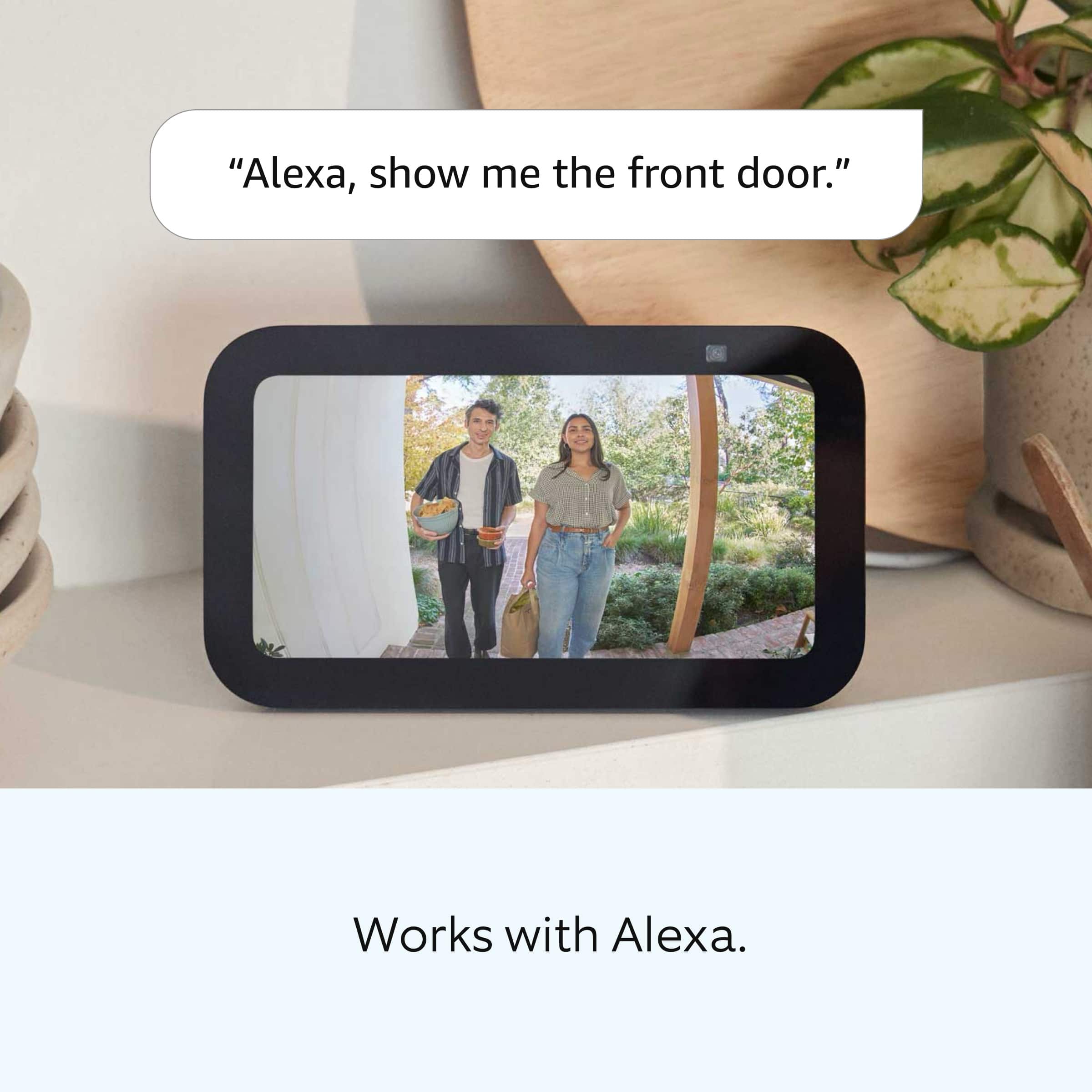
|Posted .This reviewer received promo considerations or sweepstakes entry for writing a review.This is a very good doorbell that has so many features, it is hard to cover them all. Most of the features are controller by the well-made but cluttered app. Installation: Installation for this is very easy. There is a back plate that is screwed into the wall with the included screws. I have vinyl siding, and it was easy to make pilot holes there for the plate’s screws to go and screwing the plate onto the wall. The doorbell then mounts onto the plate and that is it. After installing the app, you can easily add the device by following the instructions which involves using the pairing button on the device and having the app search for it. Then it asks you questions like where the doorbell is located. That’s it. And there are plenty of installation videos online if you have any questions about it. It worked for me the first time without trouble. App: The app has a ton of features and adjustments that can be made, but unfortunately is not organized very well. I have often had to go to the Internet to find where a certain feature of setting is in the app. You can watch live video, previously recorded videos, change settings for each camera, view Neighbors feature (more on that later), and reboot cameras. You can watch live video and recordings from your home network or remotely when not home. Integration With Alexa: You can integrate the doorbell with Alexa that allows you to see the images, using the two-way intercom, and alert you when the doorbell rings. If you have an Alexa which I do, you won’t need to buy an external chime, which they do sell. Configuring it with Alexa and is easy; it works the same way as any other device to the Alexa app. I would almost say that the Alexa is needed to fully enjoy the doorbell. Video Quality: The video quality is very good considering it is a video doorbell. The camera has a far distance, but don’t expect to see any details far away. While you can easily make out a face that is looking directly at the doorbell, you won’t be able to make out any faces for people walking on the other side of the street, even if they are looking at you. The app does allow you to zoom in by pinching the image on the screen, it helps to better see larger objects, but you still won’t be able to make out any faces. The night vision works well and is basically equal to the image quality during the day. This is impressive. I do have a floodlight at the front of the house so that may help the night vision work better. The image quality on the Alexa is good and is really the equivalent to what you would see in the app. You can see the full length of the person but don’t expect to see packages right in front of your door. Sound Quality: There is a two-way intercom between the doorbell and the app, or Alexa. Sound quality is very good and easy to hear on both the app, Alexa, and the doorbell itself. By default, Alexa won’t use the microphone for the two-way intercom until you press a button on the screen. This is good for privacy but requires an extra step to use. Recording: You must have the cloud service for the camera to record. There is no card slot for it. Any video is recorded to the cloud for viewing later in the app. The first thing to note is that you can set the amount of time you want to record after the camera is triggered. I have this set to 2 minutes because once the time expires, even if there is still a person moving within view, the recording stops. Of course, the tradeoff to longer recordings is reducing battery life. In the app, you can view either the camera live or rewind it to a previous point. By dragging the scrollbar to the left, you can see past videos. That easy. The scrollbar also indicates where in time there is video that has been recoded. The app allows you to zoom in to the video which is very helpful if there is a certain area of the camera’s view you are interested in seeing more detail. Motion Sensing and Video Recording: This is probably one of the weaker features of this. It will start recording objects it detects moving. For larger objects like vehicles, it can always detect motion and record it. For smaller objects that are father away such as animals and people down the street, it will not trigger a recording, even if you can see it in the video. The other problem is that you can set the time you want the video to record. Once that time elapses, it will stop recording. That is also true if a person is still moving within the video. So, if someone is walking back and forth in front of your property, you will only get a recording for as long as you have the time set for. To mitigate this, I set the recording time to a very large number, basically two minutes. Paid Service: There is a paid service that costs $100/year that allows you to see videos that were recorded in the past since they are recorded to the cloud. The videos are available up to 30 days later and can be seen in the app. I think there is a way to download them, but I honestly haven’t tried it. Neighbors: Neighbors is a feature that allows you to post videos online for others to see it. When someone posts something within your neighborhood, you can get notified of it. This is good for seeing crime at neighbor’s houses, or any cute furry animals that get recorded. It only gives you the approximate location for privacy reasons. You can opt out of this feature, but I would recommend it. Answer Remotely: This doorbell allows you to answer remotely on your phone. If you are away from home, your phone will notify you if the doorbell rings and you can answer it from anywhere, as if you are home. This is great if you are not home, but someone comes to the door, and you want them to think you are home but can’t get to the door. You will also know who rings your doorbell while you are away. While I use this all the time, the biggest problem if that when your phone notifies you, you have to get out your phone, unlock it, and then answer, and the person may have moved on. This has happened quite frequently. Overall, this is a very good camera, with good video and sound quality. It has a ton of features, but unfortunately the app is not well laid out to find a lot of things, and you must pay for their cloud service to record anything. I would recommend it, especially if you have an Alexa which it works great with. This is almost a necessity. This is a crowded space, and I have not used any competitors to determine if there are better options out there.
I would recommend this to a friend Rated 1 out of 5 stars
Don’t recommend. Poor signal
||Posted .This reviewer received promo considerations or sweepstakes entry for writing a review.Was having issues connecting to WiFi router less than 50 feet away. Poor signal. Do not recommend
No, I would not recommend this to a friendBrand response from Ring
Posted .Hi JeffB.
Thank you for taking the time to share your experience with us. At Ring, we understand it is essential to have your Ring Battery Doorbell online and working properly so you can keep your home secure. The Ring Battery Doorbell is designed to work in many environments to provide you with peace of mind and security. We can definitely provide you with more information regarding the connection concern mentioned in your review.
It sounds like the device is not operating as intended in regards to connection. Ring devices require high-speed internet to bring you crisp, clear video and audio. Poor network connectivity can affect the performance of your Ring device. Identify and troubleshoot what is causing connectivity issues for Ring devices to give you the best possible video and audio experience.
To determine whether or not the problem is caused by poor upload speed, run a speed test to determine if your network can support Ring devices. Ring devices with 1080p video require at least 1 Mbps upload and download speeds, though 2 Mbps is recommended for optimal performance.
If your networking equipment hasn’t been power cycled in a while, try unplugging it for 30 seconds and plugging it back in. Wireless networks utilize different channels for communication. In the United States, the 2.4 GHz band uses channels 1-11 and the 5 GHz band uses channels 36-165. In some cases, setting up your Ring device(s) can fail due to wireless interference or congestion.
We also recommend adding a Ring Chime Pro to your network. The Ring Chime Pro simply plugs into a wall outlet between your router and the Ring Stick Up Cam to assist with the wifi signal strength to the device.
We invite you to reach out to our community if more information is needed regarding your Ring Battery Doorbell. Ring Community is our first peer-to-peer community forum, giving our customers the ability to help one another and share their personal feedback and experiences with Ring. We look forward to hearing from you. Please let us know if we can be of any further assistance!
Thank you,
Melissa from Ring.
Rated 1 out of 5 stars
Avoid this version!
||Posted . Owned for 2 weeks when reviewed.This reviewer received promo considerations or sweepstakes entry for writing a review.Don't buy this version! Failed to pick up any movement unless directly in front of camera. People in motion zones were not detected
No, I would not recommend this to a friendBrand response from Ring
Posted .Hi AD13.
Thank you for taking the time to share your experience with us. At Ring, we understand it is essential to have your Ring Battery Doorbell online and working properly so you can keep your home secure. Having a solid connection ensures you do not miss any activity around your home. We are here today to provide you with education to assist you in finding the best solution for your home’s environment.
It sounds like the device is not performing as expected. It is important to ensure that you have the proper motion settings in place for your environment. This camera uses adjustable motion detection and runs on passive infrared sensors. The system identifies visitors via a moving heat signature and sends a notification to your smart device when one is detected. You can adjust three preset motion zones and their distances under the "Motion Settings" tab on the device's page in the Ring app. Additionally, you can choose how often the camera checks for movement in those predefined zones via the "Motion Frequency" setting. If you find that your camera is missing some motions, please set the motion frequency to "Frequently."
Accuracy in motion detection can also be improved by enabling the "Smart Alerts" feature for people only in your Ring app. To enable "Smart Alerts," please follow these steps:
Tap the menu (≡) on the top left.
Tap "Devices."
Tap the device that you want to adjust.
Tap "Motion Settings."
Tap "Smart Alerts."
Tap "Enable Feature."
Tap "Continue."
Select the notification options that you want for "Person" and "Other Motion."
You'll see a video camera where you can select or de-select recording and a bell icon to represent alert notifications.
After you've adjusted your settings, tap "Done..
The Ring Battery Doorbell is compatible with b/g/n wifi networks operating on 2.4 GHz frequencies. High-speed internet is recommended. If your Ring device is far from your wifi router, it may be experiencing connection issues.
Here are a few of the top reasons for poor connectivity:
Your Ring device may be too far from your WiFi router.
Your mobile device has a low signal or poor connection.
Your home wifi connection is poor (or your internet service provider is experiencing high traffic).
To learn more about your device's signal strength, follow these steps:
Open the Ring app.
Tap the menu (☰).
Tap “Devices.”
Select the ring device you would like to test.
Tap on the “Device Health” tile.
Scroll to “Signal Strength” under the “Network” section.
The green, amber, and red colors are indicators of your device connection. Green is good; red is poor.
Move your wifi router off the floor.
Walls, floors, and furniture can interfere with or weaken your router's wireless signal. Choose an elevated, central, open location for your wifi router.
Check your mobile device's signal. If your mobile device has one or two bars, this could be causing issues accessing your Ring device. For best results, make sure you're connected to wifi from wherever you are.
Most internet service providers range from 100–400 mbps (megabytes per second) for download speed and 10–100 mbps for uploading. If your wifi speed is falling below the ranges noted above, we recommend contacting your internet service provider.
If any additional information is needed regarding your Ring Battery Doorbell, please reach out to our community. Ring Community is our first peer-to-peer community forum, giving our customers the ability to help one another and share their feedback and experiences directly with Ring.
Sincerely,
Matthew from Ring.
- Pros mentioned:Setup, Video quality
Rated 4 out of 5 stars
Good budget Head to Toe Battery Doorbell camera
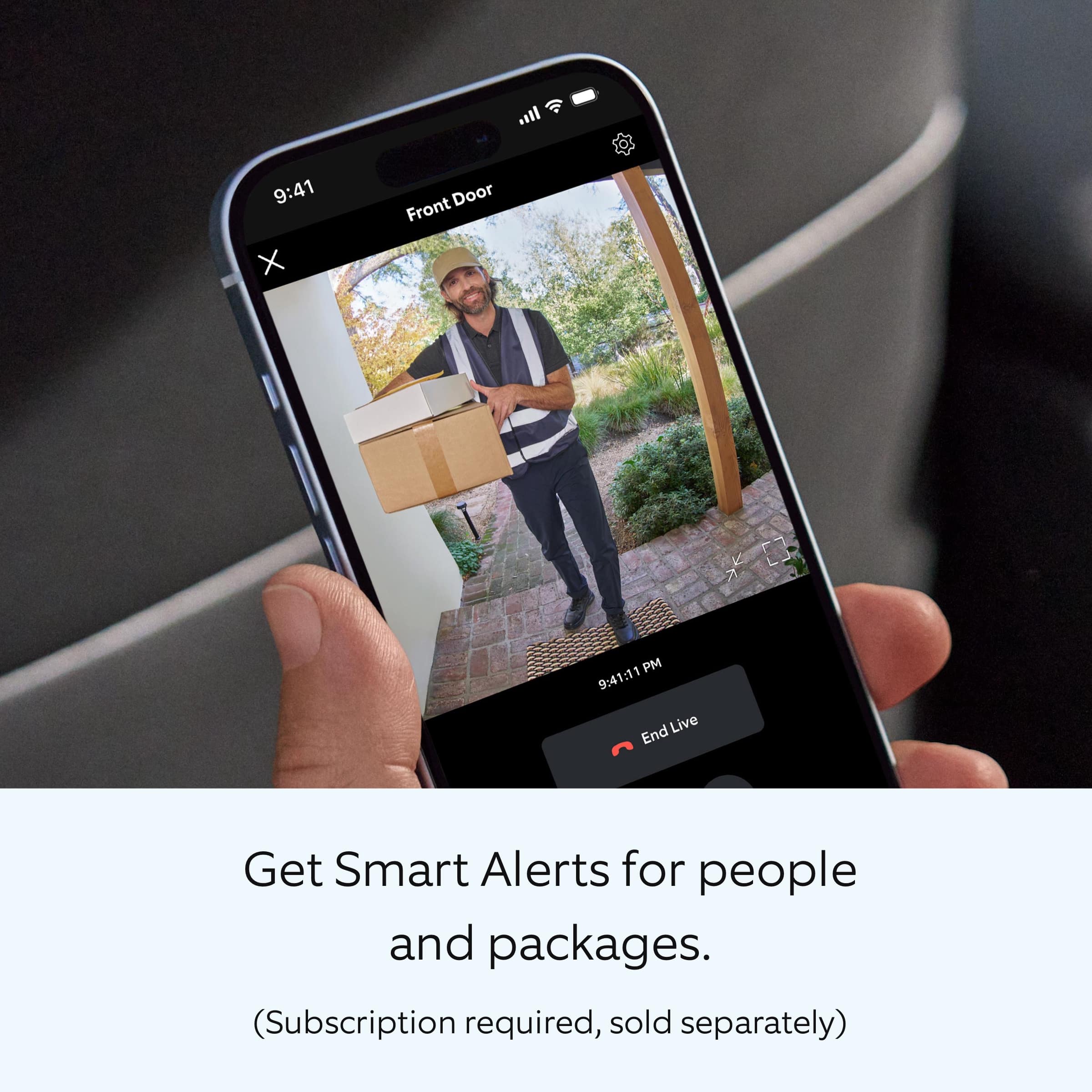
|Posted .This reviewer received promo considerations or sweepstakes entry for writing a review.Ring - Battery Doorbell Smart Wifi Video Doorbell - Battery-Powered with Head-to-Toe Video, Live View, and Two-Way Talk The Battery Doorbell Smart Wifi Video Doorbell is their latest budget video doorbell. Unlike their Battery Plus and the Battery Pro, it is a self-contained unit with a non-replaceable Lithium-ion rechargeable battery. And it is slightly thinner without the replaceable battery. You have a special tool to pop it off its mount and then you plug it into a USB-C charging brick (not included) with the included USB-A to USB-C cable. It does have the ability to be hardwired. The Camera is a new HD video (1400x1400) unit; the fisheye lens (hence head to toe) has a larger field of view, and since it is a fisheye, it slightly distorts the imager. The image of people is clear enough to be a good identifier. Connection is now through 2.4 GHz, 5.0 GHz (802.11 b/g/n/ax). I chose 5.0 GHz as this is a better connection for streaming video. The night vision has improved, and the picture is clear day or night. You can now zoom in with the app even on this entry-level doorbell camera. You get added features with Smart Alerts for people and packages (subscription required, sold separately – you do get a free trial version). Installation is simple with charging the camera, mounting the backplate and snapping the camera to the backplate. Then you setup the app and go through the walkthrough on the app. I prefer to have a battery that you can swap out, especially since your camera is out of commission while it is charging, but at the price, one can probably deal with this inconvenience. Since I share a camera and access with my son, where we can act as backups for one another, it would be nice if we had the option to make the other person an admin so all the features are available at our discretion. Having limited control when we prefer to have all features available when sharing limits tweaking certain features or customization for different situations. It is not the prettiest camera out there, and some of the competition, instead of using a fisheye lens, have multiple cameras on their unit, but I find the fisheye squarish picture adequate, and the limited distortion of people that the videos the camera takes is good for identification and most people wouldn’t even notice any distortion especially centered in the framing. The head to toe view and zoom in are nice additions to this entry level doorbell camera.
I would recommend this to a friendBrand response from Ring
Posted .Hi AZEqualizer.
Thank you for taking the time to share your feedback with us and other consumers. We are pleased to read that you are finding value in your Ring devices. At Ring, we believe in keeping people close to what’s important. That is why we are driven to create products that help you protect what matters most at home and empower you to connect with your visitors from wherever you are. Together, we’ll make neighborhoods safer!
We are happy to inform you that you can both be logged in to the Ring app using the account owner's credentials. That would allow you both full functionality. A shared user cannot change system settings or account information but can view cameras and view and share videos. Access to particular cameras can be granted or denied by the owner.
We invite you to reach out at https://community.ring.com/ if any additional information is needed regarding your new Ring Battery Doorbell. Ring Community is our first peer-to-peer community forum, giving our customers the ability to help one another and share their feedback and experiences with Ring.
Thank you,
Melissa from Ring.
- Pros mentioned:Video qualityCons mentioned:Security
Rated 4 out of 5 stars
Nice update, but minimal improvements over 2nd gen
|Posted .This reviewer received promo considerations or sweepstakes entry for writing a review.Ring’s latest iteration of the classic doorbell brings with it some new features, but for many its a lot of the same things they’ve been used to. The ‘24 version of the product brings USB-C charging port, and a wider field of view camera. Are these enough for you to ditch your 2020 2nd gen model for the update? Ring’s product packaging has certainly gotten more minimal over the years. The Battery Doorbell package is about as tall as the device itself and about as double thick. This devices looks very much like its predecessor, only differing visibility in the camera, which is noticeably bigger. However those skin deep similarities start to differ when you get to installation. Before getting too far into installation, Ring recommends charging the device. The included USB-C to USB-A cable will do the job. Once you unplug it for the first time, it will make a particular song to let you know it's ready to set up. Instead of the T-15 security screws found on the 2nd gen, there is a new plastic tool that wedges in the bottom to pop out the security clipping mechanism. Not that T-15 security screws were that hard to overcome, this does feel like a small downgrade in security for convenience. That said, if your use case isn’t to have this hard wired to your doorbell, then you may really appreciate the ease of removing to charge. Installation is pretty simple. If you're replacing an older model like me, you’ll find the all the screw holes line up with your existing mount. I have mine mounted on siding, and not having to redrill screws makes me happy. Attaching to my late 90’s doorbell chime and 24v power was quick and simple. The device is always powered, and means I don’t need that quick release for charging. Before mounting, do start the pairing process in the Ring app. The app detected the device, had me pair, name, and offered instructions for installation. Ring’s ease of use in setup is definitely something that keeps me coming back. Like the 2nd gen, you can setup motion zones to avoid errant notifications for things like cars passing by. The view presented here is very similar to what you’d be used to in previous ring cameras. Where the camera diffs is when you rotate your device to portrait mode. Instantly you’ll get full view of the fairly wide angle lens in use on this model. What this means is that you get a lot more vision of what’s happening floor to ceiling much, much closer to the doorbell than before. No one can sneak under your camera with this wide angle lens, which I’m sure is what drove this update. Overall, there isn’t a ton new with this iteration of the doorbell. USB-C is welcome, as is an easier to charge procedure. The larger field of vision camera might be the killer feature if you’ve dealt with your doorbell being out of the field of vision vertically. Otherwise, this is mostly a small update to a rather mature product. Considering it is the entry level model, that’s not overly surprising, and the new pro models offer some features to take a look at. Overall though, yet another solid product offering from Ring in a fairly crowded market. If you’ve bought into Ring’s ecosystem this is a no brainer if you need a new doorbell. If your still rocking the 2nd gen though, I would suggest either looking to the newer pros.
I would recommend this to a friend