Customer Ratings & Reviews
- Model:
- B09J1TB7TB
- |
- SKU:
- 6520147
Customer reviews
Rating 4.6 out of 5 stars with 195 reviews
(195 customer reviews)Rating by feature
- Value4.6
Rating 4.6 out of 5 stars
- Quality4.6
Rating 4.6 out of 5 stars
- Ease of Use4.7
Rating 4.7 out of 5 stars
Customers are saying
Customers consistently note the good camera quality and ease of use of the Spotlight Cam Plus. Night vision and overall performance are also well-received features. However, some customers have expressed concern over the fact that batteries are sold separately.
This summary was generated by AI based on customer reviews.
Rated 5 out of 5 stars
Perfect
||Posted . Owned for 1 month when reviewed.This reviewer received promo considerations or sweepstakes entry for writing a review.Great product does what it needs to do at a great price point
I would recommend this to a friendRated 5 out of 5 stars
Won’t it do it !!
||Posted . Owned for 3 weeks when reviewed.This reviewer received promo considerations or sweepstakes entry for writing a review.It was a good ad to the ring products I all ready have.
I would recommend this to a friendRated 5 out of 5 stars
Nice Upgrade
||Posted . Owned for 3 weeks when reviewed.This reviewer received promo considerations or sweepstakes entry for writing a review.Great upgrade from previous model. USB C power. Nice.
I would recommend this to a friendRated 5 out of 5 stars
Works well
||Posted . Owned for 1 month when reviewed.This reviewer received promo considerations or sweepstakes entry for writing a review.Good clarity. Battery has many months between charges.
This review is from Ring - Spotlight Cam Plus Outdoor/Indoor 1080p Plug-In Surveillance Camera - Black
I would recommend this to a friendRated 1 out of 5 stars
Disappointed
||Posted . Owned for more than 2 years when reviewed.This reviewer received promo considerations or sweepstakes entry for writing a review.Never worked. Placed outside garage door and internet could not reach. Troubleshooted and even bout a router extender but nothing. Too much trouble to take down so just a complete waste of money.
No, I would not recommend this to a friendBrand response from Ring
Posted .Hi MaryaliceS.
Thank you for taking the time to share your experience with us. We understand the importance of a seamless setup process so that you can begin using your Ring Spotlight Cam Plus right away. The features and technology provided by the Ring Spotlight Cam Plus are incredibly valuable and help provide you with peace of mind about your home security. We are eager to provide you with a solution for the connection concern mentioned in your review.
It sounds like the device is not performing as expected. The Ring Spotlight Cam Plus is designed to work with your home's wifi network and is compatible with b/g/n wifi networks operating on 2.4 GHz frequencies. If you're receiving a 'Setup did not complete' message and cannot finish setup, it could be due to one of these common causes of setup failures:
* Your Ring device is too far from your wifi router. Ideally, your router should be within 20 feet of your Ring device.
* There's a possible problem with your internet connection.
* There's a possible issue related to your wifi modem or router.
Make sure your wifi router is off the floor.
Walls, floors, and furniture can interfere or weaken your router’s wireless signal. Choose an elevated, central, open location.
Make sure you're entering the correct password. Passwords are case sensitive and do not include spaces. Your network password can often be found on the bottom or side of your router.
Wifi passwords are case and special character (such as *,@,$, or #) sensitive. Double check letter capitalization and placement.
If you haven't changed your wifi password since your router was installed, it may be on a sticker on the underside of your router.
Connect other devices to your wifi network using your last remembered password to verify it is still correct.
If you have multiple networks or a wifi extender, confirm you are connecting to the correct one.
Make sure to connect to the 2.4 GHz network, not 5 GHz. All Ring devices can connect to 2.4 GHz, while only select Ring devices have Dual-Band Wifi to be able to connect to either.
If you’re still having issues, try holding down the setup button on top of the camera for 10 seconds.
We invite you to reach out to our community if any additional information is needed regarding your Ring Spotlight Cam Plus. The Ring Community is our first peer-to-peer community forum, giving our customers the ability to help one another by sharing their feedback and experiences with each other.
Thank you,
Amilia from Ring.
Rated 5 out of 5 stars
Garage View
||Posted . Owned for less than 1 week when reviewed.This reviewer received promo considerations or sweepstakes entry for writing a review.Put on the outside at window on second floor excellent viewing
I would recommend this to a friend- Pros mentioned:Camera quality
Rated 5 out of 5 stars
One of my favorite cameras
||Posted . Owned for 3 weeks when reviewed.This reviewer received promo considerations or sweepstakes entry for writing a review.I love this camera. The sensor lights up the entire side of my house when triggered. The quality is great and the sound is great too
I would recommend this to a friend - Pros mentioned:Ease of use
Rated 5 out of 5 stars
Great Addition to the Ring Camera Line
||Posted . Owned for 1 month when reviewed.This reviewer received promo considerations or sweepstakes entry for writing a review.Fantastic addition to my other ring cameras. I really like the fact that it simply plugs in. Makes this camera very easy to move locations. Highly recommended.
I would recommend this to a friend Rated 1 out of 5 stars
Stopped Working Just Past Return window
||Posted .This reviewer received promo considerations or sweepstakes entry for writing a review.This camera stopped working 15 days after purchase. Ring said it had to be returned to the place of purchase and Best Buy would NOT take it back because it was past their 14 day return policy. I will no longer buy this brand or shop at Best Buy.
No, I would not recommend this to a friendBrand response from Ring
Posted .Hi BabaL.
We appreciate the time you have taken to share your Ring experience with us. We understand how important it is for your Ring Spotlight Cam Plus to function consistently and reliably, so you are alerted to any wanted or unwanted activity in or around your home. The features and technology provided by the Ring Spotlight Cam Plus are incredibly valuable and help provide you with peace of mind about your home security. Rest assured, we hear you and are here to offer you some help.
It sounds like your Ring Spotlight Cam Plus is not performing as expected. We would love the opportunity to share with you some troubleshooting steps that you can try to get your Ring Spotlight Cam Plus functioning as intended. If your device is unresponsive, try pressing and holding the setup button for 20 seconds.
Follow these steps in the Ring app to reconnect the Ring Spotlight Cam Plus to your wifi network:
1. Open the Ring app.
2. Tap the menu (≡).
3. Tap "Devices" and select the camera you'd like to reconnect to wifi.
4. Tap the "Device Health" tile.
5. Under "Network," tap "Change Network" and follow the prompts in the app.
Allow some time for your device to fully reconnect to the network, then check your wifi signal strength in "Device Health" to confirm it has successfully reconnected.
If you still have the Ring device in your possession, we invite you to reach out to our community. Ring Community is our first peer-to-peer community forum, giving our customers the ability to help one another and share their personal feedback and experiences with Ring. We look forward to hearing from you. Please let us know if we can be of any further assistance!
Thank you,
Amilia from Ring.
Rated 1 out of 5 stars
Poor Durability
||Posted .This reviewer received promo considerations or sweepstakes entry for writing a review.It had worked great, but stopped working after 11 months. It’s been on and off, and then is not working at all now aftrer warranty has expired.
No, I would not recommend this to a friendBrand response from Ring
Posted .Hi icerif.
Thank you for taking the time to share your experience with us. We understand how important it is for your Ring Spotlight Cam Plus to function consistently and reliably, so you are alerted to any wanted or unwanted activity in or around your home. The features and technology provided by the Ring Spotlight Cam Plus are incredibly valuable and help provide you with peace of mind about your home security. We are eager to address the issue you raised in your review and provide you with a resolution today.
It sounds like your Ring Spotlight Cam Plus is not performing as expected. We would love the opportunity to share with you some troubleshooting steps that you can try to get your Ring Spotlight Cam Plus functioning as intended. If your device is unresponsive, try pressing and holding the reset button for 20 seconds. Follow the steps in the Ring app to reconnect the camera to your network. To reconnect a Ring Spotlight Cam Plus to your wifi network: Open the Ring app. Tap the menu (≡). Tap "Devices" and select the camera you'd like to reconnect to wifi. Tap the "Device Health" tile. Under "Network," tap "Change Network" and follow the prompts in the app. Allow some time for your device to fully reconnect to the network, then check your wifi signal strength in "Device Health" to confirm it has successfully reconnected.
If you still have the Ring device in your possession, we invite you to reach out to our community. Ring Community is our first peer-to-peer community forum, giving our customers the ability to help one another and share their personal feedback and experiences with Ring. We look forward to hearing from you. Please let us know if we can be of any further assistance!
Thank you,
Miyuki from Ring.
Rated 3 out of 5 stars
Worked well for a couple of weeks
||Posted . Owned for 3 weeks when reviewed.This reviewer received promo considerations or sweepstakes entry for writing a review.Camera not working correctly after a couple of weeks. I have a call into Ring to see about a replacement. My other Ring cameras work perfectly
No, I would not recommend this to a friendBrand response from Ring
Posted .Hi EGallegos.
Thank you for taking the time to leave your review of the Ring Spotlight Cam Plus. We understand the importance of having your Ring Spotlight Cam Plus functioning consistently and reliably so that you can effectively monitor your home. The features and technology provided by the Ring Spotlight Cam Plus are incredibly valuable and help provide you with peace of mind about your home security. We are eager to provide you with a solution for the concern mentioned in your review.
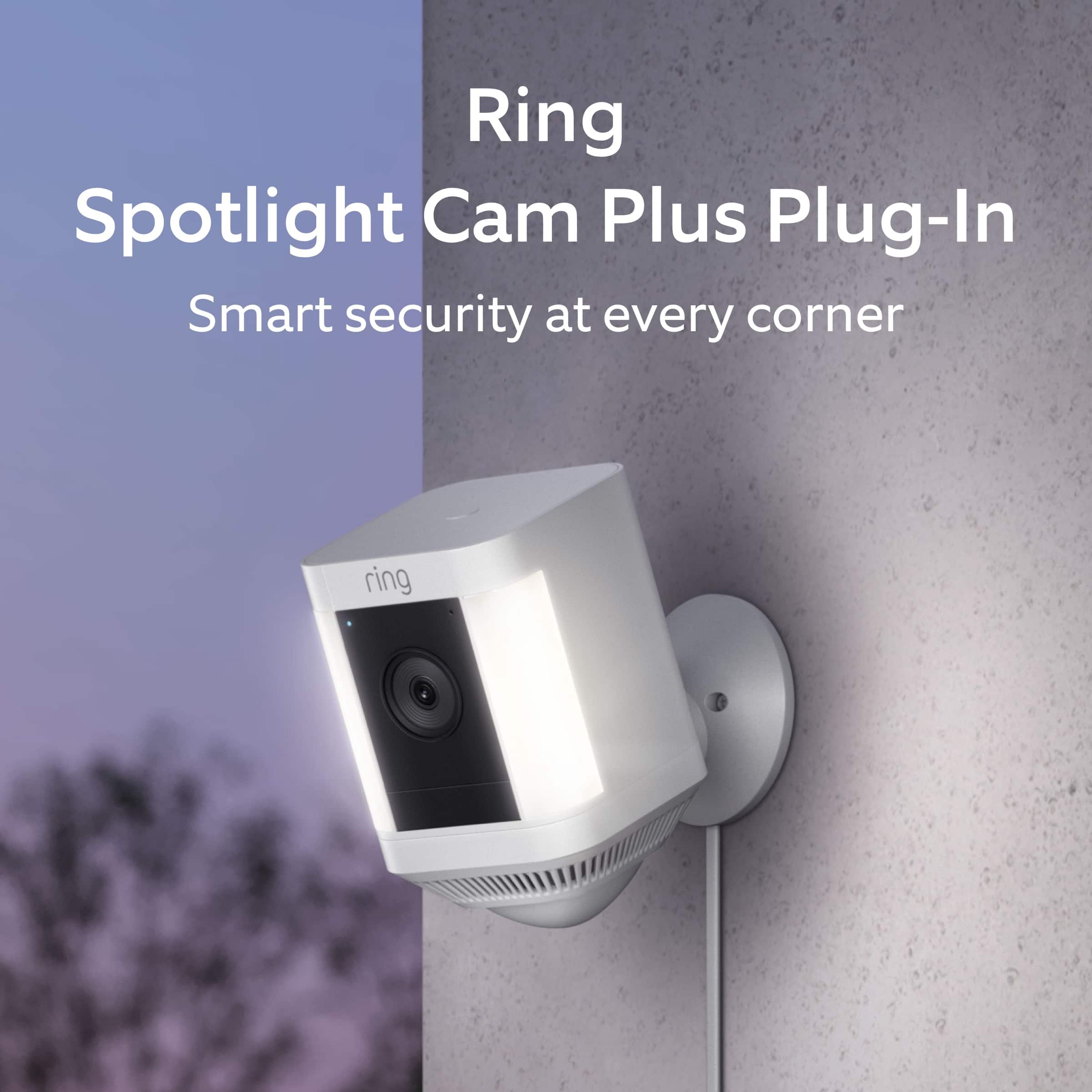
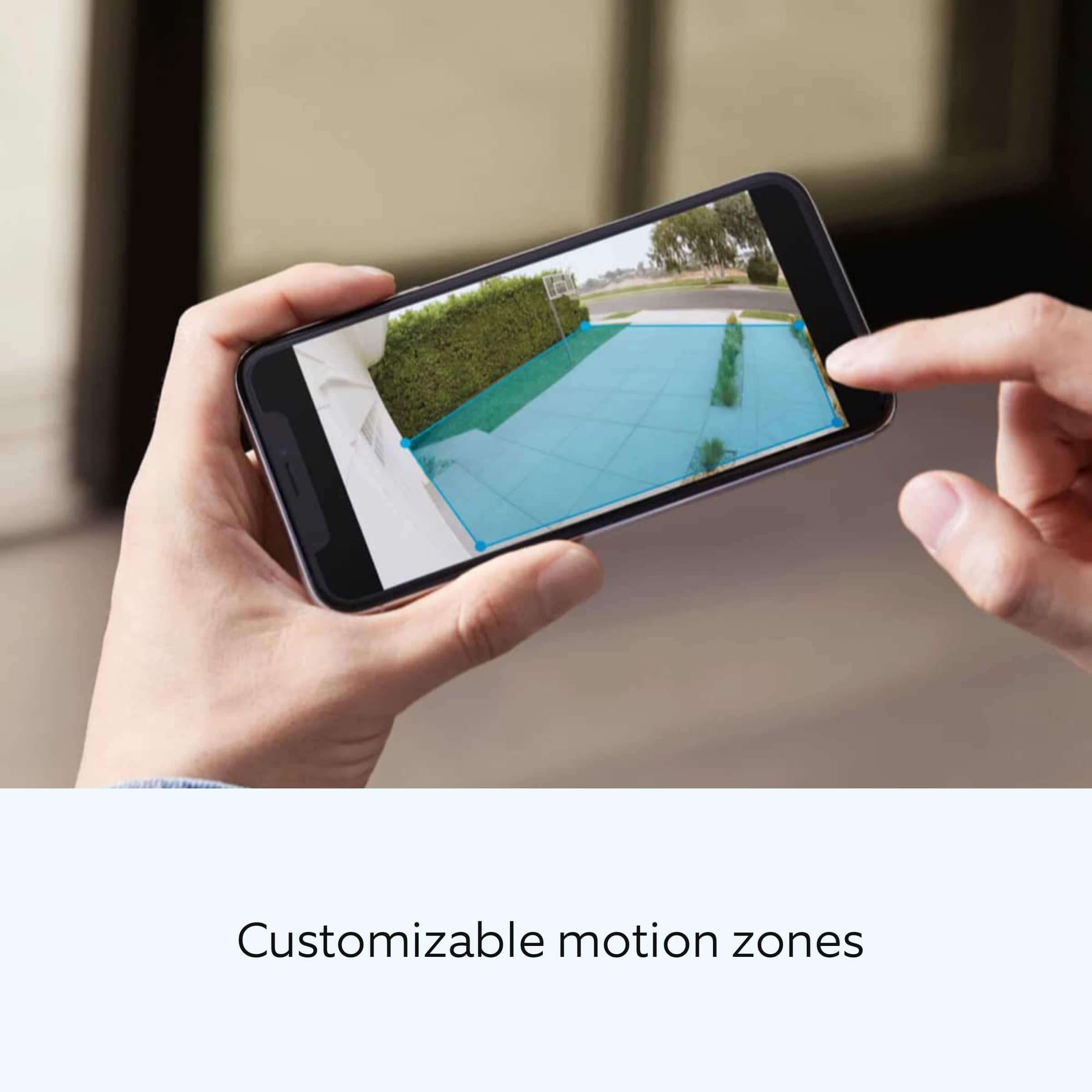
It sounds like the device is not performing as intended. Spotlight Cam Plus is an outdoor security camera that can be used to capture out-of-sight areas and blind spots. It’s equipped with "Color Night Vision," customizable motion detection, and "Motion-Activated Lights." Just mount the wireless camera and adjust the viewing angle for wide coverage throughout the day or night. The Ring Spotlight Cam Plus has "Customizable Motion Zones" that are controlled in the Ring app. In addition, The Ring Spotlight Cam Plus has "Two-Way Talk" with noise cancellation, and other advanced features like "Motion-Activated Notifications," 1080p HD video, "Color Night Vision," and a built-in security siren.
We invite you to reach out to our community if any additional information is needed regarding your Ring Spotlight Cam Plus. The Ring Community is our first peer-to-peer community forum, giving our customers the ability to help one another by sharing their feedback and experiences with each other.
All the best,
Melissa from Ring.
- Pros mentioned:Overall performance
Rated 1 out of 5 stars
Ring camera
||Posted . Owned for 2 months when reviewed.This reviewer received promo considerations or sweepstakes entry for writing a review.Turned off during storm, other then that it worked great
I would recommend this to a friendBrand response from Ring
Posted .Hello BigLu.
We appreciate the time you have taken to share your Ring experience with us. We understand how important it is for your Ring Spotlight Cam Plus to function consistently and reliably, so you are alerted to any wanted or unwanted activity in or around your home. The features and technology provided by the Ring Spotlight Cam Plus are incredibly valuable and help provide you with peace of mind about your home security. Rest assured, we hear you and are here to offer you some help.
It sounds like your Ring Spotlight Cam Plus is not performing as expected. We would love the opportunity to share with you some troubleshooting steps that you can try to get your Ring Spotlight Cam Plus functioning as intended. If your device is unresponsive, try pressing and holding the reset button for 20 seconds.
Follow these steps in the Ring app to reconnect the Ring Spotlight Cam Plus to your wifi network:
1. Open the Ring app.
2. Tap the menu (≡).
3. Tap "Devices" and select the camera you'd like to reconnect to wifi.
4. Tap the "Device Health" tile.
5. Under "Network," tap "Change Network" and follow the prompts in the app.
Allow some time for your device to fully reconnect to the network, then check your wifi signal strength in "Device Health" to confirm it has successfully reconnected.
Ring Community was launched to help deliver the most current news and educational information to our neighbors. This online forum is divided into four categories: Product Boards, Ring Updates, Tips + Tricks, and a Moderators’ Corner. The Product Boards are where you can begin new topics with your questions or feedback; there is also a search option which helps you find topics that were already posted by other neighbors. We invite you to join our community today!
Thank you,
Amilia from Ring.
Rated 2 out of 5 stars
Ring - Spotlight Cam Plus Outdoor/Indoor 1080p Plu
||Posted . Owned for 8 months when reviewed.This reviewer received promo considerations or sweepstakes entry for writing a review.Quality is lacking. First one purchased it stopped working within 6-months and the replacement is now not working properly.
No, I would not recommend this to a friendBrand response from Ring
Posted .Hi RichardC.
We appreciate the time you have taken to share your Ring experience with us. We understand how important it is for your Ring Spotlight Cam Plus to function consistently and reliably, so you are alerted to any wanted or unwanted activity in or around your home. The features and technology provided by the Ring Spotlight Cam Plus are incredibly valuable and help provide you with peace of mind about your home security. Rest assured, we hear you and are here to offer you some help.
It sounds like your Ring Spotlight Cam Plus is not performing as expected. We would love the opportunity to share with you some troubleshooting steps that you can try to get your Ring Spotlight Cam Plus functioning as intended. If your device is unresponsive, try pressing and holding the reset button for 20 seconds.
Follow these steps in the Ring app to reconnect the Ring Spotlight Cam Plus to your wifi network:
1. Open the Ring app.
2. Tap the menu (≡).
3. Tap "Devices" and select the camera you'd like to reconnect to wifi.
4. Tap the "Device Health" tile.
5. Under "Network," tap "Change Network" and follow the prompts in the app.
Allow some time for your device to fully reconnect to the network, then check your wifi signal strength in "Device Health" to confirm it has successfully reconnected.
If you still have the Ring device in your possession, we invite you to reach out to our community. Ring Community is our first peer-to-peer community forum, giving our customers the ability to help one another and share their personal feedback and experiences with Ring. We look forward to hearing from you. Please let us know if we can be of any further assistance!
Thank you,
Amilia from Ring.
Rated 1 out of 5 stars
Not So Good
||Posted . Owned for 1 year when reviewed.This reviewer received promo considerations or sweepstakes entry for writing a review.The camera worked okay for a few months. I actually liked my Nest cameras better. Within a short time I began receiving error messages that the camera cannot connect to the power source. We unplugged the camera, reset, and received the same error. There is nothing wrong with the power source. *And now we are unable to find a replacement power cord.*. UNACCEPTABLE AND UNBELIEVABLE!
No, I would not recommend this to a friendBrand response from Ring
Posted .Hi Kwanzaa.
Thank you for taking the time to share your experience with us. We understand how important it is for your Ring Spotlight Cam Plus to keep a solid power connection. The features and technology provided by the Ring Spotlight Cam Plus are incredibly valuable and help provide you with peace of mind about your home security. We want to ensure your device is working as intended by providing you with solutions to resolve the water concern you mentioned in your review.
It sounds like the device is not performing as expected. There are some troubleshooting steps that you can take to ensure that you have your device set up for optimal power performance. To ensure your device functions properly and avoid shutdowns:
Unplug the connector and clean away any water or dust that may be causing a weak connection.
Make sure the connector is firmly inserted.
Verify that the power adapter is not physically damaged, or show signs of water damage.
Verify that only Ring brand accessories are being used.
For additional assistance in resolving this concern I would advise you to reach out to our Ring Community Support team. To speak to our Ring Community Support team live 24/7, please visit the contact page on our Ring site.
We invite you to reach out to our Ring Community forum if any additional information is needed regarding your Ring Spotlight Cam Plus. The Ring Community is our first peer-to-peer community forum, giving our customers the ability to help one another by sharing their feedback and experiences with each other.
Sincerely,
Matthew from Ring.
- Cons mentioned:Battery life
Rated 1 out of 5 stars
Not a good buy
||Posted . Owned for 3 weeks when reviewed.This reviewer received promo considerations or sweepstakes entry for writing a review.They don’t tell you that you still need a battery to keep this camera working even though it’s a plug In the camera still needs a battery to work properly. And the batteries are sold separately.
This review is from Ring - Spotlight Cam Plus Outdoor/Indoor 1080p Plug-In Surveillance Camera - Black
No, I would not recommend this to a friendBrand response from Ring
Posted .Hi Good.
Thank you for taking the time to share your experience with us.
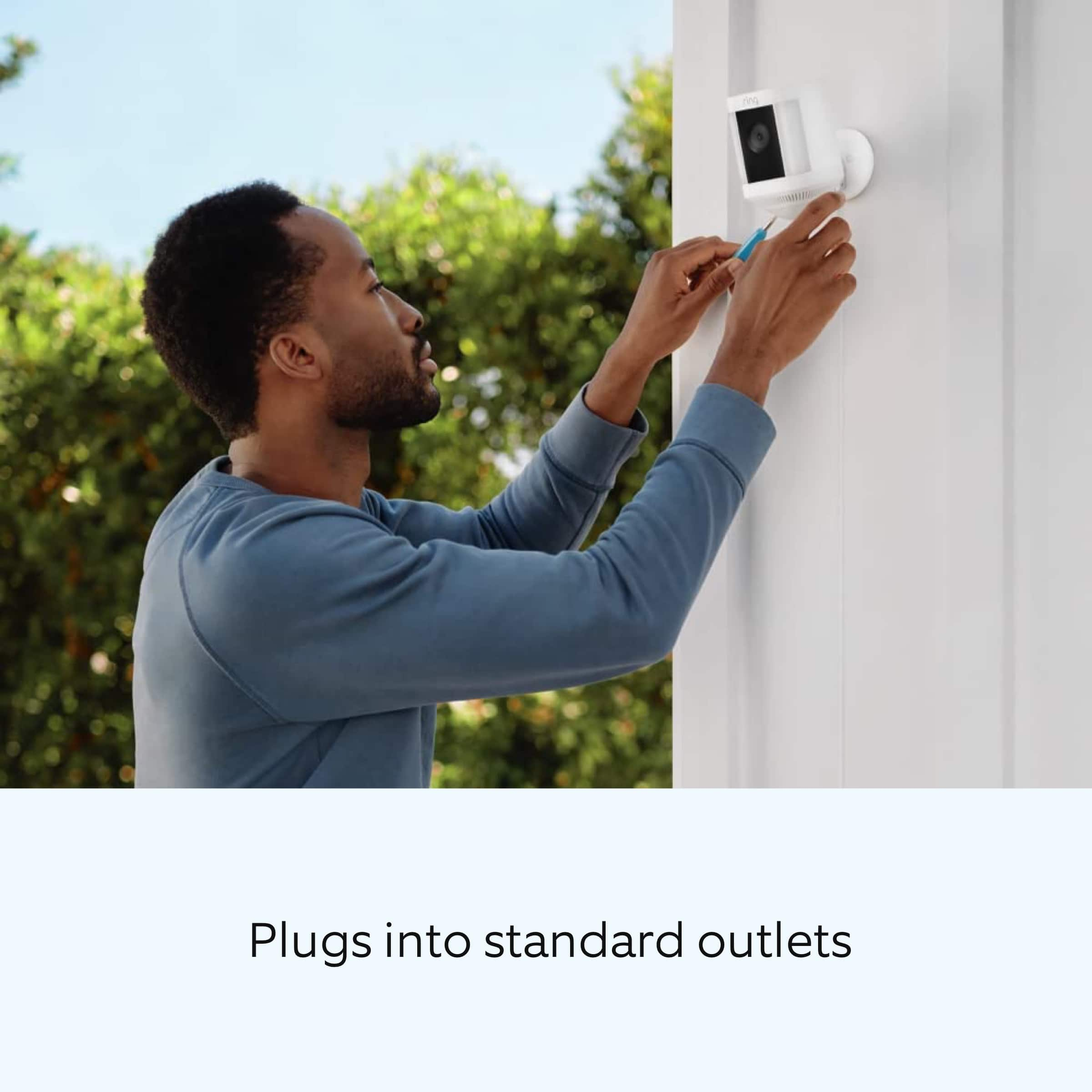
It sounds like there is some confusion regarding the power options for your device. The Ring Spotlight Cam Plus comes in four different power options. The Ring Spotlight Cam Plus Plug-In device is powered using a plug-in USB-C power adapter. When going through the setup, there will be three different power setup options available: electrical socket, battery or solar panel, and hardwired. Be sure to select "electrical socket" for the wired setup. Once you've plugged your device in, wait 30 seconds for your spotlight cam to turn on, and then continue the setup.
The Ring Spotlight Cam Plug-In does offer dynamic switching between plug-in and battery power modes as an additional feature. This feature does require the purchase of a Quick Release Battery Pack. Visit our support center for more information.
Ring Community was launched to help deliver the most current news and educational information to our neighbors. This online forum is divided into four categories: Product Boards, Ring Updates, Tips + Tricks, and a Moderators’ Corner. The Product Boards are where you can begin new topics with your questions or feedback; there is also a search option that helps you find topics that have already been posted by other neighbors.
All the best,
Nicole from Ring.
Rated 1 out of 5 stars
Not good goes offline to much
||Posted . Owned for 2 months when reviewed.This reviewer received promo considerations or sweepstakes entry for writing a review.The camera would be great if it stop going offline. I have purchased 3 and all three has the same problem. I did a 20 second reset still the same problem. Returning the last one I purchased while I still have time. The bad thing is I have it mounted 18 ft so I had to go purchase a ladder so I can reach the camera so I can push the button on the top. To much to go through.
No, I would not recommend this to a friendBrand response from Ring
Posted .Hi Good.
Thank you for taking the time to share your experience with us.
At Ring, we understand it is essential to have your Ring Spotlight Cam Plus online and working properly so you can keep your home secure. The features and technology provided by the Ring Spotlight Cam Plus are incredibly valuable and help provide you with peace of mind about your home security. We are here to provide you with some information to resolve the connectivity issue you mentioned in your review.
It sounds like your Ring Spotlight Cam Plus is falling offline due to a poor wifi signal. For optimal performance, a minimum upload speed of 2 Mbps at the install location is required.
To check wifi signal strength—or RSSI (Received Signal Strength Indicator)—in the Ring app:
Open the Ring app.
Tap the Menu (☰).
Tap Devices and select the Ring device you'd like to check.
Tap the Device Health tile.
Under the Network section, look for Signal Strength.
If the RSSI value listed is green, your device has a strong signal. If it is grey, amber, or red, it may have a moderate to weak signal.
The larger the number after "RSSI-" the weaker the signal.
For example, a device displaying "RSSI-36" has a stronger signal than a device showing "RSSI-64".
If your device is showing a weak signal, visit our support center for tips on how to improve the wifi signal strength.
Ring Community was launched to help deliver the most current news and educational information to our neighbors. This online forum is divided into four categories: Product Boards, Ring Updates, Tips + Tricks, and a Moderators’ Corner. The Product Boards are where you can begin new topics with your questions or feedback; there is also a search option that helps you find topics that have already been posted by other neighbors.
All the best,
Nicole from Ring.
- Cons mentioned:Battery life
Rated 1 out of 5 stars
Disappointed
||Posted . Owned for 2 months when reviewed.This reviewer received promo considerations or sweepstakes entry for writing a review.Literally just quit working. Had to replace with a battery operated. Disappointed. The battery operated one is ok
No, I would not recommend this to a friendBrand response from Ring
Posted .Hi RussellM. Thank you for taking the time to share your experience with us. At Ring, we understand it is essential to have your Ring Spotlight Cam Plus online and working properly so you can keep your home secure. The features and technology provided by the Ring Spotlight Cam Plus are incredibly valuable and help provide you with peace of mind about your home security. We can definitely provide you with more information regarding the concern mentioned in your review.
It sounds like your device is not performing as you expected. Spotlight Cam Plus Plug-In, is an outdoor security camera that can be used to capture out-of-sight areas and blind spots. It’s equipped with Color Night Vision, customizable Motion Detection, and Motion-Activated Lights. Just mount the wireless camera and adjust the viewing angle for wide coverage throughout the day or night. If your device has become unresponsive, try performing a reboot of the device by pressing and holding the setup button for 20 seconds. Once the device powers back on, walk through the steps in the Ring app to reconnect it to your network.
We recommend following these steps to reconnect the Ring Spotlight Cam Plus Plug-In to your wifi network:
Open the Ring app.
Tap the menu (≡).
Tap Devices and select the doorbell or camera you'd like to reconnect to wifi.
Tap the Device Health tile.
Under Network, tap Change Network and follow the prompts in the app.
Allow some time for your device to fully reconnect to the network, then check your wifi signal strength in Device Health to confirm it has successfully reconnected.
We invite you to reach out to our Community if any additional information is needed regarding your Ring Spotlight Cam Plus Plug-In. The Ring Community is our first peer-to-peer community forum, giving our customers the ability to help one another by sharing their feedback and experiences with each other.
Thank you,
Melissa from Ring.
Rated 2 out of 5 stars
Spot light camera
||Posted . Owned for 1 year when reviewed.This reviewer received promo considerations or sweepstakes entry for writing a review.My cameras stopped working after one year. Terrible product!
No, I would not recommend this to a friendBrand response from Ring
Posted .Hi FrankM.
Thank you for taking the time to share your experience with us. At Ring, we want to ensure that you have the best possible experience with our products. Your peace of mind and security are extremely important to us. The Ring Spotlight Cam Plus is designed to be a DIY home security solution that can be trusted to provide you with lasting coverage. Rest assured, we hear you and are here to offer you some help.
It sounds like the device is not performing as expected. We would love the opportunity to share with you some troubleshooting steps that you can try to get your Ring Spotlight Cam Plus functioning as intended. If your device is unresponsive, try pressing and holding the reset button for 20 seconds. Follow the steps in the Ring app to reconnect the doorbell to your network. To reconnect a Ring device to your wifi network: Open the Ring app. Tap the menu (≡). Tap "Devices" and select the doorbell or camera you'd like to reconnect to wifi. Tap the "Device Health" tile. Under "Network," tap "Change Network" and follow the prompts in the app. Allow some time for your device to fully reconnect to the network, then check your wifi signal strength in "Device Health" to confirm it has successfully reconnected.
If you still have the Ring device in your possession, we invite you to reach out to our community. Ring Community is our first peer-to-peer community forum, giving our customers the ability to help one another and share their personal feedback and experiences with Ring. We look forward to hearing from you. Please let us know if we can be of any further assistance!
Thank you,
Melissa from Ring.
Rated 1 out of 5 stars
Not waterprrof
||Posted . Owned for 3 weeks when reviewed.This reviewer received promo considerations or sweepstakes entry for writing a review.Worked until it got wet in one rainfall. Thought these things were meant to be outside
No, I would not recommend this to a friendBrand response from Ring
Posted .Hi StavrosS.
Thank you for taking the time to share your experience with us.
We understand the importance of your Ring Spotlight Cam Plus Plug-In working consistently and reliably. The features and technology provided by the Ring Spotlight Cam Plus Plug-In are incredibly valuable and help provide you with peace of mind about your home security. We are here to provide you with some information to address the concern you mentioned in your review.
It sounds like your device was exposed to the weather. The Ring Spotlight Cam Plus Plug-In is weather-resistant and can operate in temperatures ranging from -4°F to 120°F (-20°C to 48.5°C). They are designed to withstand normal rainfall and snow. Ring products are not waterproof and should not be submerged in water or sprayed with high-pressure water. If you can, it is recommended to keep your Ring device under a protective overhang, such as a hanging roof. Visit our support center for more information.
Ring Community was launched to help deliver the most current news and educational information to our neighbors. This online forum is divided into four categories: Product Boards, Ring Updates, Tips + Tricks, and a Moderators’ Corner. The Product Boards are where you can begin new topics with your questions or feedback; there is also a search option that helps you find topics that have already been posted by other neighbors.
All the best,
Nicole from Ring.
Rated 2 out of 5 stars
Ring-sportlight cam plus
||Posted . Owned for 3 weeks when reviewed.This reviewer received promo considerations or sweepstakes entry for writing a review.I dont like this product. It is not working as expected. I am going to return it
No, I would not recommend this to a friendBrand response from Ring
Posted .Hi Sri2021.
Thank you for taking the time to share your experience with us. We understand how important it is for your Ring Spotlight Cam Plus to function consistently and reliably, so you are alerted to any wanted or unwanted activity in or around your home. The features and technology provided by the Ring Spotlight Cam Plus are incredibly valuable and help provide you with peace of mind about your home security. We are eager to address the issue you raised in your review and provide you with a resolution today.
It sounds like the device is not performing as expected. At Ring, we believe that stronger communities are the key to safer neighborhoods. That is why we are driven to create products that help you protect what matters most at home, and empower you to connect with your visitors from wherever you are. We are saddened to read that this device did not meet your expectations but are still here to assist you, if needed.
If you still have the Ring Spotlight Cam Plus in your possession, we invite you to reach out to our community. Ring Community is our first peer-to-peer community forum, giving our customers the ability to help one another and share their personal feedback and experiences with Ring. We look forward to hearing from you. Please let us know if we can be of any further assistance!
Thank you,
Melissa from Ring.