Customer Ratings & Reviews
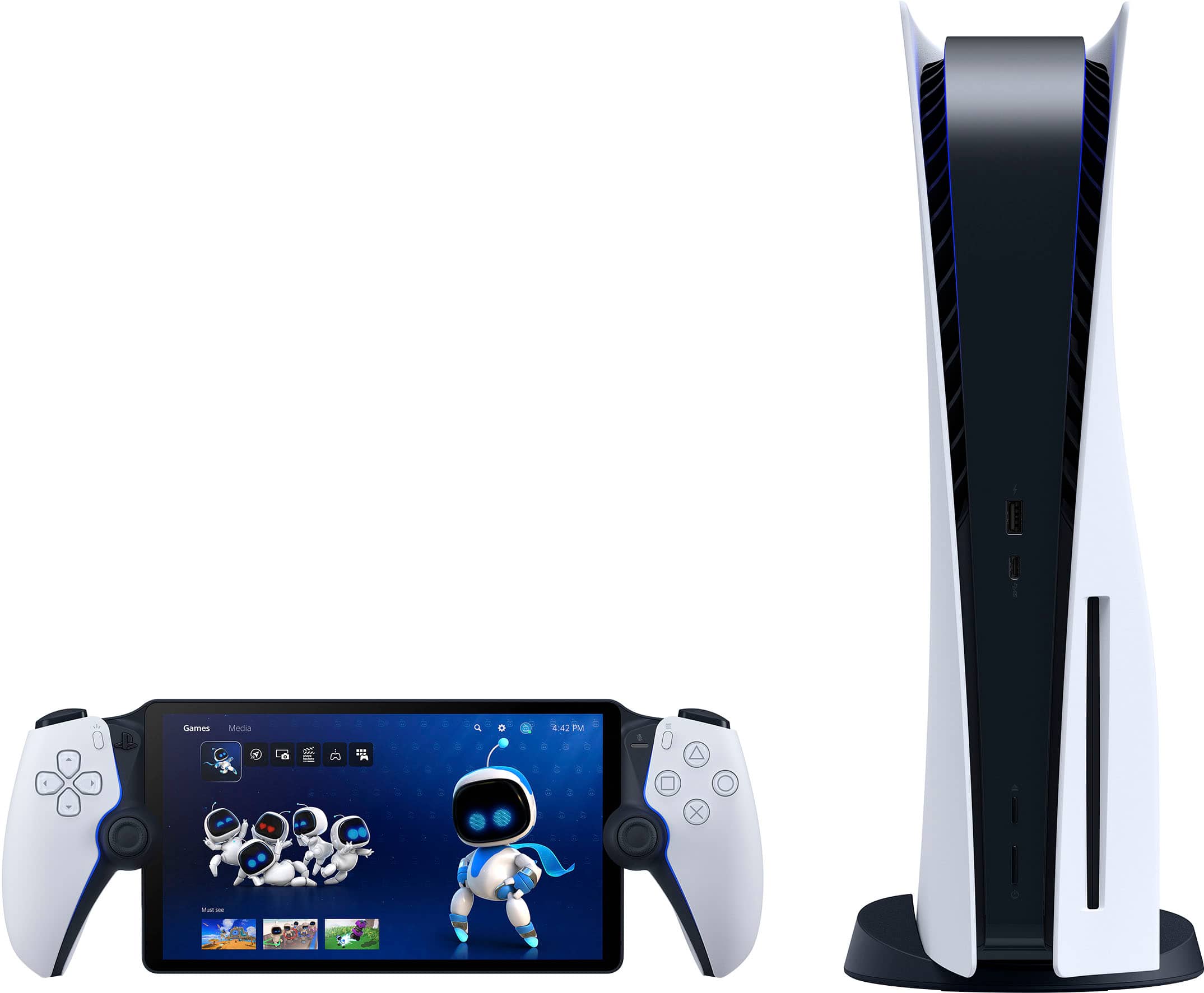
- Model:
- 1000041319
- |
- SKU:
- 10287157
Customer reviews
Rating 4.5 out of 5 stars with 7136 reviews
(7,136 customer reviews)Rating by feature
- Value4.5
Rating 4.5 out of 5 stars
- Quality4.7
Rating 4.7 out of 5 stars
- Ease of Use4.6
Rating 4.6 out of 5 stars
Customers are saying
Customers are positive about the device's overall performance, highlighting its top-notch picture quality and excellent screen clarity. Users also frequently praise the product's portability, solid battery life, and comfortable design. However, customers are negative about the connectivity features, noting that they could be improved. Additionally, some users have expressed concerns regarding occasional input lag during use.
This summary was generated by AI based on customer reviews.
- Pros mentioned:Portability
Rated 4 out of 5 stars
A solid handheld device
||Posted . Owned for 6 months when reviewed.This reviewer received promo considerations or sweepstakes entry for writing a review.I like the portal and it is very convenient to use around the house. It may be my internet but more modern games are a bit blurry for me from the streaming.
This review is from Sony Interactive Entertainment - PlayStation Portal Remote Player - Midnight Black
I would recommend this to a friend - Pros mentioned:Portability, Screen quality
Rated 5 out of 5 stars
PS.Awesome.Player experience!
||Posted . Owned for 2 months when reviewed.This reviewer received promo considerations or sweepstakes entry for writing a review.The PlayStation Portable Black is sleek with impressive screen quality. I purchased the offline gaming package to stream cloud gaming, and it’s awesome! The game library is diverse, making it perfect for gaming on the go. Definitely a great investment for portable gaming lovers!
This review is from Sony Interactive Entertainment - PlayStation Portal Remote Player - Midnight Black
I would recommend this to a friend Rated 5 out of 5 stars
Cool item...depending on the game
||Posted . Owned for 2 months when reviewed.This reviewer received promo considerations or sweepstakes entry for writing a review.The portal is a great device for gaming, if your main TV is used by others or if you're away from home. The key is to make sure you have a fantastic internet connection (both at-home and wherever you're playing away from home). At the same time, this device might not be the best for all games. For any fast-paced, accuracy-involved games, this is not for you. I was playing Fallout 4 using this and missed so many targets on multiple occasions. At the same time, I played College Football 26 on here and had an incredible game-- passing was unbelievably easy. All that said, this device may not be great for you if you game with high FPS. More simple games that don't have jump-scares or quick motions are not a perfect use. As for the rest of the device, it otherwise did a great job of mirroring my PS5 the way I needed to play a game.
This review is from Sony Interactive Entertainment - PlayStation Portal Remote Player - White
I would recommend this to a friend- Pros mentioned:Comfort, Screen quality
Rated 5 out of 5 stars
PS5 portable
||Posted .This reviewer received promo considerations or sweepstakes entry for writing a review.Very useful, comfortable, viable and good quality. Recommended
This review is from Sony Interactive Entertainment - PlayStation Portal Remote Player - White
I would recommend this to a friend - Pros mentioned:Overall performance
Rated 5 out of 5 stars
Video Game Inception
||Posted . Owned for 1 month when reviewed.This reviewer received promo considerations or sweepstakes entry for writing a review.You can play your PlayStation when you aren’t even in your house. You can get in your station anywhere. Works great as long as you have a solid internet connection both to your PS5 and to the portal itself.
This review is from Sony Interactive Entertainment - PlayStation Portal Remote Player - Midnight Black
I would recommend this to a friend - Pros mentioned:Overall performance, Portability, Screen quality
Rated 5 out of 5 stars
Great PS device
||Posted . Owned for 3 weeks when reviewed.This reviewer received promo considerations or sweepstakes entry for writing a review.Great product. It's lightweight and the screen is very high quality. Can play anywhere in my house with no lag
This review is from Sony Interactive Entertainment - PlayStation Portal Remote Player - White
I would recommend this to a friend - Pros mentioned:Battery life
Rated 5 out of 5 stars
Exceeded my expectations!!
Posted .This reviewer received promo considerations or sweepstakes entry for writing a review.Works perfectly on my home WiFi. Took about 15 minutes to get it updated and connected then it was game time. Battery lasts about 3 hours but that may vary. Fast shipping I ordered it on a Friday and had it by Monday.
This review is from Sony Interactive Entertainment - PlayStation Portal Remote Player - White
I would recommend this to a friend - Pros mentioned:Screen qualityCons mentioned:Connectivity
Rated 5 out of 5 stars
Great Purchase
||Posted . Owned for 6 months when reviewed.This reviewer received promo considerations or sweepstakes entry for writing a review.This may not be for everyone but for me it’s perfect. This device is mainly if you want to play on bed or if you have someone wanting to use the tv and you want to play. It has great build quality and I haven’t had any technical problems. My only complaint is I tried playing away from home but no internet is strong enough but in my opinion whose really gonna leave there house with it
This review is from Sony Interactive Entertainment - PlayStation Portal Remote Player - White
I would recommend this to a friend - Pros mentioned:Overall performance, Screen quality
Rated 4 out of 5 stars
Best PS5 streaming option
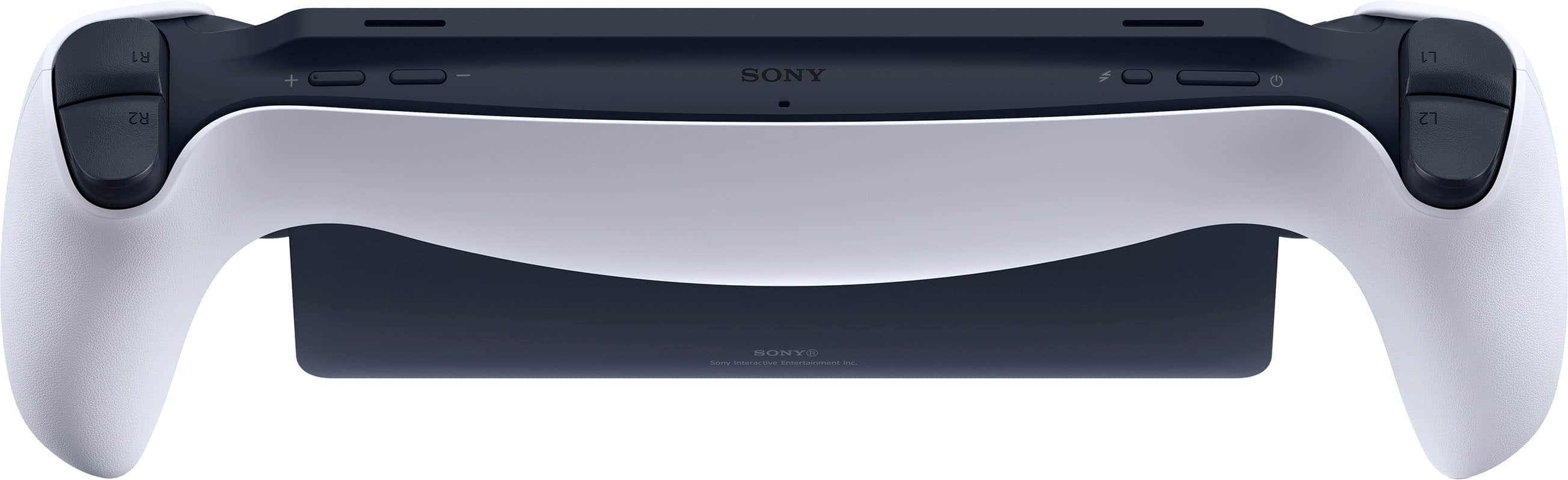
||Posted . Owned for 1 month when reviewed.This reviewer received promo considerations or sweepstakes entry for writing a review.Best option for remote play on PS5, No question. Crisp 1080p screen, loud speakers, great performan if you have stable wifi connection. A bit heavy with odd weight distribution...but still lighter and more ergonomic than any alternative. Awkward USB-C location...power and volume buttons locations are tricky.
This review is from Sony Interactive Entertainment - PlayStation Portal Remote Player - White
I would recommend this to a friend - Pros mentioned:Battery life
Rated 5 out of 5 stars
Great PlayStation accessory
||Posted . Owned for 1 month when reviewed.This reviewer received promo considerations or sweepstakes entry for writing a review.For a while I didn't want a PlayStation Portal but then I decided to go ahead and pull the trigger on one overall I can say it's a pretty cool device especially with the latest update that they gave us where you can stream PS5 games and don't have to have the actual console on. I will say that every once in awhile I do get a little bit of shutter when playing games but the quality of these games for it being only 1080p at 60 frames is really nice. The battery life is decent it seems I got a few hours before it required me to hook it up again. The actual design itself is beautiful and it's really cool looking. I would say for $200 it's not a bad purchase at all. Especially if sometimes you just don't want to sit down in a chair and be full blown on your TV you can just lay in your bed or sit on a couch plug in a pair of headphones and jam. I can't say whether or not I recommend this for everyone but those that want to do simply that sit on a couch and jam without having to sit in front of your TV this would be a great option and with the new PlayStation 5 streaming That's in beta form by the way so not all the games on PlayStation Plus are available right now but there's like a 120 it's worth the $200 price point I'm happy with my purchase.
This review is from Sony Interactive Entertainment - PlayStation Portal Remote Player - White
I would recommend this to a friend - Pros mentioned:Screen quality
Rated 5 out of 5 stars
Using the Portal much more than i thought i ever w
||Posted . Owned for 1 week when reviewed.This reviewer received promo considerations or sweepstakes entry for writing a review.I was very very hesitant to get the Portal, i wasnt sure i would use it enough to make it worth it, nor was i sure if it worked well due to a lot of reviews saying its laggy and takes a lot of time to connect. I am pleased to say it is SO worth it! The over all build of the portal is great, at first glance i thought it looked fragile and cheaply made, but it is much sturdier than i thought. The controller grips feel exactly the same as the duelsense controllers, just with slightly smaller control sticks. Lets just say my internet at my house is patchy at best. My provider is very unreliable but its the only option in my area. With that being said in my house i have no connection issues with the portal and very little lag (only stutters if we have a bunch of devices on the wifi at once and "high traffic times" when close neighbors' signals jam up), but that was maybe one or two nights. I also had issues getting disconnected from the wifi one night but im chalking that up to the service provider and not the portal! Over all i would say, if you would like to play PS5 as your tv is taken up by a significant other or you want to watch something as you game, the portal is for you. If you want to go lay in bed and play a bit before falling asleep, its for you. If you travel (to places with wifi) its for you. I didnt think id use it as much as i have, i originally thought "oh its not for me", but i have found myself making excuses to use the Portal. I have run a variety of games on it, from simple games like PS classic games and Stardew Valley, to more demanding games like FF7 rebirth demo, God of War Ragnorok, etc. All have worked perfectly. The screen is bright and looks great even for just an lcd. One down point is the fact that the lowest volume setting on it is still VERY loud, so if im playing in bed and my fiancee wants to read, i end up needing headphones, which you can use a 3.5mm wired headphones, but not bluetooth! If you have the means to get one and are able to snag one as its in stock, do it! Its very worth it for even casual gamers!
This review is from Sony Interactive Entertainment - PlayStation Portal Remote Player - White
I would recommend this to a friend - Pros mentioned:Portability, Screen quality
Rated 5 out of 5 stars
Highly Recommend!
||Posted . Owned for 1 month when reviewed.This reviewer received promo considerations or sweepstakes entry for writing a review.Excellent Sony product! Pairs perfectly with the PS5. Screen is HD and crisp. Games must be uploaded to the PS5 storage. If not, the game disc must be present in the PS5 to play remotely. Highly recommend a quality case and screen protector for the portal since it is a larger handheld device. Highly recommend for the gamer on the go, that does not always have the time to play while at home (or on the family TV).
This review is from Sony Interactive Entertainment - PlayStation Portal Remote Player - White
I would recommend this to a friend - Pros mentioned:Overall performance, Portability
Rated 5 out of 5 stars
Ps portal
||Posted .This reviewer received promo considerations or sweepstakes entry for writing a review.Good product, very easy to use and works well. Thanks
This review is from Sony Interactive Entertainment - PlayStation Portal Remote Player - Midnight Black
I would recommend this to a friend - Pros mentioned:Overall performance, PortabilityCons mentioned:Connectivity
Rated 5 out of 5 stars
Great portal
||Posted . Owned for 1 month when reviewed.This reviewer received promo considerations or sweepstakes entry for writing a review.Live it. Works really good. Had connection issues at first but seems to be working bette now. Great for on the go gaming
This review is from Sony Interactive Entertainment - PlayStation Portal Remote Player - White
I would recommend this to a friend - Pros mentioned:Portability
Rated 4 out of 5 stars
Should you get it?
||Posted . Owned for 3 weeks when reviewed.This reviewer received promo considerations or sweepstakes entry for writing a review.Enjoying more than I’d thought I would! Great especially if you are often in a situation where there is a lot of downtime, traveling or waiting in general, nothing helps pass the time better
This review is from Sony Interactive Entertainment - PlayStation Portal Remote Player - White
I would recommend this to a friend - Pros mentioned:Screen quality
Rated 4 out of 5 stars
Great device! Works great for me!
||Posted . Owned for 4 months when reviewed.This reviewer received promo considerations or sweepstakes entry for writing a review.I've had a PS5 for years, and have recently started traveling a lot more. I really wanted to be able to still play some games, while sitting in airports, hotels, etc, and lugging around a PS5 isn't really an option. I didn't even realize the Portal existed, and was thrilled when I learned about it. I picked one up from Best Buy, and it arrived pretty quickly later. Turning it on, the quality and built is well in-line with what I'd expect from Sony. I connected to my home wifi, and then input my Playstation ID. I made sure remote play was enabled on the PS5, and we were quickly in business. Man, do I love being able to play on this thing! The controls feel just right at home as if I was playing my PS5. The screen is great. Nice and bright, and does a good job for a portable device. While Sony does market this for just largely using at home, I read about being able to use it remotely. Thankfully, I've also had great success with being able to do that too! We have a Comcast connection, and I've been able to connect to various wifi networks and be able to largely do this just fine. There have been the occasional time when it lagged so much that I wasn't even able to play remotely, but restarting the PS5 seems to usually do the trick for fixing that. I've been very happy with my Portal, and am sure glad Sony put this product out!
This review is from Sony Interactive Entertainment - PlayStation Portal Remote Player - White
I would recommend this to a friend - Pros mentioned:Battery life, Screen quality
Rated 5 out of 5 stars
Great purchase
||Posted . Owned for 1 month when reviewed.This reviewer received promo considerations or sweepstakes entry for writing a review.Its great to use anytime anywhere, the lcd its perfect, the sound great, battery life good
This review is from Sony Interactive Entertainment - PlayStation Portal Remote Player - White
I would recommend this to a friend - Pros mentioned:Overall performance
Rated 5 out of 5 stars
Way better than I expected.
||Posted . Owned for 9 months when reviewed.This reviewer received promo considerations or sweepstakes entry for writing a review.I didn’t expect to love this thing as much as I did. It runs shockingly well and way better than I expected a streaming device to. I’m genuinely impressed how well it works with any game I’ve played on it so far, from fps, RPGs and even MMOs (FFXIV). There’s nothing more I can really say about it. It just works. Just keep in mind, as with any and every streaming device, your experience and enjoyment with it will depend on your ISP. If you have a good internet provider and speed, your experience will reflect mine. If your internet isn’t quite up to the task, your experience will most likely not be as robust as mine is.
This review is from Sony Interactive Entertainment - PlayStation Portal Remote Player - White
I would recommend this to a friend - Pros mentioned:Overall performance, Screen quality
Rated 5 out of 5 stars
Present for my nephew
||Posted .This reviewer received promo considerations or sweepstakes entry for writing a review.Great product! Great look, runs smooth and the screen is a decent size with quality graphics
This review is from Sony Interactive Entertainment - PlayStation Portal Remote Player - Midnight Black
I would recommend this to a friend - Pros mentioned:Portability
Rated 4 out of 5 stars
Super convenient
||Posted . Owned for 9 months when reviewed.This reviewer received promo considerations or sweepstakes entry for writing a review.Great size to play your games on while on a road trip or to just let your child play! Highly recommend for parents of small children and for those parents who travel for work!
This review is from Sony Interactive Entertainment - PlayStation Portal Remote Player - White
I would recommend this to a friend