Customer Ratings & Reviews
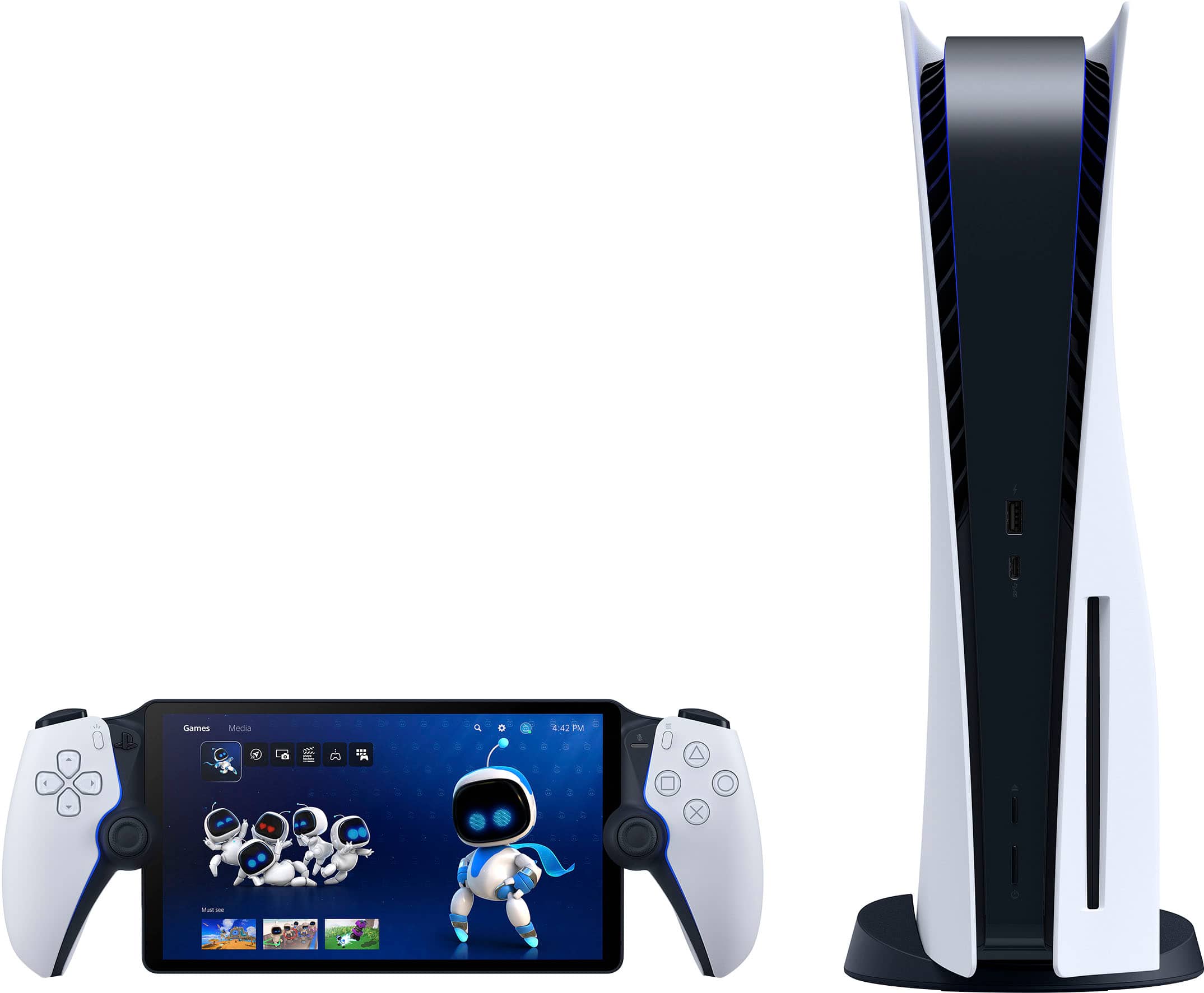
- Model:
- 1000041319
- |
- SKU:
- 12123697
Customer reviews
Rating 4.5 out of 5 stars with 7101 reviews
(7,101 customer reviews)Rating by feature
- Value4.5
Rating 4.5 out of 5 stars
- Quality4.7
Rating 4.7 out of 5 stars
- Ease of Use4.6
Rating 4.6 out of 5 stars
Customers are saying
Customers recognize the product for its excellent overall performance, with many praising its top-notch picture quality and appreciating its portability. The screen quality is also highly regarded, and users find the battery life solid and the device comfortable to hold. However, some customers have noted concerns regarding connectivity and, to a lesser extent, input lag.
This summary was generated by AI based on customer reviews.
- Cons mentioned:Connectivity
Rated 3 out of 5 stars
NOT A PSP YET!!!
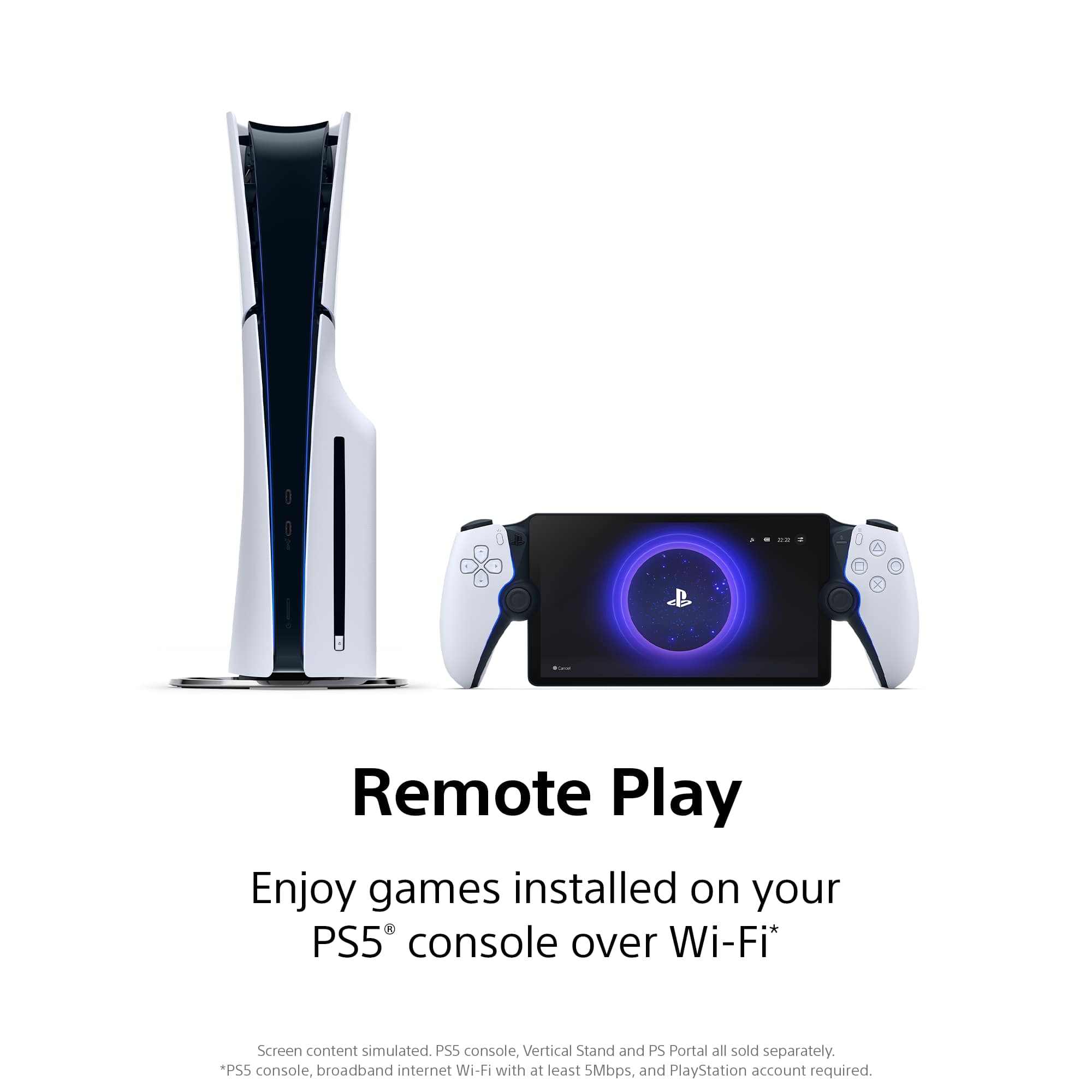
||Posted . Owned for 1 month when reviewed.This reviewer received promo considerations or sweepstakes entry for writing a review.PS portal is alright if you know what you are buying, its generally not its own system it works off your PS5 at home, but recently there was and update that you can stream your digitally purchased games or the free games that come with PS plus so it does make it better how ever you always need an internet connection to use this no matter what....and you also need a internet connection where ever you are and your ps5 is in order to mirror your ps5
This review is from Sony Interactive Entertainment - PlayStation Portal Remote Player - White
I would recommend this to a friend - Pros mentioned:Screen quality
Rated 5 out of 5 stars
Great on-the-go Option for Playstation Gaming!
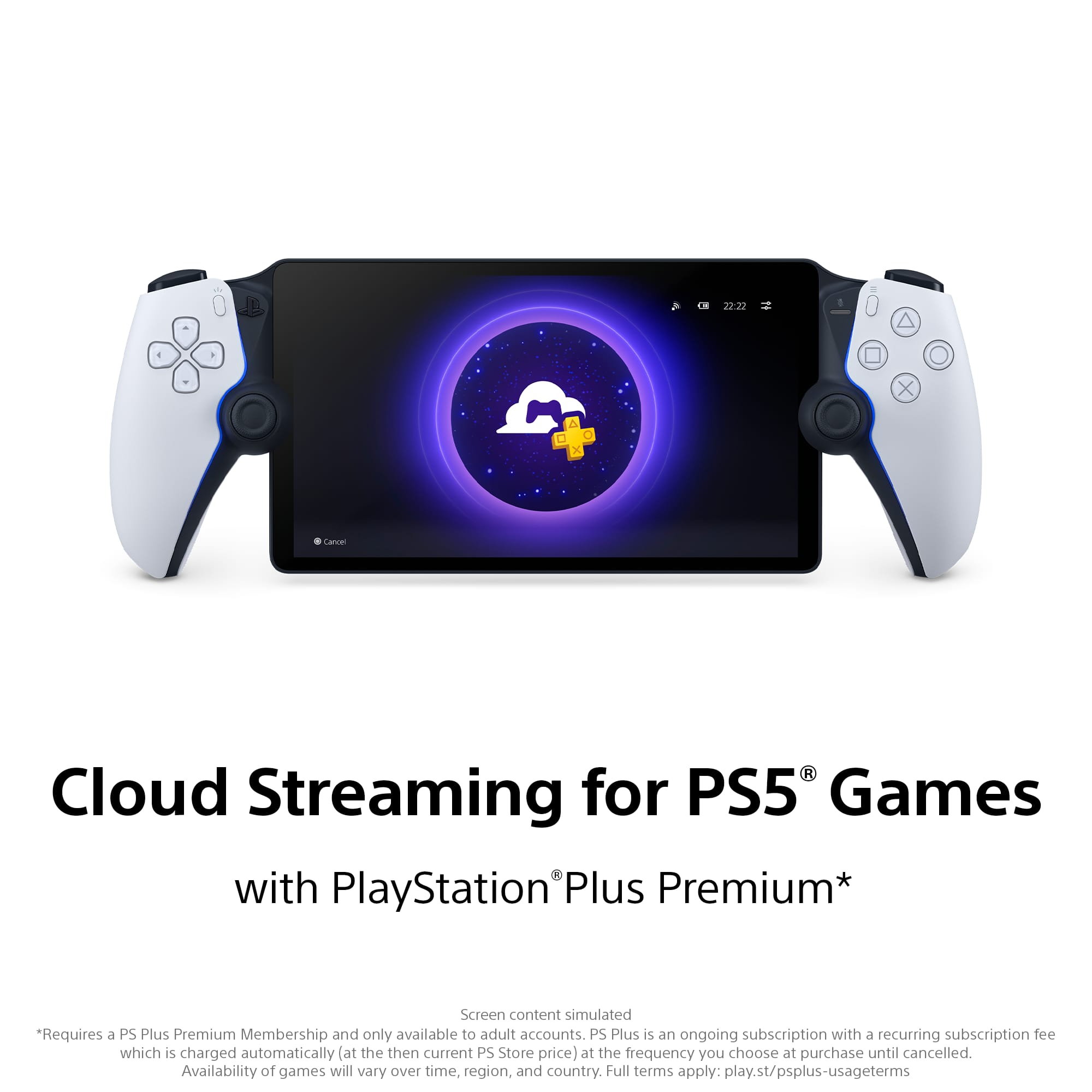
||Posted .This reviewer received promo considerations or sweepstakes entry for writing a review.Great for on the go gaming, as long as your PS5 is on! You can also play it without a PS5 if you subscribe to PS Plus Premium (or whatever that tier is). Beautiful quality screen.
This review is from Sony Interactive Entertainment - PlayStation Portal Remote Player - Midnight Black
I would recommend this to a friend - Cons mentioned:Connectivity
Rated 5 out of 5 stars
Gaming on the go
||Posted .This reviewer received promo considerations or sweepstakes entry for writing a review.This thing gets used daily. Obviously can’t compare to sitting in front of a larger TV but it’s great if lounging on the couch, killing some time. We’ve taken it on vacation using remote connection. We have found this works well for the most part though games that require instant response may/may not have a seamless experience due to some network lag.
This review is from Sony Interactive Entertainment - PlayStation Portal Remote Player - White
I would recommend this to a friend Rated 4 out of 5 stars
Good for what it is
||Posted .This reviewer received promo considerations or sweepstakes entry for writing a review.While the presentation of the hardware is a bit janky, the overall software side is very nice and does exactly what it is supposed to do. I am able to stream from my PS5 to this device on my home wi-fi. It's great as I don't always have access to the tv. It's also nice that I can play PS4 games as well (on the ps5 of course). It basically is a mirrored display and works like the remote function from the ps vita. I was able to go into different rooms and the quality pretty much held with little to no input lag what so ever. There were moments of a blotchy image but it was very rare in the few hours I've played with it. Overall, if you are looking to remote play in your home without getting a secondary controller for your phone, this is a good option. I wish I could play games natively on it as playing psp and vita games would have been excellent for this. Oh well, a good remote device overall.
This review is from Sony Interactive Entertainment - PlayStation Portal Remote Player - White
I would recommend this to a friend- Pros mentioned:PortabilityCons mentioned:Connectivity
Rated 4 out of 5 stars
Addition
||Posted . Owned for 7 months when reviewed.This reviewer received promo considerations or sweepstakes entry for writing a review.Bought This In Addition To My PS5. Connection Could Be Better But Overall When It’s Connected I Enjoy Laying In Bed Or Couch Without Looking At The Tv
This review is from Sony Interactive Entertainment - PlayStation Portal Remote Player - White
I would recommend this to a friend - Pros mentioned:Overall performance
Rated 5 out of 5 stars
Yall complain too much!
||Posted . Owned for less than 1 week when reviewed.This reviewer received promo considerations or sweepstakes entry for writing a review.Too many complaints and everybody got something to say these days. If u don't need it or it serves no purpose for you don't get it. This is great for in home for me when I'm ready to get in bed but feel like gaming but don't want to move my ps5. Or while watching tv or the game and I want to game as well. I was disappointed that it didn't connect to Xfinity wifi at work or work well with the other internet connections there either. But works great on my hot spot tho so I've had some great days at work since the release. Holiday week this week so plenty of downtime and I ve actually played a full game of nba2k in 1 sitting. Picture looks great. Controller feels amazing in hand just like the ps5 controller. Sure no Bluetooth and it's only remote. The device people are crying for would be $600 or more. Hopefully it's coming but for now this is great. For $200 I haven't felt this good and satisfied with a purchase in a long time.
This review is from Sony Interactive Entertainment - PlayStation Portal Remote Player - White
I would recommend this to a friend - Pros mentioned:Comfort, Screen quality
Rated 5 out of 5 stars
A+ Quality !!
||Posted . Owned for less than 1 week when reviewed.This reviewer received promo considerations or sweepstakes entry for writing a review.Great packaging. The system feels high quality. Comfortable gaming sessions. Video is high quality. Really easy setup. Hard to put down and play on my TV to be honest haha Does need screen protector and case. Because the screen is just beautifull. Hate to have it scratched
This review is from Sony Interactive Entertainment - PlayStation Portal Remote Player - White
I would recommend this to a friend - Pros mentioned:Overall performance, Portability
Rated 5 out of 5 stars
Great Purchase
||Posted . Owned for 1 year when reviewed.This reviewer received promo considerations or sweepstakes entry for writing a review.Works well with good internet. Able to play my games on the move
This review is from Sony Interactive Entertainment - PlayStation Portal Remote Player - White
I would recommend this to a friend - Pros mentioned:Portability
Rated 5 out of 5 stars
Convenient
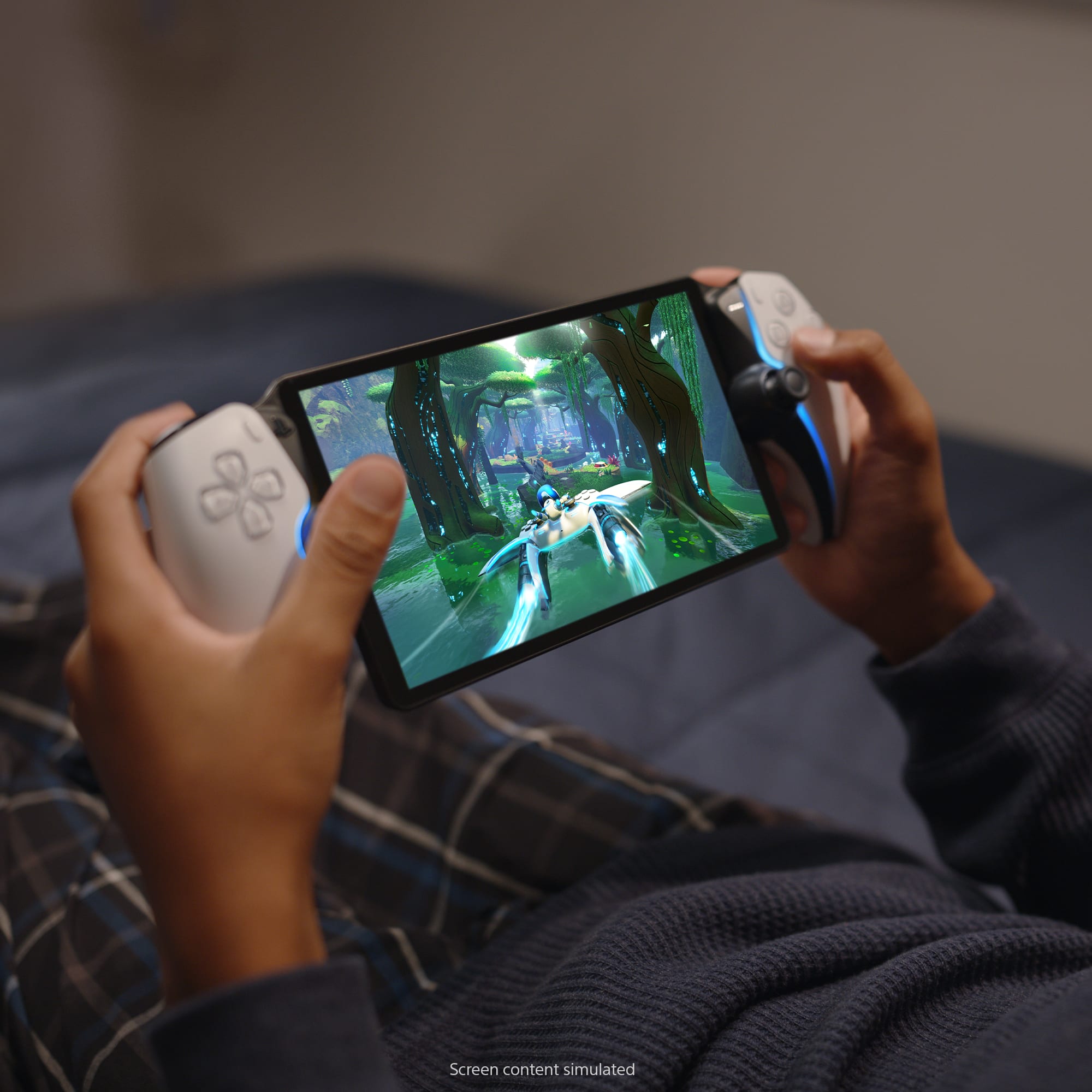
||Posted . Owned for 1 month when reviewed.This reviewer received promo considerations or sweepstakes entry for writing a review.It’s a remote player! Lets me be lazy and play things from bed, instead of getting up to go into another room, also convenient when someone else is using the tv the system is connected to.
This review is from Sony Interactive Entertainment - PlayStation Portal Remote Player - Midnight Black
I would recommend this to a friend - Pros mentioned:Portability
Rated 4 out of 5 stars
Good and almost great
||Posted . Owned for 2 weeks when reviewed.This reviewer received promo considerations or sweepstakes entry for writing a review.If you have the use case the Portal is amazing. I have a shared living room TV so the Portal has been an amazing addition to my gaming setup. Would have given it a 5 but there’s some minor issues. First Sony doesn’t want you to use any headphones but there’s and connecting other products is a hassle. Second, if you have multiple users you have to sign out of the portal and sign in as the other users. It’s not an easy transition like it is on the console. Some of these issues could be patched and the future and then it would be the perfect remote player.
This review is from Sony Interactive Entertainment - PlayStation Portal Remote Player - White
I would recommend this to a friend - Pros mentioned:Portability
Rated 5 out of 5 stars
Winner winner!
||Posted .This reviewer received promo considerations or sweepstakes entry for writing a review.I got this for my husband and he loves this thing. He’s currently traveling and travels often for work and has been able to use this when he has a little bit of time to unwind and relax. It connects super easy to his PS five at home.
This review is from Sony Interactive Entertainment - PlayStation Portal Remote Player - White
I would recommend this to a friend - Pros mentioned:Overall performance
Rated 5 out of 5 stars
Out of this world
||Posted .This reviewer received promo considerations or sweepstakes entry for writing a review.I’ve had it for two years and Somy has put out nothing but spectacular updates that make this device compound in value. To me, this is one of the best electronic purchases I’ve ever made.
This review is from Sony Interactive Entertainment - PlayStation Portal Remote Player - White
I would recommend this to a friend - Pros mentioned:Overall performance
Rated 5 out of 5 stars
Ps portal
Posted .This reviewer received promo considerations or sweepstakes entry for writing a review.Lol for 200 dollar this is a great add for ps5 now i can relax on my bed play my games.
This review is from Sony Interactive Entertainment - PlayStation Portal Remote Player - White
I would recommend this to a friend - Pros mentioned:Overall performance
Rated 5 out of 5 stars
Love it and come clutch when needed
||Posted . Owned for 1 month when reviewed.This reviewer received promo considerations or sweepstakes entry for writing a review.With the updates it’s a lot better and useful …Don’t regret it at all
This review is from Sony Interactive Entertainment - PlayStation Portal Remote Player - Midnight Black
I would recommend this to a friend Rated 5 out of 5 stars
Addicting
||Posted . Owned for 3 months when reviewed.This reviewer received promo considerations or sweepstakes entry for writing a review.Super fun and convenient. Been hooked since I got it. Unable to even shower, take a dump or eat in peace. Def cop. Especially before GTA 6 comes out. If you don’t have it by now then you’re joking..
This review is from Sony Interactive Entertainment - PlayStation Portal Remote Player - Midnight Black
I would recommend this to a friend- Pros mentioned:Overall performanceCons mentioned:Connectivity
Rated 5 out of 5 stars
Great for when i want to lounge!
||Posted . Owned for 1 month when reviewed.This reviewer received promo considerations or sweepstakes entry for writing a review.Really enjoy the graphics. The connection can be spotty sometimes but overall i enjoy using it
This review is from Sony Interactive Entertainment - PlayStation Portal Remote Player - Midnight Black
I would recommend this to a friend - Pros mentioned:Screen quality
Rated 4 out of 5 stars
Incredible when it works
||Posted . Owned for 3 weeks when reviewed.This reviewer received promo considerations or sweepstakes entry for writing a review.I was skeptical of this device given my remote play experience on other devices has not been great, in most cases unplayable. Somehow, this device works much better, though not perfect. With my PS5 wired-in I can keep a stable connection while playing FF7:Rebirth. Strangely framerate seems perfect in battles, small areas, and cutscenes. For whatever reason in the field I see regular frame skips or however you want to refer to it (lag?). The device seems best suited to RPGs which is what I bought it for. Racing games are unplayable on this, at least with my connection. When it works though, wow FF7Rebirth looks incredible on that screen. And having the real PS5 controller feels much better on this than any other alternative.
This review is from Sony Interactive Entertainment - PlayStation Portal Remote Player - White
I would recommend this to a friend - Pros mentioned:Overall performance, Portability
Rated 5 out of 5 stars
Surprisingly usefull
||Posted . Owned for 3 weeks when reviewed.This reviewer received promo considerations or sweepstakes entry for writing a review.For what it is, it's quite a nice little device. Sure, you can only stream games from your PS5 to it, but as long as you have a good Internet connection where you happen to be, you don't HAVE to be at home to use it
This review is from Sony Interactive Entertainment - PlayStation Portal Remote Player - White
I would recommend this to a friend Rated 4 out of 5 stars
Worth it!
||Posted . Owned for 2 weeks when reviewed.This reviewer received promo considerations or sweepstakes entry for writing a review.This product works great now that they’ve updated it to play directly from the cloud instead of needing your PlayStation 5. What I don’t like is that you need a premium subscription to do so though. But other than that, it’s worth it.
This review is from Sony Interactive Entertainment - PlayStation Portal Remote Player - Midnight Black
I would recommend this to a friend- Pros mentioned:Overall performance
Rated 5 out of 5 stars
Best portal gaming system
||Posted .This reviewer received promo considerations or sweepstakes entry for writing a review.Best thing PlayStation has ever done! The fact that you can play online, play games from PlayStation plus and it mimic the actual PS5… I recommend everyone that’s a PlayStation fan to buy one
This review is from Sony Interactive Entertainment - PlayStation Portal Remote Player - White
I would recommend this to a friend