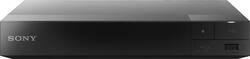
Sony - BDPS3500 - Streaming Wi-Fi Built-In Blu-ray Player - Black
- Key Specs
- Smart Capable: true (Smart, or smart-capable devices are able to connect directly to your home network in order to stream content from the Internet, run Internet-based apps, or connect to other smart devices.)
- Ethernet Port(s): true (Connection on the device that fits an ethernet cable, allowing for connection to wired network hardware.)
- Wireless Connectivity: Wi-Fi (The manner in which a device sends data to another device over a short distance without the use of wires or cables.)
- General
- Product Name: BDPS3500 - Streaming Wi-Fi Built-In Blu-ray Player
- Brand: Sony
- Player Type: Blu-Ray Player
- Remote Control Included: true
- Dual Voltage: false (Can operate on two different voltages. Accepted voltage inputs are typically listed with a slash, like "110V/220V," and the device may have a switch to toggle between each. Generally, for travel purposes, dual-voltage devices will not require a converter but will still need a plug adapter.)
- Cable(s) Included: None
- Model Number: BDPS3500
- Dimensions
- Product Height: 1.54 inches (The out of box height of the item. Height is measured as the vertical distance from the bottom of the item to the top as it would be primarily used or placed.)
- Product Depth: 7.64 inches (The out of box depth of the item. Depth is measured as the distance from the front of the item to the back as it would be primarily used or placed.)
- Product Width: 9.06 inches (The out of box width of the item. Width is measured as the horizontal distance from one side of the item to the other as it would be primarily used or placed.)
- Product Weight: 2 pounds (The out of box weight of the item.)
- Features
- Media Card Slot: false
- Featured Streaming Services: Netflix (Streaming services and other programs are available on this device. Keep in mind, there may be more services supported than just those shown here.)
- Remote Control Type: Standard
- Playable Formats: AAC, AVCHD, BD-R, BD-R DL, BD-RE, BD-RE DL, BD-ROM, BD-ROM DL, CD-R, CD-RW, DVD+/-R, DVD+/-RW, DVD+R DL, DVD-R DL, DVD-video, GIF, JPEG, MP3, PNG, SACD, XviD
- Output
- Number of HDMI Outputs (Total): 1
- Number Of Coaxial Digital Audio Outputs: 1 (The number of RCA outputs used for transferring digital audio between devices. This number lets you know how many devices, like receivers or speakers, the device can connect to.)
- Number Of Optical Digital Audio Outputs: 0 (The number of digital audio streams that can be connected between components.)
- Number Of Component Video Outputs: 0 (The number of component analog video (CAV) sources that can be connected to the product.)
- Number Of Composite Video Outputs: 0
- Display
- Maximum Video Resolution: 1080p (Maximum resolution refers to the highest number of pixels that a screen can process and display. Higher resolution signals produce more detailed video.)
- Language(s) Displayed: English, Spanish, French, Portuguese (The available language options for displayed text or captions.)
- Connectivity
- Number Of USB Port(s): 1 (The total number of USB ports including all generations and versions.)
- Wireless Connectivity: Wi-Fi (The manner in which a device sends data to another device over a short distance without the use of wires or cables.)
- Other
- UPC: 027242885424
Enjoy access to Netflix, YouTube, Hulu Plus and more than 300 streaming apps with this Sony BDPS3500 Blu-ray player, which features built-in Wi-Fi, along with a customizable user interface, and doubles as a streaming media player to keep you entertained.
- Blu-ray player: For high-definition movie playback with resolution up to 5 times greater than DVD. Watch films in stunning high-definition just like you do on the big screen.
- Upconvert DVDs: Delivers greatly enhanced video performance of standard DVDs by upconverting their video resolution to HDTV-compliant 1080p via the HDMI interface.
- Connect to the Internet: To access more than 300 apps, including Netflix, YouTube, Hulu Plus, Amazon Instant Video, PlayStation Now, Pandora and more.
- Kick back with a variety of adventures, quests, puzzles and more: PlayStation Now lets you stream a variety of PlayStation 3 games (requires DualShock 4 controller, registration and additional purchase).
- Built-in Wi-Fi: Provides stability and speed, helping to ensure reliable streaming performance. Quick Start/Load capability lets you watch movies right away.
- Playable formats: Include BD, BD-R (SL/DL), BD-RE (SL/DL), BD-ROM (SL/DL), BD/CD, BD/DVD, DVD±R/RW, DVD±R DL, 8cm DVD, AVCHD, MPEG-1, MPEG-2, MPEG-4 AVC, WMV9, XVID, CD, CD-R/RW, SA-CD, MP3, WMA9, AAC, GIF, JPEG and PNG.
- Dolby TrueHD and DTS-Master Audio decoders: Create an expressive audio environment while maintaining superior sound quality.
- Miracast technology: Makes it easy to mirror your Android smartphone's screen on your TV.
- Customizable user interface: Facilitates access to the apps and functions you want to use.
- TV SideView: Easily control and browse your entertainment from your compatible mobile device. Gain further insight into your favorite flicks with connection to Gracenote.
- Built-in Web browser: Surf the Web on your TV.
- Front USB slot: Enjoy videos, photos and music stored on compatible USB-enabled drives.
Whats Included
- BDPS3500 - Streaming Wi-Fi Built-In Blu-ray Player
- Remote with 2 AAA batteries
- Owner's manual
Q: Does SmartTV mean you don't need a WiFi DVD player?
A: Hello Anon, thank you for your message. No, it does not mean Smart for having WiFi Capabilities. It allows you to have a variety of applications that you can stream with internet connection. However, the Blu-ray player can play either Blu-rays or DVDs without internet connection. For more information, check the marketing specifications in the link below: https://docs.sony.com/release/Specs/BDPS3500_MKSP.pdf. -Oscar.
A: Your TV not having WIFI has nothing to do with any device connected to it. Connect any device to the TV and play. The only issue would be how many HDMI ports your TV has. If you don't have enough ports, some devices will need to be unplugged so you can use others.
A: Both, it can take a wired network cable and it has 802.11N wireless networking too.
Q: Whats the longest distance from the router that this product will operate properly.
A: Hi DP, It depends on the router's capability. If there are any type of metallic objects (such as a metal desk, file cabinet, etc.), walls or if the router is on the floor, all of these could lead to poor wireless network performance near your server, component devices or wireless LAN router/access point. The farther away the router is from these objects, the stronger your connection will be. - Jerome
A: Yes, you must have Wi-Fi to stream and use the apps, but if you want to play a disc all you need are; the disk, an HDTV and to have paid your electric bill :P
Q: What kind of HDMI cable should be used?
A: Hi! We highly suggest to use High-Speed HDMI cable. Thanks! ^Ron
Q: Is a credit card necessary?
A: Hi IV, Credit card number is not necessary in this player once it is already registered. Thanks, >Joffrey
Q: Can I use this player with an analog TV?
A: Hello, thank you for your message. The Blu-ray disc player works through HDMI connection. For more information, check the operating instructions in the link below: https://docs.sony.com/release/BDPBX350_EN.pdf. - Oscar.