Everything for Back to School — and then someShop now

Main Content

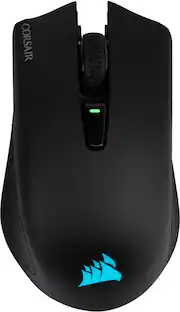
CORSAIR - HARPOON v2 WIRELESS Gaming Mouse - Wireless - Black

Model: CH-9311110-WW
SKU: 6679064
Sold byBest Buy

About this product

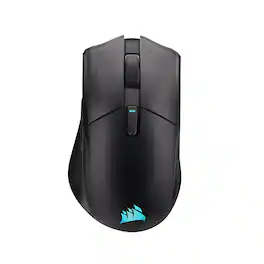
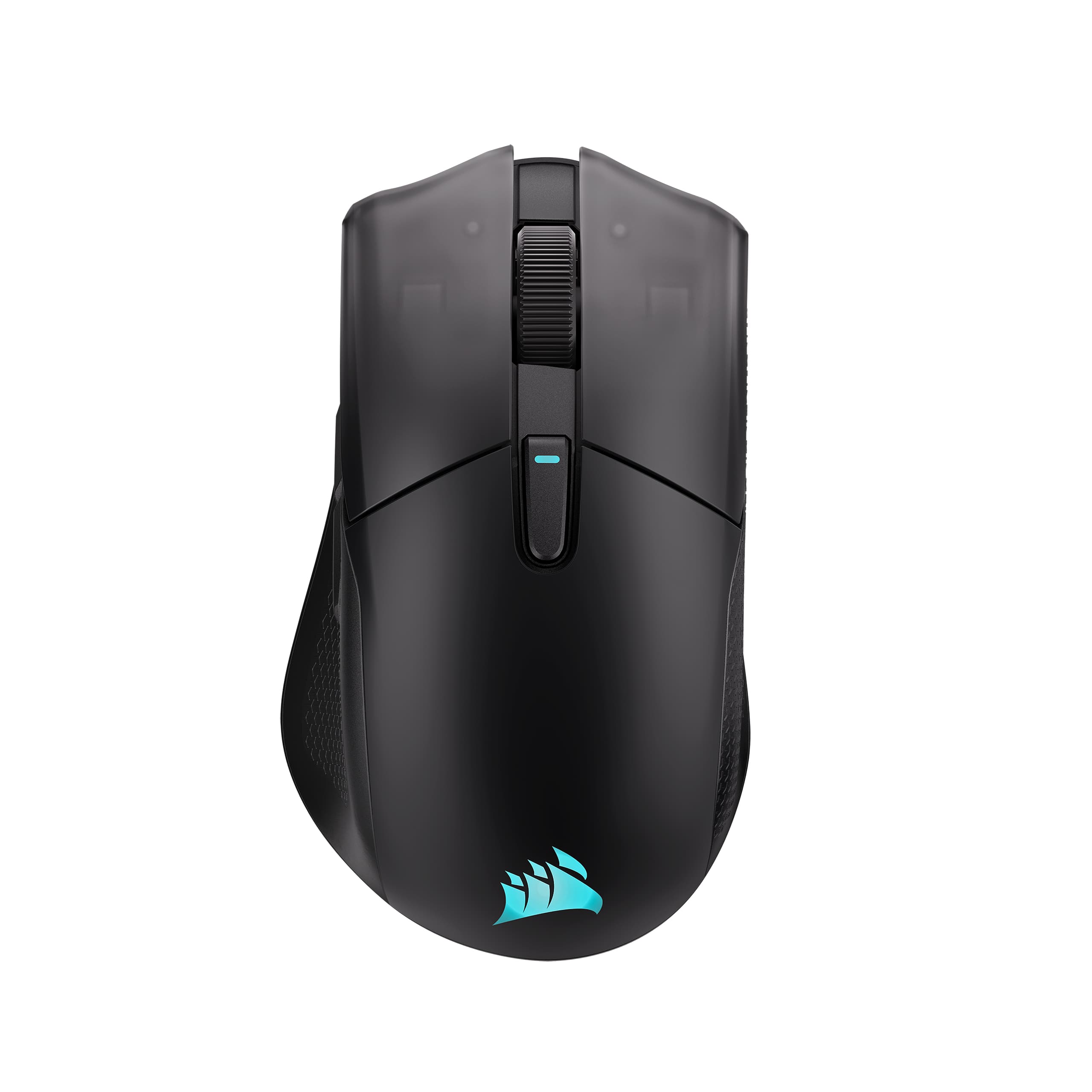
Get a better grip on your gaming with the HARPOON v2 WIRELESS Gaming Mouse. CORSAIR’s iconic asymmetric ergonomic shape and textured side grips deliver comfortable control and reduced thumb fatigue for all your daily gaming. Keep your aim on point with the crisp precision of the 26K DPI CORSAIR MARKSMAN sensor. Customize the 6 programmable buttons to get instant access to important abilities or powerful macros. With 140 hours* of battery life, you’ll enjoy days of wireless freedom before your mouse needs a recharge.

Features
  • Iconic ergonomic shape

    Enjoy comfortable precision for serious gaming with an asymmetric ergonomic mouse. Stand out from the symmetric crowd with a thumb rest and side grips that help to reduce grip strain and thumb fatigue.

  • 26K DPI CORSAIR MARKSMAN Sensor

    The 26K DPI CORSAIR MARKSMAN sensor delivers crisp, accurate precision. Keep your aim on point whether you’re clicking heads or pinging enemies.

  • 6 Programmable buttons

    Optimize your controls to keep your most used abilities and macros right at your fingertips.

  • Long-lasting battery life

    Focus on your game, not your charge level. Up to 140 hours* of wireless gaming freedom on a single charge, enough for days of gaming.

  • Versatile tri-mode connectivity

    Connect via responsive 2.4GHz, convenient Bluetooth, or directly via USB-C cable.

See all features
Specifications
  • Lighting Type
    RGB
    Maximum Sensitivity
    26000 dots per inch
    Number of Buttons (Total)
    6
    Connection Type
    Wireless, Wired
Sponsored

Reviews

Rating 4.8 out of 5 stars with 20 reviews

5 star rating. 15 reviews4 star rating. 5 reviews
95% would recommend to a friend

Customer Images

The vast majority of our reviews come from verified purchases. Reviews from customers may include My Best Buy members, employees, and Tech Insider Network members (as tagged). Select reviewers may receive discounted products, promotional considerations or entries into drawings for honest, helpful reviews.

  • Rated 5 out of 5 stars

    Great gaming mouse without overwhelming features

    This Corsair Harpoon v2 Wireless Gaming Mouse is a real winner. It feels good in my hand when using it. It doesn’t make my hand tired while I am using it for a long time at once. It is ergonomic as it is asymmetrically shaped. The buttons are positioned perfectly for my hand and fingers. The battery life is great too as I can get close to 138 hours out of it. I leave mine on and forget to turn it off, so it may get more hours if I were to turn it off when not in use. It has 6 programmable buttons. You can configure them the way you want. You can also customize your lighted Corsair RGB logo, button assignments, the DPI, and the rest of the settings on the Corsair Web Hub. That makes it easy as there is no app to download and install. It has 26K DPI Corsair Marksman Sensor. This is a great gaming mouse that doesn’t overdo it and is simple to program your macros into. I have certain abilities in my games that I use all the time, and being able to get to them with a mouse button really speeds things up and makes it so much easier. There is a button on the bottom of the mouse to select whether you want to connect via Bluetooth or Wi-Fi. The buttons on the mouse are as follows: Left Mouse Button, Right Mouse Button, Middle Click Scroll Wheel, Forward Button *side front*, Back Button *side back*, DPI Button *behind the scroll wheel*. The USB Charging Data Port is at the front of the mouse. The Power and wireless mode switch *off/2.4GHz Wi-Fi/Bluetooth* is on the bottom right, and the USB wireless receiver is in the compartment on the bottom of the mouse. In the box you get the Corsair Harpoon v2 Wireless Gaming Mouse, USB Charging/Data Cable, and the USB Receiver. Setup is easy as it can be setup to either Wi-Fi or Bluetooth. You will need to charge the mouse first. The color of the Corsair Logo on the mouse will tell you when it is charged by the color patterns and LED lights on the mouse. Example: Battery Low will give you Blink Red 3 time, while Battery Fully Charged will give you a Solid Green for 5 seconds. Other things use the lighting zones to communicate too. DPI Stages use them. Stage 4 – 1600 Green, Stage 5 – 3200 Blue. Connection Modes use lights as well. 2.4GHz Pairing is Rapidly Blink White, while Paired or connected is Solid White for 5 seconds. You can use the web site to set up different profiles, so you don’t have to go back and set them up each time you want to go back to use the same settings for a game. It stores the DPI and button assignments. To update the firmware on your mouse you must connect it via the cable and visit the Corsair web hub. Summary: I really like this Corsair Harpoon v2 Wireless Gaming Mouse. It allows me to customize it just enough without being overbearing or without being too much. Some gaming mice can be too much, I think. This one is just right. That’s why I highly recommend this gaming mouse. It does everything I need it to do and feels great in my hand.

    Posted by MoniMouse

  • Rated 5 out of 5 stars

    Excellent Corsair Performance!

    I’ve always been a fan of Corsair. They are a top notch brand in the gaming world. I’ve been using Corsair products for longer than I can remember and have always been happy with the performance and quality of their products. The Corsair Harpoon V2 wireless gaming mouse does not disappoint. I have all different kinds of gaming mice. Wired, wireless, extra buttons, no extra buttons. But in my opinion different games call for different hardware. I like this mouse because it’s not too light, it’s not too heavy, it’s ergonomic, feels great in the hand, and only has a couple extra buttons vs some gaming mice that have a ton of extra buttons. And I’m not saying lots of extra mappable buttons is a bad thing I’m just saying every different kind of mouse has its place. This mouse fits my “overall everyday” category. It feels great in the hand. It’s the perfect size and weight. The button placements are great as well. I do think the additional mappable buttons on the side could move up a little but that’s just for my hands and I’m sure everyone is different. The buttons are extremely responsive and the tactile click of them is fantastic. They are easy to click but not too easy that you have accidental clicks. The mouse is extremely responsive and I see no latency when I’m using it. Game performance with this mouse is excellent. Battery life is excellent as well. Setup was easy. I just plugged in the included dongle and switch the mouse on and I was up and running. One thing I noticed was there was no auto installation of software when I plugged in the dongle. I even plugged usb in from the mouse to my desktop and there was no auto installation of the Corsair software. But setup is as easy as plugging it in and turning it on. You don’t have to use the software either if you don’t want to. I love a DPI button that you can customize. It’s nice to just be able to click and change the DPI to whatever you want. It’s very convenient. The Corsair software is very user friendly as well making it easy to customize what you want. Overall this is a great, responsive wireless mouse with great battery life and stellar performance. I would highly recommend it if you are in the market for one.

    Posted by krush

  • Rated 5 out of 5 stars

    Long battery and comfy to use mouse

    A few things that surprised me about this mouse. The first is that being that it's a gaming mouse, it's light. I remember previous gaming mice they would come with weights on them. I think this is a much better mouse because it is lightweight. The mouse is not too wide and feels very comfortable in the palm of my hand. It's versatile in its connections. You have three ways to connect. You could use the included USB cable, Bluetooth, and the included RF USB dongle. There is a compartment underneath the mouse towards the bottom. It's held in by magnets. It looks like a battery compartment but it's not for the battery. It's for the USB dongle. This has a built-in rechargeable battery. It doesn't take AA batteries. One thing that was fairly new to me with setting this mouse up is that it actually does not come with any software to be installed. You visit a website. It detects the mouse as long as you give it permission, and you can do your settings there. It's browser-based. I did notice a little notification that says "Use this app offline". I looked into it and it looks like it is a PWA so the application lives in your browser in sandbox. No drivers, no background services, no DLLs, stuff like that. The other thing I also noticed is this does not work when the mouse is connected via Bluetooth. If you want to use this setting of your mouse then you either have to use the USB cable and connect it or use the USB dongle for wireless connectivity. Here’s two more surprises. The braided USB cable that comes included is a USB-A to USB-C cable. The laptop I’m using it on only has USB-C ports. The other surprise is the dongle is USB-A which is the same issue with the laptop. I just use an adapter. This would affect you if you want to use it as a wired mouse or as a wireless mouse using the USB dongle. It can also affect you when recharging because you are using that USB cable to charge. The good news is my laptop charges through USB-C and I can use that same USB-C cable to charge the mouse or connect it. Been using the mouse for a few hours each day. Corsair claims to have 210 hours of use over Bluetooth. I would say I've used it for about 5-6 hours – not straight but total and still 100% on Bluetooth. Not much usage yet for the needle to move, but I wanted to mention it. And yes, it does report battery life in Bluetooth settings under input. This is actually a pretty good everyday mouse, not just for gaming. I really like it. It's comfortable to use.

    Posted by sherwinmdev

  • Rated 4 out of 5 stars

    Still A Couple Flaws To Work Out

    I am writing this review for the Corsair Harpoon v2 Wireless Gaming Mouse Whenever I write a review, I try to present a product in the most positive light I honestly can. That doesn't mean overlooking shortcomings, but rather judging the product for what it sets out to be. I approached the Corsair Harpoon v2 Wireless Gaming Mouse with that same mindset, and by the end of this review you'll probably understand why I mention that. Before receiving the Harpoon v2, I honestly wasn't very familiar with Corsair's gaming peripherals, so I was looking forward to seeing what they had to offer. Out of the box, the mouse looked surprisingly understated. It has everything you'd expect—a left and right button, scroll wheel, two side buttons, and a modest RGB lighting effect on the rear—but it doesn't scream "gaming mouse." Its appearance is clean and functional rather than flashy. While it didn't particularly impress me visually, neither did it disappoint. Corsair seems to have favored comfort and practicality over bold styling. According to Corsair, the Harpoon v2 weighs 80 grams. And that’s exactly what it weighed on my digital kitchen scale. That's certainly not heavy by normal mouse standards, but in the gaming world it leans toward the heavier end of the spectrum. It's nowhere near cumbersome, but when compared to today's ultralight gaming mice, you'll definitely notice the difference. In the hand, the Harpoon v2 feels solid and well-built. The textured side grips provide a secure hold, and the integrated thumb rest is a nice touch that adds to the overall feel of the mouse. Build quality is respectable, with durable-feeling plastics throughout. One small concern, however, is that the glide feet appeared to show wear more quickly than I expected during my limited testing. It's also worth noting that the rear glide foot doubles as the cover for the USB wireless receiver, in case you are wondering where it is hiding. On paper, Corsair has packed an impressive feature set into what is clearly intended to be a budget-friendly gaming mouse. The 26,000 DPI Corsair Marksman optical sensor, six programmable buttons, switches rated for 100 million clicks, and battery life of up to 140 hours make for an impressive specification sheet at this price point. Unfortunately, this is where my personal experience began to diverge from the specifications. But before I continue, I have to say that Corsair has never presented the v2 as anything but what it is… a very good mid-level-gamer gaming mouse. I say that to keep in mind that I am not reviewing a top-tier, elite professional gaming mouse. Although the Harpoon v2 feels substantial in the hand, it simply never felt quite right in my hand. I wouldn't describe it as uncomfortable, but it always seemed slightly awkward, almost as though my grip was never completely settled. It often felt like my hand wanted to slide off the back of the mouse, leaving me constantly readjusting my grip. To be fair, mouse ergonomics are highly subjective. No manufacturer can design one shape that perfectly fits every hand. During my testing, I compared the Harpoon v2 with five other mice I own, including one of the highest-rated gaming models currently available. Interestingly, about half of them naturally positioned my fingers at an angle across the primary buttons, while the other half kept my fingers nearly parallel. Because of that comparison, I can't honestly call the Harpoon's shape a design flaw. It simply wasn't a good match for my particular hand. The side buttons presented a more noticeable issue. Having programmable thumb buttons is always a welcome feature, but I found that my thumb naturally rested almost directly over the seam separating the two buttons. During gameplay I repeatedly activated both buttons at once, and occasionally triggered an unintended right-click while trying to recover my grip. The programmable button located behind the scroll wheel created an even bigger problem. At one point during gameplay, my mouse suddenly entered what felt like a slow-motion mode. Since I use a triple-monitor setup, I moved to my far-right display to troubleshoot what was happening. After some experimenting, I discovered that because of the angle of my hand, my middle finger was unintentionally pressing the top button. In the middle of a competitive game, that's exactly the kind of accidental input that can become very costly. Finally, we come to what ultimately became the deal-breaker for me: the scroll wheel. If you rest a finger on the wheel and gently rock it forward and backward, you can clearly feel the internal detents engaging. The problem is that the mouse doesn't actually register movement until you've rotated the wheel past a noticeable threshold. Once scrolling does begin, the movement feels uneven and somewhat choppy instead of smooth and precise. Since the scroll wheel is one of the controls you'll use more than almost anything else, this became increasingly difficult for me to overlook. In the end, I believe Corsair accomplished what they intended to accomplish. The Harpoon v2 offers an excellent list of features at a very affordable price, and many non-professional gamers will likely find it to be a perfectly capable wireless gaming mouse. Unfortunately, ergonomics are intensely personal, and in my case the shape, button placement, and especially the scroll wheel prevented it from becoming a mouse I would consistently use for extended gaming sessions. I don't think the Harpoon v2 is a bad gaming mouse. And like I said, Corsair never presented the v2 as the gaming mouse to unseat all other gaming mice. I simply don't think it's the right gaming mouse for me. And sometimes, that's the most honest conclusion a reviewer can reach. So would I recommend the v2 to others? Yes, absolutely, as long as they understand who this mouse is ultimately designed for.

    Posted by Patrick

  • Rated 4 out of 5 stars

    Good micro switches and sensor but could be better

    This is my first opportunity to use a Corsair gaming product, and I was anxious to try this mouse out. It has a lot of great features and a high end sensor that sounded like it would be a benefit for gaming. Most people can probably tell right off the bat if they're going to like a mouse or not, I know that happens to me. I can honestly say that I found it very easy to get used to this mouse and I really liked the feel of it. It's hard not to love the the way it slides effortlessly across my glass mousepad. I've used mouse products by a different brand, exclusively for years, so for me to like it this quickly says a lot. That being said, at the end of the day there are things I really liked about the Harpoon v2 and things that I thought they could improve. The overall look is quite sleek and the jet black color looks fantastic. The shape of the front end is unique and has a somewhat predatory appearance. The RGB illumination on the palm logo stands out well and you can of course set up how you want that to look and act with different effects and colors. The grippy sides feel good and help you to grip the mouse well. As for buttons, the left and right standard buttons have a tight snappy feel. I like the solid click that they make and you know by that sound that you've actually clicked the button. No sloppiness or mushiness about them. The left side forward and back buttons have a similar positive click to them. The size and the placement of these are both good. The mouse wheel button, like the others offers that same positive click to let you know you've engaged the button. However, the mouse wheel, is really lacking. The wheel itself is made of plastic and has a rubberized coating. The feel is tactile and easy to turn, but what I miss is a metal wheel with some weight on it that I can not only click through the steps if I want, but also give it a good spin to get to the top or bottom of a document or web page. There's no spinning this guy. The wheel doesn't have enough heft to do that and the steps are pretty firm which would also make it difficult to spin. Also, there is no way to not feel the steps and make it freewheel. The last button (the one in the center on top) comes with a default assignment of changing the DPI. For me, the DPI is a set it and forget it setting, not something I'm going to set up differently for different games or apps. So I changed the assignment right away. The location of the top button is pretty awkward to actually use in a game. It's pretty far back and I found it difficult to access, which makes it a bit useless. I do like the sensor. It performed flawlessly and solidly. The bottom glides are large and the mouse silently slid across the pad with hardly any resistance at all. The included Slipstream receiver comes concealed inside the mouse which makes it great for traveling with it. You can also set up Bluetooth if you like but I like the Slipstream products better. Overall, I think the Harpoon v2 would benefit from a little additional weight to make it more substantial feeling. My hands are average to large, and the mouse feels a bit small when I palm it. I appreciate the ergonomic rise in the palm section, but for me it wasn't exaggerated enough and I felt like it was just too small in my hand. I was able to alter the button assignments and change the RGB features with the Corsair Web Hub. I don't mind using something like this in place of downloading and installing a stand alone app. It functions the same, and it's got to be way easier to maintain on a web page than having to release new versions of an app you need everyone to download. But it does only work on three different browsers. I use the Brave browser which is built on Chromium (like Chrome), and I still had to use Chrome to get it to work. At the end of the day, the Harpoon v2 is a solid choice for gaming or as an interface to an office machine. The buttons feel great and have a very positive click to them. The glides are large and allow the mouse to slide effortlessly across the desk or pad. The parts I didn't like were few, but they were things that I genuinely found lacking after using other mice. The USB-A to USB-C charging cable it comes with is really nice. The ends are rubberized for easy grip, and the cable itself is a braided cloth style that feel soft and allows you to actually work out the kinks that standard cables would retain for life. It's also about 6' long, so they didn't skimp at all with this. All in all I really enjoyed the Harpoon v2, and I think it would be at home in pretty much any work or game environment.

    Posted by enem156

Compare similar products

CORSAIR - HARPOON v2 WIRELESS Gaming Mouse - Wireless - Black
4.8(20)

Get a better grip on your gaming with the HARPOON v2 WIRELESS Gaming Mouse. CORSAIR’s iconic asymmetric ergonomic shape and textured side grips deliver comfortable control and reduced thumb fatigue for all your daily gaming. Keep your aim on point with the crisp precision of the 26K DPI CORSAIR MARKSMAN sensor. Customize the 6 programmable buttons to get instant access to important abilities or powerful macros. With 140 hours* of battery life, you’ll enjoy days of wireless freedom before your mouse needs a recharge.
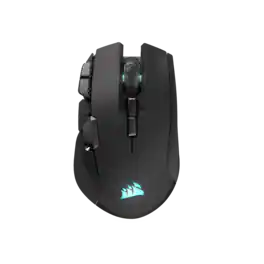
CORSAIR - IRONCLAW WIRELESS SE FPS/MOBA/MMO Optical Gaming Mouse - Wireless - Black
4.6(64)

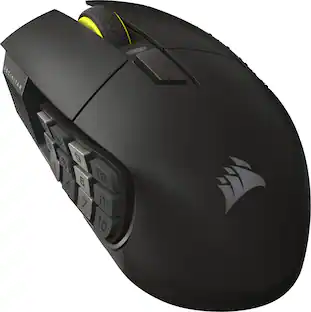
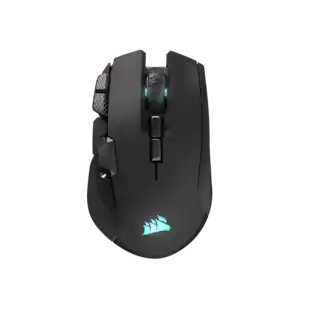
The CORSAIR IRONCLAW WIRELESS SE Gaming Mouse was designed to deliver comfortable control for right-handed players that prefer palm grips. Its uniquely-sculpted shape and textured grips are built to give players secure, comfortable control. The precise 26k DPI sensor provides amazing accuracy for MOBA, FPS, and MMO gameplay. IRONCLAW WIRELESS SE is all about longevity with up to 285 hours over 2.4GHz, 532 hours over BT, and switches rated for up to 100 million clicks. Versatile tri-mode connectivity connects via robust 2.4GHz wireless, convenient Bluetooth®, or USB-C cable. CORSAIR IRONCLAW WIRELESS SE Gaming Mouse – Comfortable Control in the Palm of Your Hand.

CORSAIR - HARPOON RGB Wireless FPS Optical Gaming Mouse with Bluetooth - Wireless - Black

Enjoy hyper-fast movement with this CORSAIR Harpoon RGB wireless gaming mouse. The contoured shape makes it easy to grip during gameplay, and it offers up to 60 hours of battery life to keep you slaying dragons and firing on the enemy longer. This CORSAIR Harpoon RGB wireless gaming mouse lets you easily customize sensitivity and DPI settings.

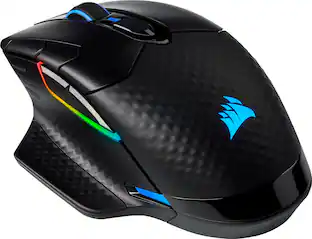
CORSAIR - DARK CORE RGB PRO Wireless FPS/MOBA/MMO Optical Gaming Mouse with Slipstream Technology - Wireless - Black

Take out enemies with sniper shots using this CORSAIR DARK CORE RGB PRO wireless gaming mouse. The 18,000 DPI optical sensor provides pinpoint precision, while the contoured shape fits comfortably in the palm of your hands. This CORSAIR DARK CORE RGB PRO wireless gaming mouse features up to 50 hours of battery life for uninterrupted gameplay.

Pros for CORSAIR - HARPOON v2 WIRELESS Gaming Mouse - Wireless - Black
There were no pros for this productBattery Life, Overall Performance, Ergonomics, Button Layout, ConnectivityWireless, Battery Life, Overall Performance, RGB, Ease of useRGB, Battery Life, Wireless, Comfort, Responsiveness
Cons for CORSAIR - HARPOON v2 WIRELESS Gaming Mouse - Wireless - Black
There were no cons for this productSizeSize, Scroll Wheel, Software, Lag, Side ButtonsSoftware, Scroll Wheel, Lag, Connection

Specs

Be the first to ask a question.

We’ll try to get your question answered within 24 hours by a Best Buy customer or brand representative.

Customers often buy these together

Sponsored

Finance Options

My Best Buy® Credit Card
Buy Now, Pay Later

Finance Options

My Best Buy® Credit Card
Buy Now, Pay Later

Special Offers

Included with Purchase

Special Offers

Included with Purchase