Appreciation EventEnds Sunday. Limited quantities. No rainchecks.Shop now

Skip to contentGo to Product Search
Main Content

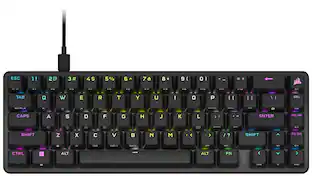
CORSAIR - CLIPPER PRO MINI 60 Hall Effect Gaming Keyboard - Black

Model: CH-979101J-NA
SKU: 6674869
Sold byBest Buy

Customers are saying

Customers often highlight the product's excellent portability, robust build quality, and compact form factor, which makes it suitable for various setups. They also appreciate its smooth Hall Effect switches, good typing experience, and strong gaming performance, along with features like vibrant RGB lighting, water resistance, and broad compatibility. However, some customers note a drawback regarding the key feel, specifically the absence of dedicated arrow keys.

Generated by AI based on customer reviews.
Features
  • MGX Hyperdrive Core Hall Effect Switches

    Linear, fast-actuating MGX Hyperdrive Core Hall Effect Magnetic switches feature a stabilizing square wall for even better wobble reduction. These ultra-responsive switches have a 0.2-3.8mm actuation range and are rated for up to 100 million presses.

  • Next-gen Hall Effect features

    Assign up to 4 actions to a single key with Multi Action. Use Tap Lock to toggle long-hold actions and eliminate finger fatigue. Smart Tap can set different actions for tap vs. hold, Gamepad Mode unlocks smooth analog gamepad-style control, and Rapid Trigger delivers faster key resets.

  • 8,000Hz hyper-polling with AXON

    Own the speed advantage with CORSAIR AXON hyper-polling. Register inputs at a report rate of up to 8,000Hz, delivering near-instant responsiveness to keep you ahead of the competition.

  • FlashTap SOCD

    Unlock cleaner and enhanced movement techniques with CORSAIR FlashTap SOCD handling. Decide how your keyboard resolves simultaneous conflicting directional inputs, so you move like you mean it.

  • IP57-Rated

    With an IP57 rating, you’ll have an incredible level of waterproofing and dust resistance for a mechanical keyboard. Tested to withstand the toughest gaming conditions and accidents. Shrugs off water, dust, humidity, even being submerged in water!

  • Ultra-compact 60% form factor

    Built to provide maximum performance in minimal space. Lightweight and ultracompact in width and height. Printed secondary functions ensure that you don’t lose functionality.

  • Customizable Game Mode

    Easily switch back and forth from competitive mode to daily life by hitting FN+G to toggle Game Mode. Customize the behavior of Game Mode in CORSAIR Web Hub.

  • Dual-layer sound dampening

    Two layers of sound dampening keep keypresses sounding clean by muting unwanted pings and clack.

  • Tri-color shine-through keycaps

    Let your brilliant RGB effects stand out more with shine-through keycaps. With dynamic per-key lighting and tri-color keycap colorways, your keyboard will look as good as it performs.

  • CORSAIR Web Hub

    Customize your keyboard settings over the web using the lightweight CORSAIR Web Hub. Easily adjust all the Hall Effect features, customize RGB lighting, and more.

  • PC, Mac, console compatible

    Connect to PC, Mac, and console with the detachable, braided USB-C to USB-A cable. Easy portability for great on-the-go gaming performance.

See all features
Specifications
  • Lighting Type
    RGB
    Form Factor
    Compact (60%)
    Keyboard Technology
    Magnetic hall effect, Magnetic hall effect
    Key Switch Behavior
    Linear
    Connection Type
    Wired
Sponsored

Reviews

Rating 4.8 out of 5 stars with 27 reviews

5 star rating. 21 reviews4 star rating. 6 reviews
96% would recommend to a friend
Customers are sayingCustomers often highlight the product's excellent portability, robust build quality, and compact form factor, which makes it suitable for various setups. They also appreciate its smooth Hall Effect switches, good typing experience, and strong gaming performance, along with features like vibrant RGB lighting, water resistance, and broad compatibility. However, some customers note a drawback regarding the key feel, specifically the absence of dedicated arrow keys.
This summary was generated by AI based on customer reviews.
  • Portability (10)
  • Build Quality (8)
  • Form Factor (5)
  • RGB Lighting (5)
  • Size (5)
  • Key Feel (4)

Customer Images

The vast majority of our reviews come from verified purchases. Reviews from customers may include My Best Buy members, employees, and Tech Insider Network members (as tagged). Select reviewers may receive discounted products, promotional considerations or entries into drawings for honest, helpful reviews.

  • Rated 5 out of 5 stars

    Endless Customization Possibilities and Great Feel

    This keyboard may be small and seem simple coming with basically just a cable and nothing else, but it functions just like the bigger keyboards and better in many ways, especially, if not obviously, for gamers. I think that my be the most surprising thing about this keyboard, which is just how well thought out it is in giving you all the options to use the keys that are basically missing from essentially chopping off 40% of a standard keyboard. Between the multi-function keys and remapping features, the only thing this little keyboard can't make up for is a 10-key number pad, but if you're only gaming with it that's not an issue. And if you do plan on using this keyboard for more than gaming and need one, you can always buy a stand-alone 10-key numpad separately (which is what I got). Customizing this keyboard is easy too and surprisingly doesn't even require you to download an app as it's all done through a web hub via your browser. You just have to give permission to let it find devices on your computer and voila, it shows up right away. The interface is easy enough to figure out and use too. Another thing I like about it is that I can easily change a key or a function, and if I don't like it, easily change it back. Like for example the feature that lets you lock the 'w' key so that you don't have to keep it pressed when you're just continuously walking. A feature that my daughter was excited to try out on Roblox but wasn't quite getting used to it so we just easily turned it off in a matter of seconds. I also found that I like to just keep the web hub up while I'm starting a new game, so that as I'm playing and learning the controls, if there's something I don't like or something I think would be easier if mapped differently, I just pause the game, switch to the web hub, and make whatever changes I want to try. The number of customizable options you get is honestly almost over-whelming. The fact that you can set functions to only pressing a key half-way down, or upon releasing a key, or even releasing only half-way up is kind of crazy to think about. Truthfully, I've used a clicky style keyboard for so long that only half-pressing keys is something I need to get used to, although I haven't really came across a game I play where that would be useful yet, for me at least. I'm sure that'll change though as I get more and more used to the hall effect style keys, which shouldn't take too long as I've been enjoying this keyboard so much it is now my dedicated gaming keyboard. Additionally, you can record macros, assign mouse functions to keys, even text phrases. The possibilities truly are almost endless. The lighting of the keyboard looks really good too and again, you have options for the lighting effects. I also like how when you hold the FN key to use the secondary key functions, it lights up only the keys that have a default secondary function like the arrow keys or F keys. The one thing I wish they did was make the secondary functions on the keys light up as well, because as it is, they are REALLY hard to see, which is honestly the only negative thing I've found with this keyboard so far. The build quality is excellent too. It feels very sturdy and solid. The keys feel good, and sound good. I have no doubt this keyboard will be able to withstand a lot of gaming abuse for a long time. Not only is this now my dedicated gaming keyboard, it's also now my daughter's dedicated keyboard. We rarely game at the same time so we just swap it back and forth. So I want to share her thoughts on this keyboard as well, being that she probably spends more time playing Roblox than I should probably be letting her. Before I got this Clipper Pro, she's just been using a full-size mechanical keyboard that came with her gaming desktop PC. After using this keyboard, let's just say if we did game at the same time, she'd probably rip it away from me, which she practically did the first time I took it to use and didn't connect it back to her PC. She now refuses to use any other keyboard. If that's not a testament to how awesome this keyboard is then I don't know what is. So if you're looking to get a 60% mini keyboard, I'd most definitely recommend going with the Corsair Clipper Pro.

    Posted by CKent

  • Rated 5 out of 5 stars

    The little keyboard that could.

    The Corsair Pro Mini 60 is the latest keyboard to come out from Corsair. So what can you expect from this company? First is that this keyboard has one of the smallest form factors for a gaming keyboard. Sized like any mini keyboard found in the market today, this is actually a gaming keyboard. So the first thing that one should test for literally any keyboard would be the spacing of the keys. I find it quite appealing that the spacing does not feel cramped. Most often keyboards this have cramped spacing which makes typing not as smooth. This is may suffice for casual typing but for touch typing especially gaming (This is a gaming keyboard!), this is a big deal. So far the Clipper Pro Mini is a win. There is however one drawback for me here. There are no dedicated arrow keys in this keyboard. But then again a lot of gaming keyboards don’t have them either. There is a a dedicated Fn button which you can use in conjunction with other letters so you can have arrow functions. For me this is a downer but may not be a big issue for others. Like most gaming keyboards, the Clipper Pro Mini is fully customizable. But unlike before where you need to download an app in order to customize the keyboard, Corsair has done away with that and customization can be done through the web. For me this is very convenient as for one you don’t need to install an app to customize the keyboard. But moreso, this truly adds to the portability of this keyboard. You can practically use this keyboard on any computer and customize it without installing any app. There are times that you may use (but not all the time) another person’s computer but you can still use and customize your keyboard to your liking. One thing Corsair touts with this keyboard is its IP57 rating meaning it is to certain degree waterproof. Of course, soda and coffee are things that can be spilled on a keyboard. But unfortunately, I am wary of finding out for myself. But one thing Corsair is really proud of this keyboard is its 8,000Hz hyper-polling meaning it’s input is really superfast. I can’t measure this scientifically, but all I can say that it is super sensitive that a little pressure on the keys may result in a typo. Novice gamers may have to adjust to this sensitivity. Overall, this keyboard has a very specific purpose. And if you are a serious gamer, this is a recommend.

    Posted by msumulong

  • Rated 5 out of 5 stars

    Amazing mini keyboard just feels right.

    PRODUCT CLIPPER PRO MINI 60 Hall Effect Gaming Keyboard QUICK REVIEW Amazing mini keyboard just feels right. REVIEW The Clipper Pro Mini is designed for ultimate programmability. Each key can support up to 4 actions based on pressure (hall effect). Lights, functions everything are configured by the Corsair software via the web. Yes, you read that correctly. Finally, you don’t have to fight with iCUE software to program your device (ASIDE: Corsair iCue software has kept me from selecting Corsair products for the past few years as it kept crashing my pc’s and nothing short of a full OS rebuild could remove iCue). Once the keyboard is set up it stays resident in the keyboard, so you can take it with you and be ready to go anywhere without any special drivers. I like the small size. It is highly responsive, even in everyday typing. I’m a touch typist and had no issue typing full speed with few errors. This means I can use it for dual purposes, gaming and typing. The keypress is very responsive and has a nice travel. The clicks are just right every time. The keyboard cable is nice and long. The price is just right, and the quality is even better than previous similar keyboards I have used. I’m not a “pro/competitive” game but I really like it overall. RECOMMENDATION I do recommend this keyboard 100%

    Posted by TheOffice1234

  • Rated 5 out of 5 stars

    Fast, space saving and with a ton of functions!

    Great 60% keyboard. Really nice build. Although its made all of plastic, Corsair has finally taken care of many things that I have not liked about their older ones. Mainly, padding inside the case to taper down pinging sounds. Typing feels finally great. The switches are magnetic and they are linear. Their sound I would say they have a clicky sound to them. Using the keyboard was super easy. I love that Corsair has finally moved out of having to use the keyboard with a resident app (like their iCue) on windows. They finally have a web hub, you just open Chrome, go to the Webhub address and you can start customizing it like that, once you are done, you can close it. Everything gets saved on the keyboard. It also has the option of creating a shortcut (they call it an app, but its mostly a browser shortcut to launch web hub right from your desktop). I love that you can also create profiles and switch them on the fly. This is important for magnetic keyboards. I have two main ones, one for typing, relaxed settings and one for gaming (if you don't want this, they also have a "game" mode out of the box). I can set individual actuation points and it has the main features we all love from magnetic keyboards (like their version of snap tap, mod tap, toggle etc). I mainly like the one you can have a key stay on and locked (I used this feature for the shift key, which is mainly the "sprint" key on many games, no need to hold it down all the time to sprint! I can just tap it, stays pressed down, until I tap it again). The RGB lighting is good and shows the legends on top good, however the secondary functions that have legends on the side are not RGB shine through, so its kind of tough to read them, just fyi. Thank god I have a monitor desk light, so I can see them). You can also choose the keyboard's polling rate, up to 8000hz! This will make the keyboard super fast, however its hard to notice, and they warm you it may increase CPU usage. I only toggle that on with the game mode or on my game profile. In all, great small form factor keyboard for the price and finally, just an web hub to customize, no more bloaty software running on the background!

    Posted by JamexRZ

  • Rated 4 out of 5 stars

    Excellent Quality, But Too Small for Everyday

    TLDR: Awesome Customization Options & for Gaming, but too small as a daily driver PROS Numerous Key Customizations Smooth Hall Effect Switches 100 Million Keystrokes Reliability 8000Hz Refresh Rate CONS Web Interface not my favorite, but far superior to iCue Wired Only Connectivity 60% Form Factor Doesn't Have Room for Arrow Keys SET-UP & USE Corsair has finally moved passed their iCue software. For good reasons. It was very bloated and was growing long-in-the-tooth. Like other manufacturers, keyboard customization is now accomplished through a web-based GUI. Enter in a specific URL and then allow the browser to connect to the peripheral. It's simple and fairly straightforward but does take a bit of trial and error. Still, it is leaps and bounds better than iCue. What sets this keyboard apart from it competitors is the amount of customization Corsair has baked into their web interface. Corsair has unlocked 4 new customizations that I have yet to experience from my other gaming keyboards. These options include Rapid Trigger, Multi-Action, Tap Lock, and Smart Tap. The real star of the show here is the Multi-Action customization option. All of my other gaming keyboards, even the Hall-Effect keyboards, are limited to dual-action set-ups. Multi-Action takes it a step further and allows you to set commands based on the amount of key depress and release. For example, a half key press can be one action, a full depress another, the start of a release another, and then a full release yet another. It offers a lot of advantages of traditional dual action configurations. Corsair claims .2 to 3.8mm of total actuation travel, with full key travel of 4mm. There is a lot of range of motion in Corsair new switches. Tap Lock is the next big advancement in game playing. Tap Lock allows you to set a command to engage with the press of a key and not disengage until that key is pressed again. Corsair used the example of crouching on their website, so I had to try it. I can attest; some games require a constant key press to keep your player in a crouched position during movement. With Tap Lock, I can program a button to initiate and command, say a crouch, and maintain it without having to hold the key down, thus freeing up fingers for other commands and movements. It's slick. I've grown to really appreciate it. CONS There are too main cons for me. First and foremost is the 60% form factor. While I appreciate the compactness, it is so small that it lacks the dedicated arrow keys for navigation. I can do without a ten keypad, but arrow keys are WAY too important and handy for me. Yes, the Clipper 60 has them, but they are embedded with other keys and require a separate button to activate them. I don't use them often while gaming, but the arrow keys are so intertwined in my daily life, that I couldn't use the Clipper 60 for anything else but gaming. Same goes for the Delete key. It is just too important to do without. Second. As much as I like the Multi-Tap, it is also challenging. Remembering between which buttons are half-press, full-press, half-release, etc. programmed is exhausting. Also, when you are really into a game, how often do you really think about pressing down a key, let alone if you have to only press it half-way? I am constantly pressing too hard or not enough and it actually makes it harder to game in my book. I've tried and tried and tried to get used to the Multi-Action, but in the end, I've switched back to a more traditional dual action set-up. FINAL THOUGHTS If you are a fan of the 60% form factor, the Clipper should be on your shopping list. The hall effect switches feel very smooth and premium. As with all high-end gaming keyboards, RGB lighting is controllable per key or able to be defeated all together. Combine that with a full 8000Hz refresh rate and the Clipper Pro Mini adds up to a great gaming keyboard. However, EVERY single one of my other keyboards perform double duty. They game and I use them for typing on a day-to-day basis. I don't with the Clipper Mini. The lack of dedicated arrow buttons and a delete key make it a non-starter for a dual-purpose set-up. Would I buy the Clipper Pro Mini for myself? No. Would I recommend it to someone looking for a gaming keyboard with this specific form factor? Yes. It is a very good keyboard with premium features and performance. It's just not up my alley. RECOMMENDED

    Posted by NAMO

Compare similar products

CORSAIR - CLIPPER PRO MINI 60 Hall Effect Gaming Keyboard - Black
4.8(27)

Power up your performance with CLIPPER PRO MINI 60’s enhanced Hall Effect tech. MGX HYPERDRIVE CORE magnetic switches unlock Rapid Trigger and next-generation Hall Effect features: Multi Action, Tap Lock, and Smart Tap so players can dominate the competition with game-changing speed and precision. Combined with 8,000Hz hyper-polling for near-instantaneous inputs and FlashTap SOCD for enhanced movement techniques, this supercompact 60% layout delivers a pro-level advantage in a small footprint. This incredibly water and dust-resistant mechanical keyboard is IP57-rated, built to withstand the toughest grind. Connect via USB-C to USB-A cable for enhanced control on PC, Mac, or console
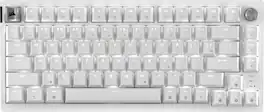
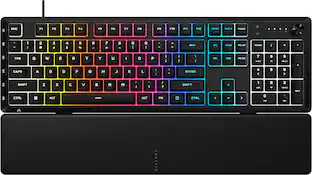
CORSAIR - K65 PRO MINI RGB 65% Optical-Mechanical Gaming Keyboard Backlit RGB LED, OPX - Black

Pro-player performance comes in a space-saving 65% size with the K65 PRO MINI 65% optical gaming keyboard. Smooth, ultra-responsive linear CORSAIR OPX optical switches combine with extremely satisfying acoustics, engineered with two layers of dampening, for a gaming and typing experience that lets you focus on what really matters: the game. Outlast the competition as you type on tough PBT double-shot keycaps that won’t crack under pressure, and astonish opponents with AXON Hyper Processing Technology that plays complex RGB lighting layers and transmits keystrokes in an instant. With expansive secondary functions and onboard macro recording, the K65 PRO MINI equips you to always play with a purpose

CORSAIR - VANGUARD AIR 99 WIRELESS Optical-Mechanical Gaming Keyboard with Pre-lubed, ultra-responsive OPX Low-Profile Switches - Black
4.6(46)

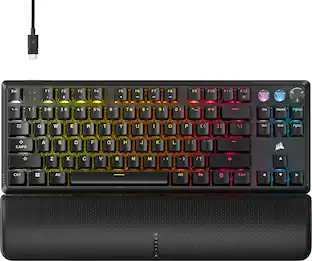
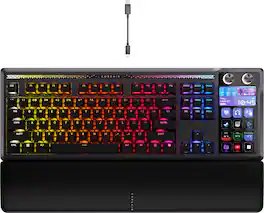
The sleek, low-profile VANGUARD AIR 99 WIRELESS keyboard delivers exceptional performance across all aspects of your life, making controlling everything seamless. Enhance productivity using Stream Deck integration and SD-keys to streamline your daily tasks. Unleash serious gaming performance with ultra-responsive OPX low-profile optical switches and 8,000Hz hyper-polling. With its elegant aluminum frame and brilliant LCD screen, it’ll be your stunning new desktop centerpiece. Enjoy exceptional typing feel and acoustics with premium gasket mounting and 5-layer sound dampening. Connect how you want, where you want. Get tri-mode connectivity (2.4GHz, Bluetooth, and USB-C) and multiplatform compatibility with PC, Mac, console, and more.

CORSAIR - VANGUARD 96 RGB Wired MLX Quantum Linear Mechanical Switch 96% Gaming Keyboard with FlashTap SOCD - Dual Tone

CORSAIR’s VANGUARD 96 pulls off the astonishing feat of shrinking a full keyboard with arrow keys, a tenkey pad, an LCD screen, rotary dial, and 6 programmable G-keys into a super-compact frame. Featuring wobble-free pre-lubricated CORSAIR MLX switches, it’s also hotswappable, supporting compatible 3-pin and 5-pin switches. The stunning LCD screen takes keyboard personalization to the next level with animations, stats, and game integration support. Quadlayer sound dampening provides satisfying keypress acoustics, and 8,000Hz hyper-polling delivers lightning-fast inputs. VANGUARD 96 also features Elgato Virtual Stream Deck integration, FlashTap SOCD handling, and easy customization via our web-based utility, CORSAIR Web Hub.
Pros for CORSAIR - CLIPPER PRO MINI 60 Hall Effect Gaming Keyboard - Black
Build Quality, RGB Lighting, Size, Portability, Form FactorRGB Lighting, Size, Keyboard Quality, Key Feel, LightingBuild Quality, Noise Level, Typing Experience, Key Responsiveness, ConnectivityBuild Quality, Noise Level, RGB Lighting, Size, Feel
Cons for CORSAIR - CLIPPER PRO MINI 60 Hall Effect Gaming Keyboard - Black
Key FeelSwitches, StabilizersThere were no cons for this productSoftware, Key Sensitivity, Port Placement

Specs

Be the first to ask a question.

We’ll try to get your question answered within 24 hours by a Best Buy customer or brand representative.

No content

Customers often buy these together

Sponsored

Similar products from outside of Best Buy

sponsored
Ask BlueAI

Finance Options

My Best Buy® Credit Card
Buy Now, Pay Later

Special Offers

Top Offers
Included with Purchase

Finance Options

My Best Buy® Credit Card
Buy Now, Pay Later

Special Offers

Top Offers
Included with Purchase