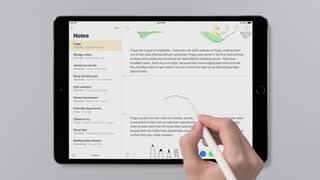
A:AnswerNo it doesn't! I am left handed as well and the pressure/sensitivity still works great. (works for any angle) In most apps you can select to turn the sensitivity/pressure off anyways. Important to note I do not use this for things such as professional/advanced drawing, however I have seen people use it as such. Hope it helps!
A:AnswerIf you have an Apple Pencil (1st generation), you can use it with these iPad models:
iPad Air (3rd generation)
iPad mini (5th generation)
iPad Pro 12.9-inch (1st or 2nd generation)
iPad Pro 10.5-inch
iPad Pro 9.7-inch
iPad (6th generation)
A:AnswerNope, the apple pencil (1st generation) is exclusive to these iPad models:
iPad (9th generation)
iPad (8th generation)
iPad mini (5th generation)
iPad (7th generation)
iPad (6th generation)
iPad Air (3rd generation)
iPad Pro 12.9-inch (1st or 2nd generation)
iPad Pro 10.5-inch
iPad Pro 9.7-inch
A:AnswerWith the first gen pen, you can only use this pen with the iPad that has the button on at the bottom. It won’t work with the iPads that are the full screen and no buttons.
A:AnswerThe first Gen Apple Pencil works on the older IPad models while the second Gen works only with the Gen 4 IPad Air, Gen 3rd or later IPad Pro 12.9in, or Any of the 11in IPad Pros.
A:AnswerIt is pressure sensitive but does not have palm rejection, so you might want an artist glove or similar so the iPad won't make extra lines from your hand.
A:AnswerI think you will need the 2nd generation Apple Pencil for the IPad pros. Make sure to look in the descriptions of the pencils to check for what they are compatible with.