“Is there a way two connect a router ethernet port one on modem and add another router on ethernet port two. To have two routers in house so I do not overload the one router with so many devices being used at same time. Or heavy use of same router.”
Answer This Question
1-5 of 5 Answers
You would need two individual ip addresses from your isp. Comcast does not offer this at this time, however they said possibly in the future at an additional charge
Sorry, there was a problem. Please try again later.We have only one cable modem, 3 switches, and this supply’s our 10 acres with WiFi internet throughout. The main cable modem is connected to the main house. Everything is monitored remotely. Works great.
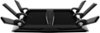
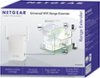
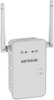
Sorry, there was a problem. Please try again later.Yes, but ideally the second router would cover a different area of the house. There are several ways to accomplish this. Better routers have an "Access Point" setting, which allows them to use the same SSID, and provide stronger signal in other parts of the house. You can also get a Netgear Ethernet Extender ( about $100). You would plug that into a wall outlet, connect to Port 2 on your modem, plug the other extender into a wall outlet elsewhere in the house, and connect it to the second router. The Internet signal travels over house wiring, and is very reliable. A variation on that is that some Ethernet extenders broadcast WiFi, under a different SSID, you could connect to that router if you're in that part of the dwelling. Keep in mind that no matter how many routers you have, you're still splitting the Internet bandwidth among all the devices in the house, which can add up quickly, with smartphones, tablets, PC's, media equipment, etc. Make sure you have a large enough amount of bandwidth to begin with from your ISP, and maybe you just need one well-placed, higher-end router to handle all the traffic. (Check out the Netgear R7900 or similar).
I would recommend:
Sorry, there was a problem. Please try again later.The modem supports it but your ISP may not allow it and if they did you would have to buy another account to give a 2nd ip address to
Sorry, there was a problem. Please try again later.Yes but u have to have 2 counts
Sorry, there was a problem. Please try again later.