1-1 of 1 Answer
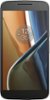
All depends on which network. Or, get a google voice account to forward them to it for absolute control. Set up google voice with a new number, then add account to phone and download google voice app from play store. Open app and use google voice as your voicemail, then all calls will ring your new google voice # which you cab forward or make ring at multiple locations at once. How to: https://support.google.com/voice/answer/165221?hl=en Or.. Back to Previous Page Forwarding calls - Moto G Plus (4th Gen.) For carriers that support call forwarding, you can follow these steps to enable: Touch Image Touch Phone Touch Menu Image Touch Settings Touch Calls Touch Call Forwarding (if not supported by your carrier, this option will not appear) Select desired Forwarding option. https://motorola-global-portal.custhelp.com/app/answers/prod_answer_detail/a_id/111308
Sorry, there was a problem. Please try again later.
