“I don't have to setup an account or pay any fees or anything like that. is it just plug and play”
Answer This Question
1-5 of 5 Answers
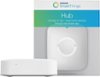
There are no fees when you're using the sensor, however, you do have to have the Samsung Smart Things Hub. This works with the hub, it won't work on its own and send you notifications to your smart phone, the hub is what connects all of the individual sensors together and sends the information to your phone. Hope this helps.
I would recommend:
Sorry, there was a problem. Please try again later.No.
Sorry, there was a problem. Please try again later.Its absolutely free yes. Set up was fast, easy and free. It's as simples as plugging it in and connecting a network cable into your existing home internet box (cable is provided). Then download the SmartThings app onto your phone and setup a free account using an email address and pick a password. Then enter a code to recognize your specific SmartThings hub (code is in the box on a cardboard insert). Then click on "Add a thing". Done!
Sorry, there was a problem. Please try again later.No, you do not have to pay fees, the account setup is free, and there is no subscription.
Sorry, there was a problem. Please try again later.You will need the Samsung Smart Things hub and you will create an account for that albeit a free account. Once that is set up and ready connecting the Sensor to the hub is very easy!
Sorry, there was a problem. Please try again later.