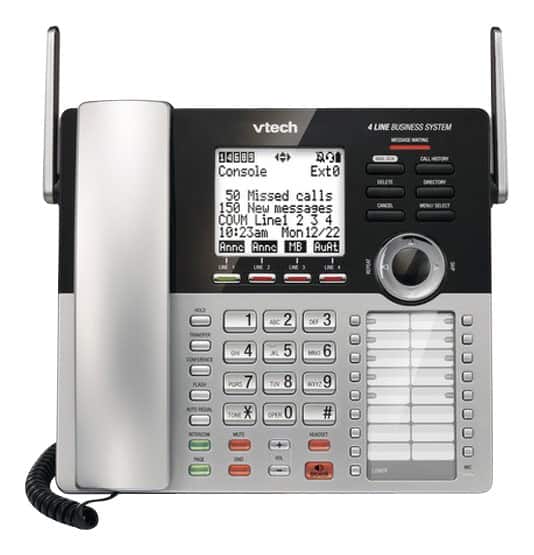
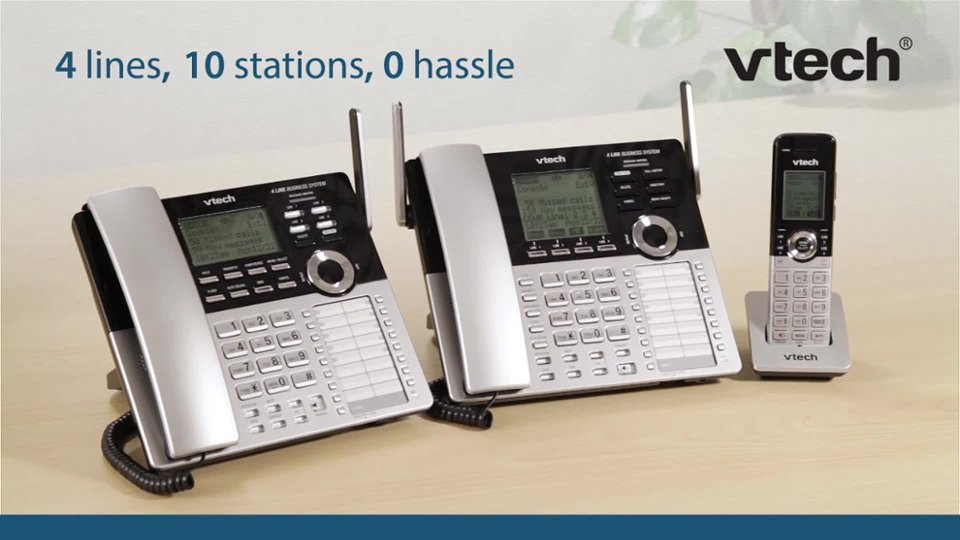
A:AnswerHi - We are sorry to hear that you are having issues retrieving recorded messages. Please contact our Consumer Sales and Service Center between the hours of 9:00 AM and 5:00 PM Monday through Friday at 1-800-595-9511. Our team will assist you and replace any units under warranty. We look forward to hearing from you.
Thank you,
-VTech Support
A:AnswerHi - The VTech CM18445 and the expansion deskset model CM18245 is designed to work with analog, digital or VOIP residential type of service.
Thank you,
-VTech Support
A:AnswerHi - Yes, the VTech CM18445 is capable of 2 lines coming from one telephone jack. The unit has L1/L2 line port at the back where you can install the 2 lines coming from the same jack.
Thank you
A:AnswerHello - The VTech CM18445 has one mailbox. You can get additional expansion handsets/desksets and set up the auto attendant feature for your callers to select which company they would like to reach. Four more inquiries, please contact our Consumer Sales and Service Center between the hours of 9:00 AM and 5:00 PM Monday through Friday at 1-800-595-9511.
Thank you,
-VTech Support
A:AnswerLyn - Yes, the call will automatically connect once the corded handset is taken off the cradle on the VTech CM18445. You can also press the speaker button to make or receive a call.
Thank you,
-VTech Support
A:AnswerHello -The operating range of the VTech CM18445 varies and is dependent on the environmental conditions and the time of use. We recommend you place the main base unit in an open location for optimum range and better reception.
Thank you,
-VTech Support
A:AnswerHello - We are sorry to hear that you are having issues with the answering machine of the VTech CM18445. You can turn off the call screening feature for the system not to broadcast the incoming messages and announcement through the speakerphone.
Thank you,
-VTech Support
A:AnswerHello - The VTech CM18445 requires (2) 2 line phone jacks or (4) single line phone jacks for all four lines to work. You may contact your telephone service provider to install the required phone jacks for the VTech phone to function.
Thank you,
-VTech Support
A:AnswerSam - We are sorry if you are experiencing issues with your VTech CM18045. If you are unable to hear on the handset, try moving closer to the base. The range can affect the audio on the handset. Also make sure that the volume is up on the handset. If nothing's changed after the steps were performed, you may try resetting by unplugging the AC adapter and batteries for 2-3 minutes. Re-plug and test. If you are still experiencing issues, kindly contact our customer support team. Thank you!
-VTech Support
A:AnswerHello - The VTech CM18445 does not communicate with another console. The compatible expansion units are the models CM18245 and CM18045.
Thank you,
-VTech Support
A:AnswerHello - The extension units compatible with the CM18445 has a private mailbox that can answer calls and record messages when the auto attendant and the private mailbox are turned on. The compatible extension phones for the console are the models CM18245 and CM18045. For more details, please contact our Consumer Sales and Service Center between the hours of 9:00 AM and 5:00 PM Monday through Friday at 1-800-595-9511.
Thank you,
-VTech Support
A:AnswerHello - The CM18445 has a call screening setting that will enable you to hear the actual message while it is being recorded. Here's how you can turn on the said feature.
1. Press the MENU/SELECT button when the phone is not in use.
2. Press the arrow down button to scroll to Ans sys setup, then press the MENU/SELECT button.
3. Press the arrow down button to scroll to Call screening, then press the MENU/SELECT button.
4. Press the arrow down button to scroll ON, then press the MENU/SELECT button.
Thank you,
-VTech Support
A:AnswerDino - The VTech CM18445 does not have a capability to transfer an answered call to Voicemail or to an outside line. Please check with your telephone service provider if the said subscription is available through them.
Thank you,
-VTech Support