Rating 4.3 out of 5 stars with 27 reviews
4.3- Duplex Scanning (14)
- Ease of use (14)
- Size (8)
- Software (6)
- Card Slot (3)
Customer Images
The vast majority of our reviews come from verified purchases. Reviews from customers may include My Best Buy members, employees, and Tech Insider Network members (as tagged). Select reviewers may receive discounted products, promotional considerations or entries into drawings for honest, helpful reviews.
- Rated 5 out of 5 stars
A perfect portable sheet scanner.
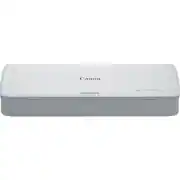
The Canon ImageFORMULA R10 is a perfect scanner for light everyday use. It is a single pass, double sided sheet scanner, that clocks in at roughly 12 pages per minute black and white and 6 pages per minute for color at 150 dots per inch, but can reach a maximum resolution of 600 dots per inch (native). So, let me tell you a story because I'm not completely unfamiliar with this type of scanner. We have Canon high end desktop scanners that I use at work regularly, and I use a Fujitsu 9 lb portable scanner for my work in the field. But, none of the scanners I use so far are as light or as flexible and with ease of use as this canon R-10 scanner. It weighs a mere 2.2 pounds, it's powered by USB and has built-in software, and for the vast majority of us end users, the scanner is perfect for our everyday use. I can take the scanner with me to work, I could take the scanner with me to conferences, and easily move around the house. The effective use of the scanner in everyday use is far greater than any of the other machines I have used currently or in the past. The scanner features unique things like a double sided business card scanner on the front, a 20 sheet variable sized auto feeder that has the ability to do scans of receipts or contracts on the go, and the ability to take from one place to another with relative ease. While the specs state that the scanner's design is for paper use only (about max 34 lb bond paper), I find that it is quite Adept at scanning photographs, and to that it's nice that the output options include TIFF files by default. This would allow for advanced photo corrections should you need to make adjustments to your scans at a later time The last few months I have been trying to scan decades of photographs and slides into the digital world. Thus far, my workflow has been loading it on my flatbed scanner on the network and then scanning them manually one by one on my desktop. It's time consuming and frustrating that the existing scanner would not scan the photos via the automatic document feeder. The reason for this is most document feeders rotate the document 180 degrees to scan the file and photographs are too small and get stuck. This canon scanner is a straight feed, with minimal bending of the document (kinda like the Fujitsu or Canon scanners at work). I was able to set this scanner up on my dining table, load up the photos and scan photos while catching up with my favorite shows. In terms of convenience, this scanner rocks. So how does it scan? Well the 150 dpi (the lowest setting) is fast, doing roughly on spec 12 pages double sided in black and white, but it slows down rather significantly to 6 pages for full color double sided scans at the same resolution. Scanning at 600 dpi (dots per inch) full resolution would put this scanner at roughly 1 page per minute. If you are not scanning at those resolutions all the time, then this is perfect. For text archival 200 dpi is plenty, 300 dpi for photos. The scans by default are a bit darker, you may have to increase the brightness of the scans after a few test runs. The software that accompanies the scanner is very easy to use. While by default, it does not have an ‘advanced’ mode, but adding additional scanner presets is rather easy, as well as changing output formats and where they are stored. The way I see it, the only big flaw to this scanner is that there is no output feed tray (to hold documents coming out the other end), and there is no way to clear jams easily. That said, at least one can be solved rather easily, removing jams, I need to look more into the manual to see how to do that. My final take on this, if your workflow / lifestyle requires you to keep digital copies, this scanner will do the trick. For me this will be traveling with me and I can see it notching up quite a bit of air miles in the coming year as part of my carry on luggage.
Posted by TheStigenator
- Rated 5 out of 5 stars
Amazing Portable Scanner!
If you are reading this review, it is highly likely that you have a need to scan documents on the go. This could be because you work with documents on the go – such as a notary, a real estate agent, a paralegal, a genealogist doing research, a nomad living on the go, etc. The great news is that you may have found that gem of a scanner that you are looking for. This review will be done in multiple parts – Key Specifications, Usage Impressions, Pros, and Cons. The key specifications for this RGB LED-based scanner are as follows: • Paper Handling: 2” – 8.5” wide and 2.8” – 14” Long paper with a weight of 17-34 lb. Bond – which should cover the vast majority of folks' scanning needs. • The Sheet feeder can hold up to 20 pages. • Scans are 8-bit greyscale and 24-bit color but can scan in Color, Grayscale, and Black and White. • The optical resolution is 600 dpi and output resolutions are 150/200/300/400/600 DPI. • The scanner weighs 2.2 lbs. and is 1.57” x 11.2” x 3.75” in size with the trays closed. • Built-in CaptureOn Touch Lite scanning software (it’s on and runs from the device) • Single-Pass duplex scanning with skew correction • Card Slot This portable scanner is quite impressive in use. Once connected to your laptop and opened the on-board software folder opens and allows one to run the CaptureOn Touch Lite scanning software. The software has plenty of features despite being considered a lite version. One of the best features is the skew correction that can help to straighten a page that was scanned crooked. In the software, you can select the document type, color options, output formats, and simplex, duplex, or auto-detection for the number of sides to copy amongst other settings. The software is automatically updated when Canon sends out updates for it. A second outstanding feature on this device is the card slot – this slot allows one to quickly scan business cards and plastic cards, such as a driver's license, easily. While the product documentation states that it is not intended for scanning photographs on photo paper/photographic media we were able to scan a picture during testing. Since this is a portable scanner there is not an output tray – thus you must capture the sheets or have the unit on a large enough surface to capture the documents as they are scanned. This is just a fact and not really a con. Pros: Size, one-pass duplex scanning, card slot, power consumption Cons: None noted during testing.
Posted by dnottingham4
- Rated 5 out of 5 stars
Yulanda RAMP Scanner
Love this easy and convenient scanner.very lightweight and user friendly. My business will grow tremendously.
Posted by YulandaRAMPScanner
- Rated 5 out of 5 stars
Simplest & Easiest Scanner Ever
This is by far the simplest and easiest scanner I’ve ever used! Ok, first off I have to start out with just how pleased I am that a product has just one job, and does that one job very well! This scanner has a small footprint, but packs a punch with its seamless performance. As far as size, the r10 (while folded closed) is smaller than a box of lasagna pasta sheets, and quite light. The compact design makes this extremely easy to transport for anyone on the go. Not only is it perfectly mobile, but there is only a single cord to connect. No battery pack, brick, or separate power cord at all. This thing simply connects via USB to your laptop, and boom, you’re set! The initial setup process was extremely easy. Once connected to my laptop, the software and updated automatically popped up. I use macOS and expected there to be some sort of hang up with having to choose a proper setup selection. But, to my surprise I was not met with any choices, simply the setup screen, a few clicks of “ok” and within 5 minutes the scanner software was updated, scanning application loaded, and scanner ready for use. The Capture OnTouch application is absolutely straightforward and simple to use. There’s not much with regards to “options” or extra features. You’re able to simply select the type of scan, the destination folder for the scan, and “scan”. How easy, right?!?! I decided to use a few bills and receipts for my initial scan. I loaded 5 pages of different sizes and clicked “scan”. After I selected my file destination, the pages began to slide down smoothly, swift and quietly. I had to actually ask “is it scanning or analyzing the pages?”. The answer was obvious just seconds later. The whisper quiet process was finished in seconds. Once the scan is complete, I’m greeted with a preview page of each document on the left side of the application, showing the front and back of each document (in color). I was actually in shock due to the ease of use. I would love to go into deeper details about features and extras, but there are none! Simply pick a folder, load the scanner, and scan, that’s it! Hands down, this is definitely a product I would recommend for ANYONE in need of a simple, no nonsense scanner.
Posted by Shae
- Rated 2 out of 5 stars
Quality scans, antiquated design
Pros Compact Light Runs off USB Power Duplex capable Good scanning quality Includes card scanner Automatic OCR M1 Mac Capable Cons Slow Lackluster OCR Scans always skewed from paper and cards Rollers are tight requiring pressure to detect pages Rollers grab page skewed even when manually guided Often grabs entire stack instead of single page Antiquated micro-USB connection No mobile app or mobile capability Disconnects and closes app each time the computer sleeps App doesn’t automatically launch with scan button on newer OSes Design The ImageFormula R10 uses a very common design for sheet feed portable scanners with the outer shell unfolding to become the sheet feed tray. Wings hidden in the cover extend the tray even further. On the tray are two paper guides that can be unfolded to help guide the paper and hold it up. The paper path is nearly straight with only a slight curve as it passes through from the sheet feeder to the output slot. The entire paper path is accessible via a single locking latch. On the right front of the output slot is a card scanning slot that passes straight through the body to the back allow scanning of even rigid cards. There is a single button used to start scanning. For those concerned about security there is a Kensington slot around back. However, the slot doesn’t appear to have the metal backing in the hole to strengthen the connection. Scanning is only done through a PC or Mac via USB. In an odd choice, the connection is micro-USB where most modern laptops have transitioned to USB-C. This likely means you will need a dongle to connect and scanning via tablet or phone is, unfortunately, out of the question. Setup and Performance Hardware setup is straightforward if you have a legacy USB-A port available. Just open the outer door of the R10 and plug in the USB cable. Assuming your USB port provides enough power, the scanner turns on and is ready to go. Scanning software is available via a rather unique method. Instead of downloading software from a website or installing from an app store, the R10 has built in storage which stores a copy of the scanning software. It does have the advantage of not needing to be installed. The downside is it depends on the system auto opening the folder to show you the file. Due to security concerns, many modern systems no longer show you this option and can lead to some initial confusion for the less tech savvy. A potential downside for some is settings are the same regardless of what computer you plug it into. While not a deal breaker, its worth knowing before buying if this matters to you. The good thing about this technique is that you always have the software with the scanner, and it updates the software when you update the scanner. A recent updated added official support for M1 macs so if you want to carry a dongle you can now use the R10 with the latest Macs. Out of the box, the R10 scanning software has three scanning profiles of Text, Photo, and Full auto which are already have the most common settings best for each configured. You can edit the default scanning profiles to suite your needs or create extra scanning profiles. Default storage locations of Desktop and the Photos folder are included and of course you can create further custom locations. Scanning can be initiated via the scan button the scanner or the one in the software. Scanning isn’t particularly fast. Often regardless of paper weight it was not detected nor grabbed by the feed mechanism often requiring a little extra pressure on the pages to start the process. If you have thinner paper, such as carbon copies it can be tricky to feed as the system often doesn’t detect the paper. Also, regardless of the condition of the paper it tended to grab the entire stack of paper while trying to grab the first. This also lead to resorting to scanning pages one at a time. While this might be specific to this unit, every piece of paper or card scanned, no matter how straight it was inserted, always ended up feeding through slightly skewed. It also seems like the rollers on one side where either moving at a different speed or slipping. The software does attempt to straighten pages, but even on the most aggressive setting pages were regularly crooked as well as skewed. You could see this best on pages with horizontal lines. The lines would be parallel at the top and angle if they were near the bottom. While some scans were very subtle, it always seemed to be present. Getting a clean scan often required several tries but once you got one the quality was very good. While scanning in you have the option to add extra pages or adjust scanned pages, such as brightness, contrast, and rotation. Strangely, if you rotate a page after other adjustments, it reverts all other changes. The straighten tool has no option to straighten based off a line and only includes a slider making precise adjustments tedious. Strangely absent is any sort of a cropping tool. If you choose to output to a pdf, you have the option to run OCR on the text of the scan. This can come in handy if you want to grab some text off the scan afterwards. While poor quality printing or odd fonts can easily throw off OCR software, the OCR with R10 was a mixed bag with regular text. Sometimes it could grab nearly perfect text on colored paper with noise and a Times New Roman font yet other time struggle to recognize any more than 50% of the text on a clean scan on white paper using Courier. Final Thoughts The ImageFormula R10 is a mixed bag. Overall, the design language feels dated for the most part. If you are looking for a modern scanner with advanced features like smart straightening and de-skew, mobile support, cloud support, and modern ports this scanner is not for you. That doesn’t mean it can’t be useful for some. If prefer the older design and image quality is what matters most to you, the ImageFormula R10 could work for you. Otherwise, it might be best to look at other more modern solutions.
Posted by CraigB