Epson - Perfection V39 II Color Photo and Document Flatbed Scanner - Black
Customers are saying
Customers are enthusiastic about the scanner's sharp image quality and its overall ease of use, which are frequently highlighted as standout features. Users also appreciate the device's lightweight design, simple setup process, and the user-friendly software interface provided. While the product is generally well-regarded for its performance and value, some users noted limitations regarding its lack of wireless connectivity and occasional compatibility issues with newer operating systems. Additionally, a few customers mentioned that the device can be slightly noisy during operation and utilizes older USB connection standards.
Amazing image clarity and detail
4800 dpi optical resolution, ideal for photo enlargements
Versatile scanning
Easily scan photos, artwork, illustrations, books, documents and more
Boost your scanning capability
Stitch oversized images together and send scans to cloud storage services with included powerful Epson ScanSmart software
One-touch scanning
Scan in fewer steps with easy-to-use buttons
Restore color to faded photos
With one click, Easy Photo Fix technology makes it simple
Scan books and photo albums
High-rise, removable lid
Create editable Microsoft Office documents
Scan to Word, Excel and PowerPoint files with optical character recognition (OCR)
Compact and lightweight
USB powered for portability; 3.1 lb
Convenient
scan letter-sized documents in as fast as 10 seconds
Save space
Built-in kickstand for vertical placement and storage
- Scan MethodFlatbedDuplex Scan FunctionNo
Reviews
Rating 4.3 out of 5 stars with 329 reviews
- Scan Quality (101)
- Ease of use (95)
- Overall Performance (33)
- Size (29)
- Resolution (14)
- Connectivity (16)
- Compatibility (9)
- Noise Level (4)
- Kickstand (3)
- USB (3)
Customer Images
The vast majority of our reviews come from verified purchases. Reviews from customers may include My Best Buy members, employees, and Tech Insider Network members (as tagged). Select reviewers may receive discounted products, promotional considerations or entries into drawings for honest, helpful reviews.
Compare similar products
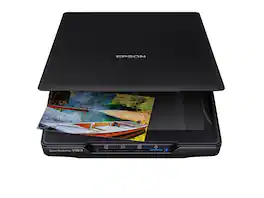
Make scanning simple with the affordable, compact and lightweight Epson Perfection V39 II. Featuring an optical resolution of 4800 dpi, this easy-to-use photo scanner delivers amazing clarity and detail at a great value. With the included Epson ScanSmart software, you can scan photos, artwork, illustrations, books, documents and more to cloud storage services as well as stitch together oversized images. Moreover, if your photos have faded, you can bring back the color in one click with Easy Photo Fix technology. The V39 II delivers high-quality letter-sized scans in as fast as 10 seconds. It also includes convenient one-touch scanning with easy-to-use buttons, so you can scan directly to PDF or email with just the touch of a button. In addition, you can create editable Microsoft Word, Excel and PowerPoint files using optical character recognition (OCR) software. The V39 II is USB powered for portability, includes a built-in kickstand for space-saving vertical placement and storage, and features a high-rise, removable lid to accommodate bulky items such as books and photo albums. Meet the nexus of stunning image quality and great value with the Epson Perfection V39 II.

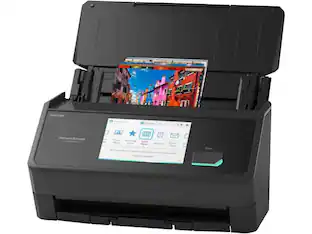
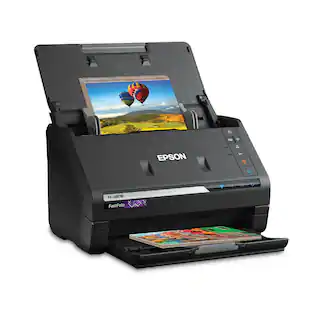
Preserve what’s priceless with the Epson FastFoto FF-680W — the World’s Fastest Personal Photo Scanner. Scan thousands of photos — as fast as 1 photo per second. Easily restore, save, organize and share photos, postcards, panoramas, documents and more. The convenient mobile app enables you to capture the voice of loved ones and create slideshows, so you can easily share stories about your photos right from your smartphone, from a firsthand perspective, for generations to come. Plus, FastFoto brings old photos to life with auto enhancement, color restoration and more. Offering the ultimate in versatility, it includes a variety of format options for quick sharing, archiving and enlargements
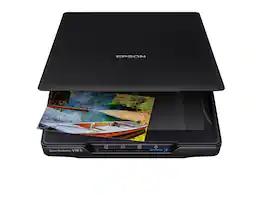
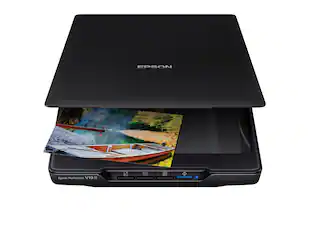
Make scanning simple with the affordable, compact and lightweight Epson Perfection V19 II. With an optical resolution of 4800 dpi, this easy-to-use photo scanner delivers amazing clarity and detail at a great value. The V19 II includes convenient one-touch scanning with easy-to-use buttons, so you can scan directly to PDF or email with just the touch of a button. Get high-quality letter-sized scans in as fast as 10 seconds. Moreover, scan photos, artwork, illustrations, books, documents and more with the included Epson ScanSmart software. If your photos have faded, you can bring back the color in one click with Easy Photo Fix technology. You can also create editable Microsoft Word, Excel and PowerPoint files, or generate searchable PDF files using optical character recognition (OCR) software. The V19 II is USB powered for portability, includes a built-in kickstand for space-saving vertical placement and storage, and features a high-rise, removable lid to accommodate bulky items such as books and photo albums.

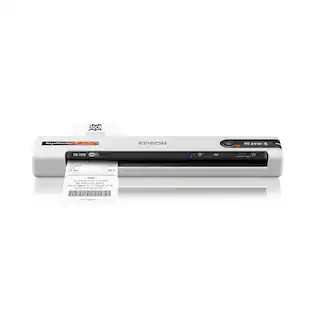
Create digital copies of important documents with this Epson WorkForce scanner. Its versatile document-handling capability accommodates standard paper, ID cards and receipts, and the included Nuance OCR software converts output into editable files or searchable PDFs for efficient archiving. This Epson WorkForce scanner’s small, lightweight design offers portability, and the USB interface provides easy connectivity.
| Pros for Epson - Perfection V39 II Color Photo and Document Flatbed Scanner - Black | |||
|---|---|---|---|
| Scan Quality, Ease of use, Overall Performance, Size, Resolution | Scanning Speed, Ease of use, Software, Size, Image Quality | Scanning Speed, Ease of use, Resolution, Software | Ease of use, Scan Quality, Size, Overall Performance, Speed |
| Cons for Epson - Perfection V39 II Color Photo and Document Flatbed Scanner - Black | |||
| Connectivity, Compatibility, Noise Level, Kickstand, USB | Connectivity, Compatibility, Price, Jamming | USB Connector | Connectivity, Compatibility, Software, Paper Handling |
Specs
Can this scanner connect to a Mac with USB-C?
Answered by EpsonHello Kevin. Yes, you can use the V39 Photo Scanner with a "USB B to C" cable. The cable is sold separately. Regards, Kevin - The Epson Team.
Can the V39 II be adjusted to to add pages to a PDF scan? So far I have had to make separate scans of a multi page PDF document. Thanks
Answered by EpsonHello Tony2. You can scan multiple pages and save them as a single PDF document. Unfortunately, once the file has been saved, you cannot add additional pages to the file. Regards, Kevin - The Epson Team.

Do I have to create a new online account, then log in to that account to use this scanner?
Answered by EpsonHello kthr33. The V39 Scanner does not require an online account for usage. You can download the scanner driver and software directly from our official Epson Support page. Regards, Kevin - The Epson Team.
Can I convert old slides and negatives to JPG files with this scanner?
Answered by EpsonHello SteveC. Unfortunately, the V39 is not ideal for scanning slides. We recommend looking at the V600, which includes a built-in transparency unit that scans slides, negatives, and film in both 35mm and 120mm formats. It is currently in stock on BestBuy's website, but please be aware that inventory can change. Regards, Kevin - The Epson Team.
is the USB cable included?
Answered by EpsonHello farshi. Yes, the V39 II Scanner includes a USB cable. Regards, Kevin - The Epson Team.

Customers often buy these together







Customers ultimately bought
 Top Deal$559.99The price was $629.99
 $229.99The price was $279.99

Discover lifestyle innovations Sponsored
 $54.99The price was $64.99


Discover related products
 $119.99The price was $129.99
 $27.00The price was $42.99
 $269.90The price was $296.90
 $139.99The price was $219.99




Keep exploring
 $124.24The price was $134.72